Configuration
This page contains two tabs for the billing and ticketing service settings.
Billing
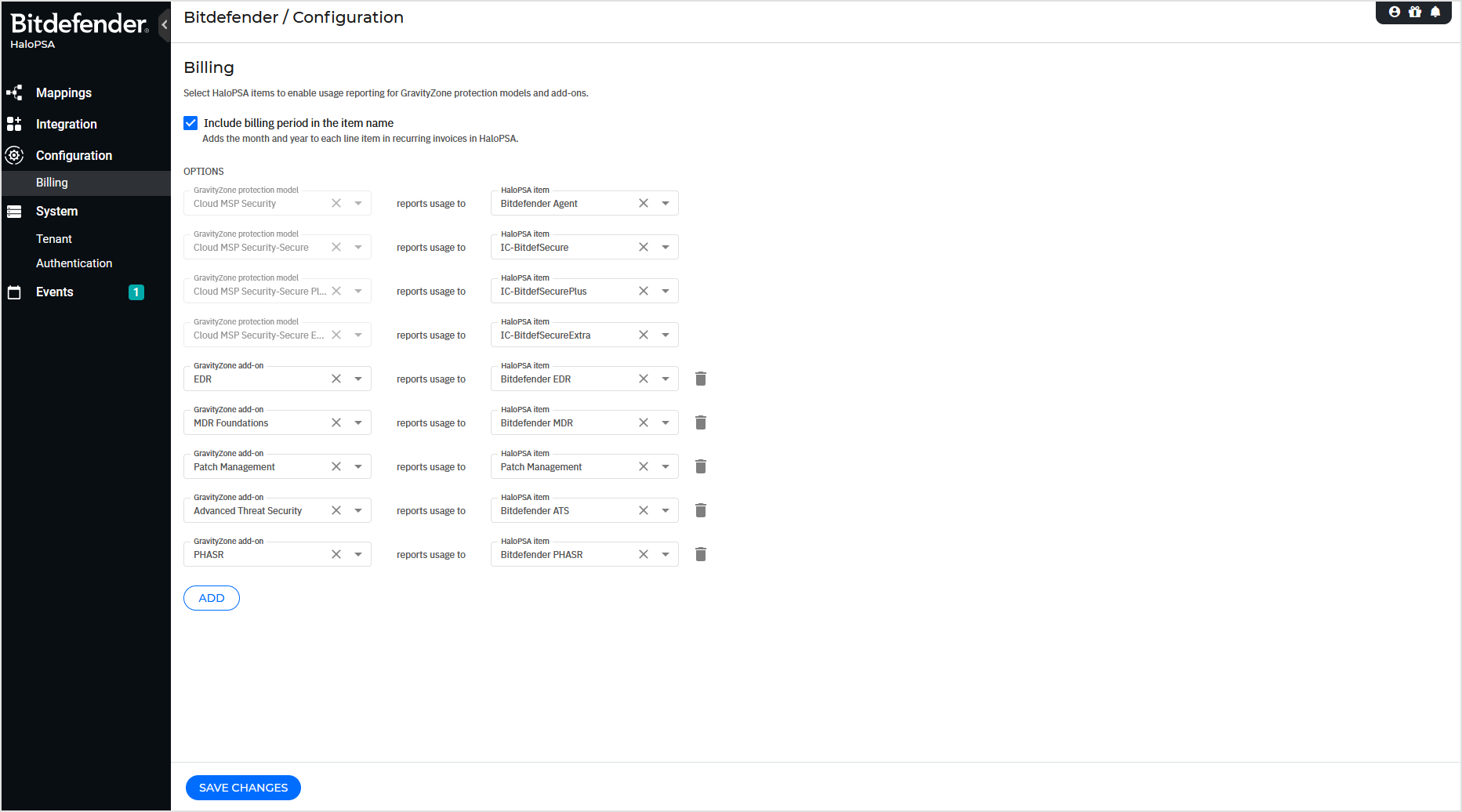
In this tab, you can adjust the global mapping settings for your HaloPSA billing service after it was configured in the initial configuration wizard. Depending on your available GravityZone protection models and add-ons, Bitdefender will report the number of active protected endpoints and the consumption of any additional technologies for each managed company. The settings are the same as during the initial configuration.
Note
Changing the GravityZone – HaloPSA mapping for the billing service will affect all configured mappings with Billing active. Mappings with custom Billing will not be affected.
If mapped HaloPSA items are removed from HaloPSA, the Billing service will stop for the affected HaloPSA clients.
By enabling the Billing service on a HaloPSA Client mapping, a recurring invoice template with the HaloPSA client name is created automatically.
The GravityZone current month usage is pushed automatically to the recurring invoice on the second day of the next month. Example: A GravityZone monthly usage from September 2025 is pushed to the HaloPSA invoice on October 2nd, 2025.
The option is available from the Mappings page by editing a HaloPSA client mapping and is designed to offer flexibility if the global billing configuration cannot be used.
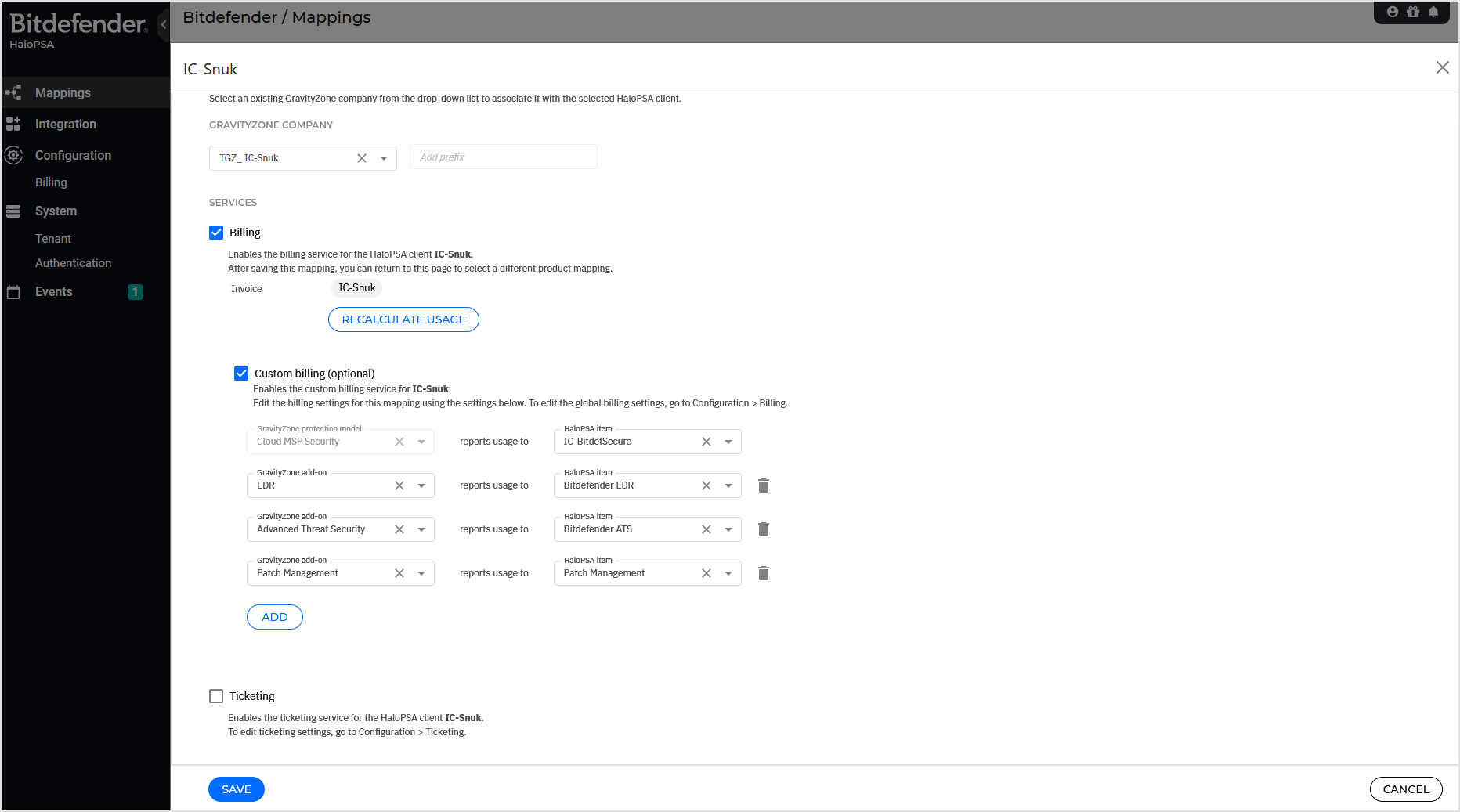
When enabled, custom billing will display only the available GravityZone license for the respective company and may differ from the licensing option available on your GravityZone Partner account. To add or remove any licensing features, you must edit the licensing option inside the GravityZone console.
To use custom billing:
Activate the Custom billing option.
Add or change any additional add-on mapping.
Click Save.
Notice
Only the corresponding HaloPSA client mapping is affected by this change.
Important
If GravityZone usage was previously assigned to other HaloPSA items recorded in the recurring billing, those entries cannot be automatically removed. You must manually remove the previously added HaloPSA item lines from the invoice.
The option can be used to push the GravityZone last month usage into the recurring HaloPSA invoice on-demand. Alternatively, the usage is reported automatically on the second day of the next month.
Ticketing
In this tab, you can adjust your HaloPSA ticketing service after it was configured in the initial configuration wizard. As with the billing service, the available Bitdefender alerting options will depend on your protection models and add-ons. The settings are the same as during the initial configuration.
Notice
All options marked with * are mandatory. If omitted, the Save button on the page will be grayed out.
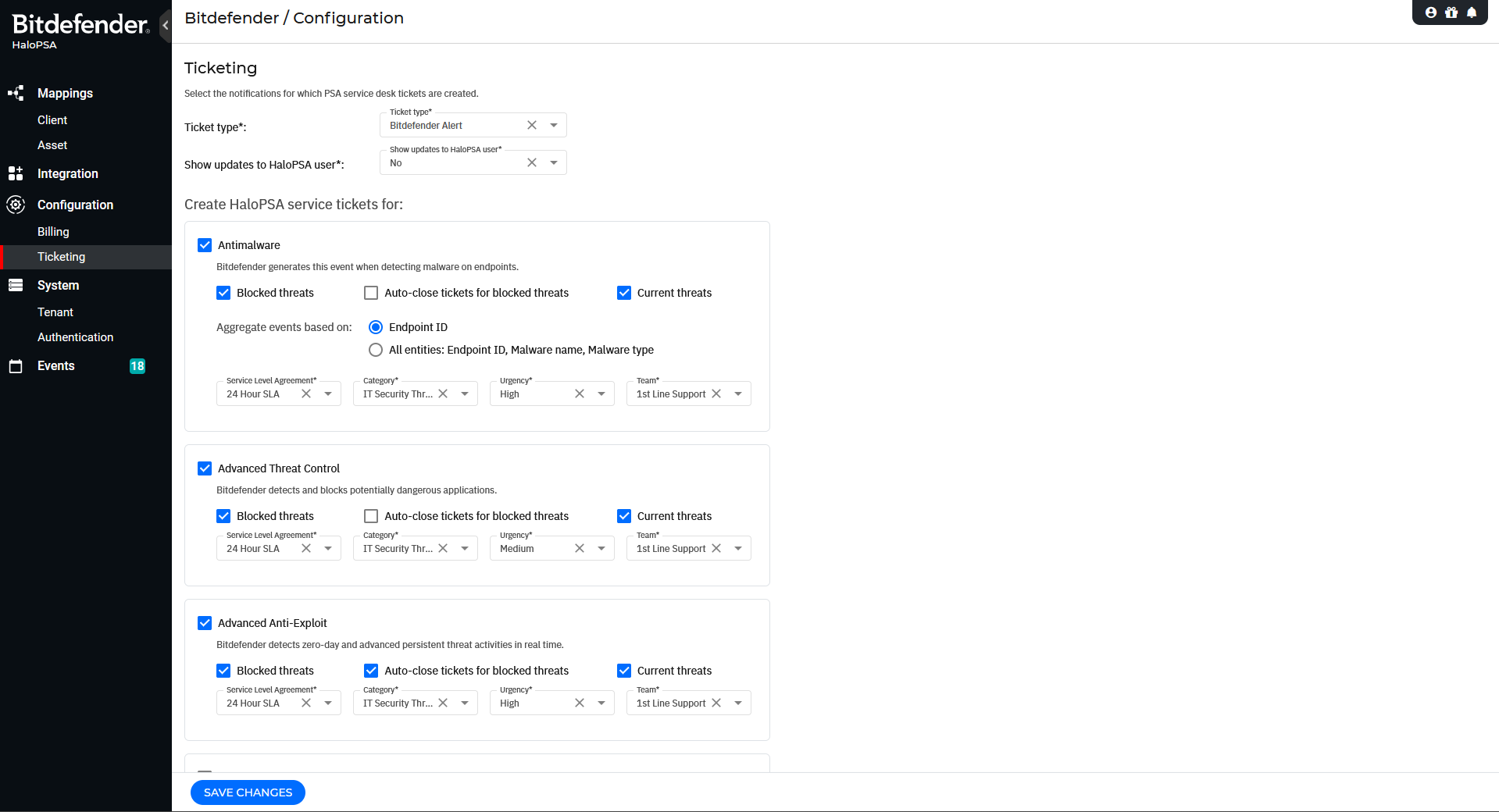
The HaloPSA ticketing service will allow you to select:
Your HaloPSA ticket type. Bitdefender will create new HaloPSA Service Desk Tickets with the default initial status available on your selected Ticket Type.
If Tickets updates should be shown to the user. If set to Yes, private notes updates created by Bitdefender will also be visible to users.
The available Bitdefender alerts for your HaloPSA integration depend on your Bitdefender MSP license features. By default, the integration supports blocked and current threats reporting for the following alerts:
Antimalware - tickets can be aggregated based on:
Endpoint ID - all alerts will be aggregated into the same HaloPSA ticket, regardless of the detected malware name, type, or path. This option is usually preferred when a Full Scan task generates too many tickets.
All entities - tickets will be separated based on the malware type, name, and detected path.
Advanced Threat Control
Advanced Anti-Exploit
Antiphishing
Endpoint Detection and Response
Firewall
Web Traffic Scan
Sandbox Analyzer
Ransomware Detection
Network Attack Defense
HyperDetect
Each alert needs to have valid Service Level Agreement, Category, Urgency and Team option selected. If available as defaults on your HaloPSA ticket type, they will be automatically added, but you can still select different options for each alert.
The Auto-close tickets for blocked threats option, if enabled, will create HaloPSA service desk tickets but automatically close them with the Closed status. If the Closed status is not available in your HaloPSA console, a Ticket event will be generated under the integration's Events section.
Important
Ticketing events can be lost if other ticketing issues are detected that have a higher priority. For example, a “Ticketing closure failure” event will be automatically dismissed if a “Invalid ticketing configuration” event is detected, as creation of tickets is no longer possible.
If the integration detects multiple alerts (of the same type) for the same Bitdefender endpoint, the Ticketing Service will automatically aggregate multiple Bitdefender GravityZone alerts under a single Halo Service Desk Ticket via private notes updates. Any other situation will create a new ticket.
Examples:
A private note is added to the existing ticket (status unchanged).
Conditions:
The affected Bitdefender endpoint and alert type are the same.
The ticket was created or updated less than 24 hours ago.
The ticket status is other than Closed or Rejected.
A new ticket is created with default initial status
Conditions:
The affected Bitdefender endpoint and alert type are the same.
The existing ticket was updated or created less than 24 hours ago.
The ticket status is Closed or Rejected.
A new ticket is created with default initial status
Conditions:
The affected Bitdefender endpoint and alert type are the same.
The ticket was updated or created more than 24 hours ago.
The ticket status is other than Closed or Rejected.