Blocklist
Adjust your blocklist configurations in the Blocklist area of GravityZone to stop particular files, applications, or network connections from executing or reaching your system. The Blocklist functionality implements a specified set of rules, applying them to your endpoints once activated.
Blocklist supports DLL files on Windows, .dylib files on macOS, and .so files on Linux. For more granular control, blocklist rules defined at the company level in GravityZone can now be enabled or disabled within the policy assigned to endpoints.
To activate the module click the Blocklist toggle.
Note
The Blocklist feature is enabled and enforced automatically for all MDR-managed endpoints, overriding any policy settings, with DLL and Script options remaining user-configurable.
To ensure continuous protection, the Firewall module is required for Blocklist enforcement. If the Firewall module is not installed on an endpoint, the Blocklist functionality on network connections will not be available. Ensure that the Firewall is deployed on all endpoints where Blocklist protection is needed.
When a policy that includes Blocklist enforcement is inherited, the Blocklist remains enabled and active, even if it is disabled in the parent policy.
Select which specific rule types to enable: Application Hash rules, Application Path rules, and Connection rules.
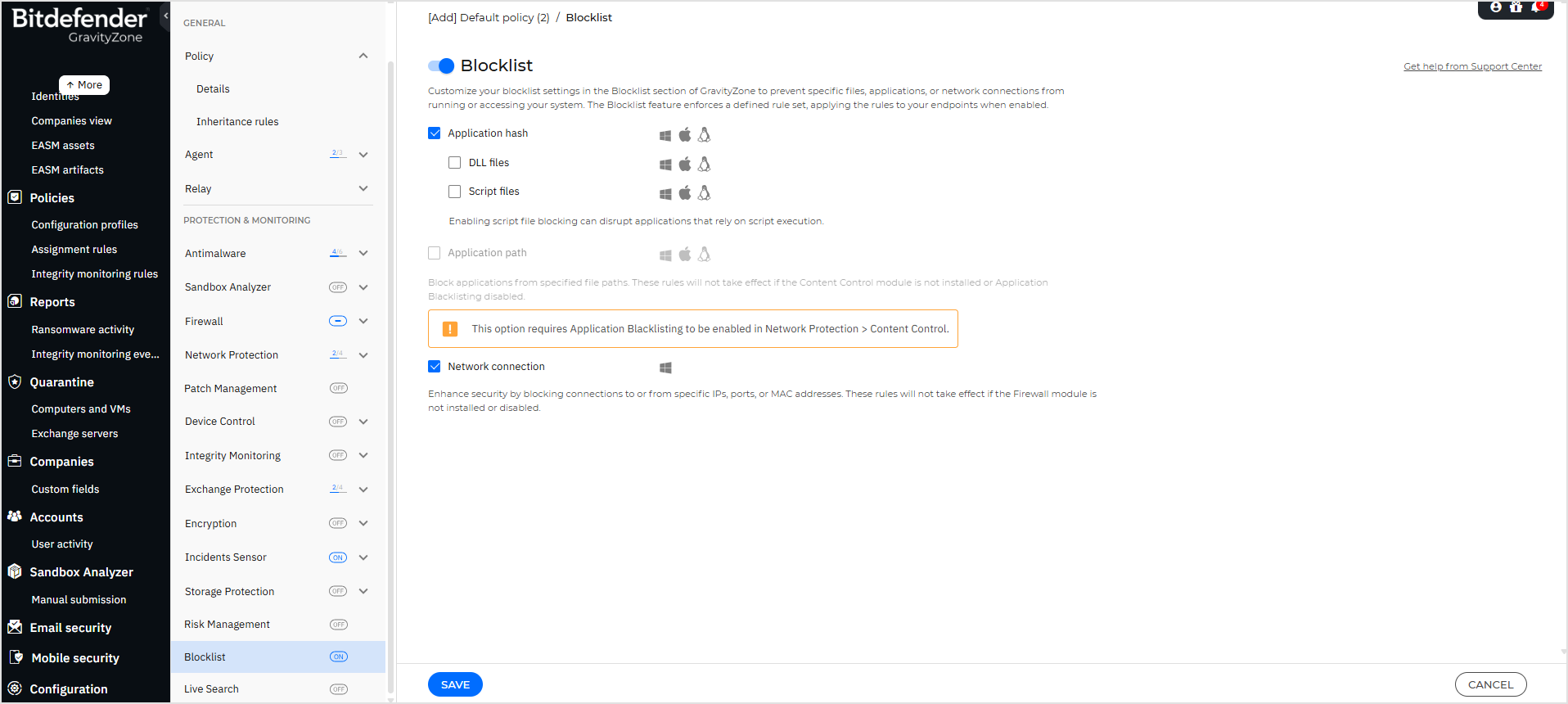
For the feature presentation, and details on configuration and operation refer to the Blocklist page.