ConnectWise PSA service boards missing in ticketing drop-down
In the ConnectWise PSA integration with Bitdefender GravityZone, the available Service Boards in the Ticketing configuration depend on the permissions assigned to the API Member used for the integration. If certain Service Boards are not visible in the Ticketing drop-down menu, the issue is typically related to access restrictions configured in the ConnectWise PSA console.
This article explains how to identify and resolve missing Service Boards caused by API Member permission limitations.
Issue
Some ConnectWise PSA Service Boards are not available for selection in the Ticketing drop-down menu in the ConnectWise PSA integration.
Cause
The ConnectWise PSA API Member created for the Bitdefender GravityZone integration does not have access to all required Service Boards.
This commonly occurs when Restrict Board Access is enabled and only specific boards are selected.
Solution
Update the API Member configuration in ConnectWise PSA to ensure access to all required Service Boards.
In ConnectWise PSA, go to System > Members.
Locate and double-click the API Member used for the Bitdefender GravityZone integration.
In the Details tab, scroll down to the Service Defaults section.
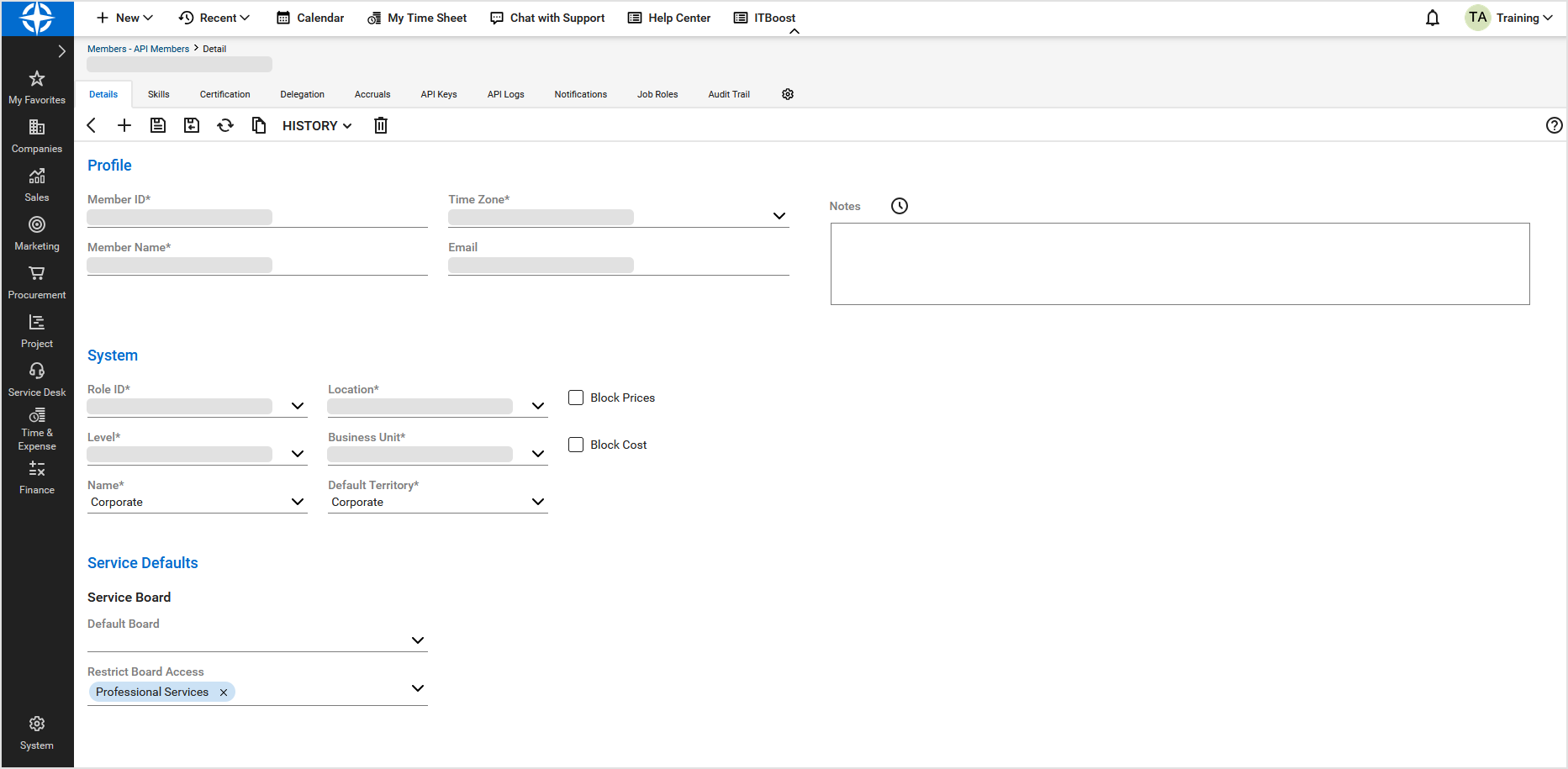
Locate Restrict Board Access.
Ensure that:
All required Service Boards are selected, or
The restriction is removed if full access is required.
Click Save.
Important
Verify that no additional restrictions are configured in the following locations:
The Security Role assigned to the API Member
The Member record
The individual Service Board configuration
If restrictions exist at any of these levels, update them accordingly to allow the API Member access to the required Service Boards.
Verification
After updating permissions:
Return to the Bitdefender GravityZone integration.
Refresh the Ticketing configuration.
Confirm that all expected Service Boards are now available in the drop-down list.