Link rewrite protection
Note
This feature is currently in beta. Contact Technical Support if you would like access.
Link Rewrite Protection provides post-delivery, real-time protection against emerging threats that were not detected as suspicious or malicious during the original email scan.
URL destinations and paths are rewritten in the following format:
EU Region:
https://clickprotect-eu.emailsecurity.app/l/v1/{token}

US Region:
https://clickprotect-us.emailsecurity.app/l/v1/{token}
Video Guide
Written Guide
Navigate to Policy
Go to the Policy page.
Open Link Rewrite Protection
Select the Link Rewrite Protection tab.
Note
If you are at MSP or partner level, continue to the next step.
If you are at customer level, skip to Configure settings.
Create a Link Rewrite Protection template (partner level)
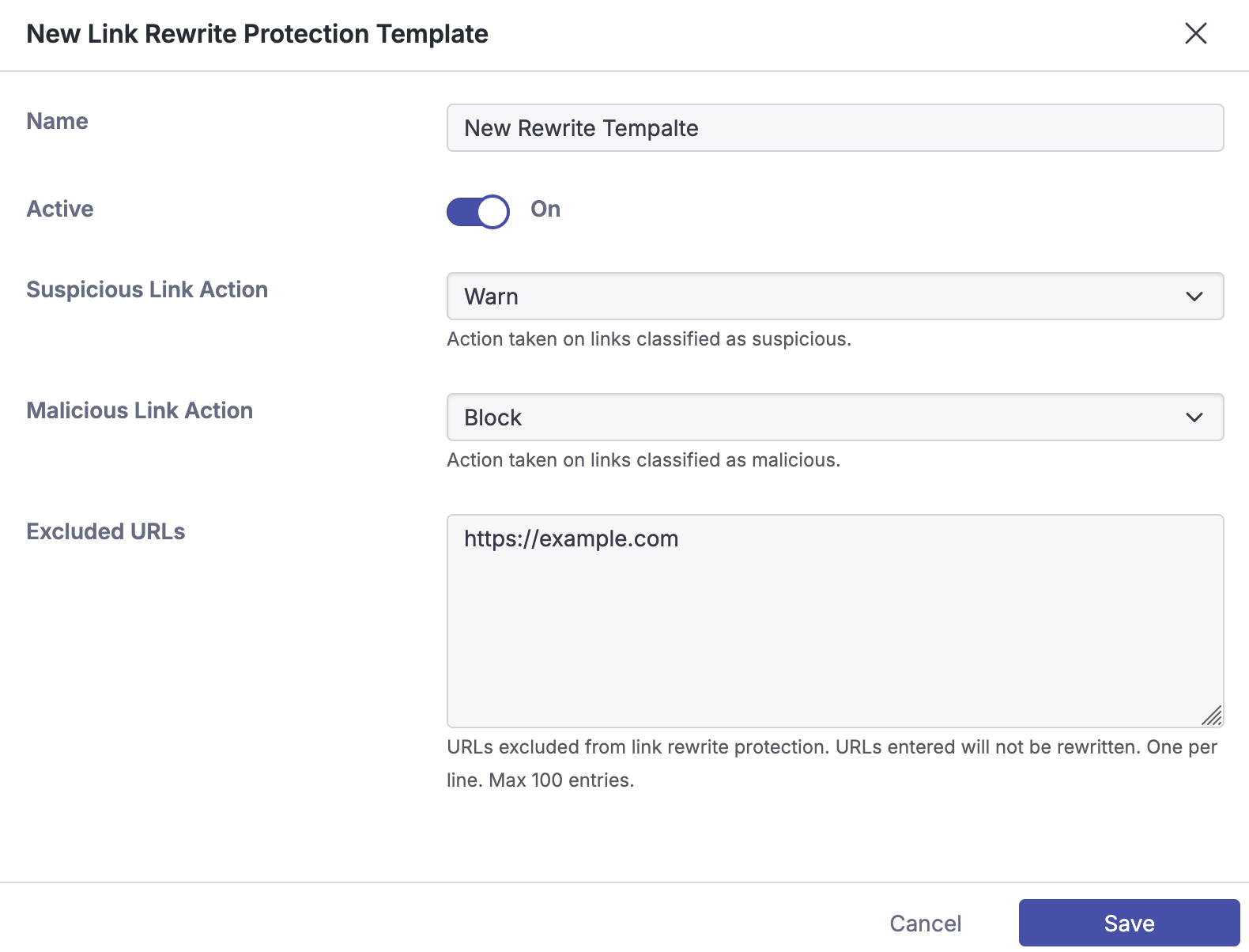
At partner level, you can create a Link Rewrite Protection template to define a baseline for rewrite actions. You can select this template from the order form when creating a new customer or apply it to existing customers.

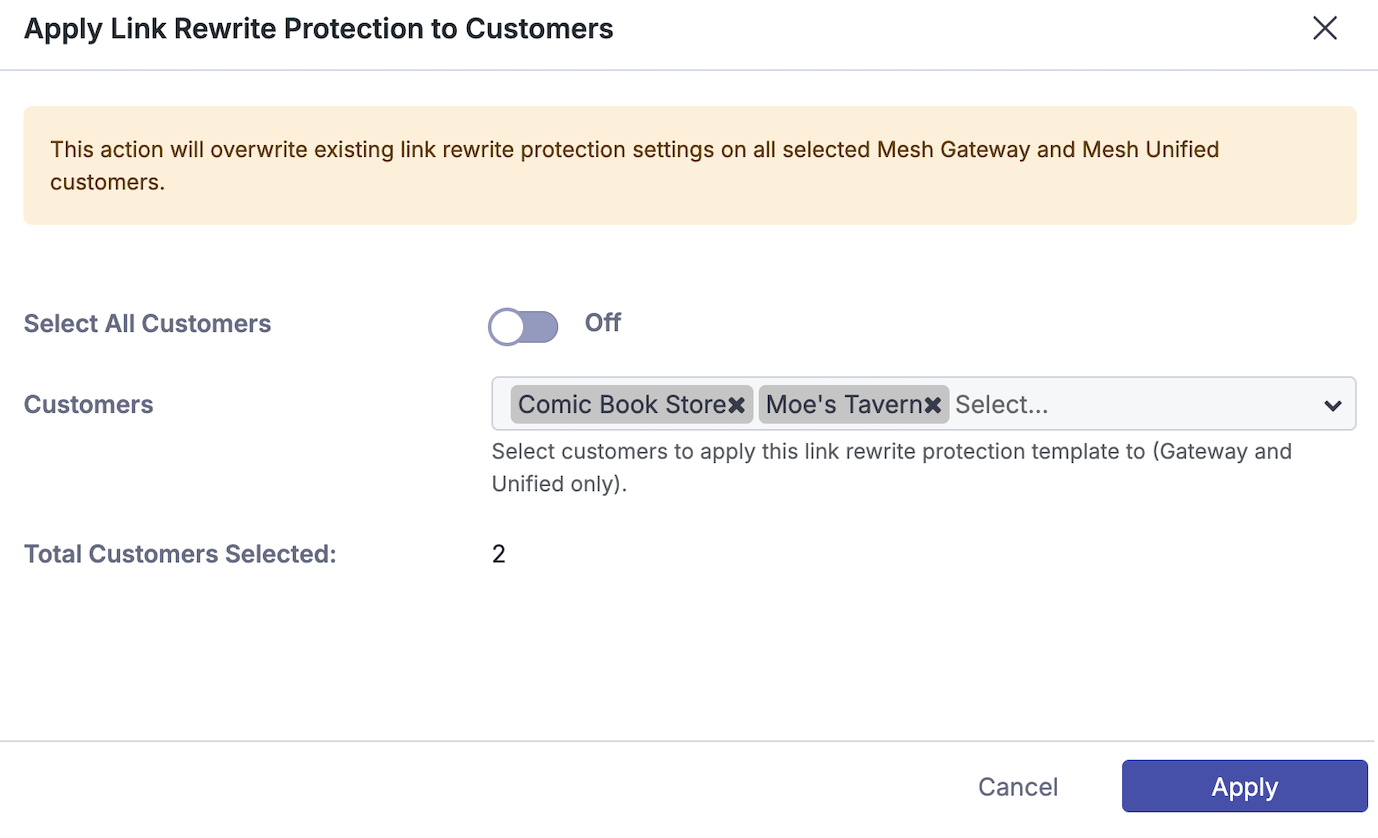
To apply a template to an existing customer, select the shield icon next to the template. In the dialog, select the customers you want to update, and then select Apply.
Configure settings
Active - Enables or disables Link Rewrite Protection.
Suspicious Link Action - Select the action to apply when a suspicious link is detected.
Allow - Take no action.
Warn - Display a warning page before the user continues to the URL.
Block - Display a warning page and prevent the user from continuing to the URL.
Malicious Link Action - Select the action to apply when a malicious link is detected.
Allow - Take no action.
Warn - Display a warning page before the user continues to the URL.
Block - Display a warning page and prevent the user from continuing to the URL.
Excluded URLs - Excludes URLs from Link Rewrite Protection. Excluded URLs are not rewritten. You can add up to 100 entries as domains, full URLs, or wildcard entries.
example.com
https://example.com/test.php
https://example.*
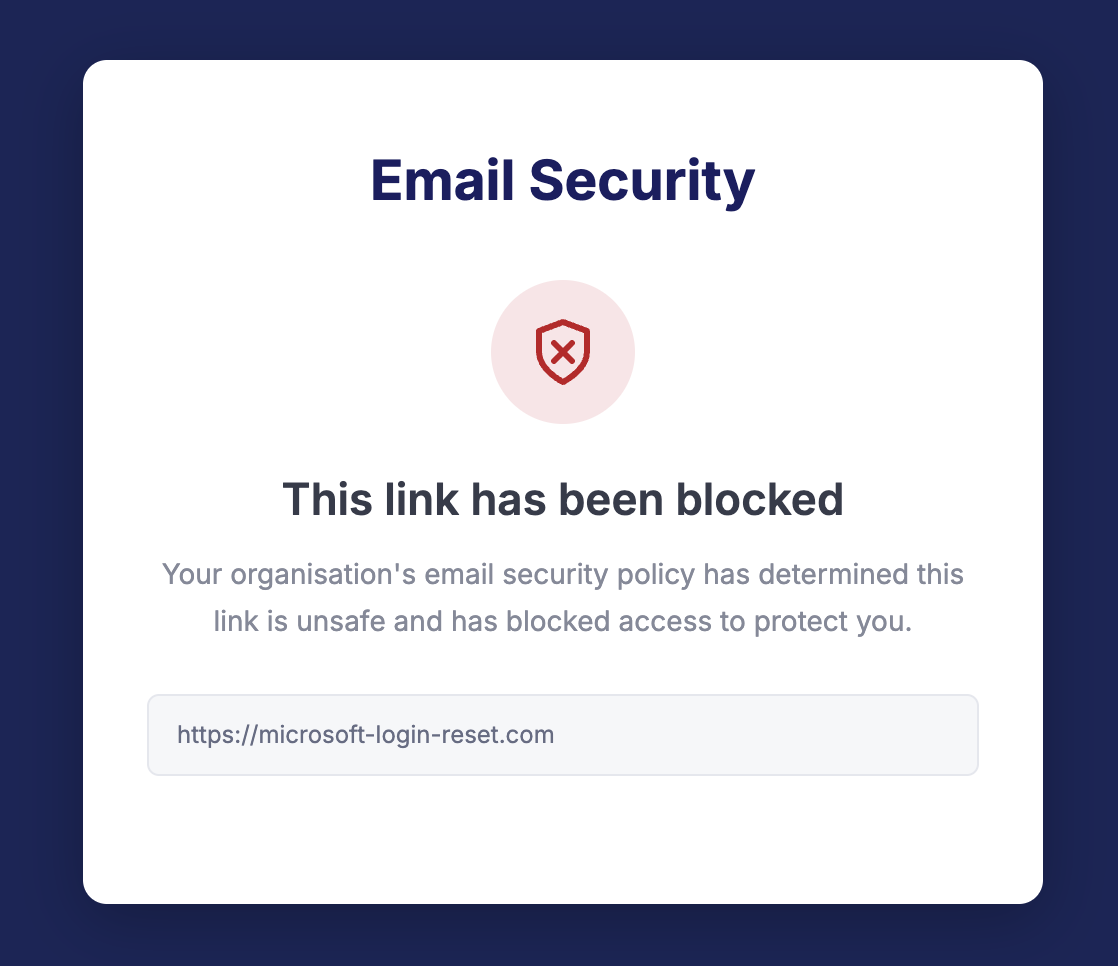
Block Action Page
This page appears in the user's browser when they navigate to a blocked URL. The user cannot continue to the site.
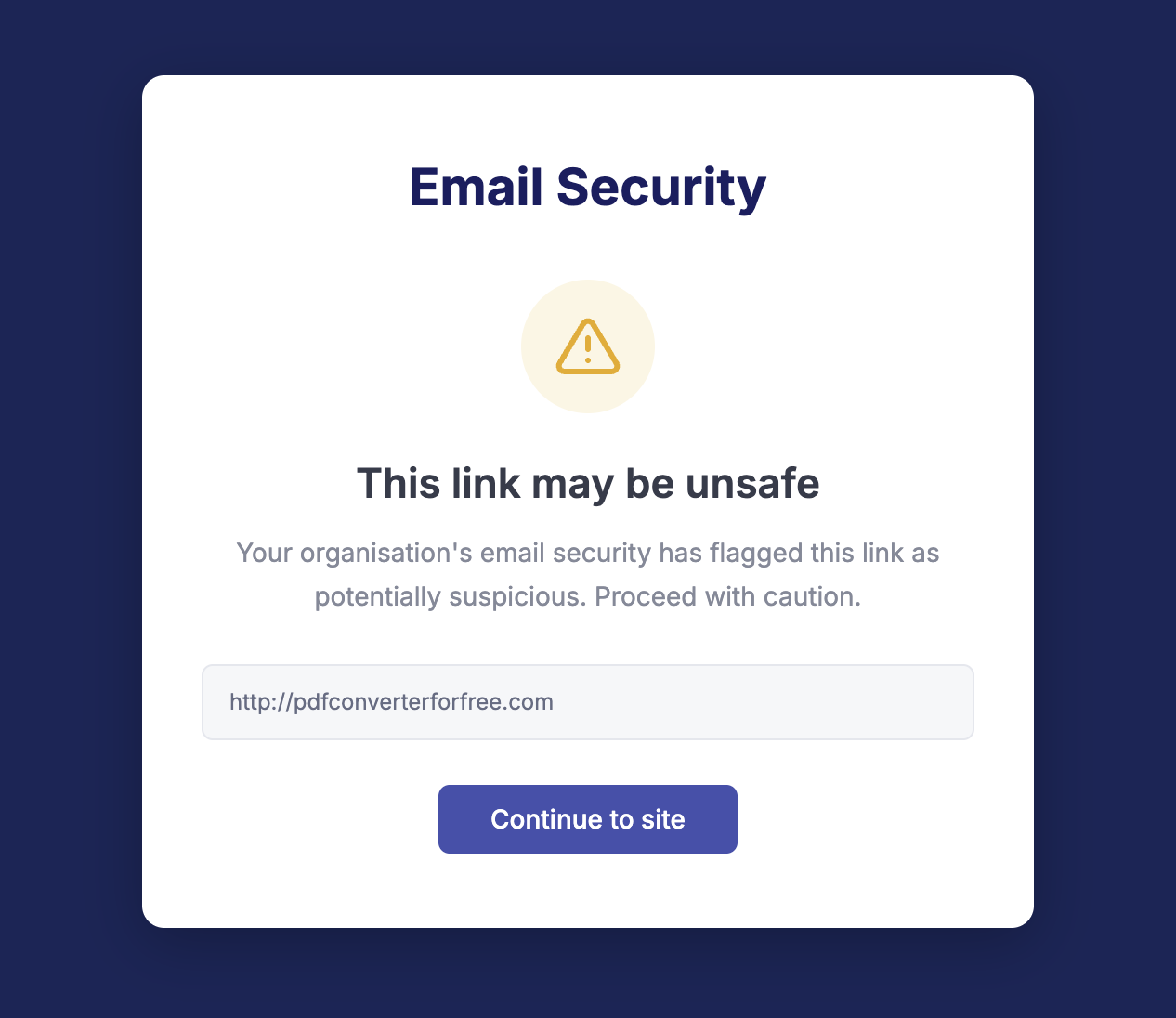
Warn Action
This page appears in the user's browser when they navigate to a suspicious URL. The user receives a warning but can continue to the site.
Link Rewrite Protection provides post-delivery, real-time protection against emerging threats that were not detected as suspicious or malicious during the original email scan.
URL destinations and paths are rewritten in the following format:
EU Region:
https://clickprotect-eu.emailsecurity.app/l/v1/{token}

US Region:
https://clickprotect-us.emailsecurity.app/l/v1/{token}