Blocking or allowing specific websites with Content Control
This section describes how to block or allow specific websites with Content Control in GravityZone.
To change website access permissions:
Log in to GravityZone web console.
Navigate to the Policies page from the left side menu and select your applied policy.
In the Network Protection section, go to Content Control.
Click the toggle to enable Web Access Control.
You can choose to assign a scheduler using the corresponding field. For more information, refer to the WAC schedulers page.
Click the toggle next to Exclusions to enable this feature. This will allow you to configure website access permissions.
Enter your URL in the Web address field and select Block or Allow in the neighboring field.
Note
You can use wildcards to define web address patterns:
Asterisk (*) substitutes for zero or more characters.
Question mark (
?) substitutes for exactly one character. You can use several question marks to define any combination of a specific number of characters. For example,???substitutes for any combination of exactly three characters.
In the following table, you can find several syntax samples for specifying web addresses (URLs).
Syntax
Exception Applicability
www.example*Any URL starting with
www.example(regardless of the domain extension).The exclusion will not apply to the subdomains of the specified website, such as
subdomain.example.com.*example.comAny URL ending in
example.com, including subdomains thereof.*example.com*Any URL that contains the specified string.
*.comAny website having the
.comdomain extension, including subdomains thereof. Use this syntax to exclude from scanning the entire top-level domains.www.example?.comAny web address starting with
www.example?.com, where?can be replaced with any single character.Such websites might include:
www.example1.comorwww.exampleA.com.Click the
 button to add the exclusion.
Important
In case Content Control does not block websites, make sure you clear the browser's cache on endpoints. If no traffic is made and the content is served locally, the security agent has nothing to scan.
If you selected Allow the website will be accessible.
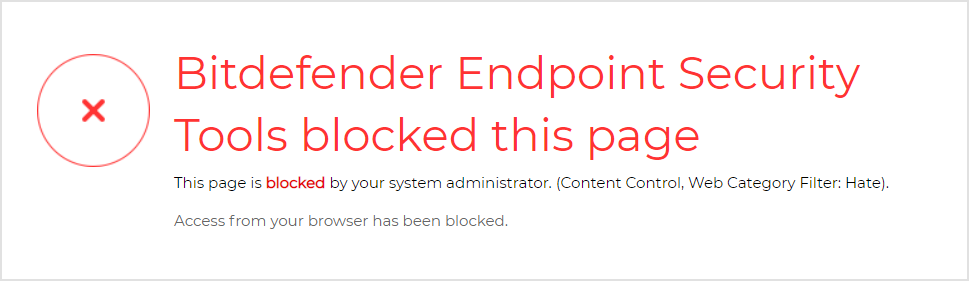
If you selected Block the website will not be accessible anymore.