Switch service
This option allows partners to change the active service for an existing customer. You can switch between Mesh Gateway, Mesh 365, and Mesh Unified from the user interface without contacting Technical Support.
Note
To upgrade from Mesh Gateway or Mesh 365 to Mesh Unified, use the Mesh Unified upgrade option. For more information, see Upgrade to Mesh Unified.
Warning
Changing services can interrupt mail flow and may affect pricing.
Open the Customers page
Go to the Customers page in the partner hub.
Select the customer
Select the three-dot menu next to the customer you want to modify.
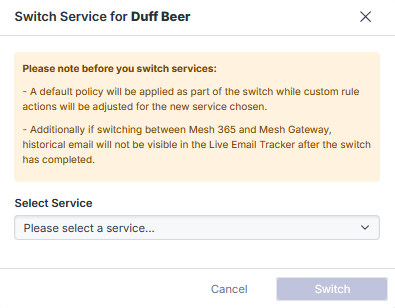
Select Switch Service
Select Switch Service.
Choose the target service
Select one of the available service changes:
Mesh Unified > Mesh Gateway or Mesh 365.
Mesh Gateway > Mesh 365.
Mesh 365 > Mesh Gateway.
Warning
When switching from Mesh Gateway or Mesh Unified to Mesh 365:
Reconfigure the MX records to point to the customer’s mail server, such as Microsoft 365.
The MX records must not point to the Mesh MX record.
Confirm the change
Select Switch to apply the service change.