Settings
This section allows you to configure organization-wide settings that override individual policies and are immediately applied to all endpoints.
Important
This tab is visible only to companies with a license or subscription that includes access to incidents.
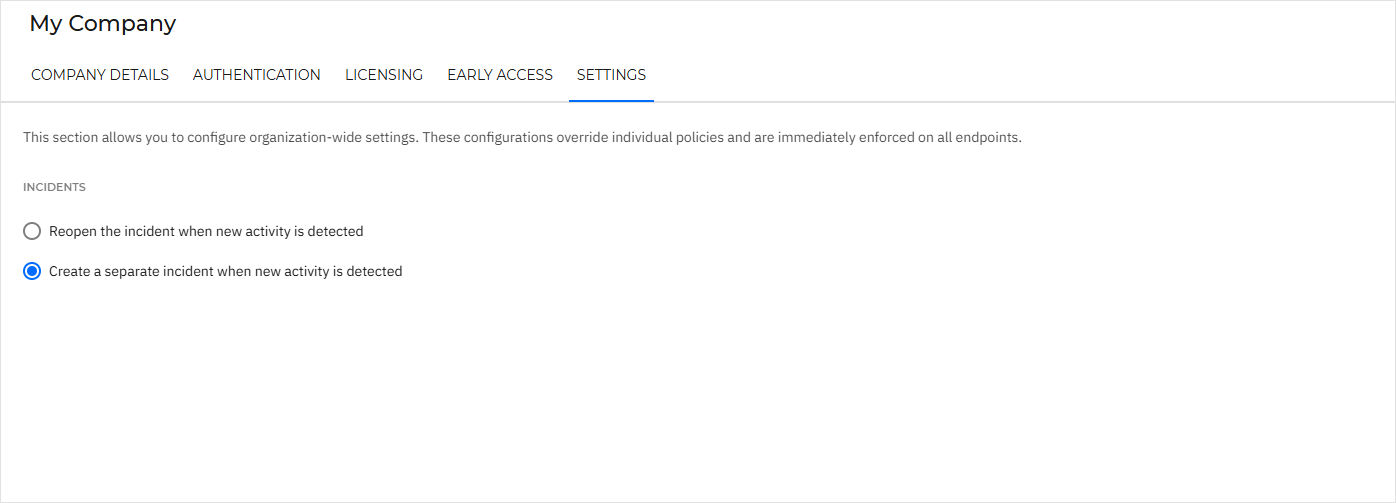
Incidents
Selecting Reopen the incident when new activity is detected ensures that if new activity is found on a closed incident, that incident is reopened and its status changes back to Open.
Important
This option is selected by default. No action is required if you want to keep this behavior.
When the Create a separate incident when new activity is detected option is selected, a new incident is generated whenever new activity is detected on a closed incident. The newly created incident remains open and is continuously updated with related activity until it is closed. If further activity is detected after this incident is closed, another new incident is created.
All related incidents created through this process form an Incident evolution chain, which can be viewed in the incident details panel.
Important
If your company has an active MDR license or subscription, these settings are enforced by MDR and cannot be modified. Closed incidents are automatically reopened when updates are detected.