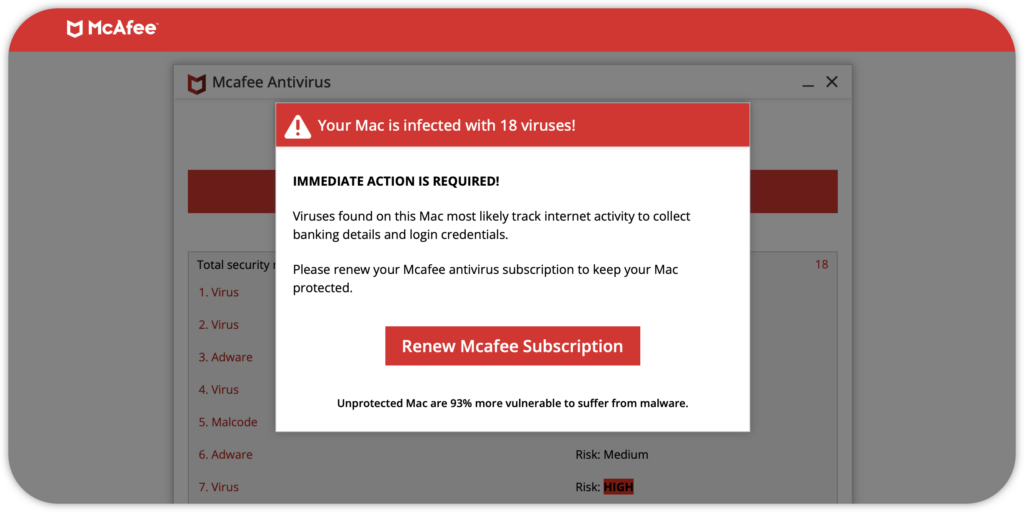
If you are seeing repeated McAfee virus pop-ups, warnings that your computer is infected, or messages telling you to renew McAfee immediately, do not click them, call the displayed phone number, or enter your payment details. What you’re seeing is a McAfee-branded scam. These are not real McAfee warnings, and they’re not coming from McAfee. They’re fake alerts generated either by malicious websites, unwanted browser notifications, suspicious extensions, or potentially unwanted applications (PUA).
The real McAfee is a legitimate cybersecurity company, but scammers frequently impersonate them in phishing scams and fake browser notifications.
Common McAfee Scams
- Fake McAfee Virus Pop-ups: Urgent alerts flashing on your screen saying “Your PC is infected with 5 viruses!” or “Subscription expired!” These are usually sent via browser notification permissions you might have accidentally allowed on sketchy websites.
- Fake McAfee Invoice and Renewal Emails: Fake emails claiming you have been charged (or are about to be charged) hundreds of dollars for a subscription renewal. They provide a phone number to call for a “refund.”
- Tech Support Scams: Fraudsters call you on the phone pretending to be McAfee support agents. They claim your device is compromised and ask you to install remote-access software or give them control of your computer.
Remove Fake McAfee Virus Pop-Ups
There are several ways to get rid of fake McAfee pop-ups. If the pop-ups continue after completing one of the steps below, proceed to the next one.
Step 1: Run a System Scan with Bitdefender
Step 2: Uninstall Suspicious Apps
Step 3: Restore Your Browser's Homepage, Search Engine and Extensions
Step 4: Block Notifications from Unwanted Websites
If you clicked a fake McAfee pop-up and entered sensitive information, take additional precautions. Change any exposed passwords from a trusted device, enable multifactor authentication where available, and contact your bank if you shared financial details.
Prevent Fake McAfee Pop-Ups from Resurfacing
After removing fake McAfee alerts, take the following steps to reduce the likelihood of encountering similar threats in the future.
Step 1: Install Adblock Plus
Step 2: Use Bitdefender Web Sage
Step 3: Set Up Bitdefender Scam Protection Pro
By keeping your browser clean, removing suspicious software, running regular antivirus scans, and practicing safe browsing habits, you can significantly reduce the chances of encountering fake McAfee virus pop-ups again.