Bitdefender VPN helps protect your internet traffic by creating a secure connection between your iPhone/iPad and the internet. When the VPN is connected, your activity is routed through an encrypted tunnel, which can help keep your data private, especially when you are using public Wi-Fi networks such as those in airports, cafés, hotels, or shopping centers.
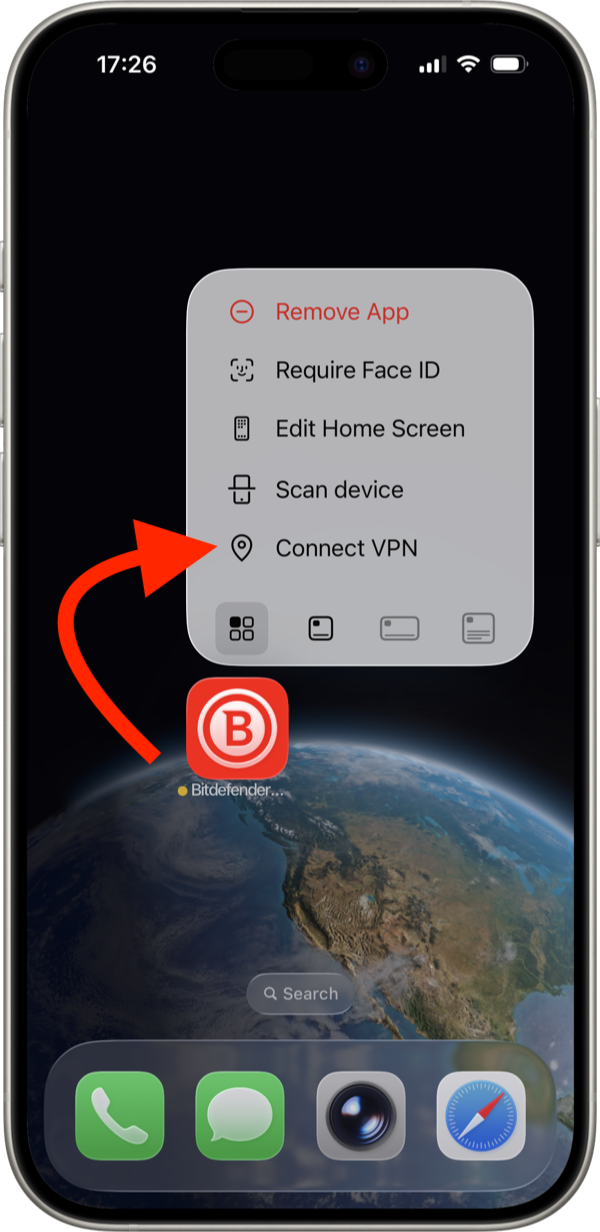
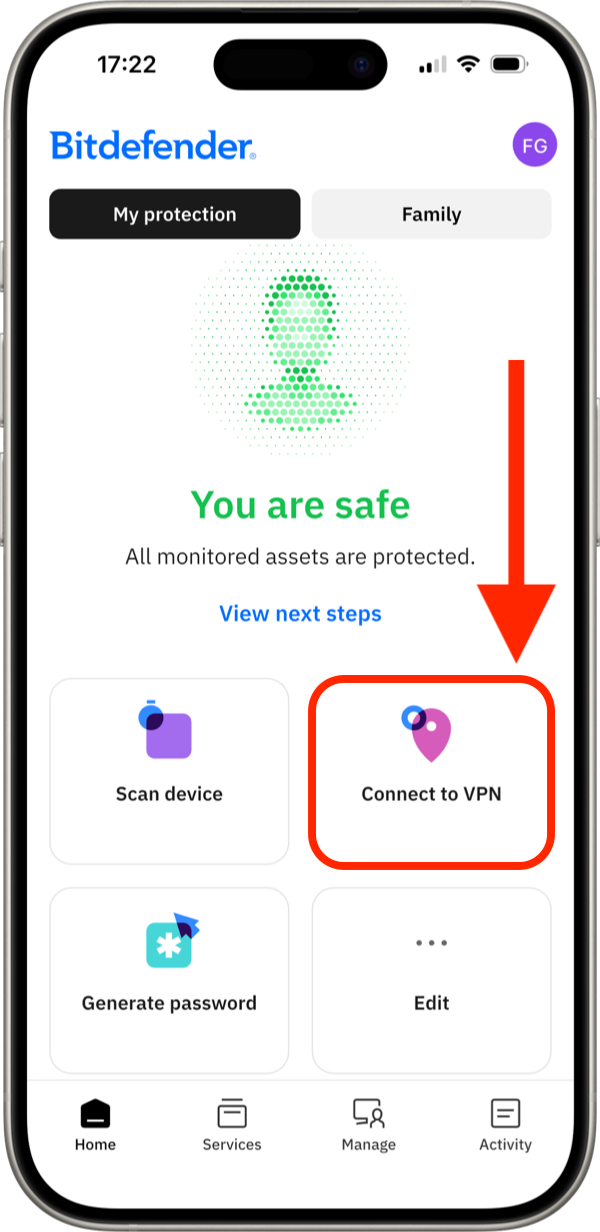
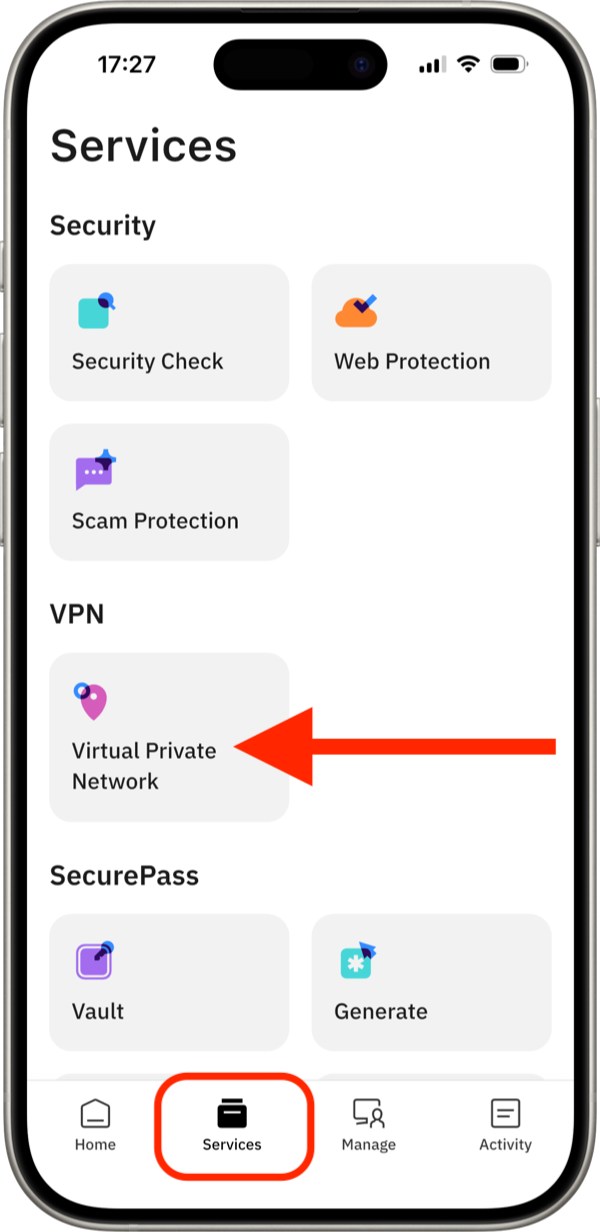
There are three different ways to connect to VPN in Bitdefender Hub for iOS. You can connect directly from the iPhone quick actions menu, from the Bitdefender app Home screen, or from the Services area inside the app. Each method leads to the same result, so you can use whichever option feels most convenient.
How to Connect to VPN on iOS
Method 1: Connect to VPN from iPhone quick actions menu
Method 2: Connect to VPN from the Bitdefender Home screen
Method 3: Connect to VPN from the Services menu
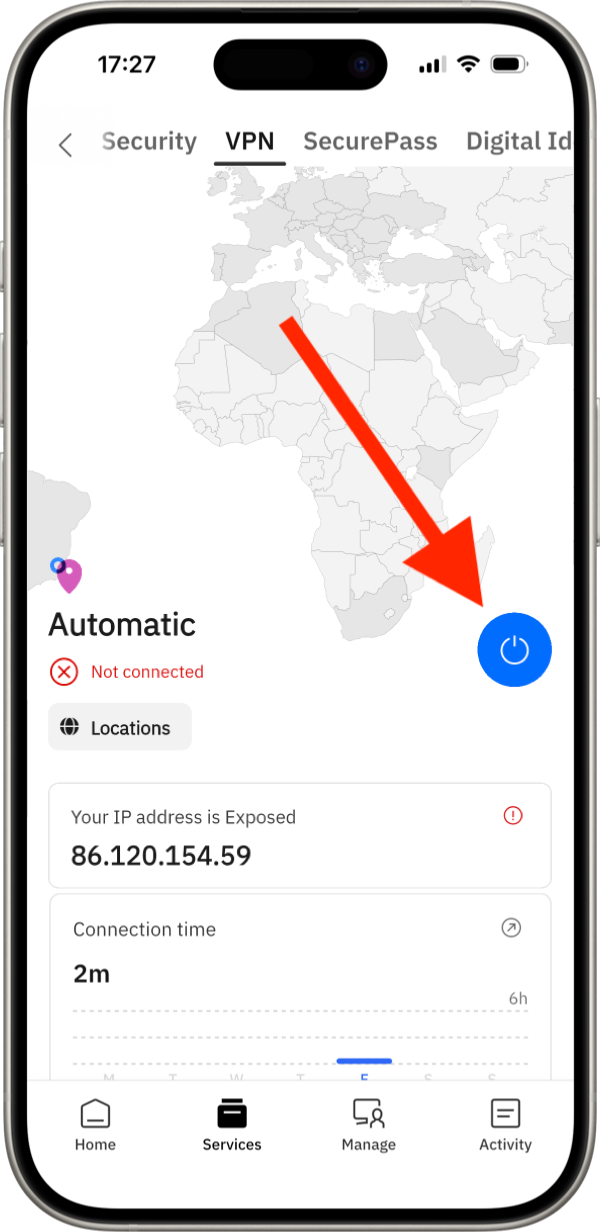
When you connect to VPN for the first time, your iPhone/iPad will ask for permission to add the VPN configuration. If you need assistance, follow this step-by-step guide: How to Allow VPN Permissions in Bitdefender Hub for iOS.
How to Disconnect from VPN
Disconnecting from Bitdefender VPN works the same way as connecting. You can disconnect from any of the three locations described earlier in this guide.
Once the VPN connection is active, the Connect to VPN option or Connect button changes to Disconnect VPN.