Bitdefender may notify you about special offers, product recommendations, and other promotional content through in-product messages or email. If you prefer not to receive these communications, you can adjust your notification and privacy preferences using the steps below.
Turn off In-Product Messaging
Windows
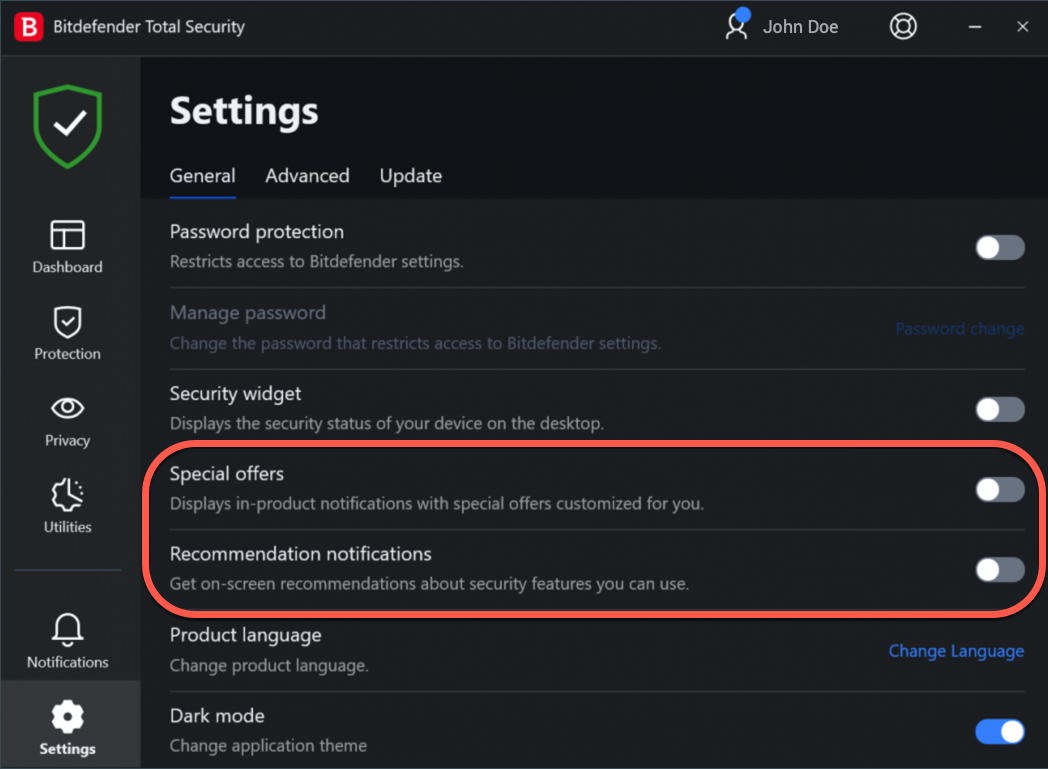
In Bitdefender Total Security, Bitdefender Internet Security, and Bitdefender Antivirus Plus:
- Open Bitdefender and click Settings in the left-hand menu.
- Select the General tab, then turn off the following options:
-
- Special offers
- Recommendation notifications
Turning off these options stops promotional offers and recommendation notifications from appearing in the Bitdefender interface.
macOS
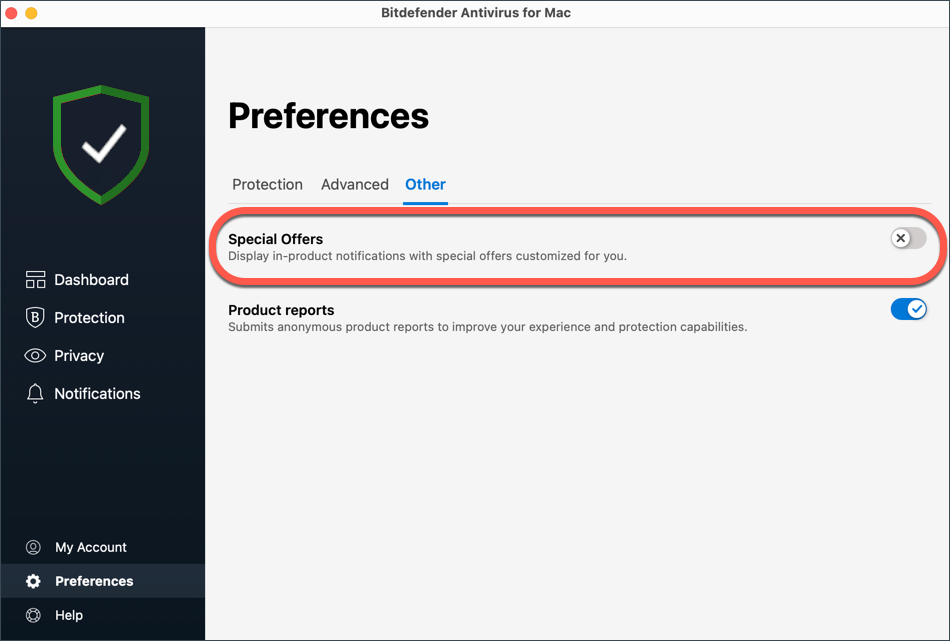
To turn off promotional messages in Bitdefender Antivirus for Mac:
- Open Bitdefender Antivirus for Mac and click Preferences (Settings on some versions) in the left-hand menu.
- Select the Other tab, then turn off Special offers.
Unsubscribe from promotional e-mails
If you no longer wish to receive promotional emails from bitdefender@hello.bitdefender.com – the address used to communicate exclusive Bitdefender offers and news – you can unsubscribe at any time by clicking the Unsubscribe link at the bottom of a promotional email.
We also recommend reviewing the communication preferences saved in your Bitdefender account:
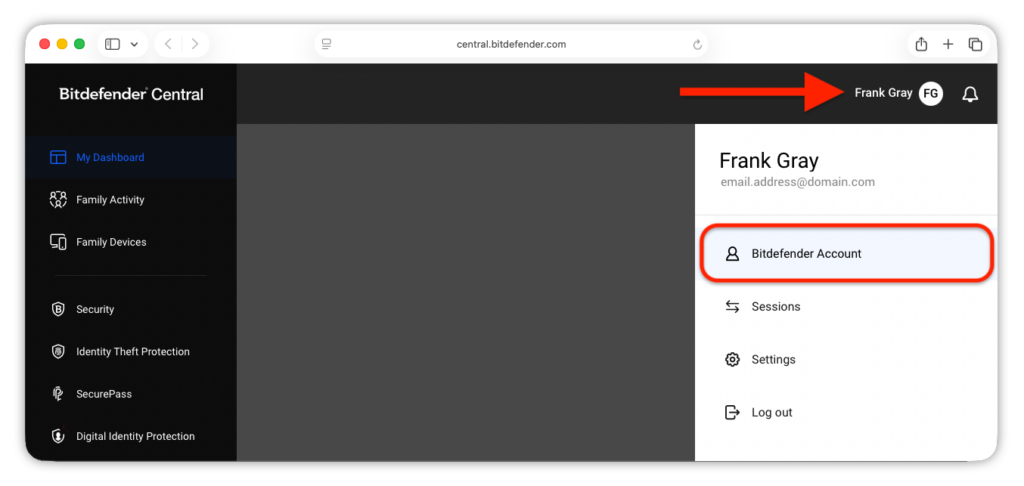
- Go to Bitdefender Central in a web browser and sign in to your account.
- In Bitdefender Central, click your username in the upper-right corner, then select Bitdefender Account in the menu. Your account settings will open in a new browser tab.

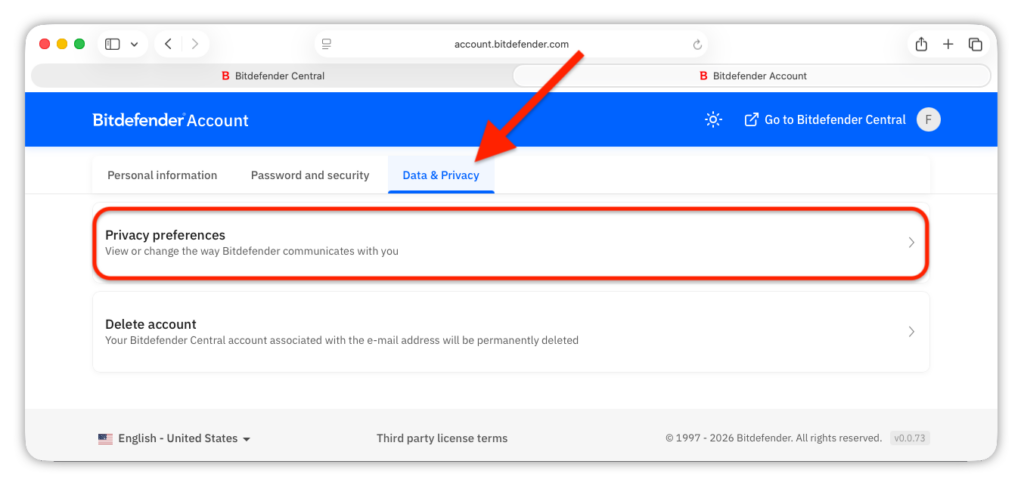
- Access the Data & Privacy tab, then click the Privacy preferences section.
- To stop receiving Bitdefender newsletters and promotional messages, clear both checkboxes:
-
- Receive in product insights regarding threats, news, and offers
- Receive insights regarding threats, news, and offers via email
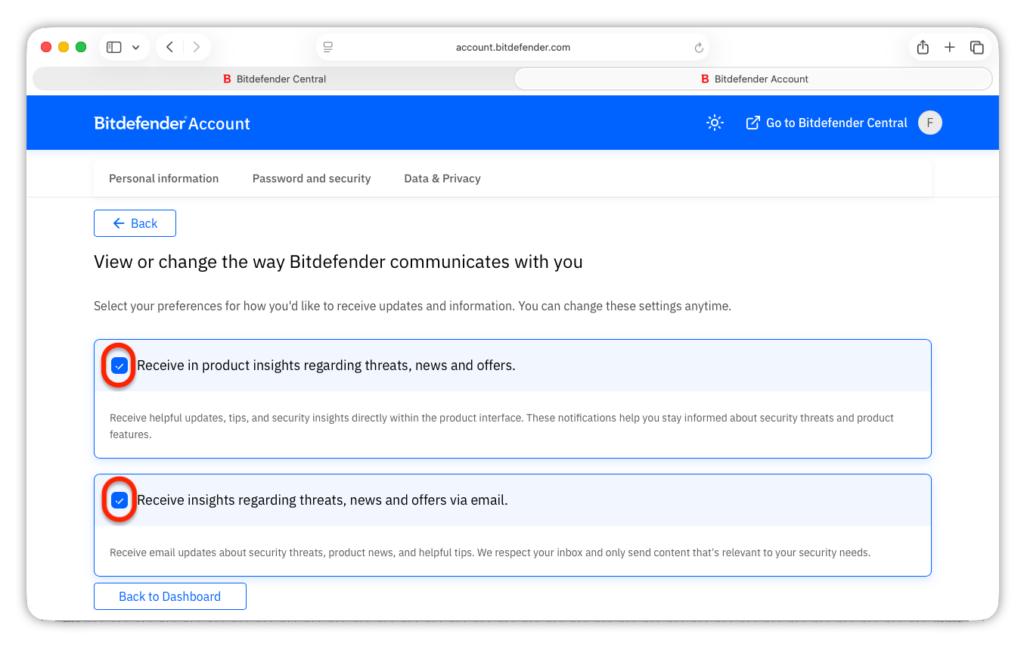
Your changes are saved automatically.
Uninstall trial versions and expired apps
Some product-related messages cannot be disabled. Bitdefender may continue to display notifications if:
- you are using a trial version
- your subscription is approaching its expiration date
- your Bitdefender product or subscription has expired
These notifications provide important information about your product or subscription status. For trial versions and products or subscriptions that are expiring or have expired, these messages cannot be turned off through the notification settings. If you no longer want to receive messages from an installed Bitdefender application, you can uninstall the application from your device:
- Windows: Follow the steps in How to uninstall Bitdefender from a Windows computer
- macOS: Follow the steps in How to uninstall Bitdefender Antivirus for Mac
- Android: Follow the steps in How to uninstall Bitdefender Mobile Security for Android
- iPhone or iPad: Follow Apple’s instructions to delete an app from your device