When you paste a video link into Bitdefender RealCheck, the app first verifies whether it can access and analyze the content. If it can’t, you may see the following message:
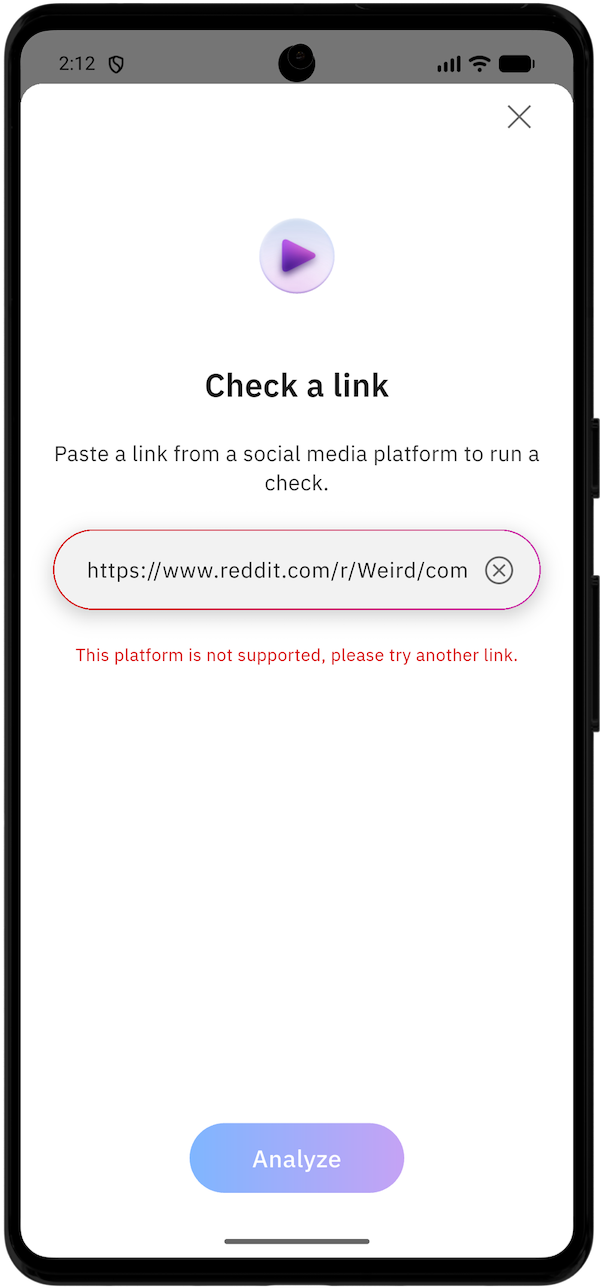
This platform is not supported, please try another link.
This does not necessarily mean the video is unsafe or suspicious. It usually means RealCheck cannot access the video source or the link does not meet the app’s requirements.
Why the error “Platform is not supported” appears
Bitdefender RealCheck currently supports public video links from the following social media platforms only:
- TikTok
- X
- YouTube
If you paste a link from another website or app, RealCheck cannot analyze it and displays this error.
You may also see the same message if the video comes from a supported platform but isn’t public. For example, the post may be private, visible only to followers, or require users to sign in before it can be viewed.
How to fix the issue
- Make sure the video is hosted on one of the supported platforms: Instagram, TikTok, Facebook, X, or YouTube.
- Open the link in your browser or social media app to verify that it works.
- Confirm that the video is publicly accessible and can be viewed without special permissions.
- If you own the post, change its privacy settings to Public, if appropriate.
- Return to Bitdefender RealCheck.
- Paste the link and tap Analyze.
- Or use the platform’s Share option.
If the video cannot be made public but you have a copy saved on your device, you can upload the video file to RealCheck instead, provided it meets the supported file requirements.
Tips for avoiding this error
To improve the chances of a successful RealCheck analysis:
- Submit only public video links.
- Use links from Instagram, TikTok, Facebook, X, or YouTube.
- Copy the URL using the social media platform’s Share feature rather than manually copying the address.
If the error continues
If the video is public, supported, and still cannot be checked, the source may be temporarily unavailable. Try again later or use another video link from the same platform.