You can uninstall Bitdefender RealCheck from your Android device at any time, just like any other mobile app. Uninstalling the app removes it from your phone or tablet and frees up device storage.
ⓘ The exact wording of Android menus may vary slightly depending on your device manufacturer, Android version, or launcher. For example, Samsung, Google Pixel, Motorola, and OnePlus devices may display app options in slightly different places, but the general steps are the same.
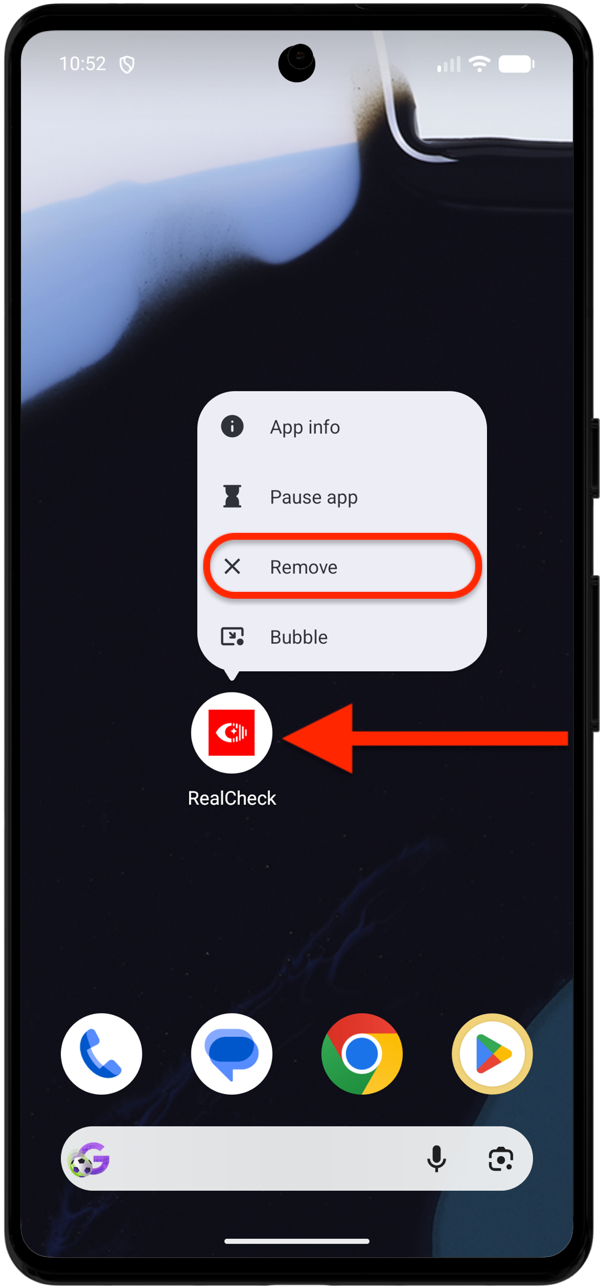
Method 1: Uninstall RealCheck from the Home Screen
This is usually the fastest way to remove the app.
- Go to your Android Home screen or open the app drawer.
- Find the RealCheck
 app icon.
 - Touch and hold the RealCheck icon until a menu appears.
- Tap Uninstall or Remove.
- On some devices, you may need to drag the app icon to an Uninstall option at the top or bottom of the screen.
- If Android asks you to confirm, tap OK or Uninstall.
 app icon.
Bitdefender RealCheck is removed from your device.
Method 2: Uninstall RealCheck from Android Settings
If you cannot uninstall the app from the Home screen, you can remove it from Android settings.
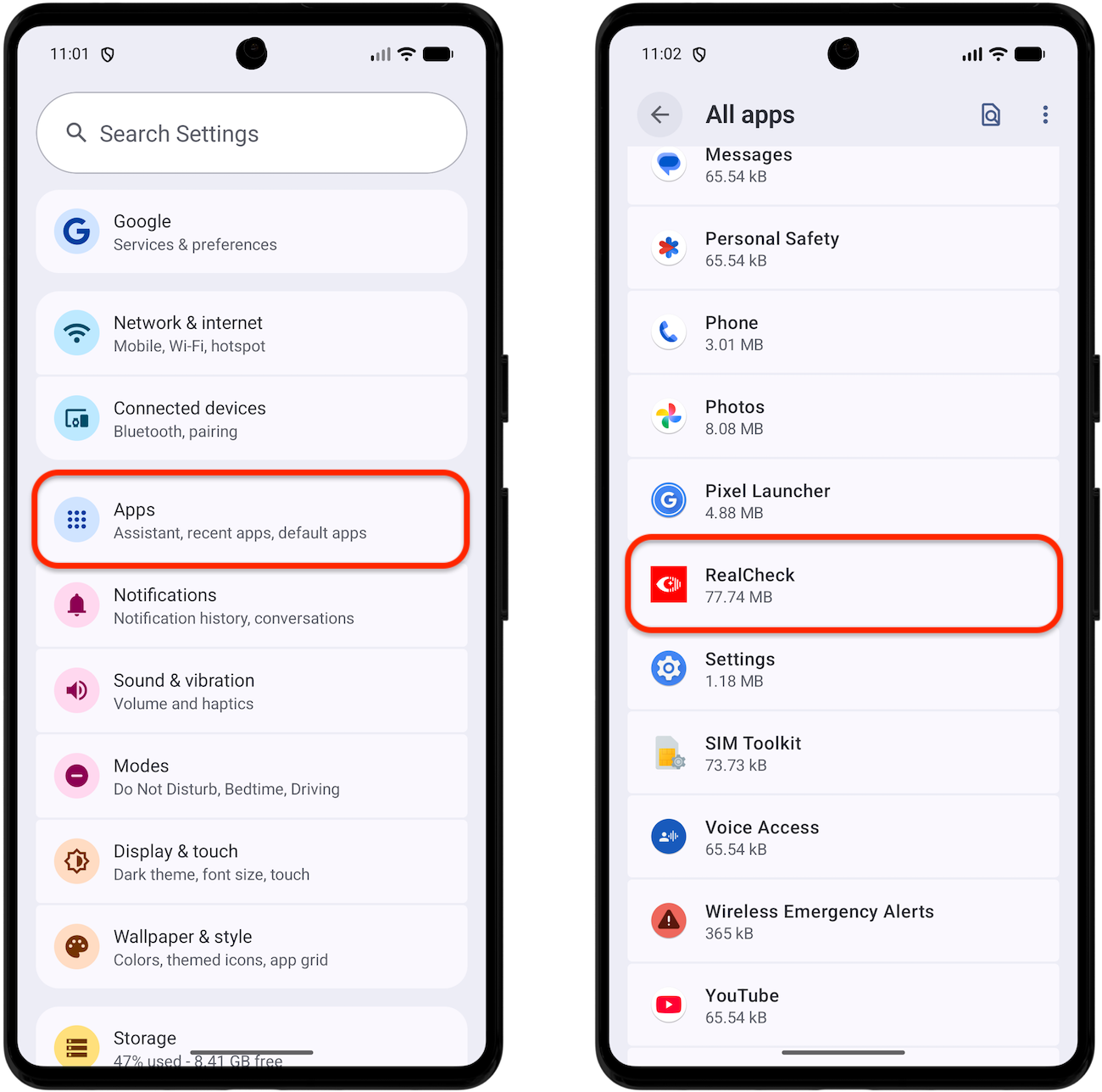
- Open the Settings ⚙︎ app on your Android device.
- Tap Apps, Apps & notifications, or Applications.
- Find and tap RealCheck.

- Tap Uninstall.
- Confirm the action when prompted.

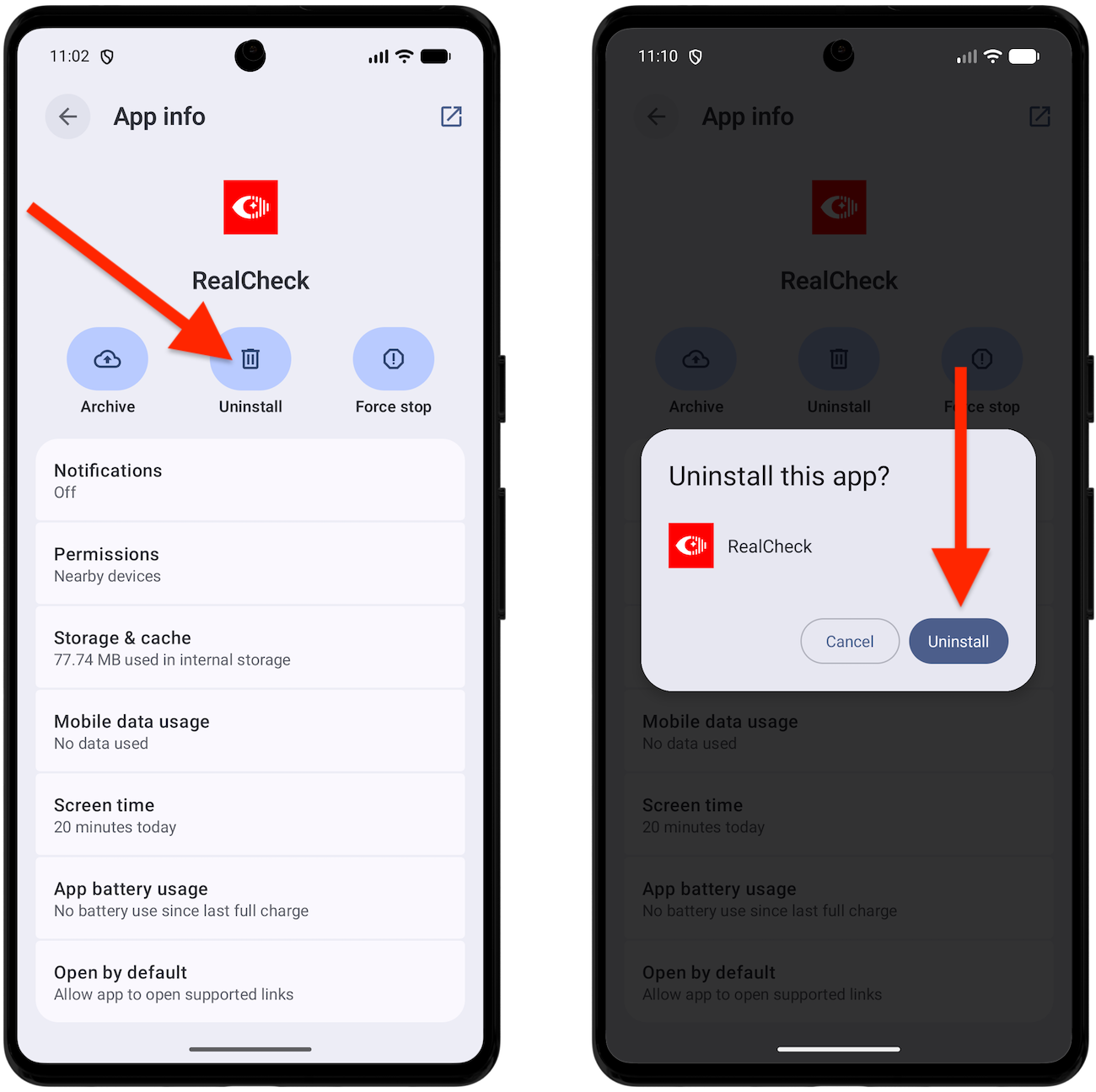
After confirmation, Android removes Bitdefender RealCheck from your device.
How to check that RealCheck was removed
After uninstalling the app, return to your Home screen or app drawer and search for RealCheck.
If the app no longer appears, it has been successfully removed.
You can also open Google Play, search for Bitdefender RealCheck, and check the app page. If the app was removed, Google Play should show an Install button instead of Open.