Bitdefender RealCheck subscriptions are managed through the same platform used to install the app. Depending on your device, this means either the Apple App Store or Google Play. If you started a free trial, upgraded to a paid plan, or simply want to review your subscription details, you can do so directly from your device’s subscription settings.
Before you begin
RealCheck subscriptions are processed by Apple or Google, not directly through the Bitdefender RealCheck app. Because of this:
- Subscription changes must be made through the App Store or Google Play.
- Payment methods are managed by Apple or Google.
- Billing dates and renewal settings are controlled by the platform where you subscribed.
How to manage your RealCheck subscription on Android
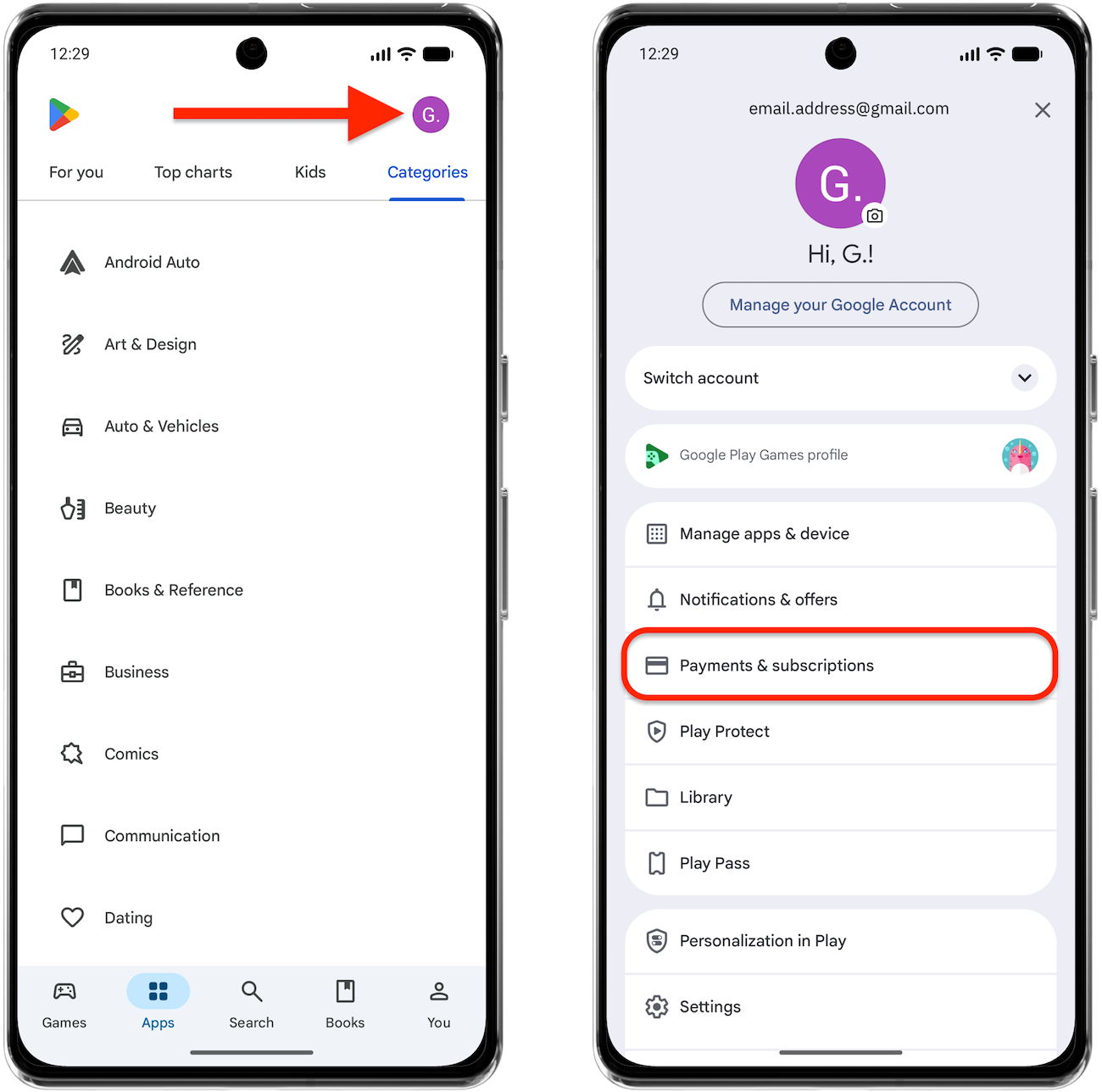
- Open the Play Store app
 .
. - Tap your profile icon in the upper-right corner.
- Select Payments & subscriptions.

- Tap Subscriptions.
- You can also go to https://play.google.com/store/account/subscriptions
- Select Bitdefender RealCheck.
 .
.
From here, you can:
- View subscription details
- Review billing information
- Change subscription options (if available)
- Cancel the subscription
Follow the prompts provided by Google Play to confirm your changes.
How to manage your RealCheck subscription on iPhone or iPad
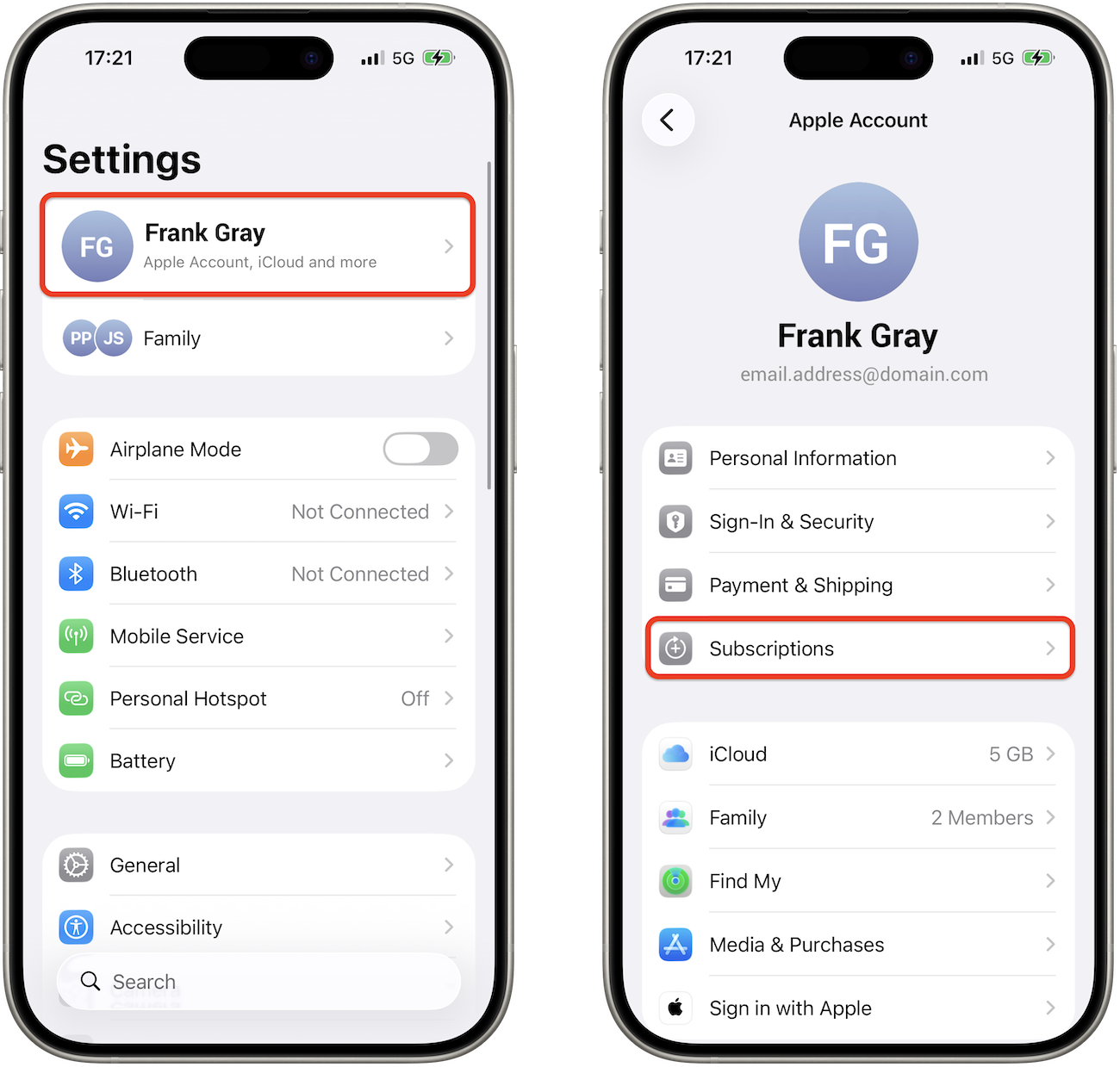
- Open the Settings app .
- Tap your name at the top of the screen.
- Next, tap the Subscriptions section.

- Select Bitdefender RealCheck from the list.
 .
.
From here, you can:
- View your current plan
- Check the renewal date
- Change subscription options (if available)
- Cancel the subscription
Follow the on-screen instructions to confirm any changes.
How to cancel a free trial
If you do not want your free trial to convert into a paid subscription, you must cancel it before the trial period ends.
Canceling during the trial period allows you to continue using RealCheck until the trial expires.
The exact expiration date can be viewed in your Apple App Store or Google Play subscription settings.
What happens after cancellation?
When you cancel your subscription:
- Your subscription remains active until the end of the current billing or trial period.
- You can continue using paid features until the expiration date.
- No future renewal charges will be applied unless you subscribe again.
Need help?
If you’re experiencing billing issues or subscription errors, contact the platform through which you subscribed:
You can also visit the Bitdefender Support Center from the RealCheck app by navigating to:
Settings > Support > Go to Support Center