Bitdefender VPN helps protect your internet traffic by creating a secure connection between your Android device and the internet. When the VPN is connected, your activity is routed through an encrypted tunnel, which can help keep your data private, especially when you are using public Wi-Fi networks such as those in airports, cafés, hotels, or shopping centers.
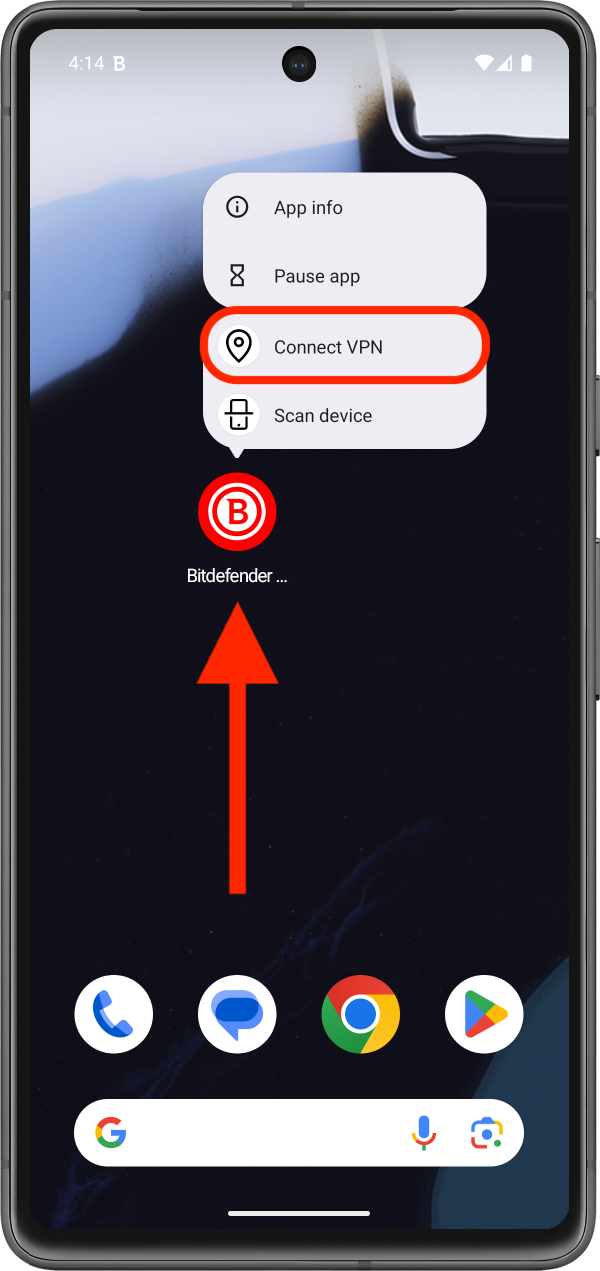
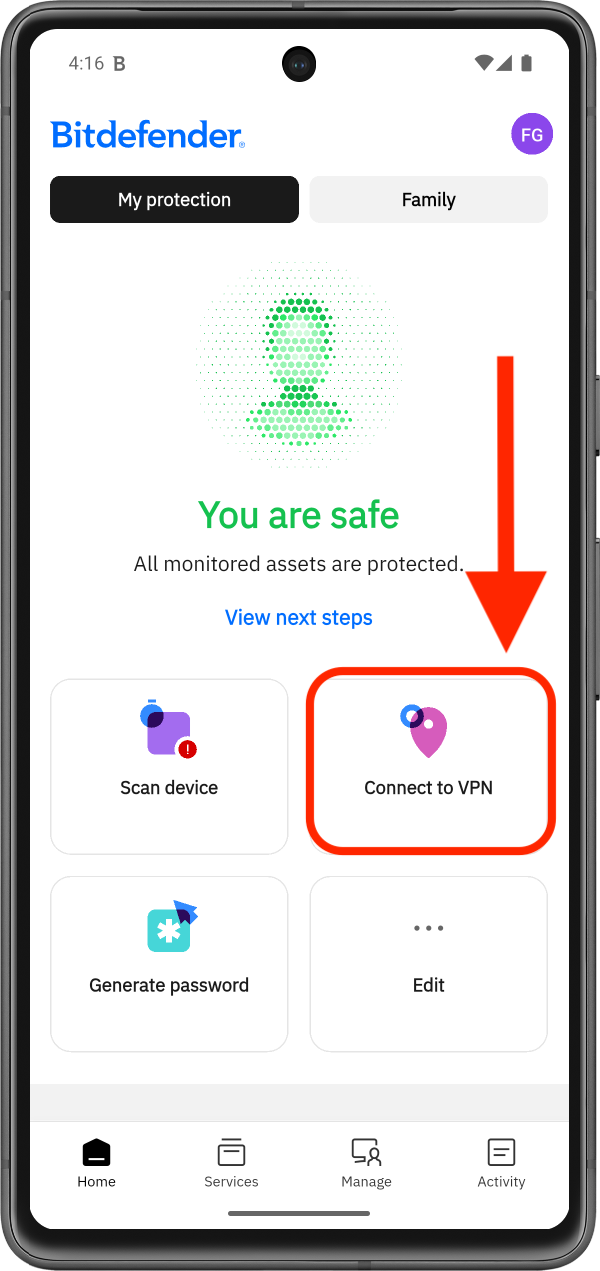
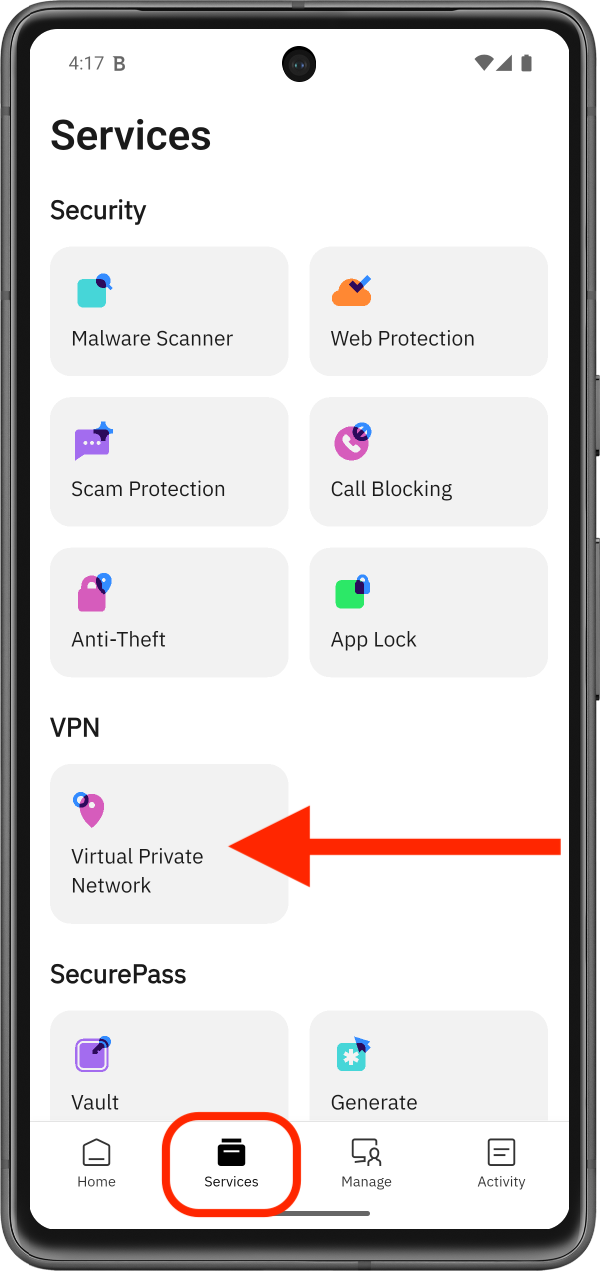
In the Bitdefender Hub app for Android, there are three different ways to connect to VPN. You can connect directly from the Android home screen shortcut, from the Bitdefender app Home screen, or from the Services area inside the app. Each method leads to the same result, so you can use whichever option feels most convenient.
How to Connect to VPN on Android
Method 1: Connect to VPN from the Android home screen
Method 2: Connect to VPN from the Bitdefender Home screen
Method 3: Connect to VPN from the Services menu
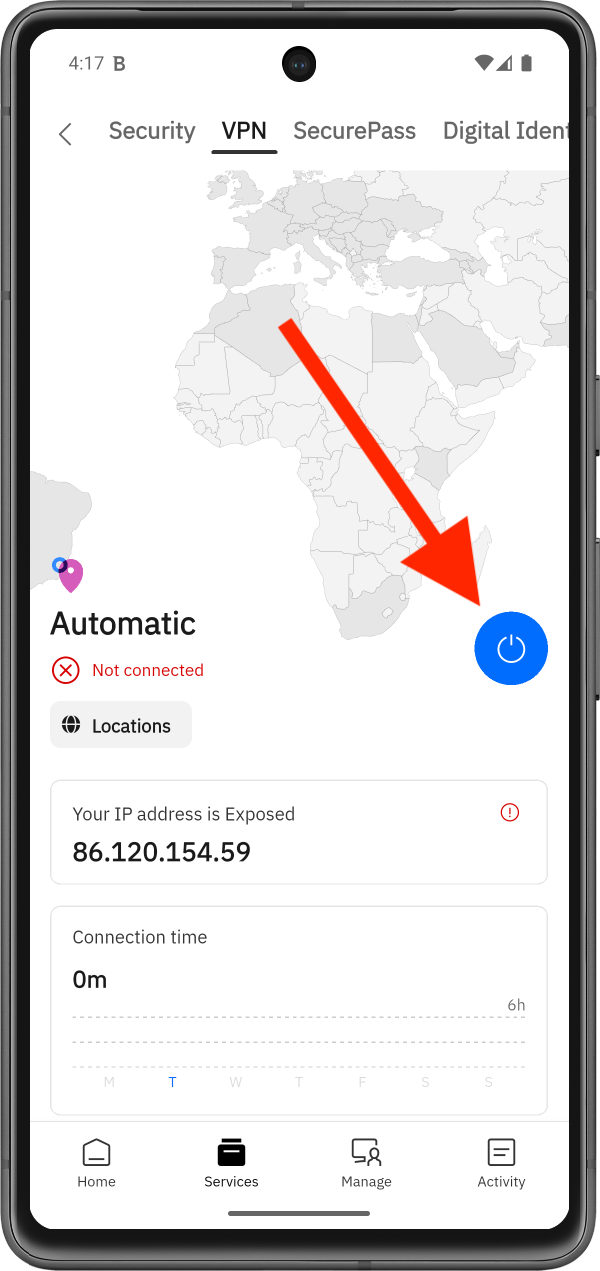
When you connect to VPN for the first time, your Android device will ask for permission to add the VPN configuration. If you need assistance, follow this step-by-step guide: How to Allow VPN Permissions in Bitdefender Hub for Android.
How to Disconnect from VPN
Disconnecting from Bitdefender VPN works the same way as connecting. You can disconnect from any of the three locations described earlier in this guide.
Once the VPN connection is active, the Connect to VPN option or Connect button changes to Disconnect VPN.