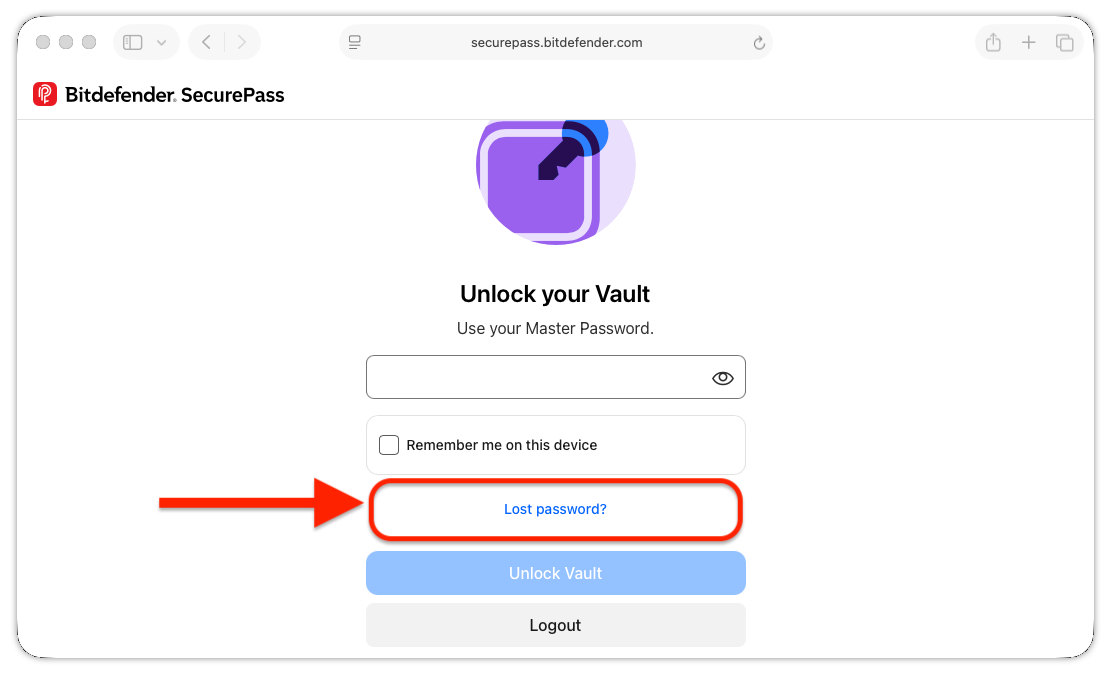
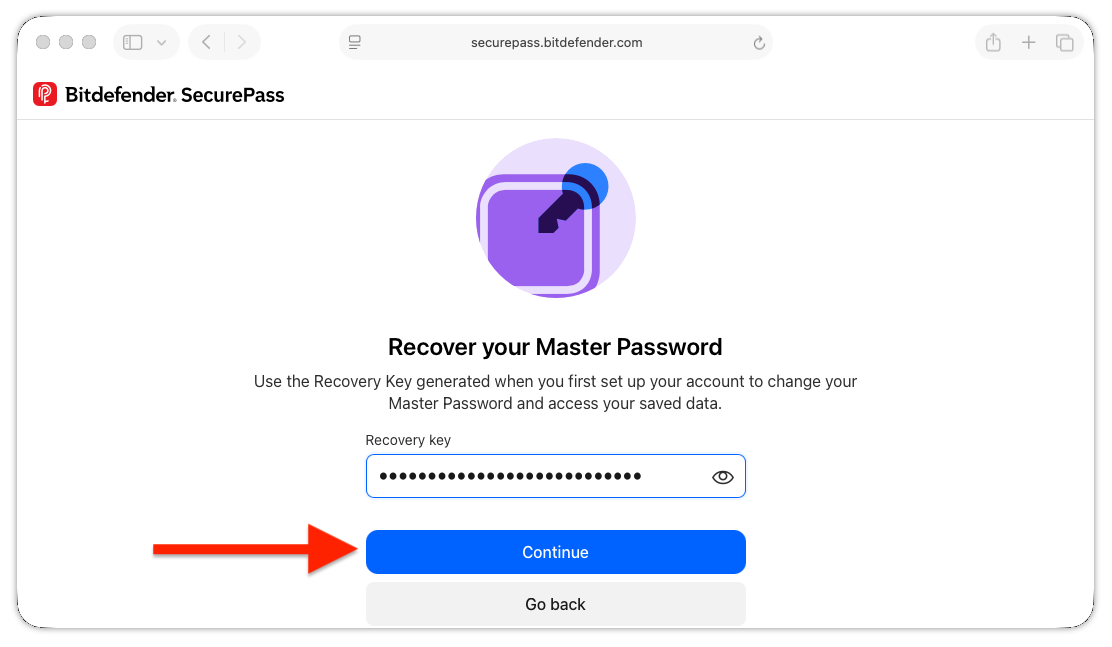
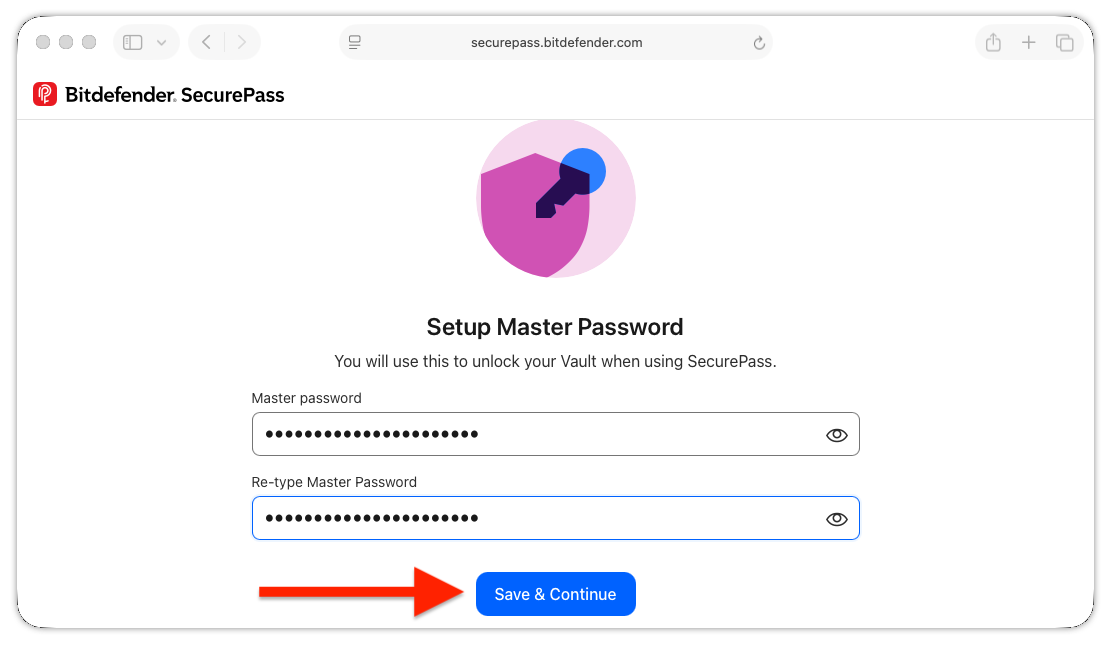
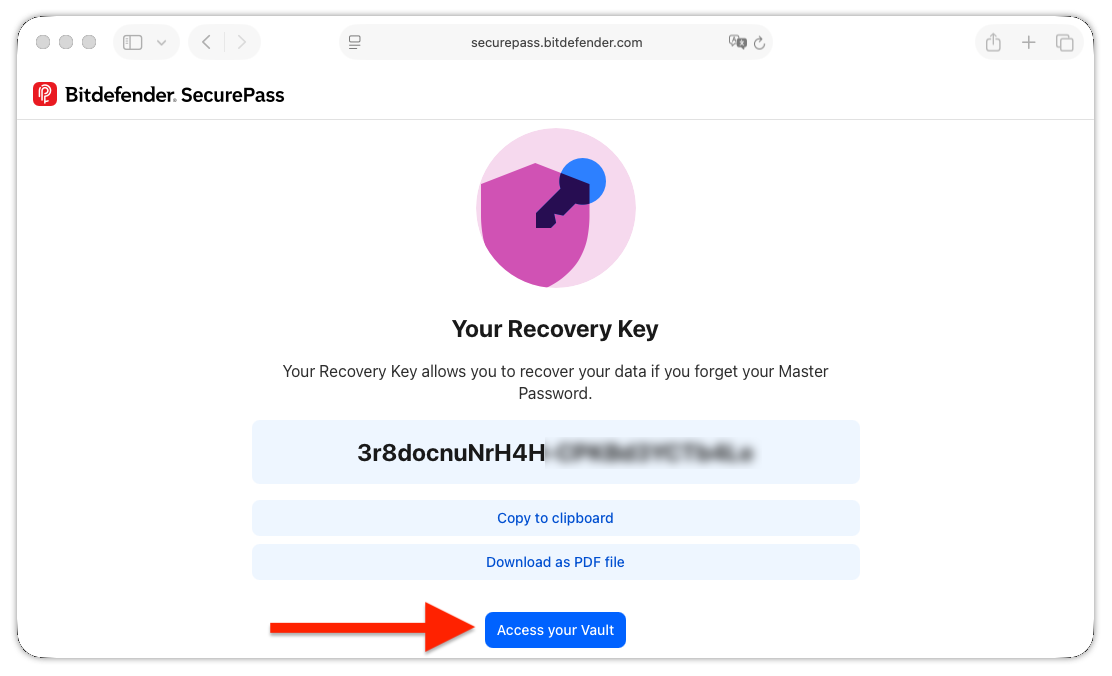
If you’ve forgotten your Bitdefender SecurePass master password, you can create a new one using your recovery key. This process lets you regain access to your encrypted vault without losing your stored passwords and other saved data.
Important: You can reset your master password only if you have your recovery key. If you’ve lost both your master password and recovery key, or if neither works, contact Bitdefender Support to reset your SecurePass account. Keep in mind that resetting your account permanently deletes all data stored in your SecurePass vault. After the reset, you can create a new master password and receive a new recovery key.
Choose the instructions that match the device you’re using:
Browser (Windows and macOS)
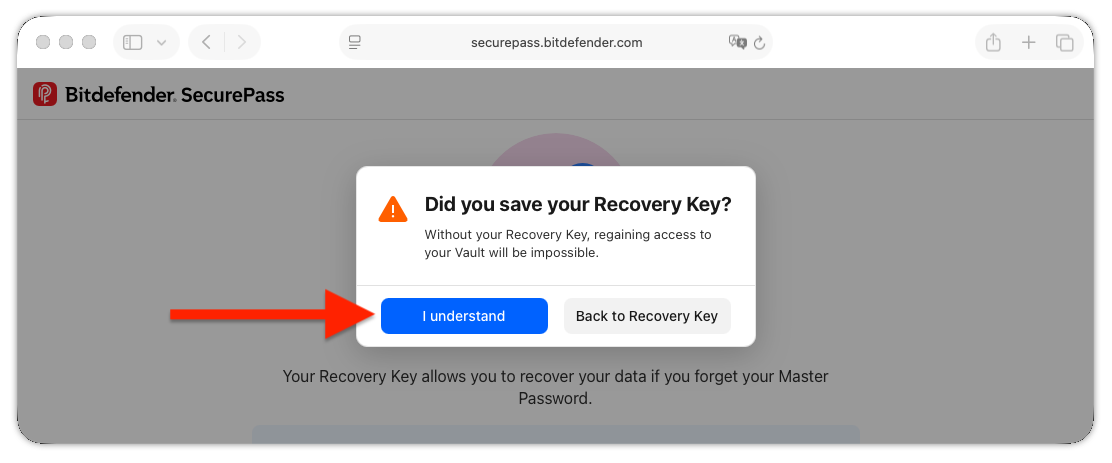
Mobile app (Android and iOS)
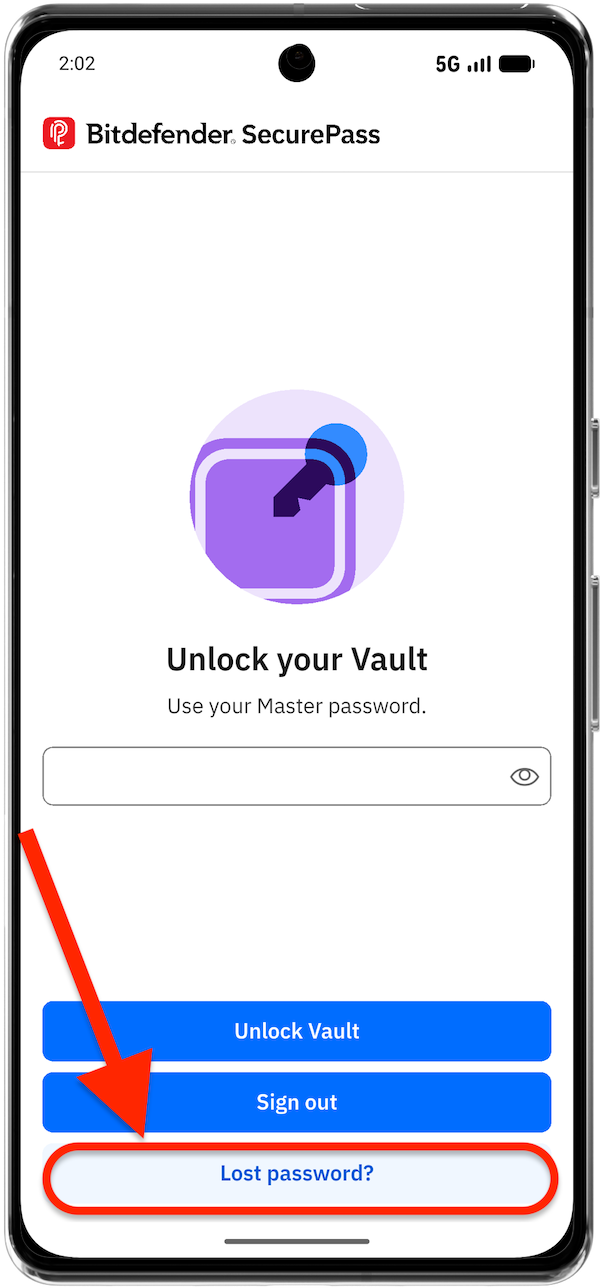
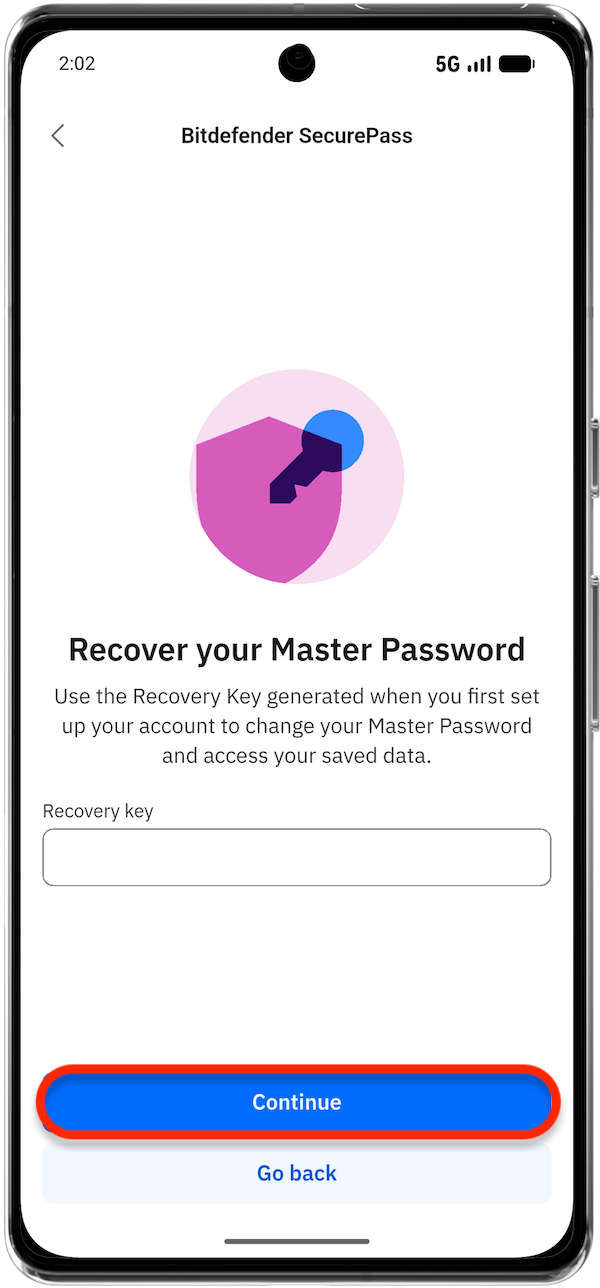
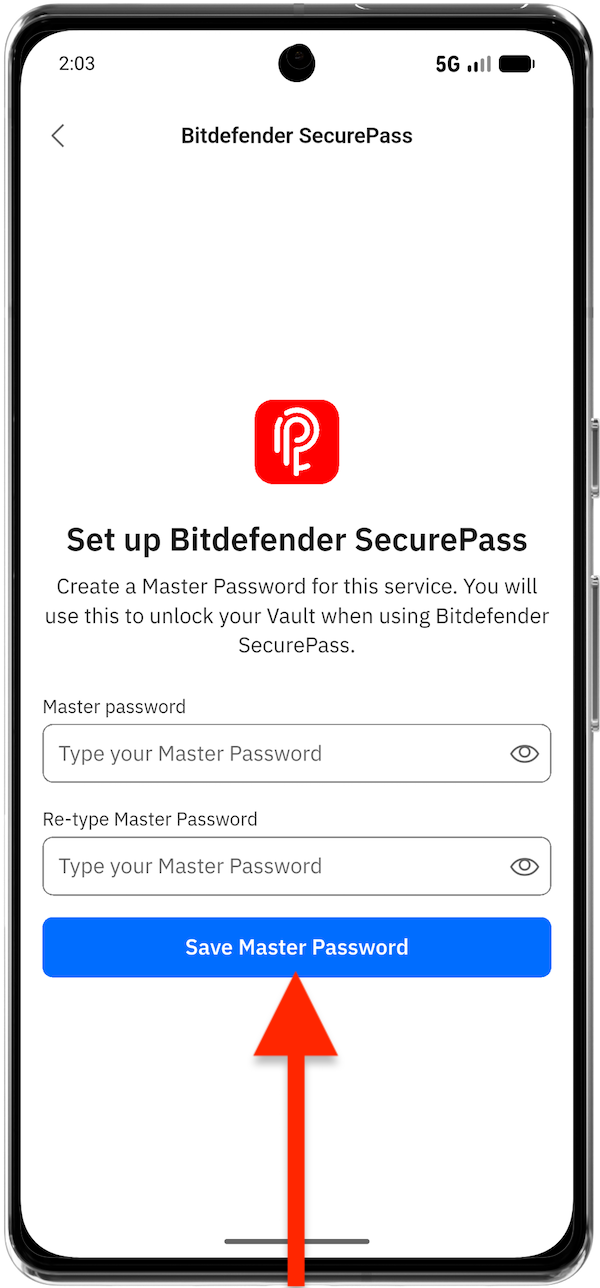

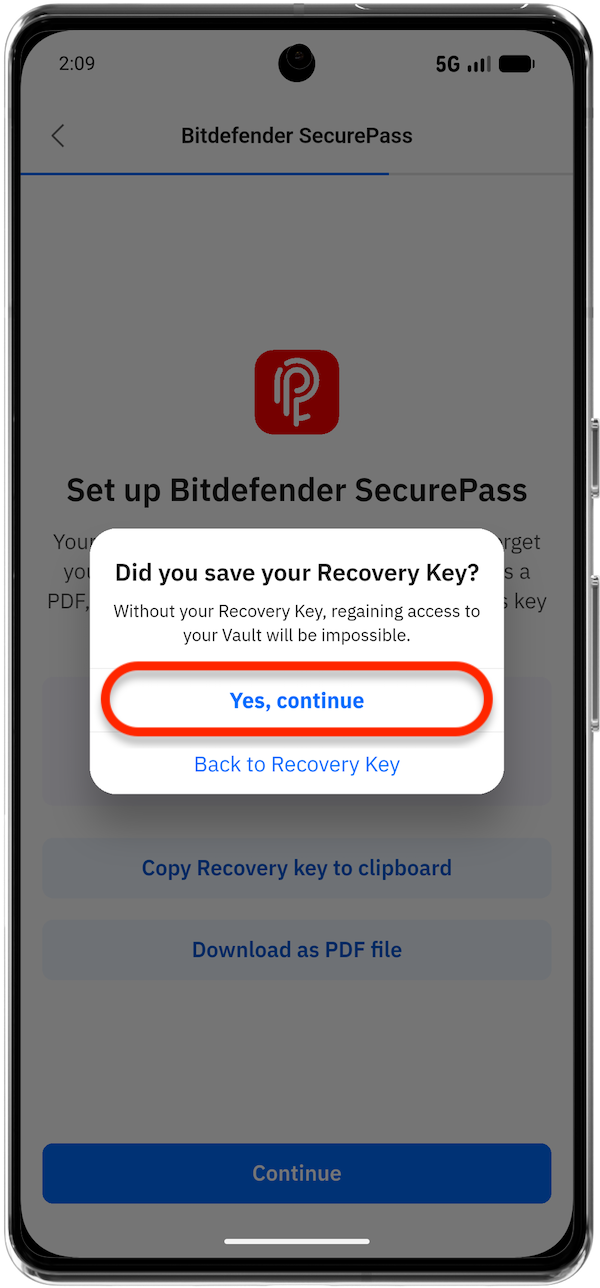
By following these steps, you can reset your Bitdefender SecurePass master password and continue using the password management service securely.