The Trending section in Bitdefender RealCheck helps you discover public videos that are currently attracting attention from other RealCheck users. It is designed to help you stay aware of videos that may be circulating online, including content related to politics, scams, entertainment, celebrities, misinformation, satire, and other high-interest topics.
A video appearing in Trending does not automatically mean it is fake, harmful, or deceptive. It means the video is receiving attention and has a public RealCheck analysis available. You can review the context before deciding whether to trust or share the content.
Open the Trending section
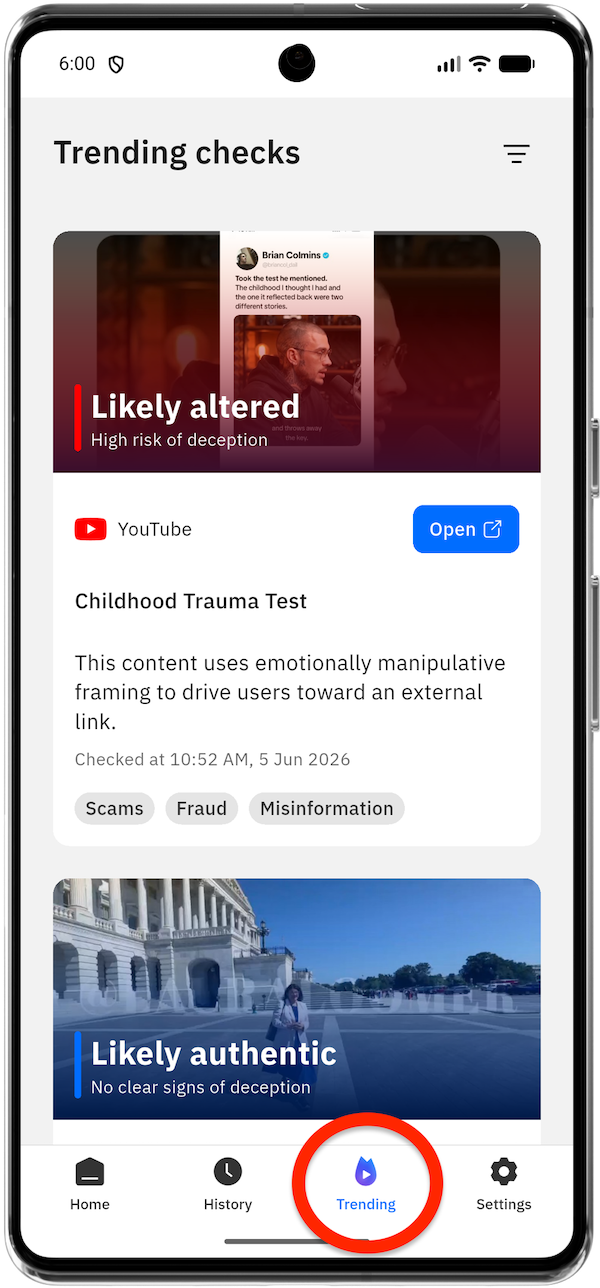 To access trending video checks:
- Open the Bitdefender RealCheck app
- Tap Trending in the bottom navigation bar.
The app displays a list of popular public checks. You can scroll through the list to browse different videos and see their verdicts, summaries, and topic tags.
What you can find in Trending
Each item in the Trending section represents a public video check.
A trending video check card includes:
- A thumbnail or preview image
- The RealCheck verdict, such as Likely authentic or Likely altered
- The deception assessment, such as No clear signs of deception or Low risk of deception
- The original platform, such as YouTube, TikTok, or X
- An Open button that takes you to the original source
- A short title or description of the video
- A short summary of RealCheck’s findings
- The date and time when the video was checked
- Topic tags, such as Politics, Entertainment, Satire, Celebrities, Scams, Fraud, or Misinformation
This lets you quickly understand why a video is appearing in Trending and whether it may be worth reviewing more closely.
Review a trending video check
When browsing Trending, read the information shown on each card before opening the source.
The verdict shown on the thumbnail tells you how RealCheck assessed the content. For example:
- Likely authentic means RealCheck did not detect clear signs of manipulation.
- Likely altered means RealCheck found signs that the content may have been changed or generated.
- The deception assessment adds context about whether the content appears designed to mislead viewers.
The short summary below the title provides additional context. For example, a video may be marked as authentic but still be related to a sensitive topic, or it may be altered but classified as satire or entertainment.
Tap the card of a trending video check to learn more.
Open the original video source
Each trending card includes an Open button. Tap it to view the original video on the platform where it was posted.
This is useful when you want to see the original context, such as the full caption, account name, comments, or surrounding discussion.
After reviewing the source, you can return to RealCheck to continue browsing the Trending list.
Filter Trending by topic
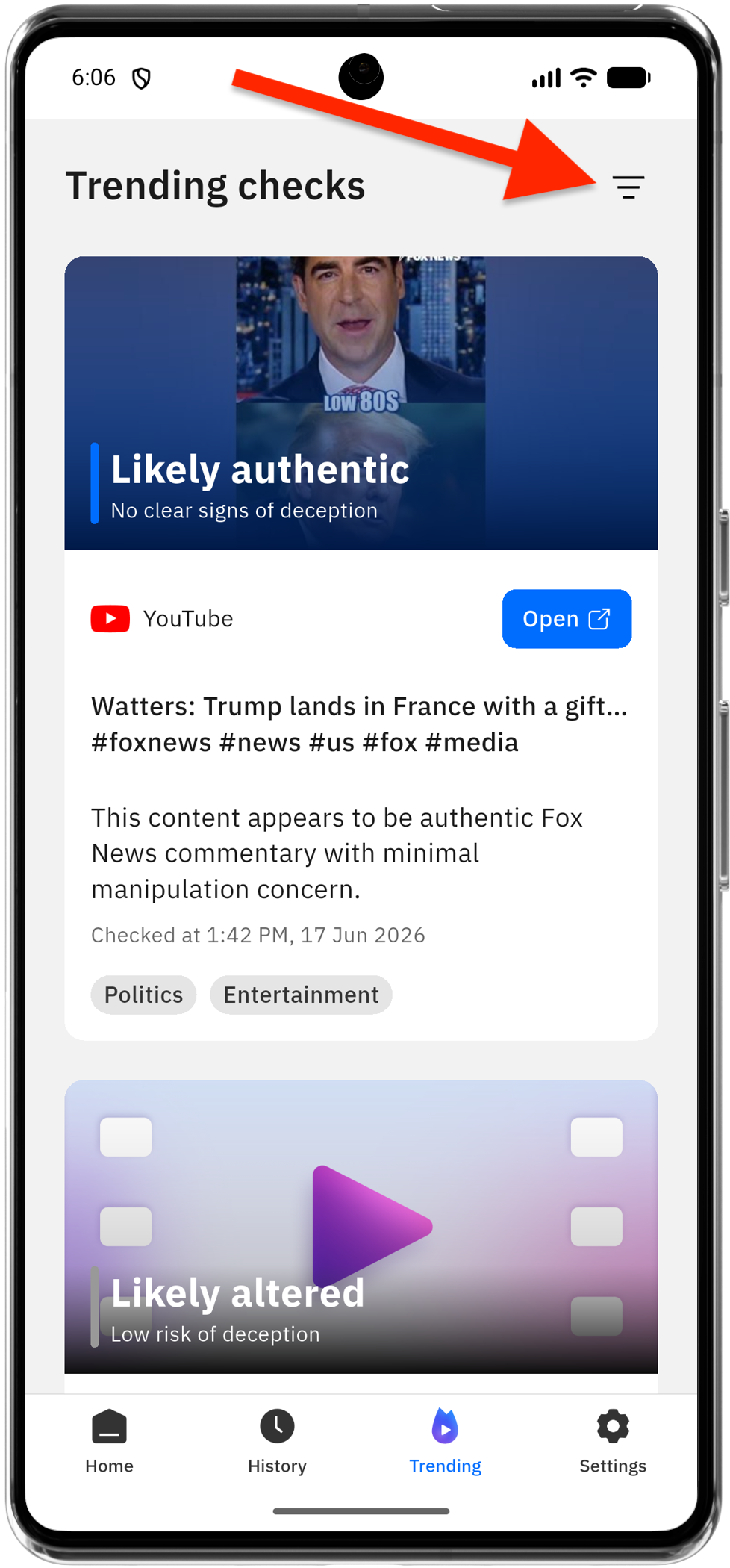
If you want to focus on specific types of content, use the filter option in the upper-right corner of the Trending screen.
You can filter Trending by topics such as:
- Celebrities
- Education
- Satire
- Entertainment
- Politics
- Misinformation
- Scams
- Fraud
Select the topics you want to see, then tap Done. Trending will update to show checks that match your selected interests.
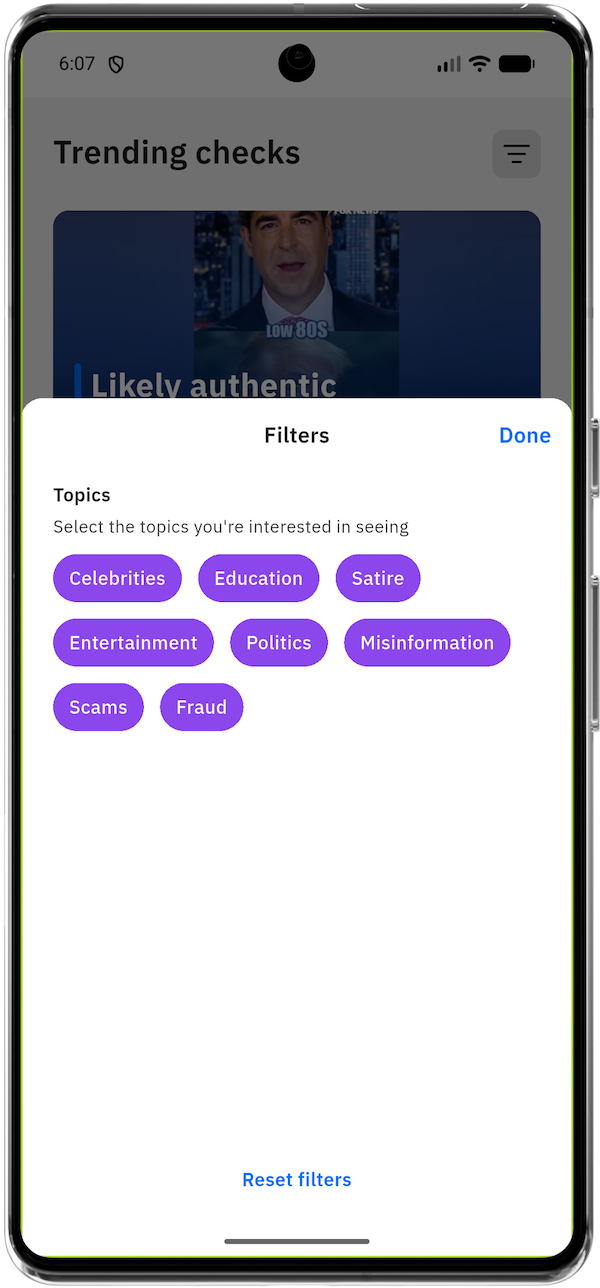
You can choose one topic or several topics at the same time. For example, selecting Scams and Fraud can help you focus on potentially deceptive financial or promotional videos, while selecting Politics and Misinformation can help you follow public-interest content.
Reset filters
If you want to return to the full Trending list, open the filter menu again and tap Reset filters.
This removes your topic selections and shows the broader list of trending public checks again.
Why Trending video checks do not appear
The Trending screen requires an internet connection to retrieve updated results. If Trending does not load, check that your device is connected to the internet, then close and reopen the app if needed.