This guide explains how to use the Bitdefender RealCheck app to check if a video is AI-generated or real. Bitdefender RealCheck helps you analyze videos that may be AI-generated, manipulated, or created to mislead viewers. You can use it to check public video links from supported social media platforms or upload a video file from your device.
Before you begin
Make sure Bitdefender RealCheck is installed on your device and that you are signed in to your account. You also need:
- An active internet connection
- An active RealCheck trial or subscription
- A public video link or an MP4/QuickTime file
- A video that contains audio with speech
RealCheck can check public links from Instagram, TikTok, Facebook, X, and YouTube. If the video is private, deleted, unavailable, or from an unsupported platform, RealCheck will not be able to analyze it.
Step 1: Open Bitdefender RealCheck
Tap the RealCheck app icon  on your smartphone or tablet.
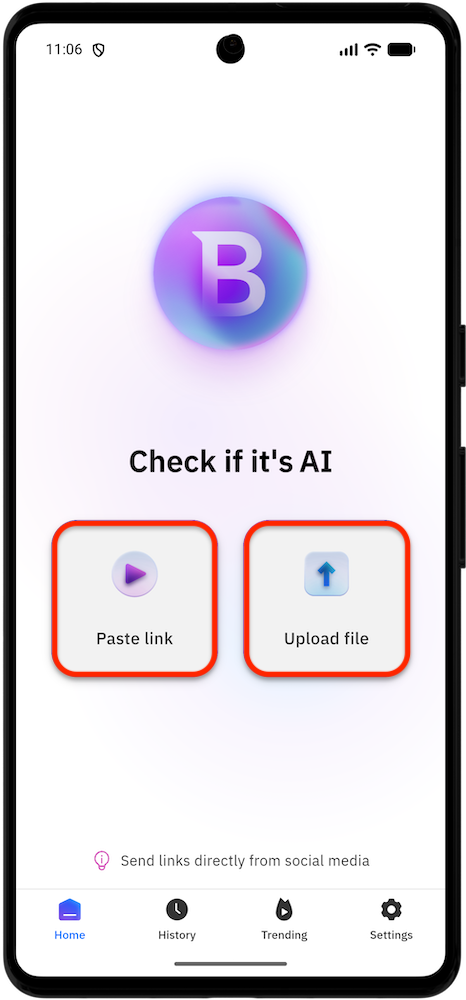
The app opens on the Home dashboard, where you can check if a video is AI or real.
Step 2: Submit a video for analysis
From the Home screen, choose how you want to check the video:
- Tap Paste link if the video is publicly available on a supported social media platform, then paste the video URL.
- Tap Upload file if the video is saved on your device, then select the file you want to analyze. Uploaded files are checked privately.
After adding the link or selecting the file, tap Analyze to start the check.
Step 3: Wait while RealCheck analyzes the video
After you submit the link or file, RealCheck begins analyzing the content.
During this stage, the app displays progress messages such as:
- Analyzing the content
- Preparing your report
Keep the app open while the check is running. You can minimize the progress screen, but avoid closing the app before the analysis finishes.
Step 4: Review the RealCheck report
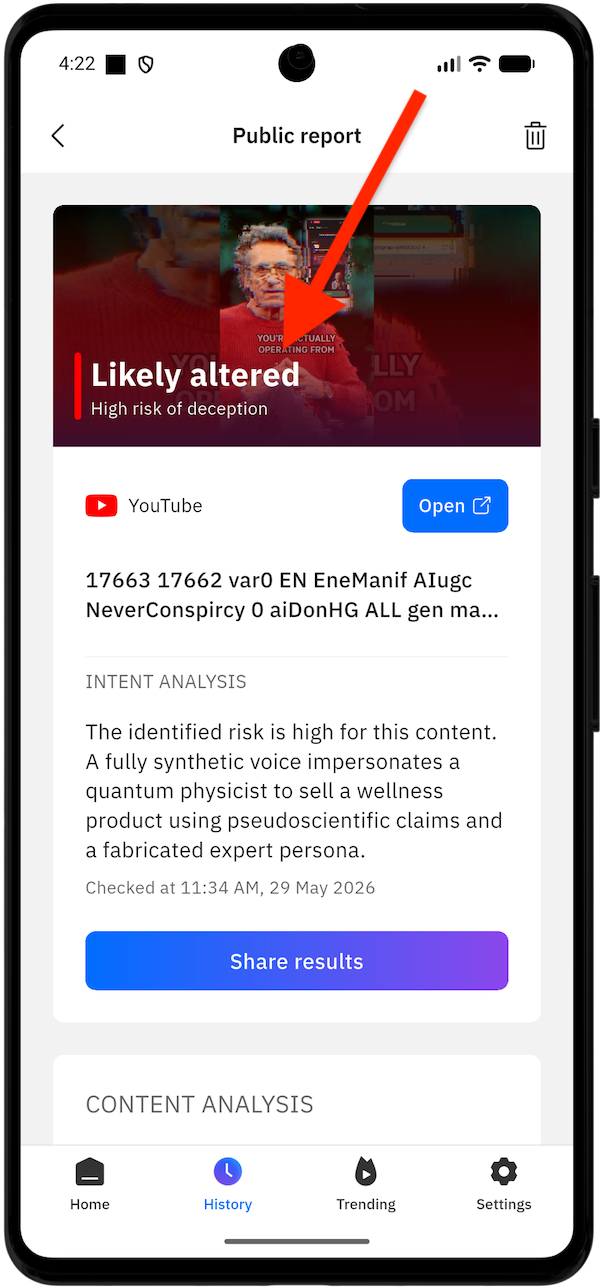 When the analysis is complete, RealCheck generates a report.
The report shows whether the video appears:
- Likely authentic
- Likely altered
It also includes a deception risk assessment, such as whether the content shows signs of being designed to mislead viewers.
Depending on the video, the report may include:
- A summary of the findings
- Audio and speech analysis
- Transcript details
- People identified in the video
- Deception or intent indicators
- Content tags
Use the report as a guide to better understand the video before trusting, sharing, or acting on it.