This article explains how to find the version information for the Bitdefender Hub app on Android and iOS. The steps are the same on both operating systems.
Knowing where to find this information can help when contacting Bitdefender Support, checking whether your app is up to date, or troubleshooting a specific component.
1. Open Bitdefender Hub
Launch the Bitdefender Hub app on your mobile device.

2. Open Account & Settings
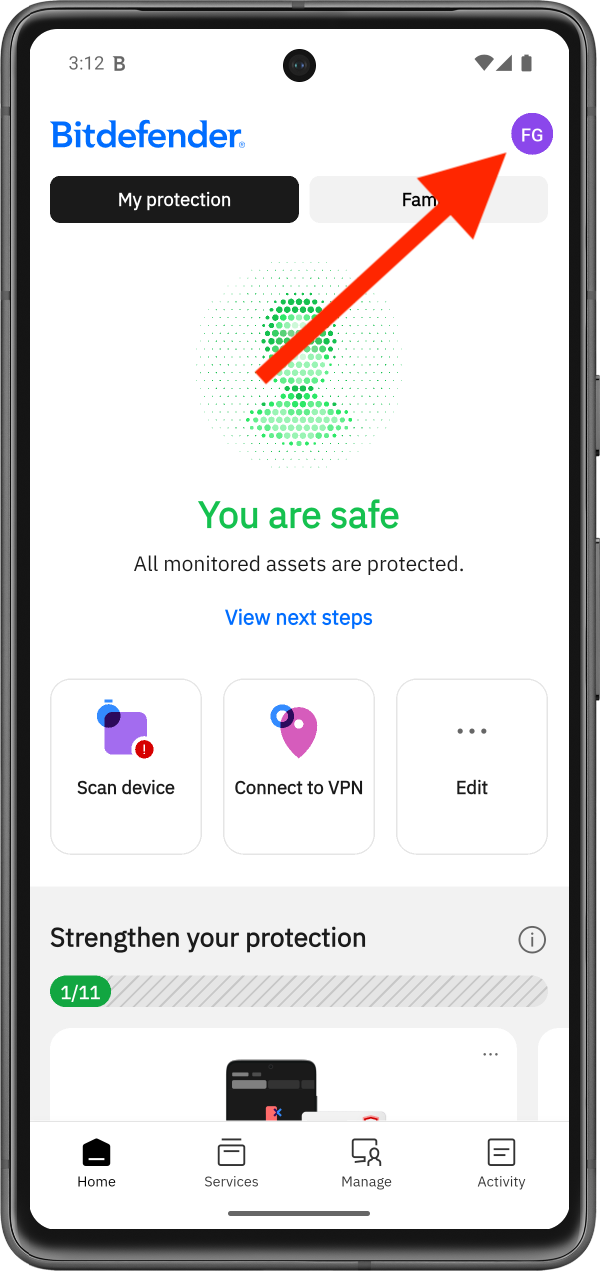
The app opens to the main dashboard, where you can view your protection status and available actions.
Tap your profile icon in the top-right corner of the Bitdefender dashboard. This icon displays your initials or your account photo.
3. Go to About
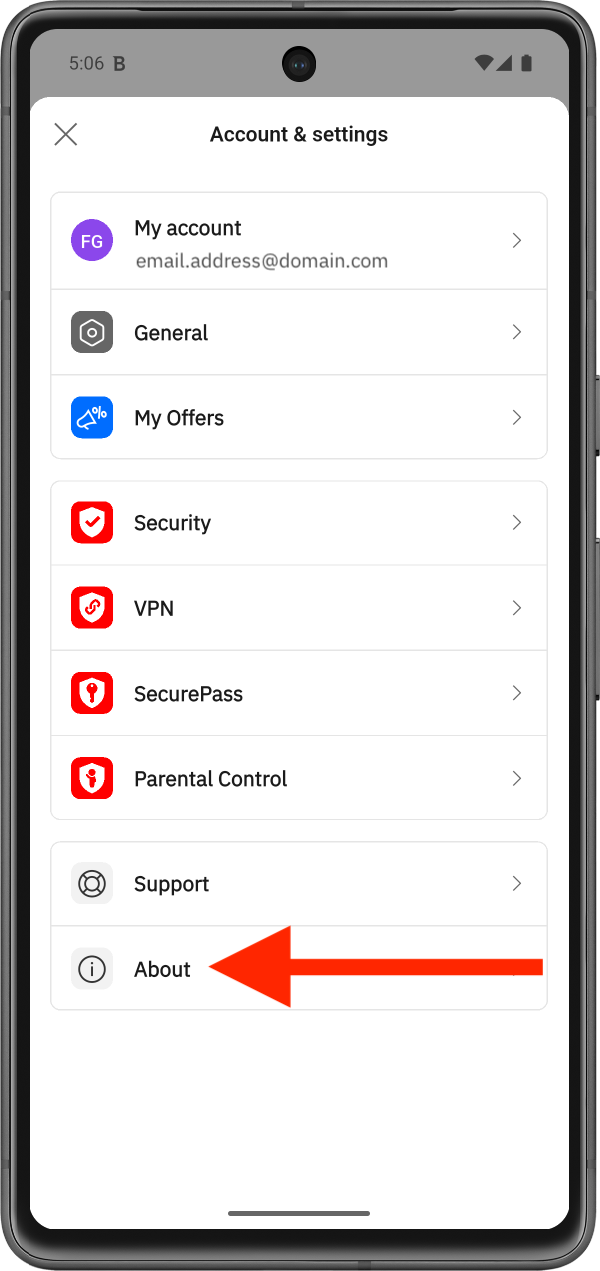
The Account & Settings menu appears.
Scroll down through the available options and tap About.
4. Check the Bitdefender Hub Version
The About section contains information about the application currently installed on your device.
Under the Bitdefender Hub name, you will find the application version.
- Example: Version 1.0.7 (840)
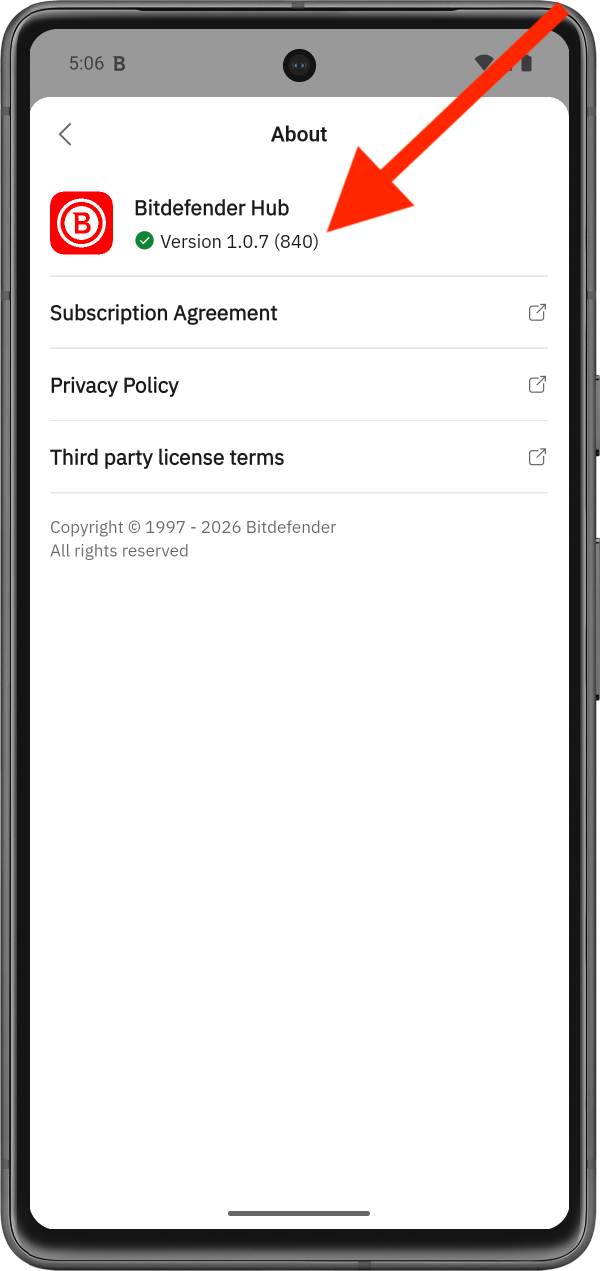
Your Bitdefender Hub version may differ from the example shown above.