This article explains how to find the version information for the Bitdefender desktop app on Windows and macOS. The steps are the same on both operating systems.
Knowing where to find this information can help when contacting Bitdefender Support, checking whether your app is up to date, or troubleshooting a specific component.
1. Open the Bitdefender App
Open the Bitdefender application installed on your Windows or Mac computer.
- On Windows: Double-click the Bitdefender shortcut on your desktop
 or open the app from the Start menu.
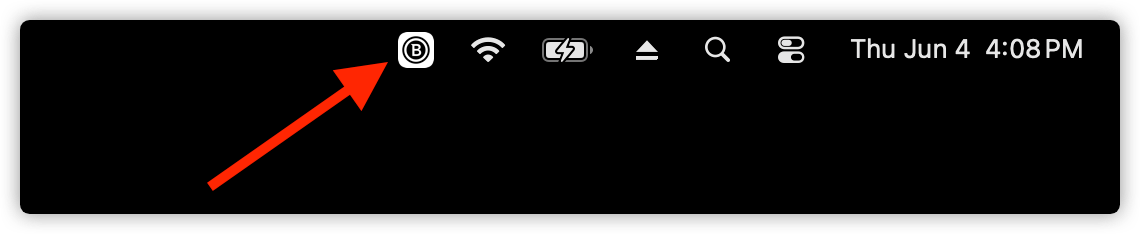
 - On macOS: Click the Bitdefender “B” icon in the menu bar, located in the top-right corner of your screen.

2. Go to Account & Settings
Click your profile icon in the top-right corner of the Bitdefender dashboard. This icon displays your initials or your account photo.

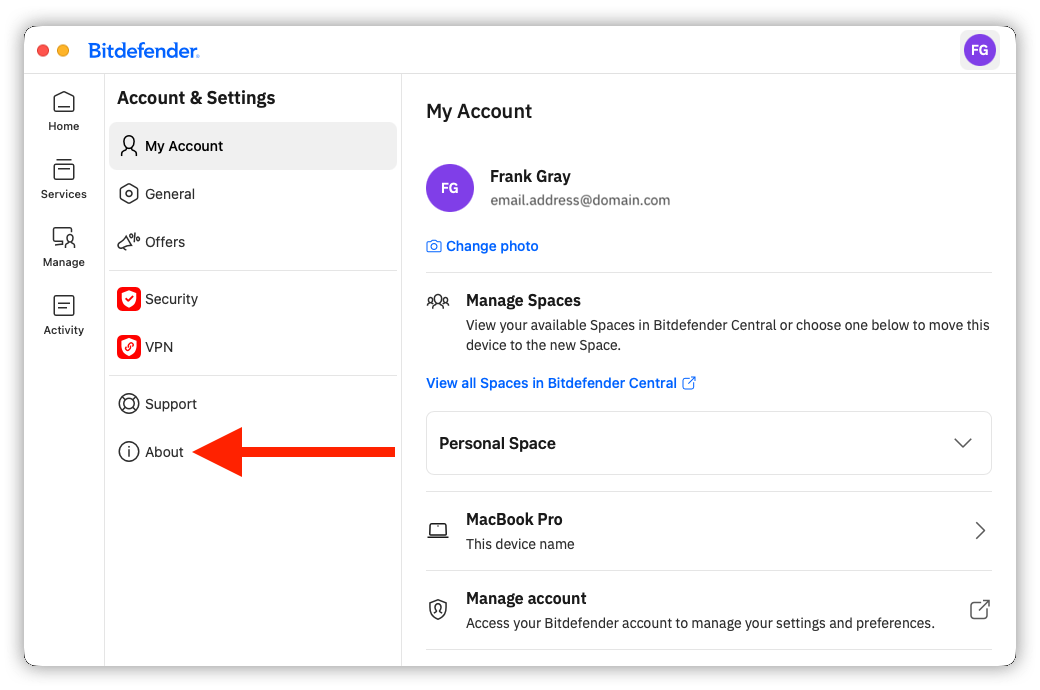
This opens the Account & Settings area of the app. From here, you can access several sections, including My Account, General, Offers, Security, VPN, Support, and About.
3. Check the Bitdefender App Version
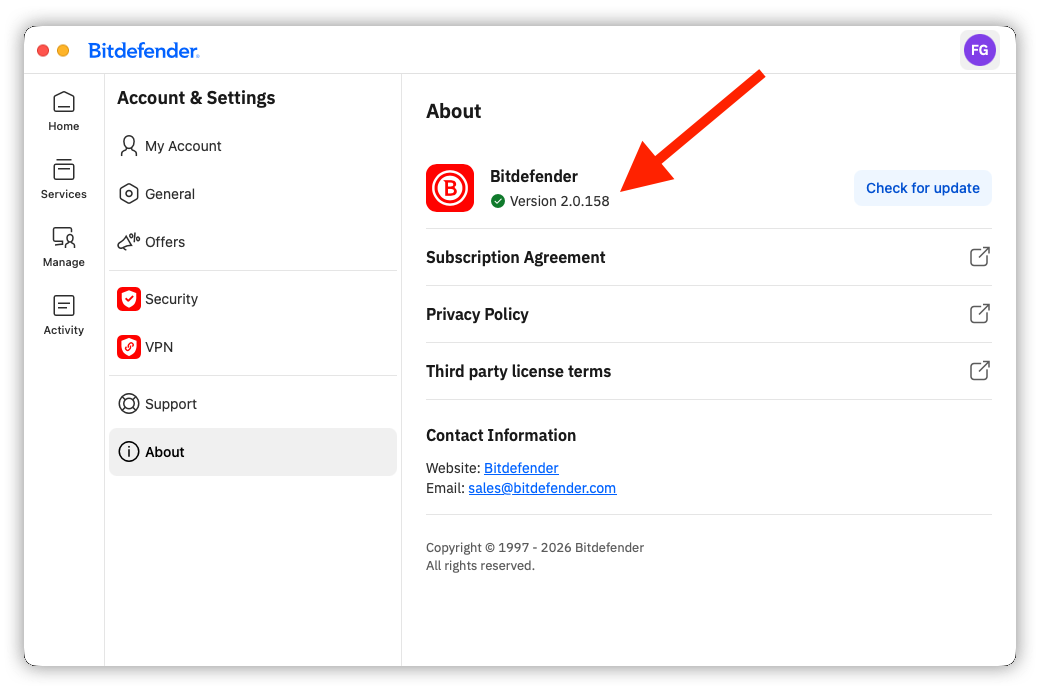
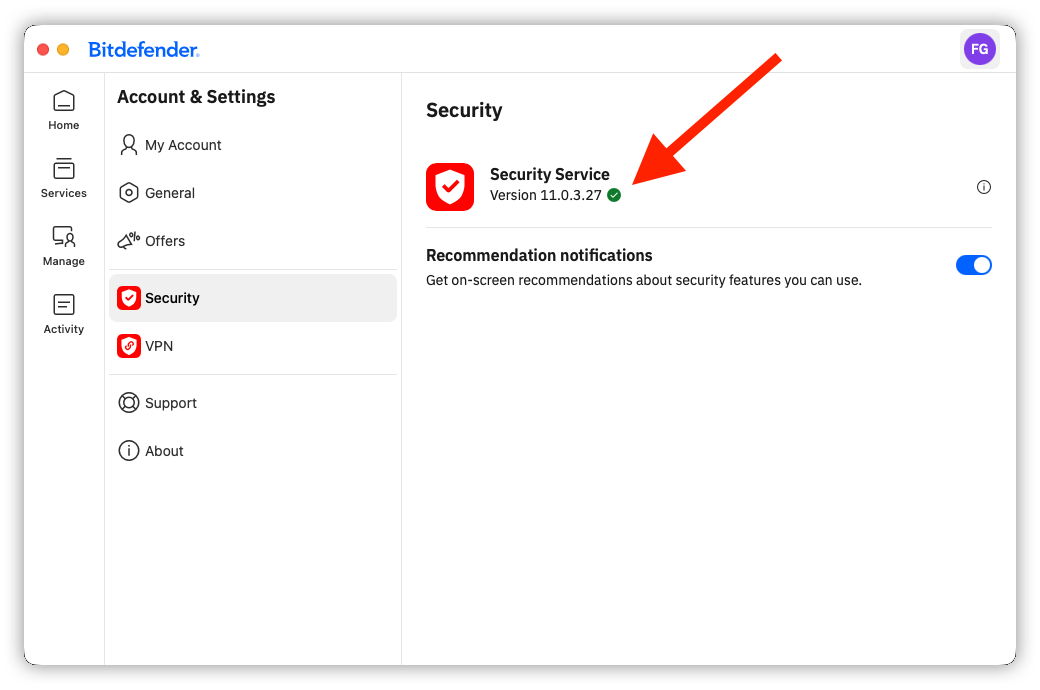
Use the sections below to learn how to find the version number for your Bitdefender app and its main components.
About
Security
VPN
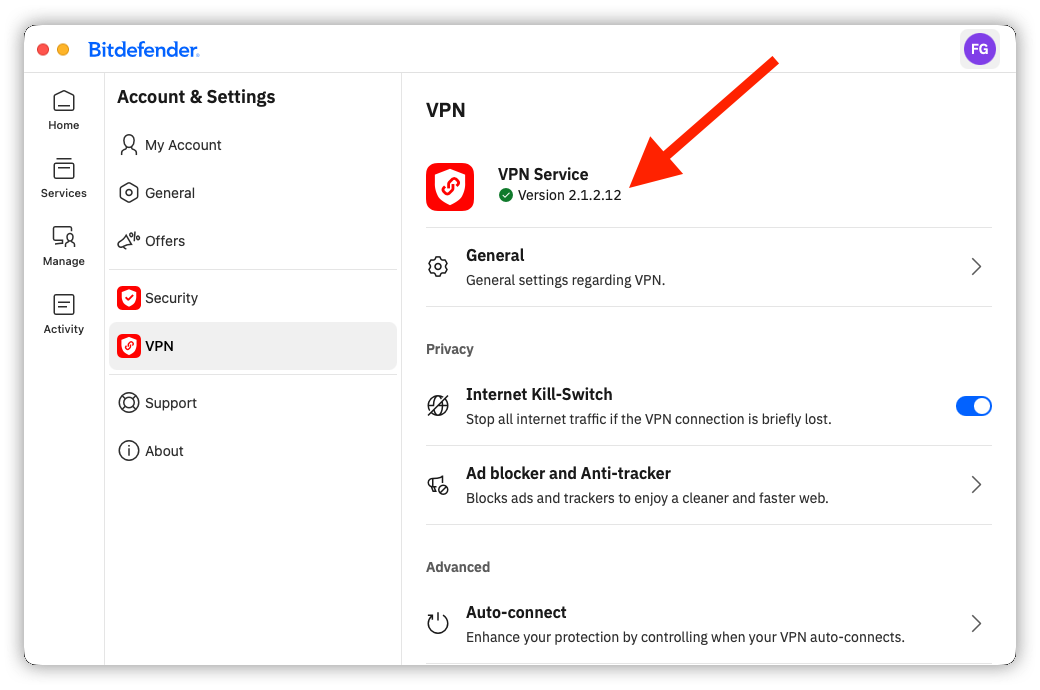
The number shown may differ depending on the Bitdefender version installed on your device.