Bitdefender VPN helps protect your online privacy by encrypting your internet connection and masking your IP address. Once connected, your online activity becomes more secure, especially when using public Wi-Fi networks such as those found in airports, cafés, or hotels.
If you are using the Bitdefender app on macOS, there are three simple ways to connect to the VPN. This guide explains each method in detail so you can choose the one that feels most convenient for you.
How to Connect to VPN on macOS
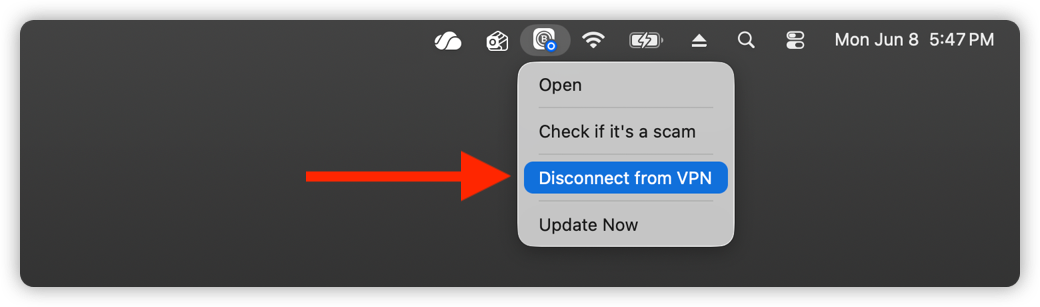
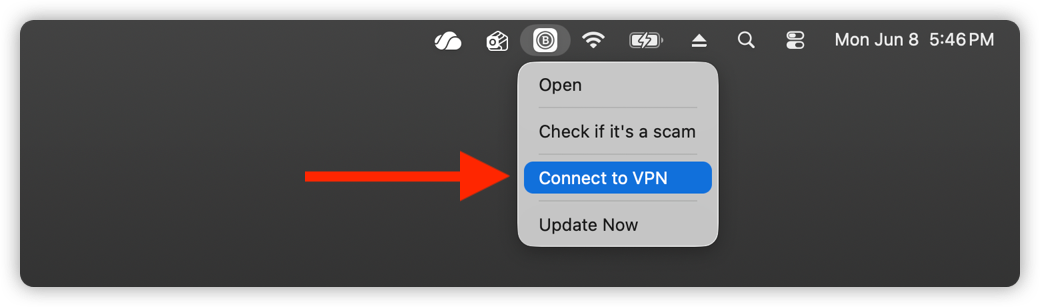
Method 1: Connect to VPN from the menu bar icon
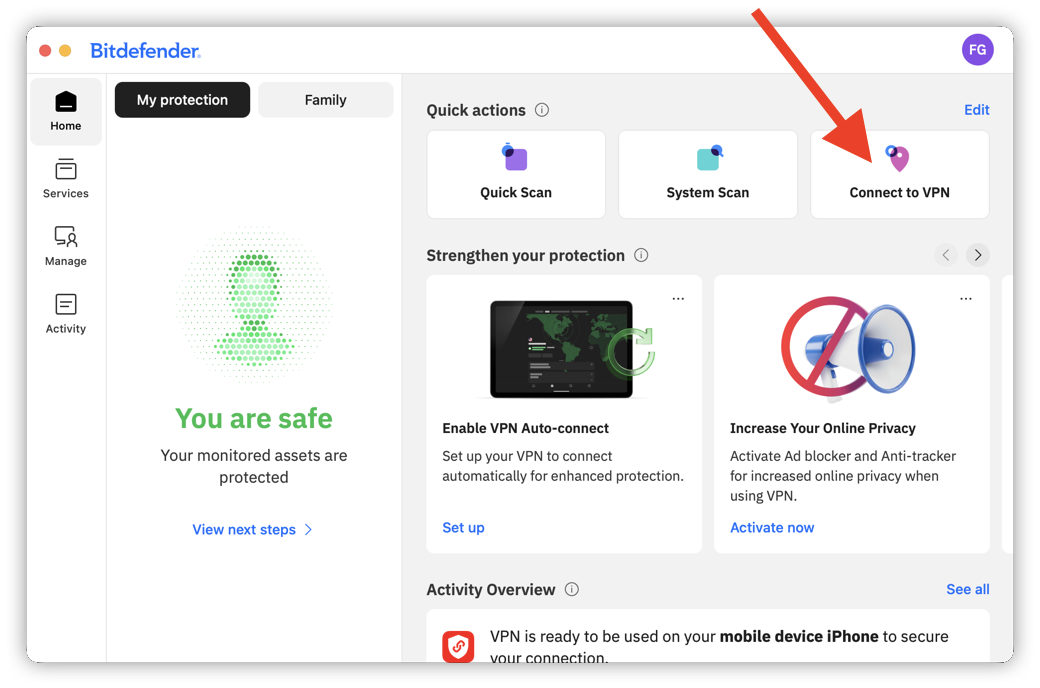
Method 2: Connect to VPN from the Home screen Quick actions
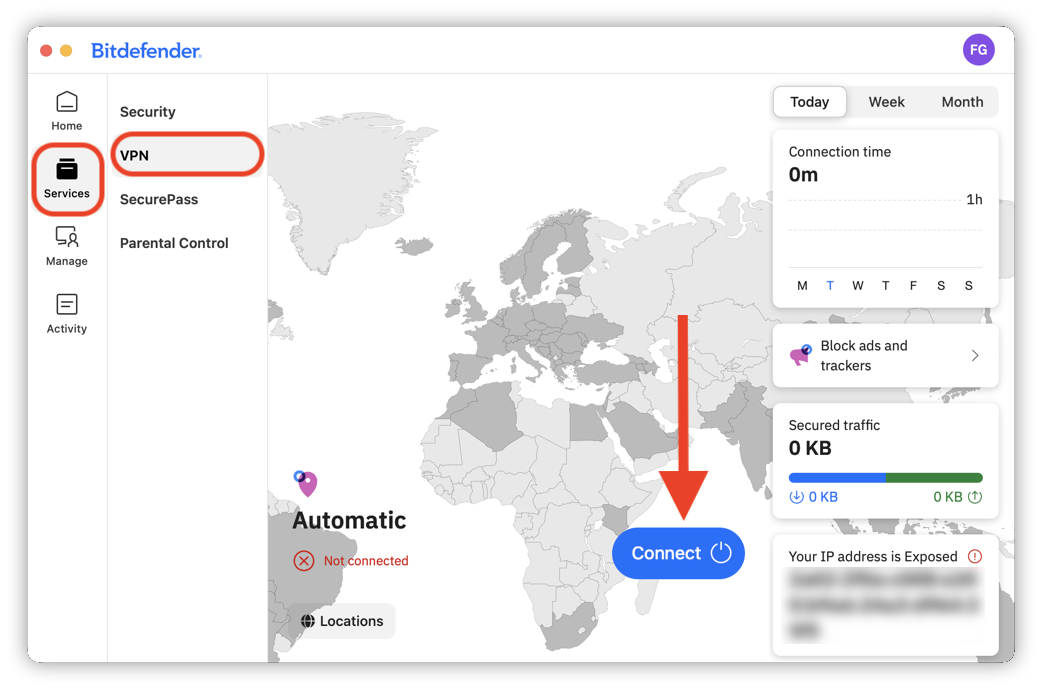
Method 3: Connect to VPN from the Services menu
When you connect to VPN for the first time, your Mac will ask for permission to add the VPN configuration. If you need assistance, follow this step-by-step guide: How to Allow VPN Permissions in the Bitdefender App for macOS.
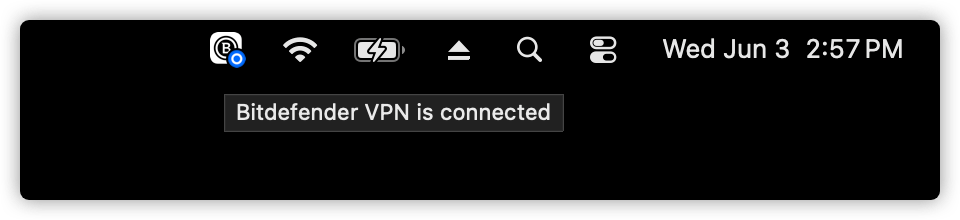
VPN Connection Indicator
While the VPN is connected, a small blue circle appears on the Bitdefender menu bar icon. Hovering the mouse cursor over the icon displays the tooltip: Bitdefender VPN is connected.
How to Disconnect from VPN
Disconnecting from Bitdefender VPN works the same way as connecting. You can disconnect from any of the three locations described earlier in this guide.
Once the VPN connection is active, the Connect to VPN option or Connect button changes to Disconnect.