Follow these steps to install and set up Bitdefender SecurePass on Android smartphones and tablets. Bitdefender SecurePass is a multi-platform service that helps you store and organize all your online passwords.
- System Requirements: Android 9 or later
Installation
- Activate Your Subscription:
- Before starting the installation, follow the instructions in the confirmation e-mail to activate your Bitdefender SecurePass subscription.
- Download the App:
- Open the Google Play Store
 on your Android device.
 - Search for Bitdefender SecurePass
 and download the app.
- Open the Google Play Store
- Complete Installation:
- Once the download is complete, open the app and follow the on-screen instructions to finish the installation.
Setup
- Sign In:
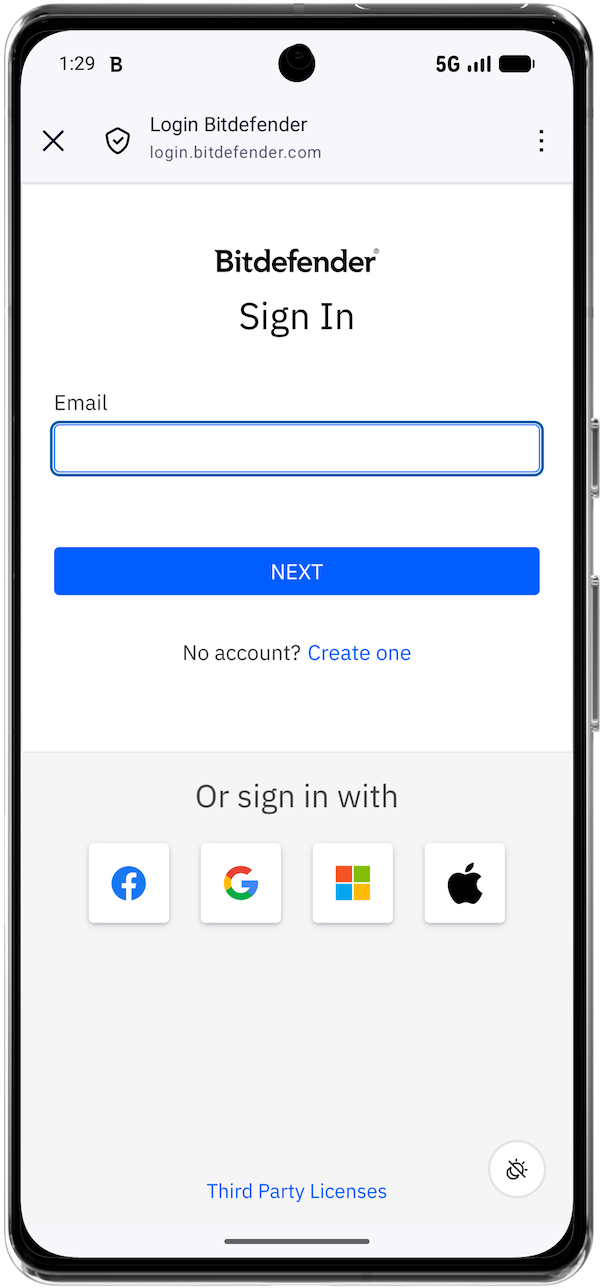
- After installation, open the SecurePass app and tap Connect an account.
- Use the Bitdefender account associated with your SecurePass subscription.

- Set Up Master Password:
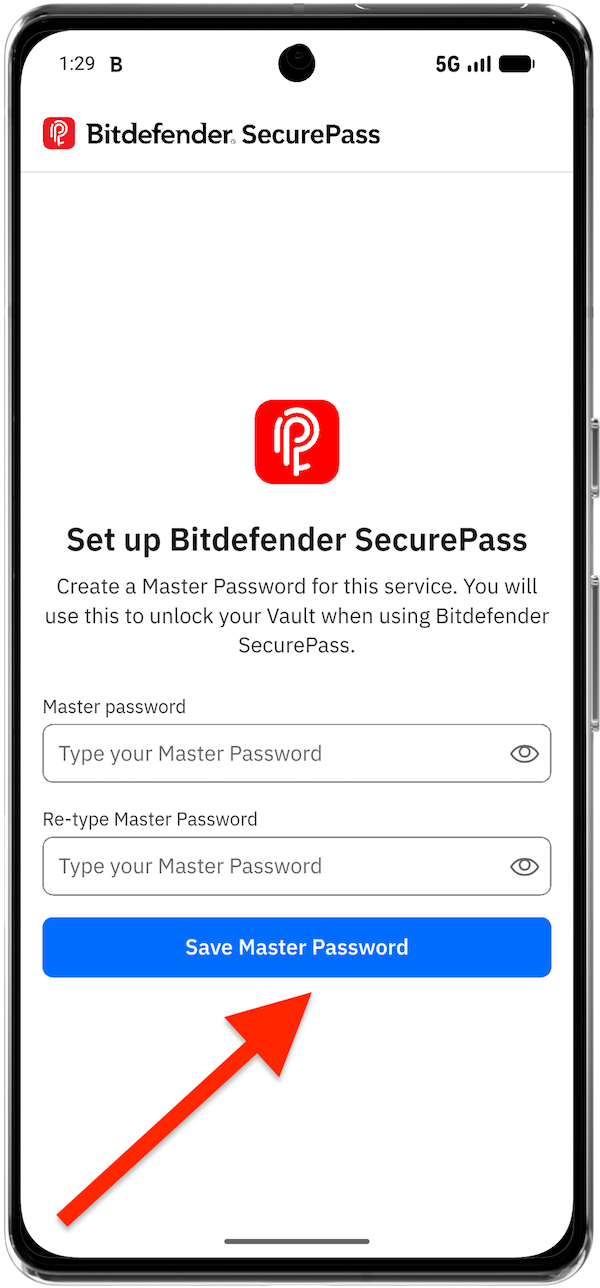
- Upon signing in, you will be prompted to create a master password. This password will unlock your SecurePass vault and encrypt your stored data.
- Enter a strong and unique master password, then tap Save Master Password.
- Save Your Recovery Key:
- The app will then generate a recovery key. This key will allow you to recover access to your SecurePass vault if you forget the master password.
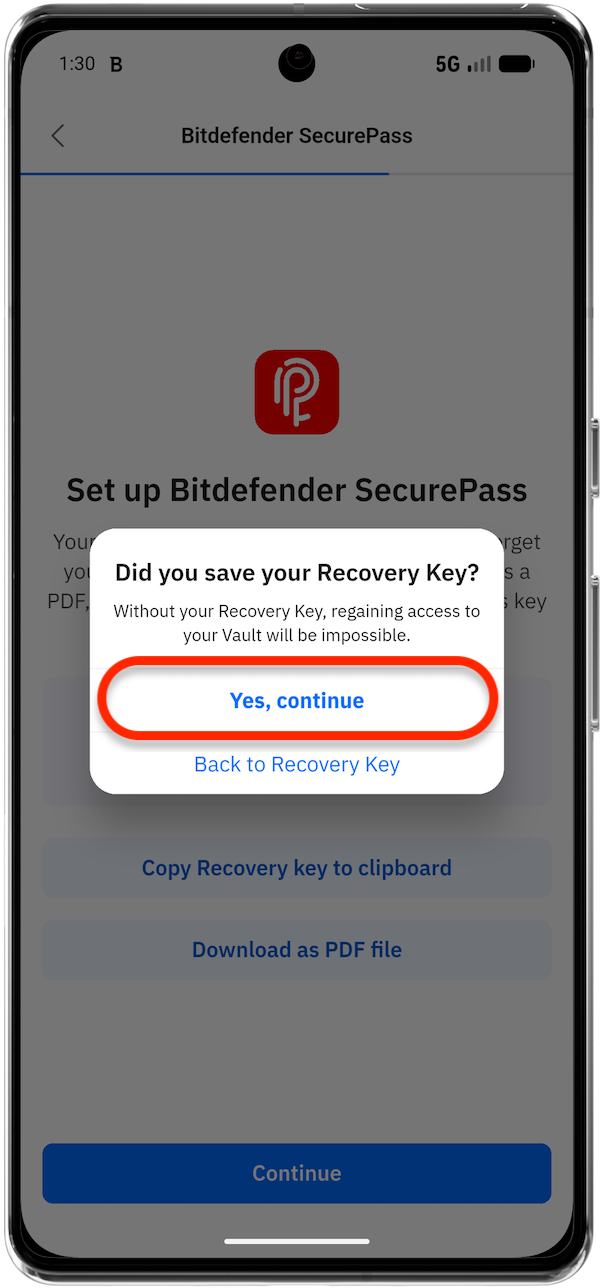
- Save the recovery key by copying it to your clipboard or downloading it as a PDF.
- Once the recovery key is saved, tap Yes, continue to start using Bitdefender SecurePass.


Additional Tips
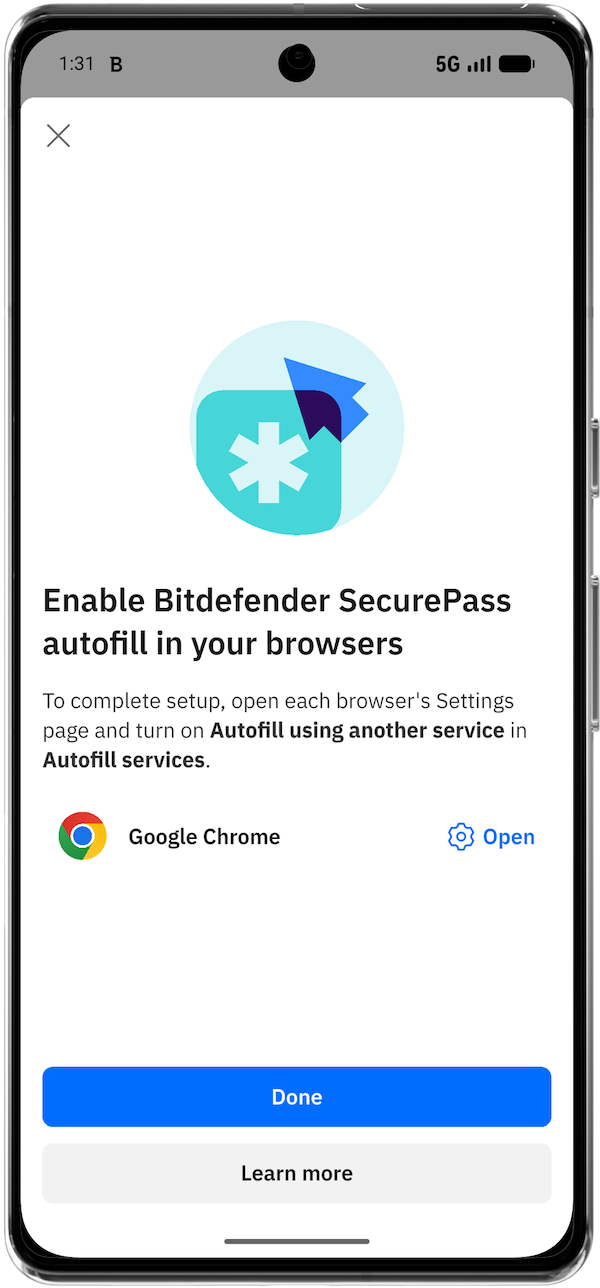
After installing Bitdefender SecurePass on your Android device, follow these steps to make it your default password manager for saving and autofilling passwords: