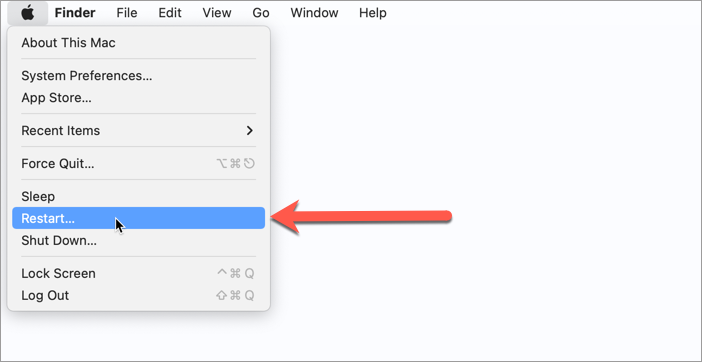
The interface of Bitdefender apps is typically displayed in the language used by your Mac. By default, macOS uses the language associated with the region where your Mac was purchased, but you can change it to any language supported by macOS. Changing your Mac’s system language automatically changes the language of installed Bitdefender applications.
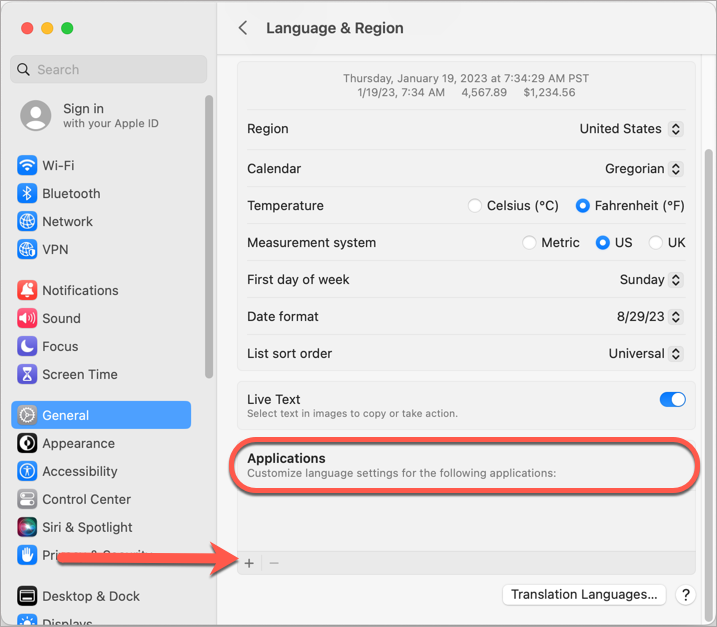
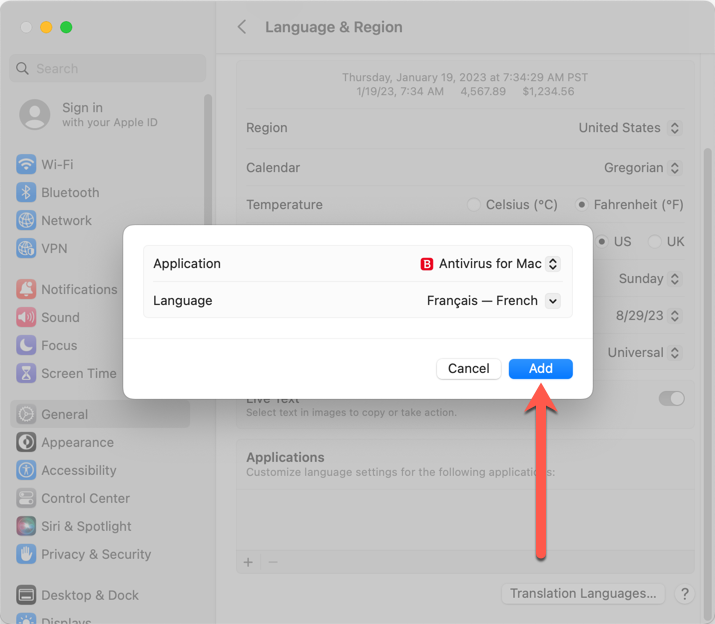
Starting with macOS Catalina (10.15), you can also change the language of an individual app without changing your Mac’s system language. For example, you can use Bitdefender Antivirus for Mac in French and Bitdefender VPN in German while keeping English as your Mac’s system language. Below is a step-by-step guide on how to change the display language for a Bitdefender app on your Mac. Follow the instructions for your version of macOS:
These steps apply to Bitdefender Antivirus for Mac, Bitdefender VPN, Bitdefender Virus Scanner, and Bitdefender Virus Scanner Plus.
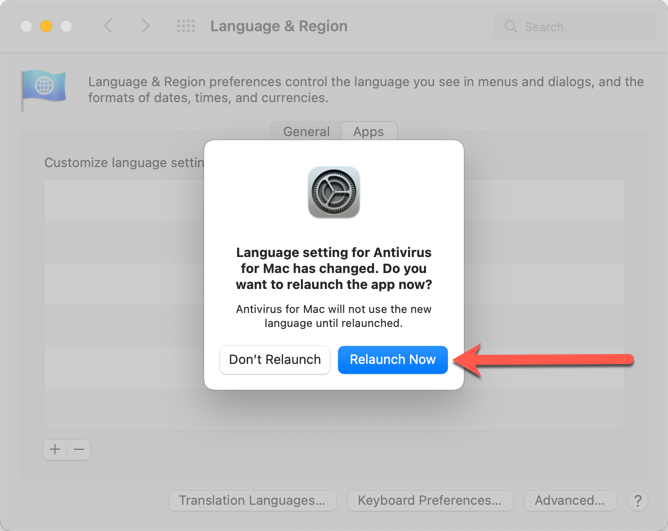
Change Bitdefender apps' language on macOS Catalina, Big Sur, Monterey
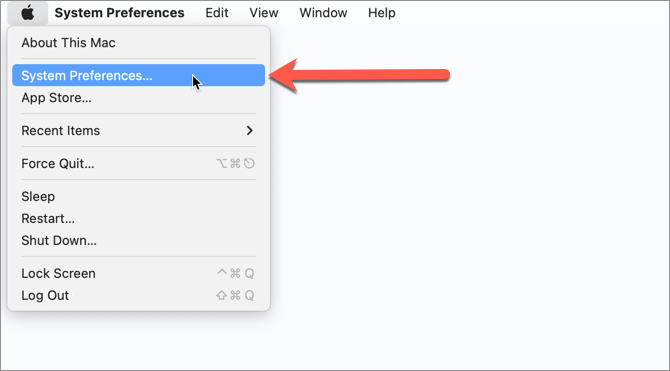
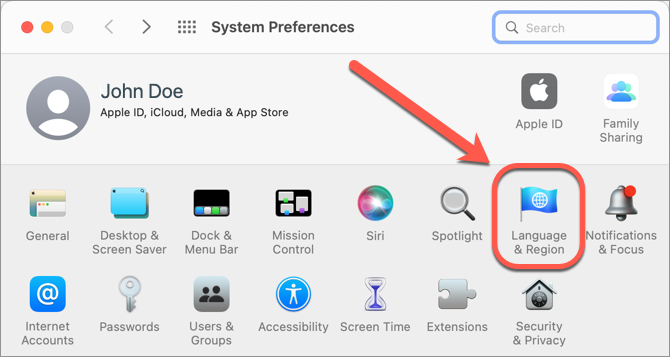
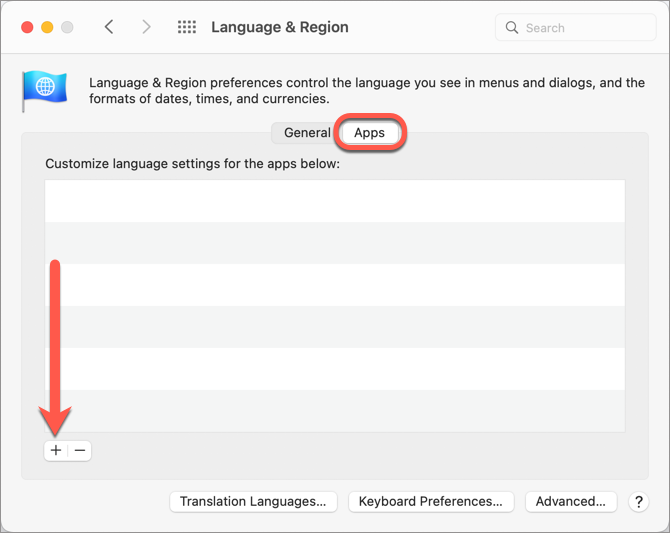
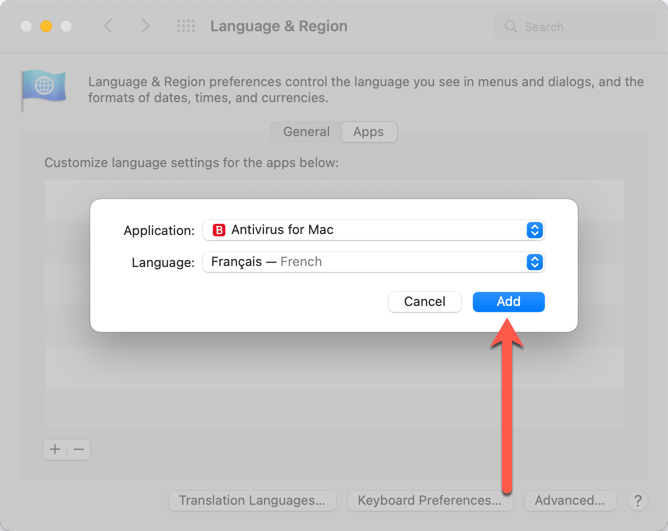
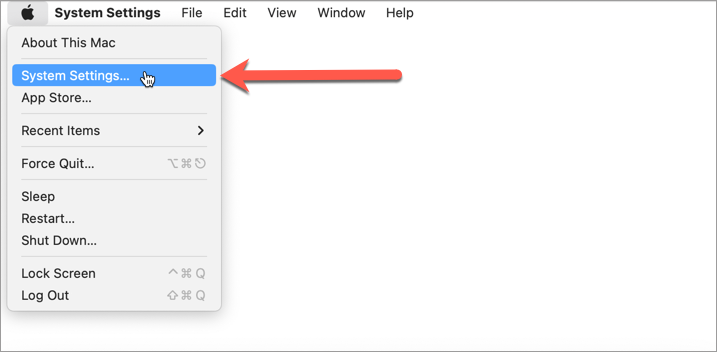
Change Bitdefender apps' language on macOS Ventura & later
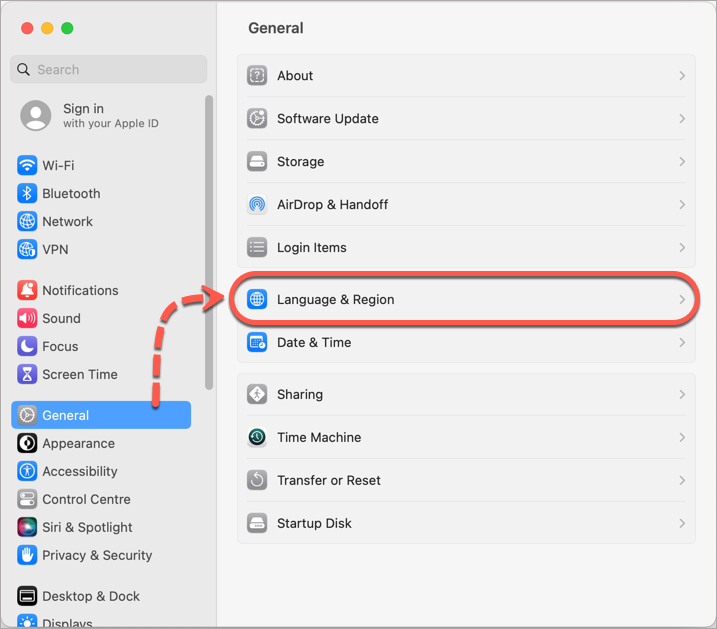
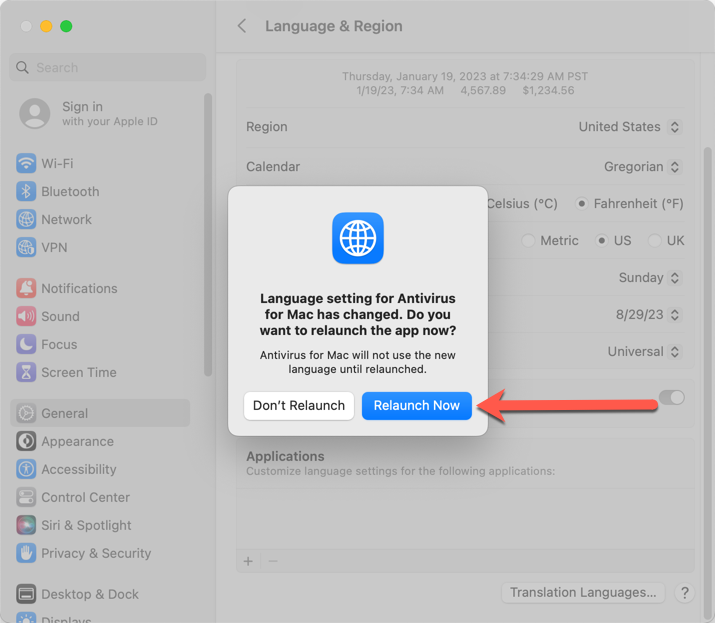
Repeat these steps to change the language for other Bitdefender apps installed on your Mac.