You can easily change the display language of the Bitdefender Central page directly from your account. Once selected, the new language is applied instantly across the entire interface, making it easier to manage your subscriptions, devices, and security settings in your preferred language.
Follow these steps to change the language in Bitdefender Central:
1. Sign in to Your Bitdefender Account
Go to https://central.bitdefender.com/ and sign in using your email address and password.
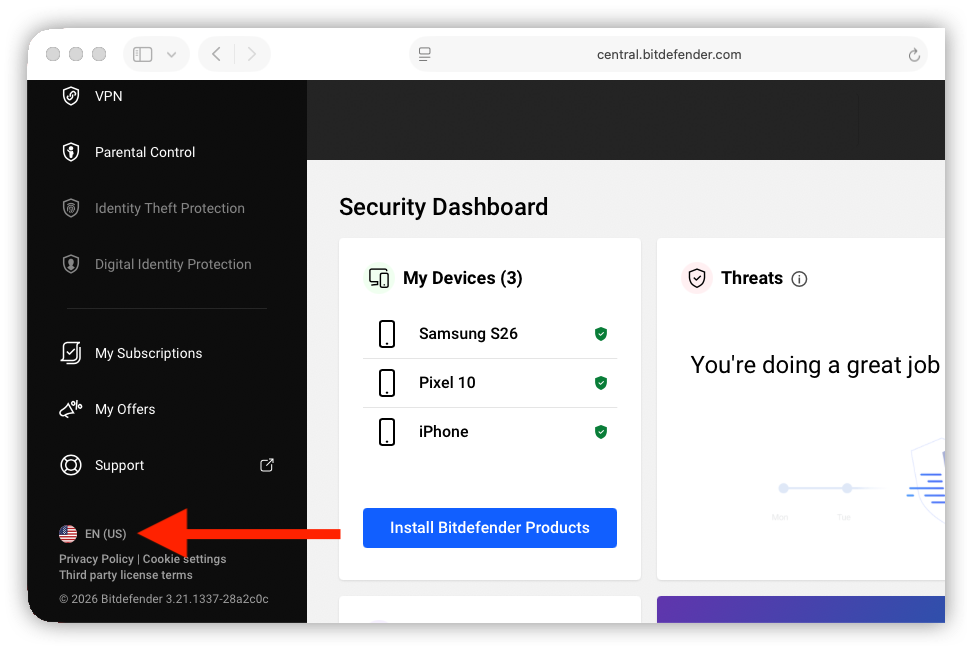
2. Open the Language Selector
After logging in, scroll down to the bottom of the left-side menu.
Click the current language or the flag icon.
3. Select Your Preferred Language
In the window that appears, click the language you want to use.
The Bitdefender Central site will immediately be displayed in the selected language.
Available languages include: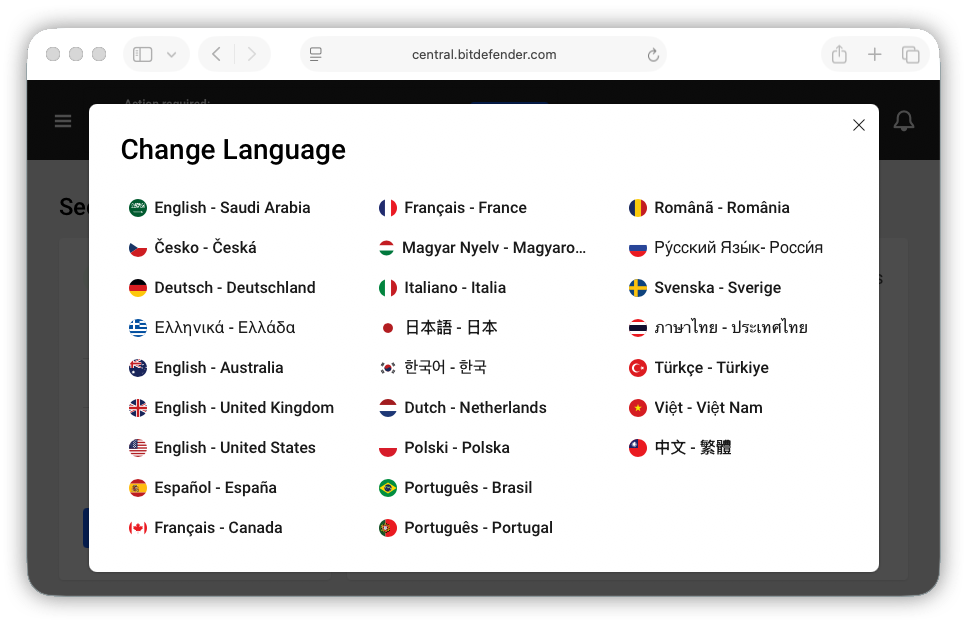
- English
- French
- German
- Spanish
- Italian
- Portuguese
- Dutch
- Polish
- Romanian
- Hungarian
- Czech
- Swedish
- Turkish
- Russian
- Greek
- Japanese
- Korean
- Thai
- Vietnamese
- Chinese (Traditional)