On Android 17 devices, Android Advanced Protection Mode (AAPM) restricts access to the Android Accessibility API. Because several Bitdefender security features rely on Accessibility permission to provide real-time protection, they are limited or unavailable while Advanced Protection Mode is enabled. The affected features are:
- Web Protection
- Chat Protection
- App Anomaly Detection
When Advanced Protection Mode is turned on, Android prevents Bitdefender from obtaining the required Accessibility permission. As a result, the Accessibility settings for Bitdefender appear greyed out and cannot be enabled. Bitdefender will detect that the required permission is unavailable and will behave as if Accessibility permission has not been granted.
This behavior is caused by Android’s security restrictions and is not an issue with the Bitdefender app.
Choosing between Android Advanced Protection and Bitdefender Security features
Advanced Protection Mode is an Android security feature designed to provide additional protection against sophisticated threats by applying stricter security restrictions across the device.
One of those restrictions prevents Bitdefender from using the Accessibility permission required by Web Protection, Chat Protection, and App Anomaly Detection. This means you currently need to choose between keeping Android Advanced Protection Mode enabled or using these Bitdefender features.
Before making a change, consider which option best fits your security needs. If you prefer to keep Android Advanced Protection Mode enabled, the affected Bitdefender features will remain unavailable. If you want to use these Bitdefender features, you will need to disable Advanced Protection Mode.
How to turn off Advanced Protection Mode
If you decide to use the affected Bitdefender features, you can disable Advanced Protection Mode by following these steps.
ⓘ Depending on your device manufacturer, the names of some menus may vary slightly.
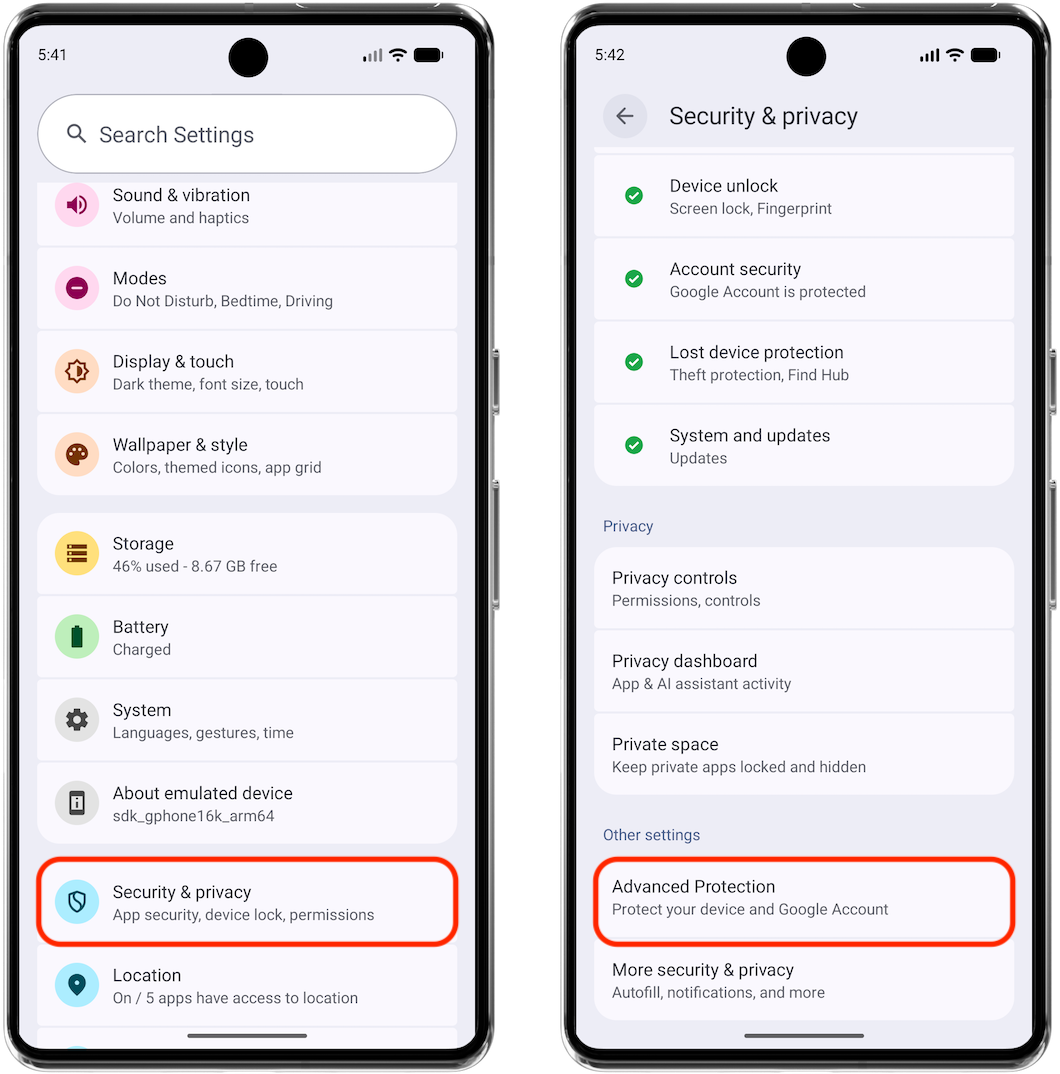
- Open Settings ⚙︎ on your Android device.
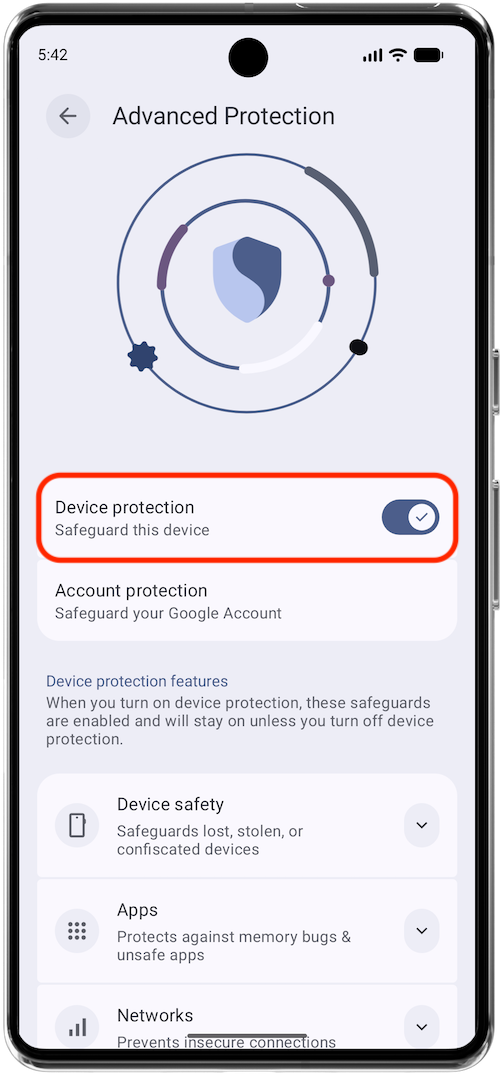
- Then scroll down and go to Security & privacy > Advanced Protection.

- Turn off Device protection and follow the on-screen instructions to confirm the change.

After Advanced Protection Mode is disabled, return to the Bitdefender app and follow the prompts to enable Accessibility permission. Once the permission is granted, Web Protection, Chat Protection, and App Anomaly Detection will be available again.
Looking ahead
This limitation is caused by changes introduced in Android 17 and applies whenever Advanced Protection Mode is enabled.
Bitdefender is evaluating possible solutions to support these features while maintaining compatibility with Android 17’s security requirements. If a solution becomes available in a future release, this article will be updated accordingly.