This guide outlines the steps necessary to uninstall Bitdefender Antivirus for Mac on macOS. Regardless of the version of macOS and your computer skills, you will find the uninstallation process intuitive and easy to follow.
Video tutorial
Uninstall Bitdefender Antivirus for Mac
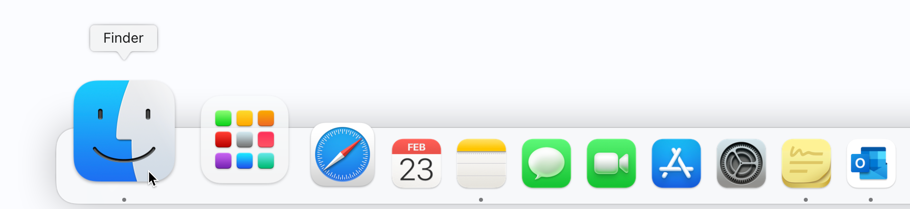
1. First click on an empty area of your desktop or click the Finder icon  in the Dock. Finder is the icon that looks like a blue square with a smiley face.
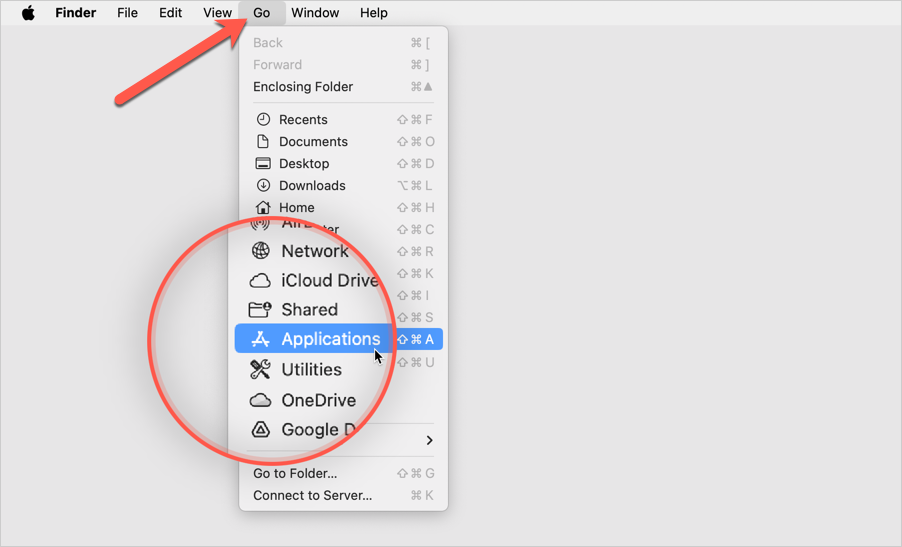
2. After that, click on Go at the top left of the screen and select Applications in the menu.
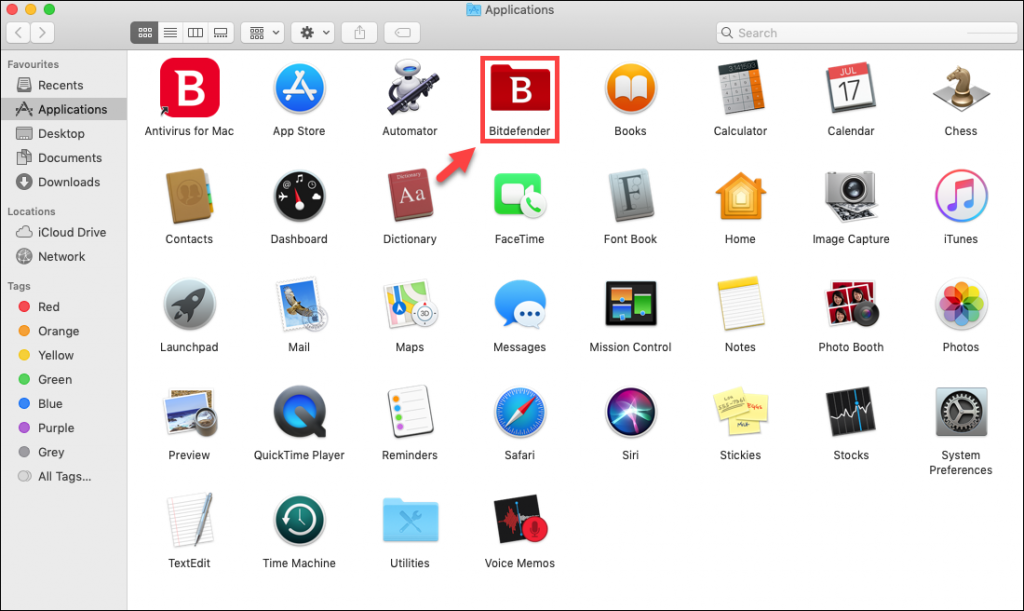
3. In the Applications window, you will see a Bitdefender folder, as shown below. Double-click the Bitdefender folder to open it.
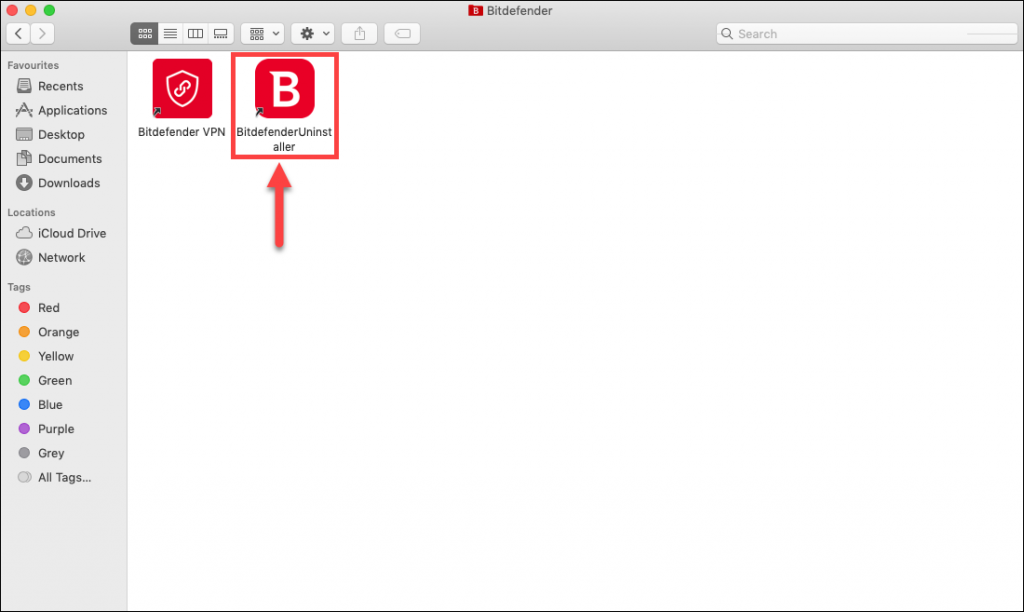
4. In the Bitdefender folder, double-click on Bitdefender Uninstaller.
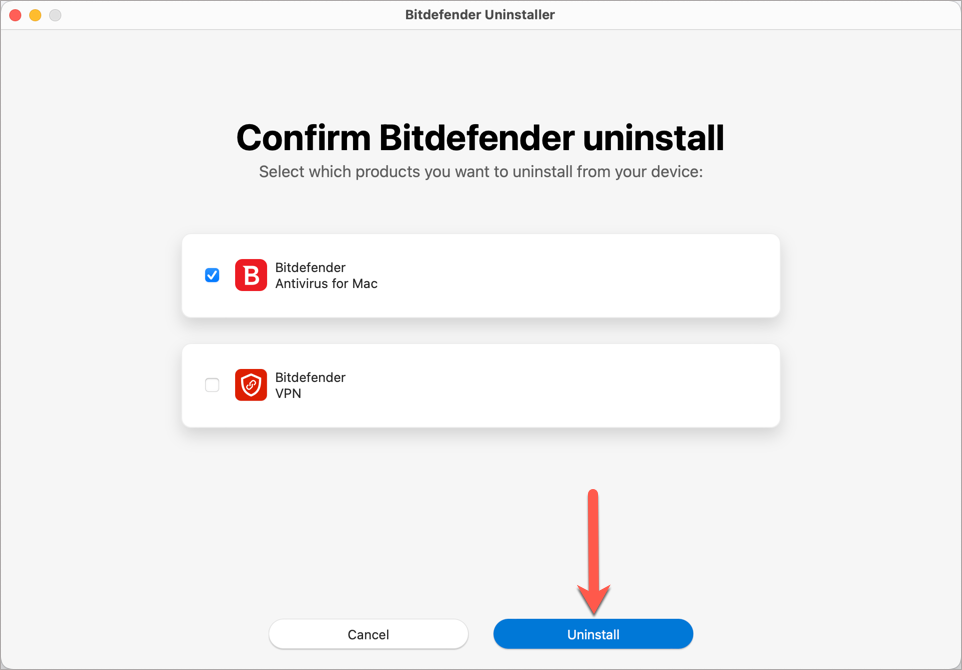
5. A new window will pop up. Check the Bitdefender Antivirus for Mac box, then click the Uninstall button at the bottom of the window.
ⓘ Note: To uninstall Bitdefender VPN as well, select both checkboxes.
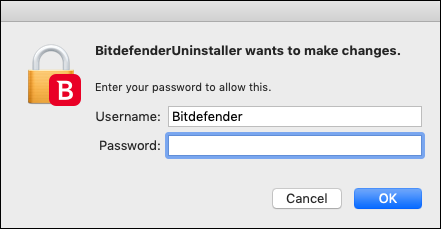
6. Enter your Mac administrator name and password when requested, to allow the uninstallation.
ⓘ Note: If the uninstaller encounters errors, check out this friendly guide to help you Uninstall Bitdefender Antivirus for Mac if the standard uninstaller doesn’t work.
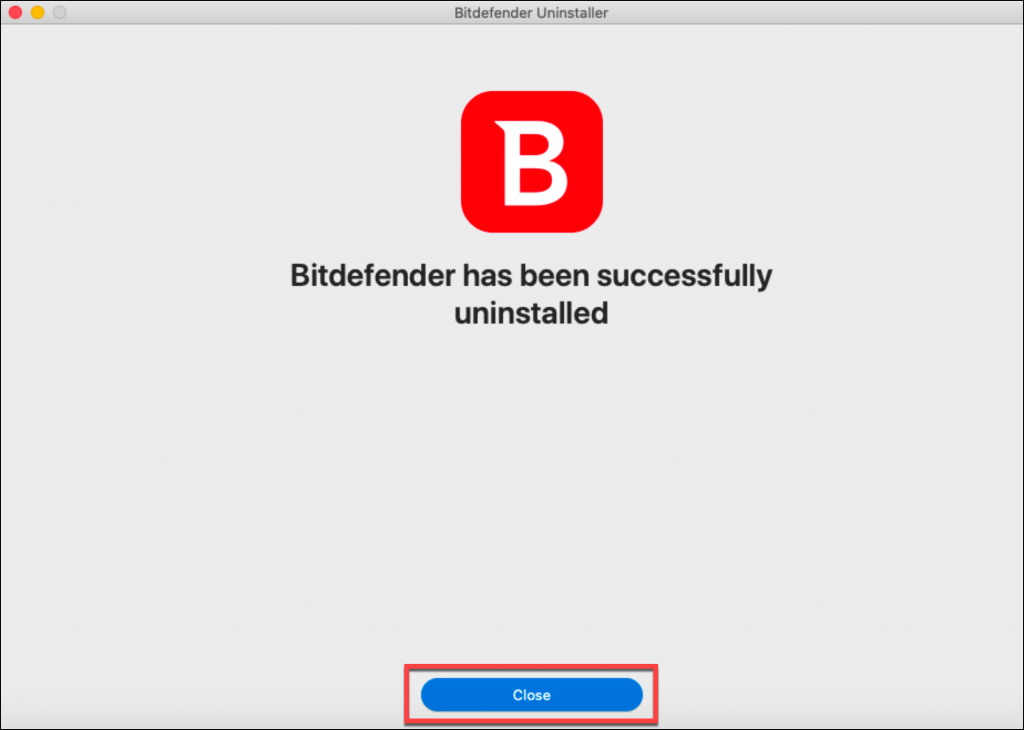
7. Wait for the process to finish, then click on Close. Bitdefender Antivirus for Mac has now been removed from your Mac.
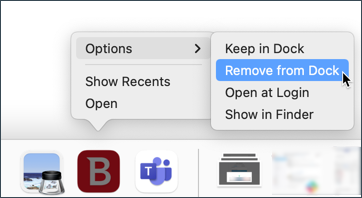
If the Bitdefender icon is still in your Dock, right-click on it, select Options, and then choose Remove from Dock.
If you want to use the app again, follow these steps to reinstall it – How to install Bitdefender Antivirus for Mac.