Bitdefender Free Reverse Phone Lookup helps you check whether an unknown phone number is associated with spam or scams. The service is free, requires no sign-up, and supports unlimited searches. This guide explains how to check a number, understand the result, and respond safely.
How to perform a free reverse phone lookup
Step 1. Open Free Reverse Phone Lookup
- Go to Bitdefender Free Reverse Phone Lookup in your web browser.
You do not need to install an app, create an account, or provide payment information.
Step 2. Check the unknown phone number
- Use the country selector to choose the appropriate country.
- Type or paste the unknown phone number into the lookup field.
- Click Check Number.
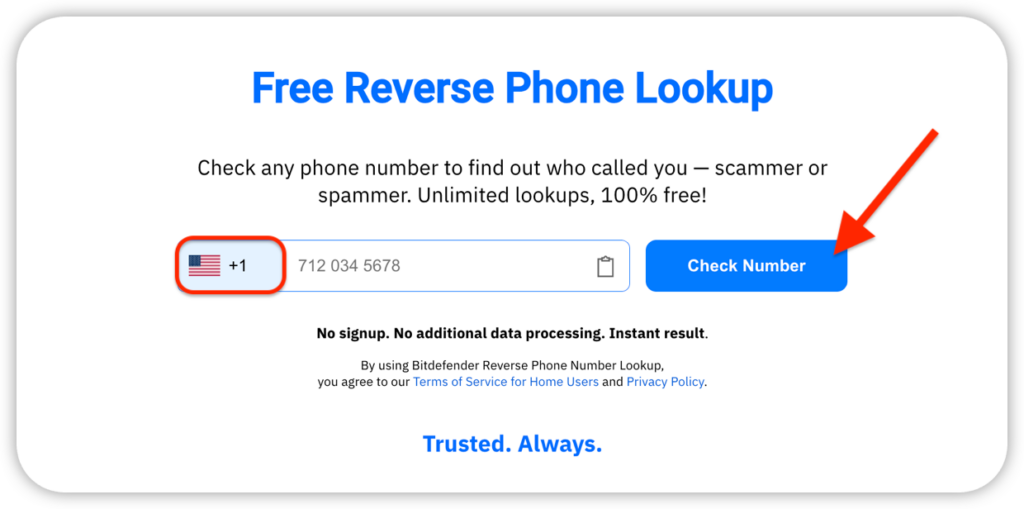
Step 3. Act on the result
Bitdefender checks the number against its security and reputation databases and displays a verdict. You may see:
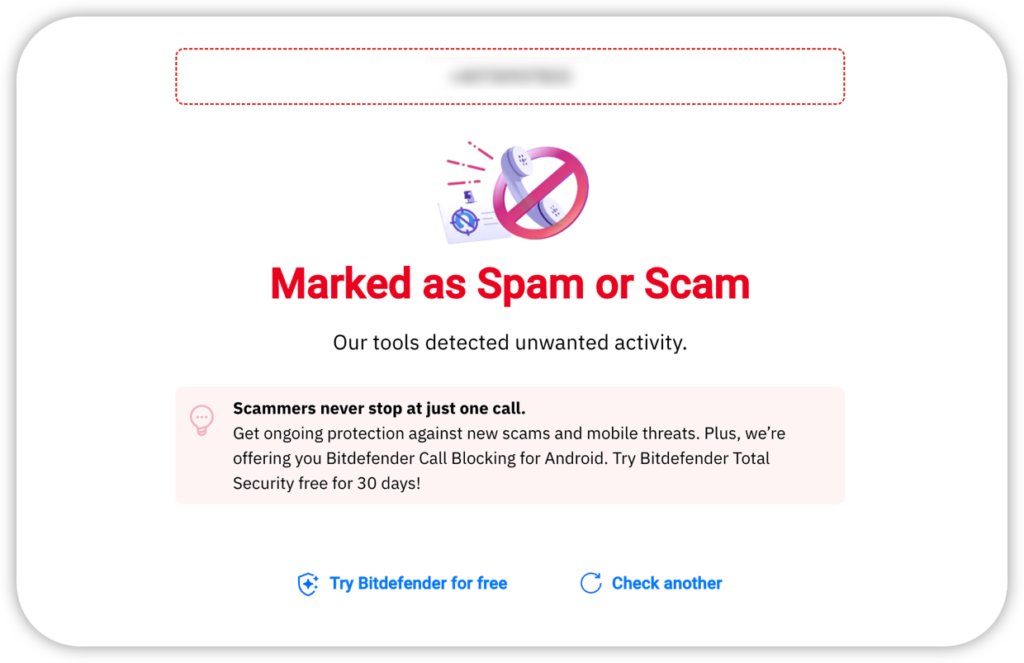
- Marked as Spam or Scam: The number has risk signals that link it to unwanted or fraudulent activity. If the phone number is marked as spam or a scam:
- Do not answer or return the call.
- Block the number using your phone’s call-blocking controls.
- If you already answered, hang up. Do not press any buttons or provide information.
- Might be safe: Bitdefender’s tools currently show no known threats associated with the number. If the result shows it might be safe, consider whether you expected the call. You can let the caller leave a voicemail if you are uncertain.
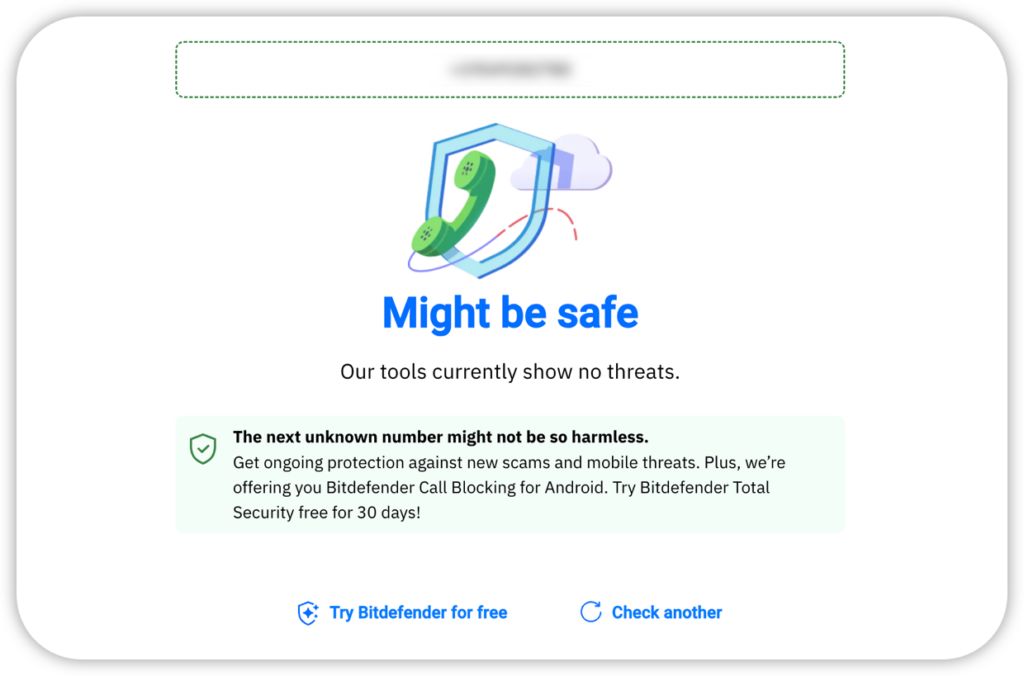
ⓘ A Might be safe result does not identify the caller or guarantee that the call is trustworthy. Never share passwords, verification codes, financial details, or other sensitive information with an unexpected caller.
To inspect another number, click Check another or refresh the page.
To automatically filter and block scam and spam calls on Android, install Bitdefender and enable Call Blocking.
What information does the lookup provide?
Bitdefender Free Reverse Phone Lookup focuses on call safety. It tells you whether available threat information marks a number as safe, spam, or a potential scam.
The service does not reveal:
- The caller’s name or identity
- An address or exact location
- Personal or private records
Bitdefender does not notify the caller or store the phone numbers you search. Each number is processed to provide the lookup result.