Chat Protection scans links in your incoming messages and warns you about scams, phishing, and malware before you open them. This guide shows you how to turn on and set up the Chat Protection feature in the Bitdefender App for macOS.
Chat Protection is a premium feature available with the following subscriptions:
- Bitdefender Premium Security
- Bitdefender Ultimate Security
- Bitdefender Ultimate Security Plus
- Bitdefender Ultimate Small Business Security
Step 1. Open Chat Protection
- Open the Bitdefender app on your Mac.
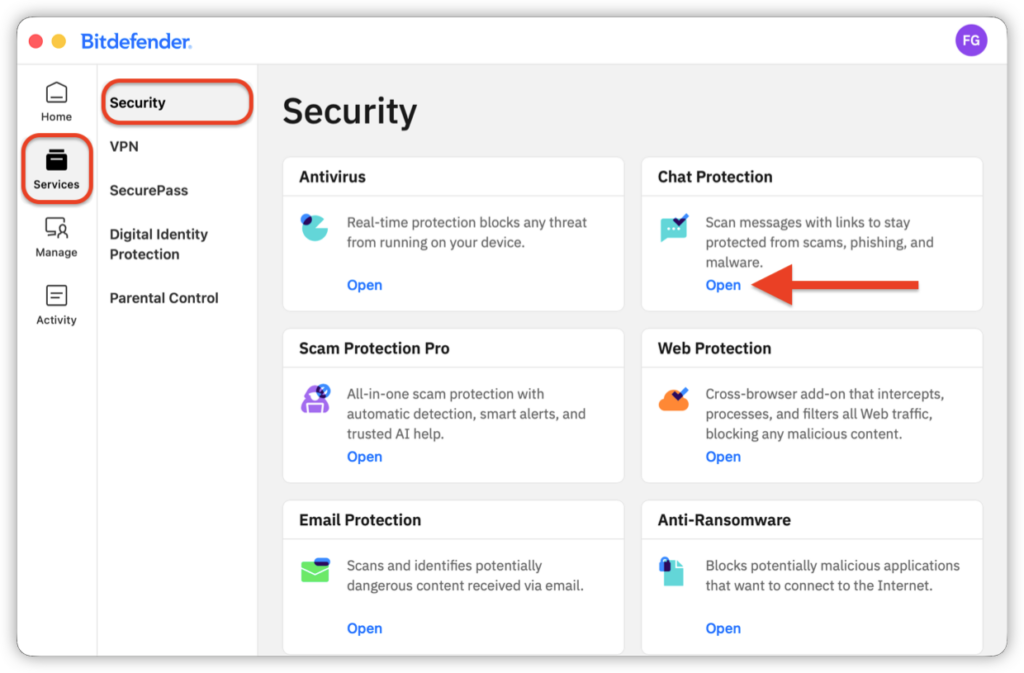
- In the left-hand menu, go to Services → Security.
- In the Chat Protection panel, click Open.

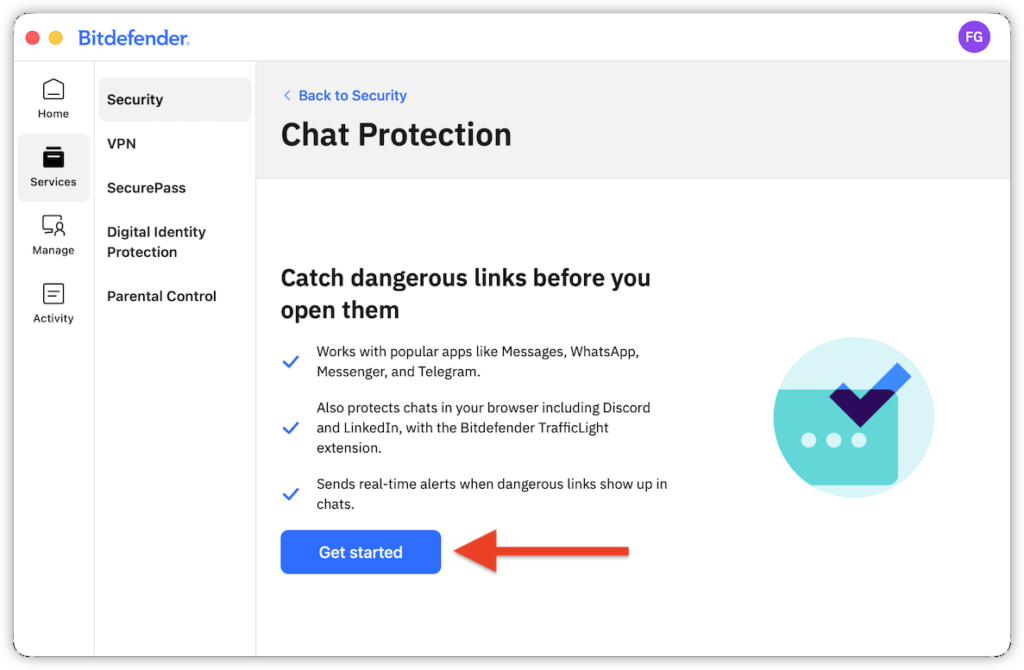
- Click Get started.

Step 2. Choose what Chat Protection scans
In the Chat Protection setup window, turn each option on or off according to your preference, then click Turn on Chat Protection.
- Scan older messages automatically checks older messages when they become available.
- Scan messages from known contacts includes messages from people you know in automatic scans.
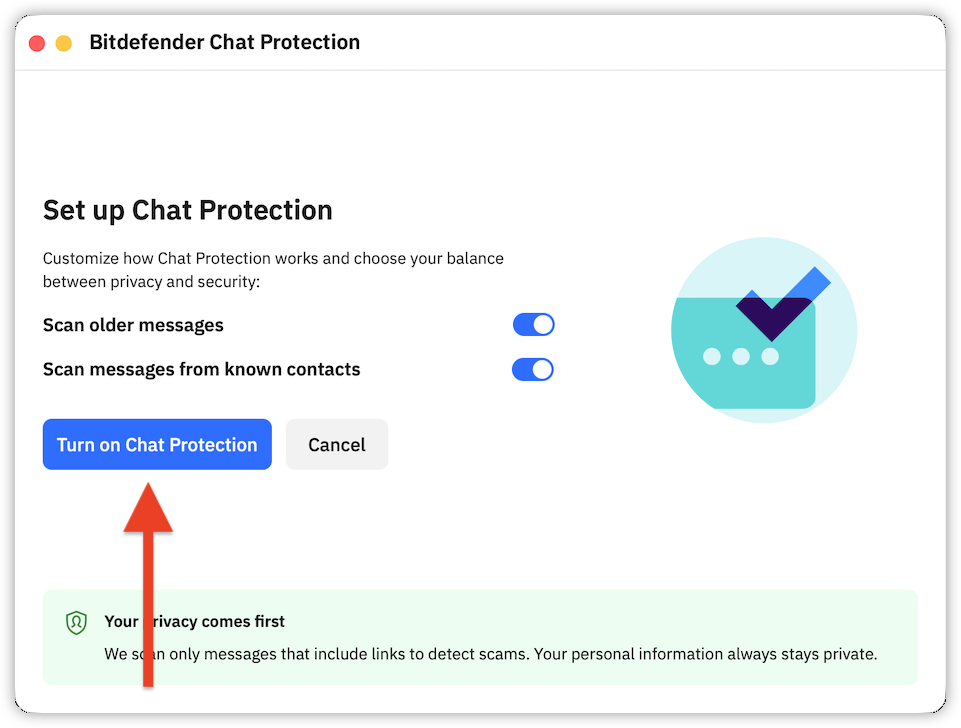
ⓘ Note: Chat Protection scans only messages that contain links to detect scams. Your personal information remains private.
Step 3. Install the Web Protection extension
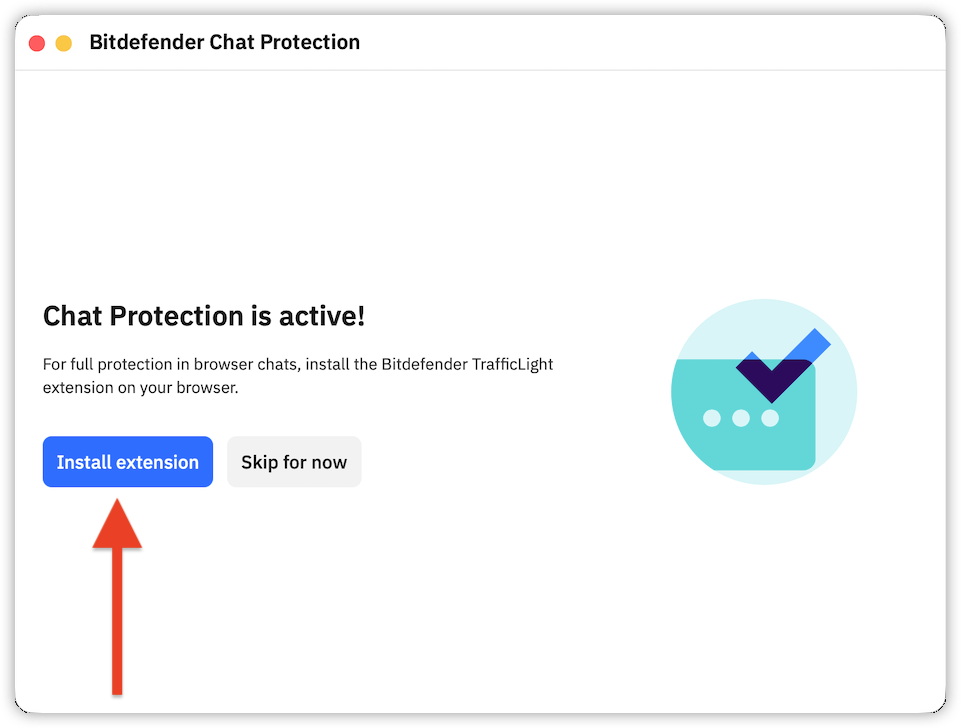
The Web Protection extension is required to protect chats that you access through a web browser.
- Click Install extension if the extension is not already active in your browser. For browser-specific instructions, see How to Install Bitdefender Web Protection (TrafficLight) on macOS.
Step 4. Choose which chat apps to protect
- Return to Services → Security → Chat Protection.
- On the Applications tab, keep the switch on next to every app or service that you want Bitdefender to scan for dangerous links:
-
- Messages
- Telegram
- Facebook Messenger
- Discord
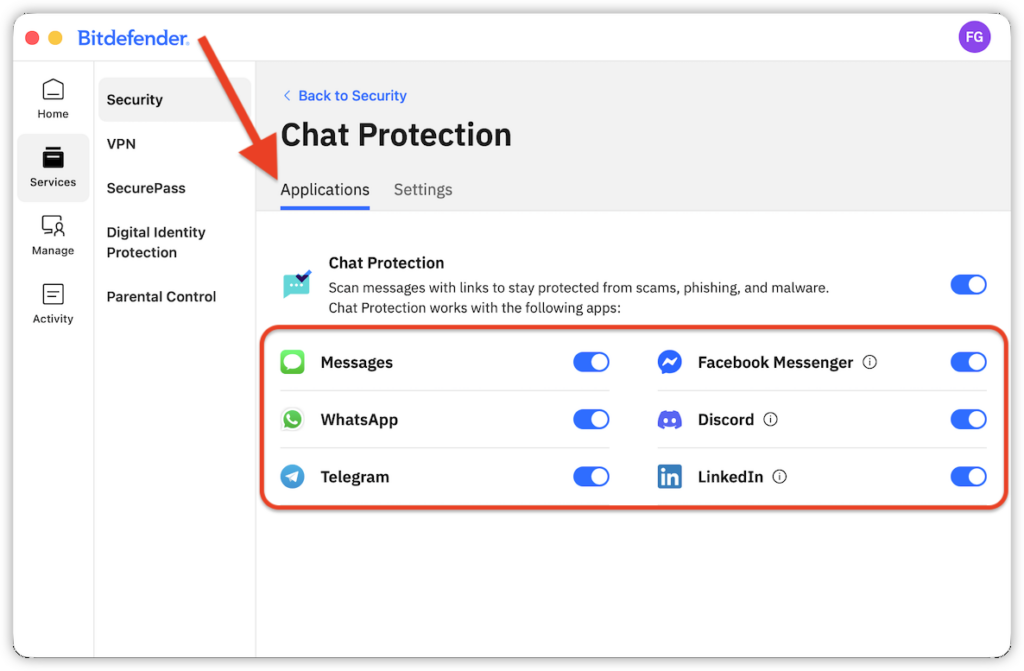
You can also use the main Chat Protection switch to turn the feature on or off.
Step 5. Manage Chat Protection settings
Open the Settings tab and set up the following Chat Protection options:
- Scan past messages automatically scans older messages when they become available.
- Notifications alert you whenever Bitdefender finds a threat in chats.
- Scan messages from known contacts adds messages from known contacts to the automatic scan.
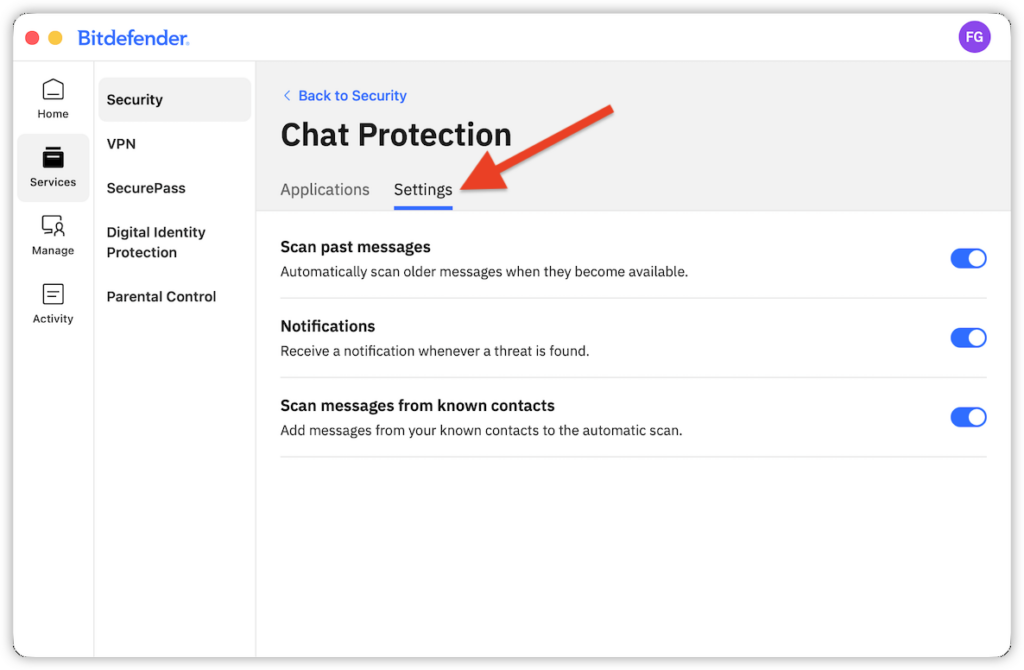
Your changes take effect as soon as you turn each option on or off.