After installing Bitdefender on Windows, some users may see the following pop-up message when opening Outlook or sending and receiving email:
The server you are connected to is using a security certificate that cannot be verified. The target principal name is incorrect.
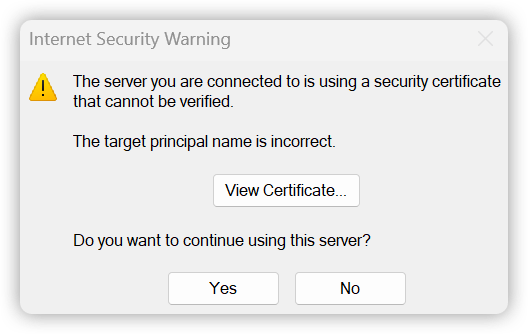 In most cases, this certificate warning is caused by either:
- An incorrect email server address configured in Outlook
- An expired or mismatched SSL certificate on the mail server
This guide explains what the error means, why it may appear after installing Bitdefender, and how to safely resolve it.
Why This Certificate Error Appears in Outlook
Microsoft Outlook uses encrypted SSL/TLS connections to communicate securely with email servers. During that process, the mail server presents a digital certificate that confirms its identity.
Outlook checks the certificate to ensure:
- The certificate is trusted
- The certificate has not expired
- The server name matches the certificate name exactly
If Outlook expects one server name but receives a certificate for another, it displays the warning: The server you are connected to is using a security certificate that cannot be verified. The target principal name is incorrect.
How Bitdefender Can Trigger the Certificate Warning
Bitdefender includes security features that scan encrypted web and email traffic to detect malware, phishing attacks, and malicious attachments.
To inspect encrypted traffic, Bitdefender temporarily acts as a secure intermediary between Outlook and the email server.
Normally this process works silently in the background. However, if the email server certificate is already misconfigured, expired, or mismatched, Bitdefender’s inspection can cause Outlook to display more noticeable certificate validation warnings. In other words, Bitdefender is often exposing an existing certificate issue rather than creating a completely new one.
Should You Ignore the Warning?
Users sometimes click Yes to bypass the warning temporarily and continue using Outlook. Although the connection may still work, certificate warnings should not be ignored permanently.
These warnings are designed to protect against:
- Fraudulent servers
- Man-in-the-middle attacks
- Misconfigured certificates
- Expired security certificates
If the warning appears repeatedly, the root cause should be identified and corrected.
Troubleshooting the Issue
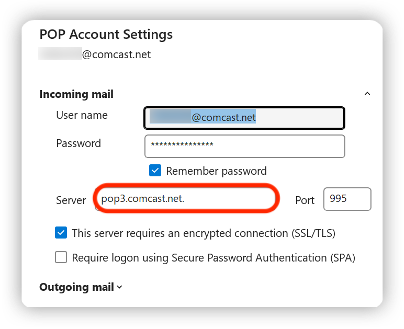
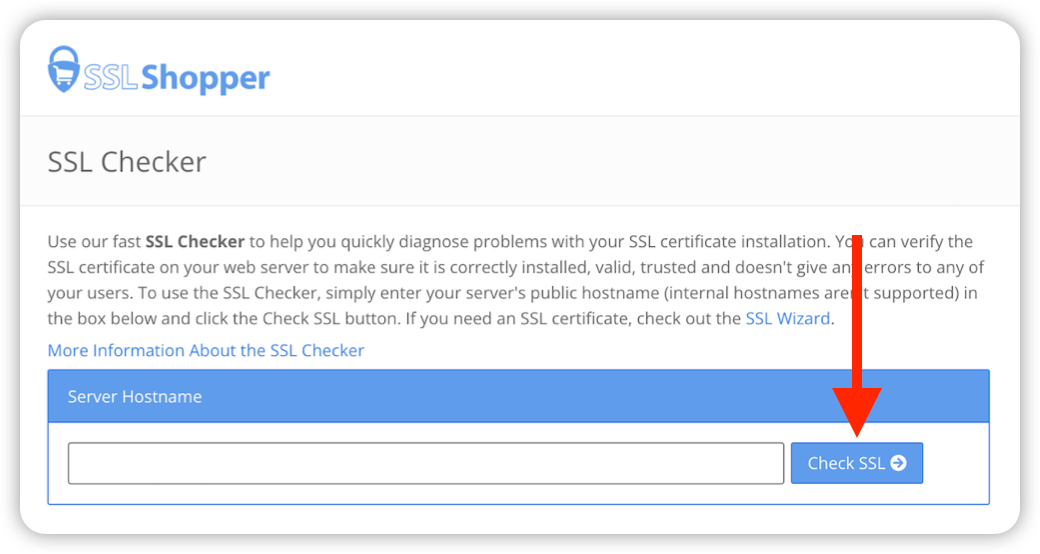
The troubleshooting process involves checking the Outlook server settings for incorrect characters and verifying whether the mail server certificate is valid.