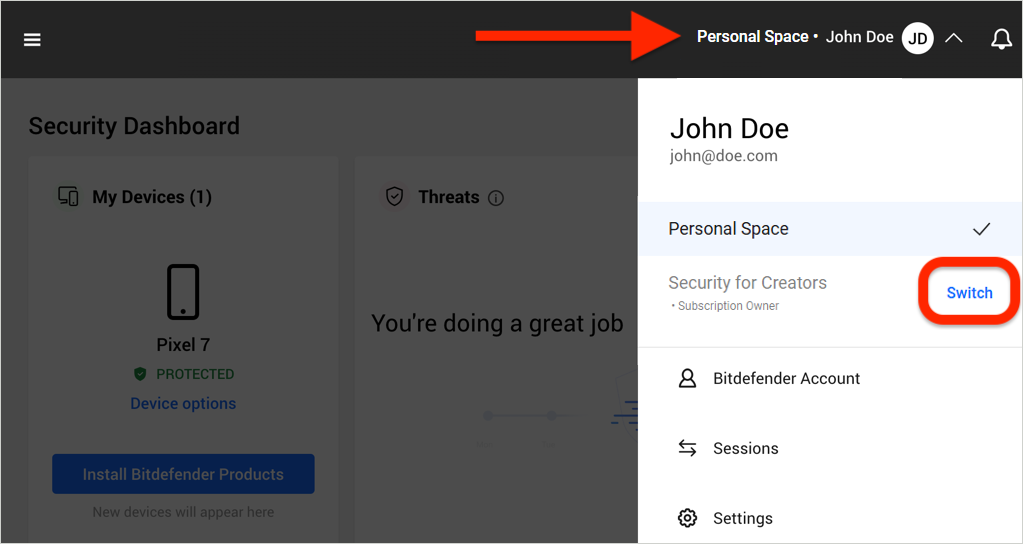
When you activate a Bitdefender Security for Creators subscription, a dedicated Security for Creators space is automatically created in your Bitdefender account. You’ll find it in the upper-right corner, next to your username.
This guide explains what a Security for Creators space is, how it differs from your Personal space, and how to switch between them.
What is the Security for Creators Space?
A Security for Creators space is a dedicated environment within Bitdefender Central designed to manage the security needs of content creators and their teams. It is visible to all users assigned to the Security for Creators subscription, including:
- Subscription owner
- Subscription admin
- Team members
This separate space creates a clear boundary between personal and creator-related subscriptions within the same Bitdefender account. This ensures both environments remain organized, secure, and independently managed.
Personal Space
Alongside the Security for Creators space, each user also has a Personal Space within Bitdefender Central. The Personal Space is intended for individual and family subscriptions, such as Bitdefender Total Security.
Switch Between Security for Creators and Personal Space
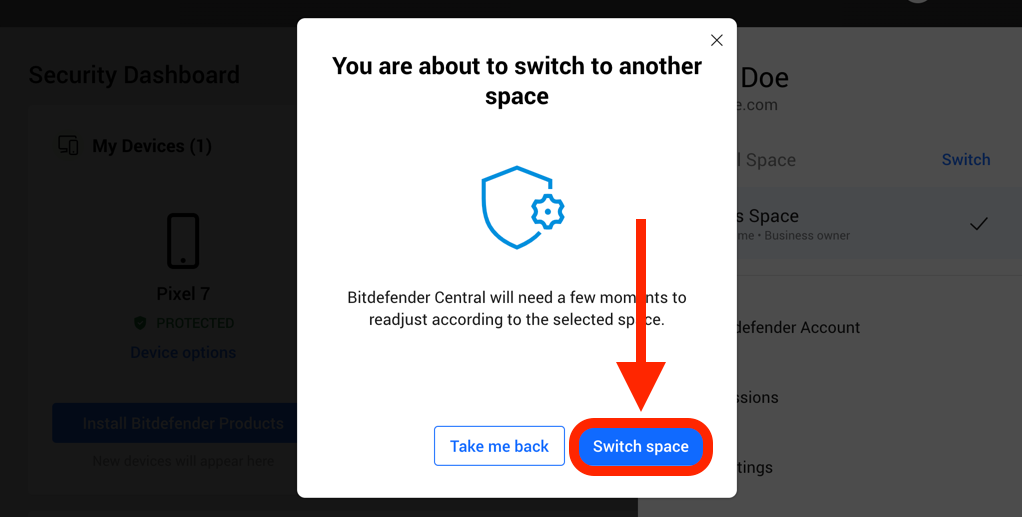
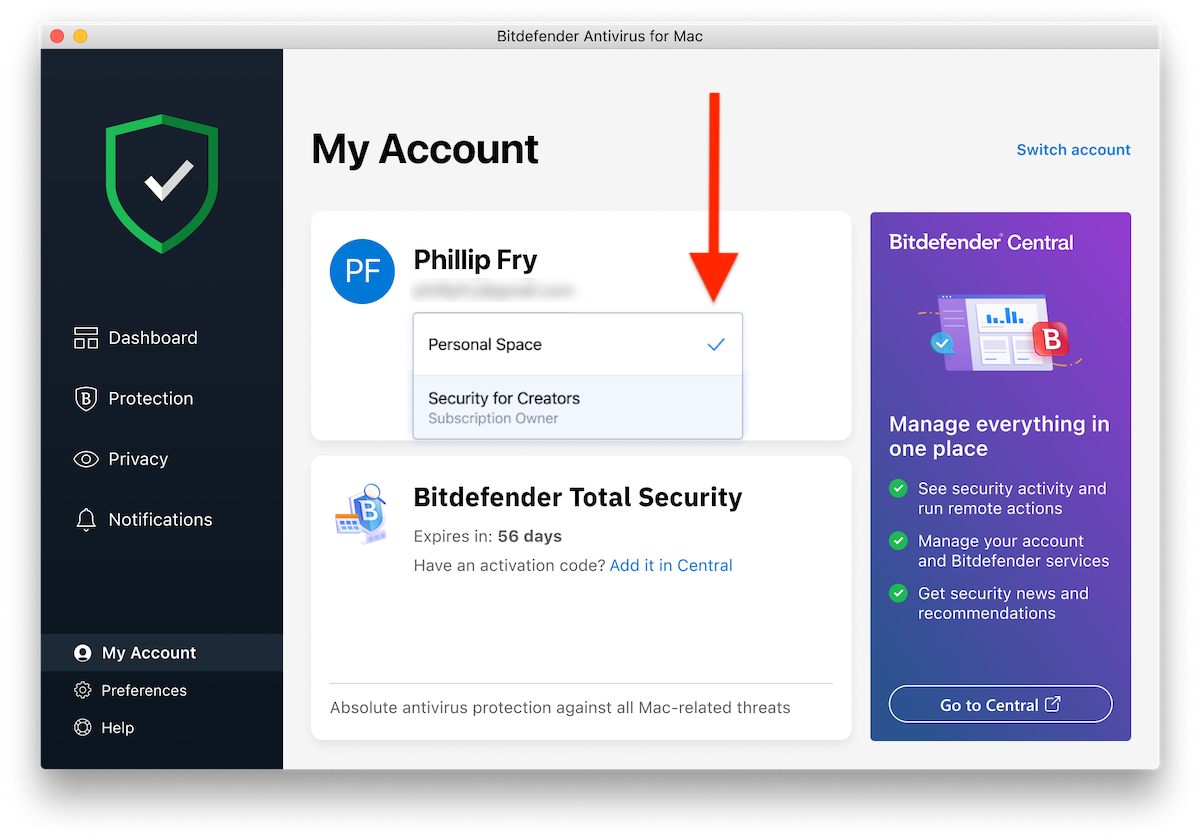
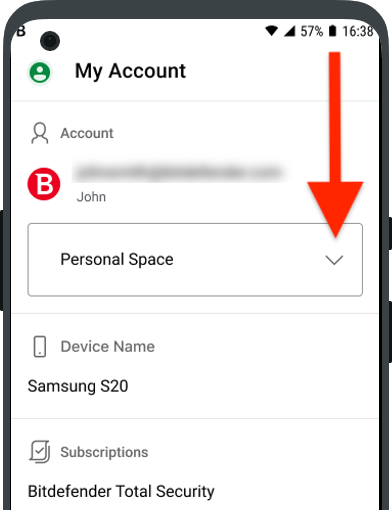
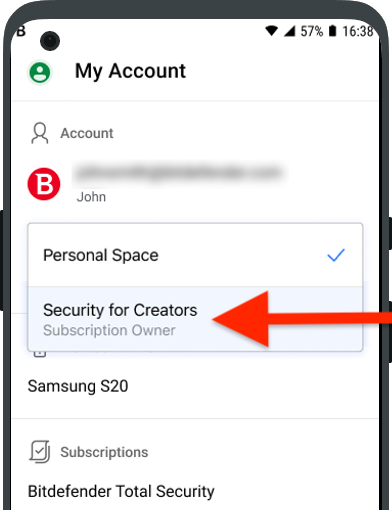
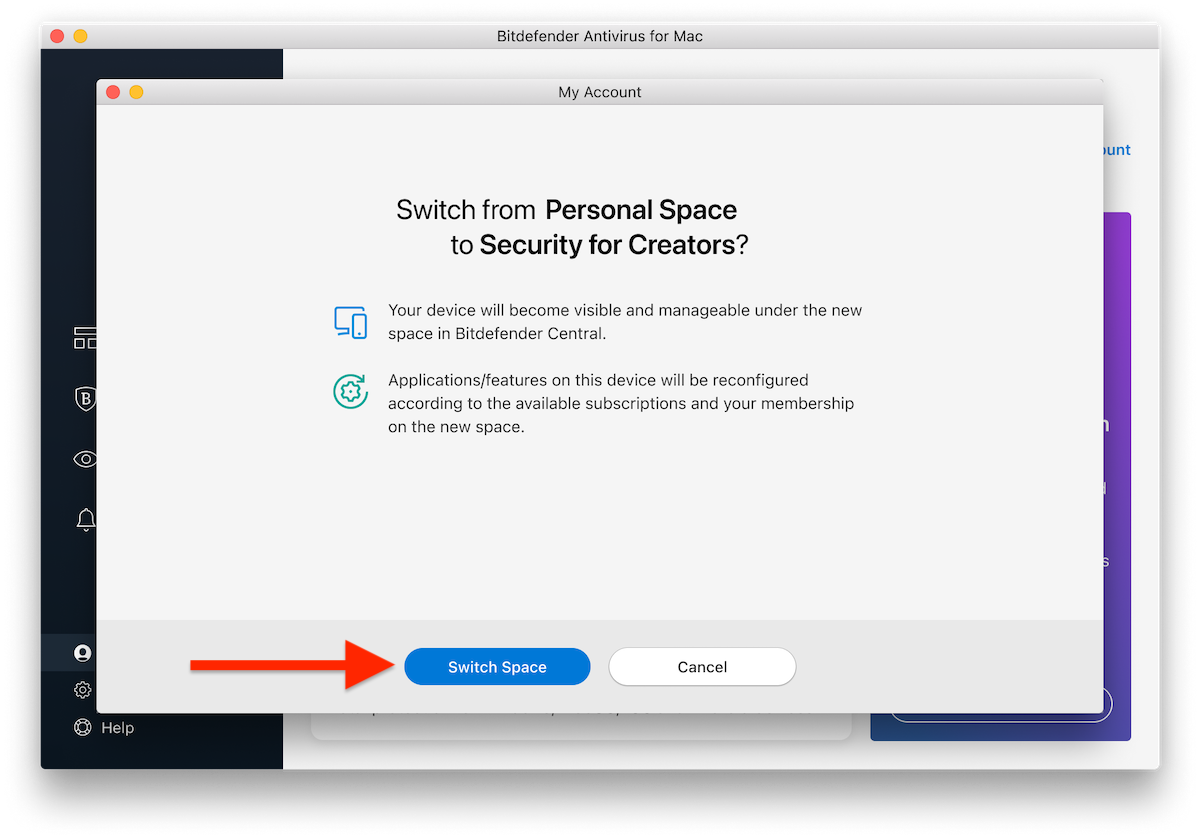
You can switch from Personal Space to Security for Creators Space and vice versa both in Bitdefender Central and directly from your installed Bitdefender apps. When switching between Personal Space and Security for Creators Space:
- The device will move to the selected space in Bitdefender Central.
- Installed applications and services will automatically reconfigure according to the active subscription.
in Bitdefender Central
in Installed Apps
By keeping your Personal and Security for Creators spaces separate, you ensure better organization, clearer device management, and improved security control across all your environments.