Bitdefender Password Manager reached end of life on June 15, 2026
On June 15, 2026, Bitdefender Password Manager has been permanently discontinued and is no longer accessible.
Bitdefender Password Manager has been replaced by Bitdefender SecurePass – a multi-platform password manager designed to securely store, manage, and organize passwords across all devices. Customers with an existing Bitdefender subscription that included Bitdefender Password Manager are entitled to Bitdefender SecurePass at no additional cost.
Need help? For assistance with any questions regarding Bitdefender Password Manager or Bitdefender SecurePass, please contact our Support team anytime.
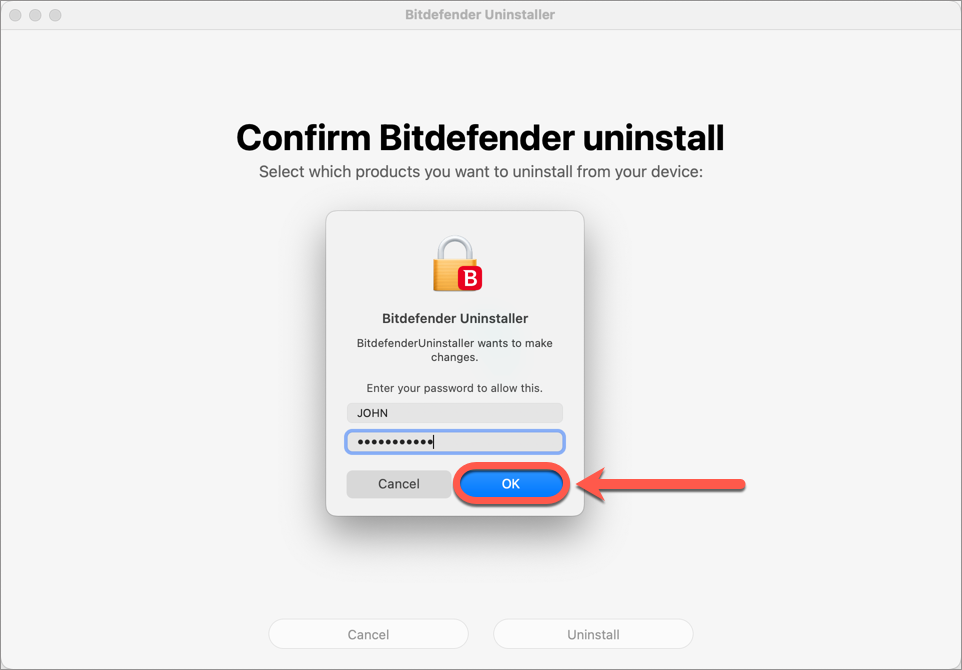
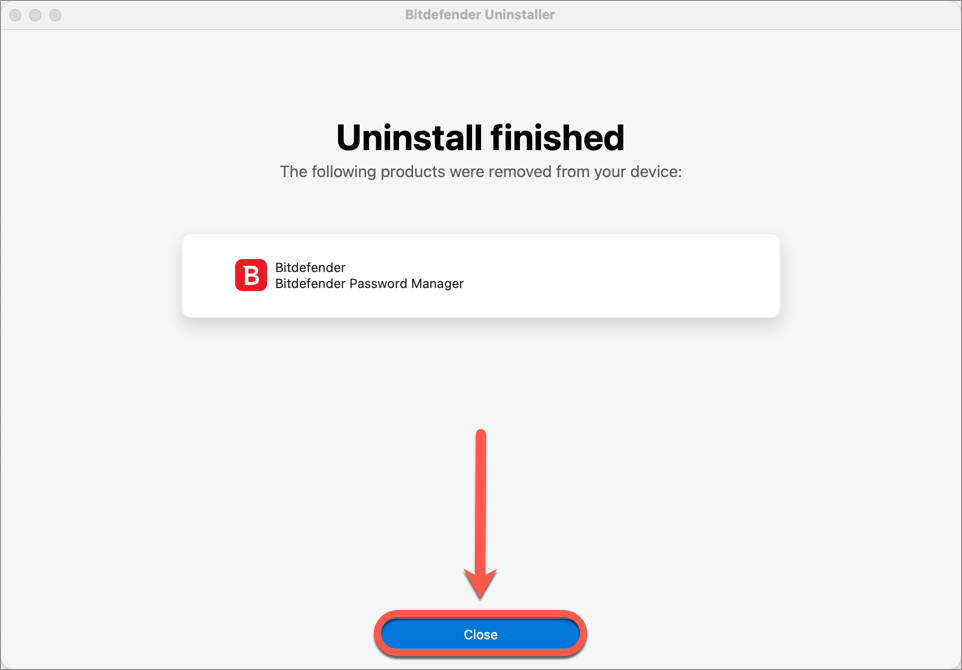
This article will explain how to disable or uninstall Bitdefender Password Manager on Windows and macOS. Deleting Bitdefender Password Manager on iPhone, iPad and Android devices can be as easy as touching & holding the app:
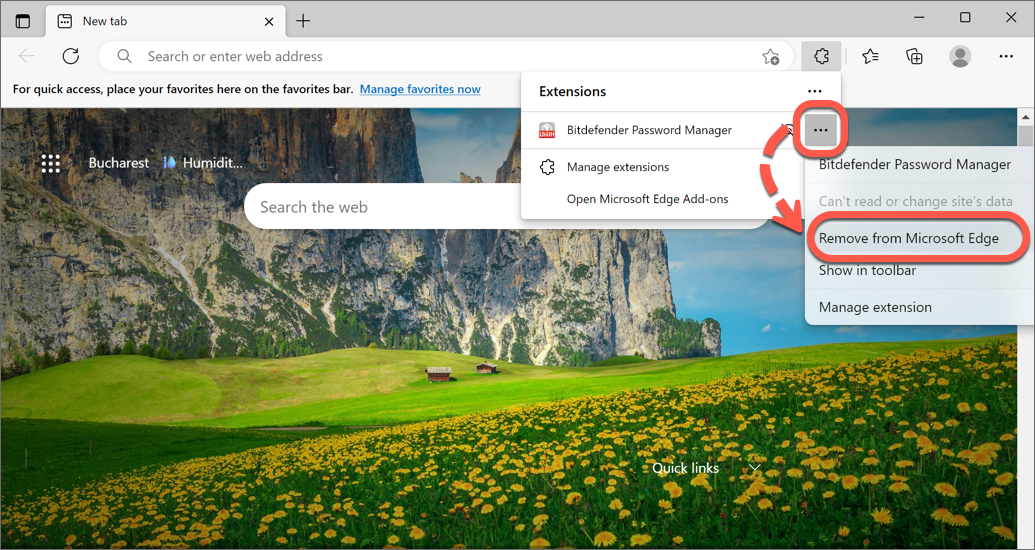
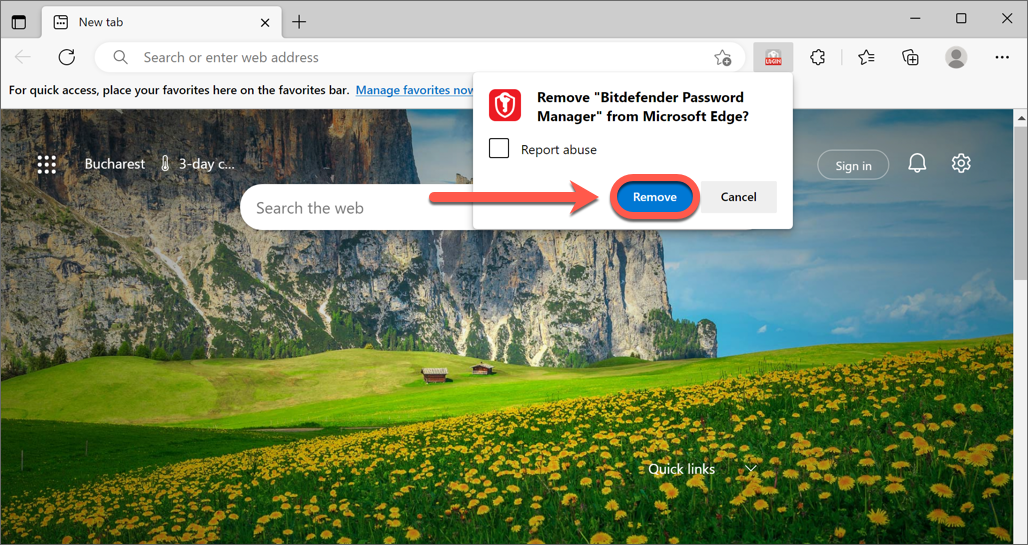
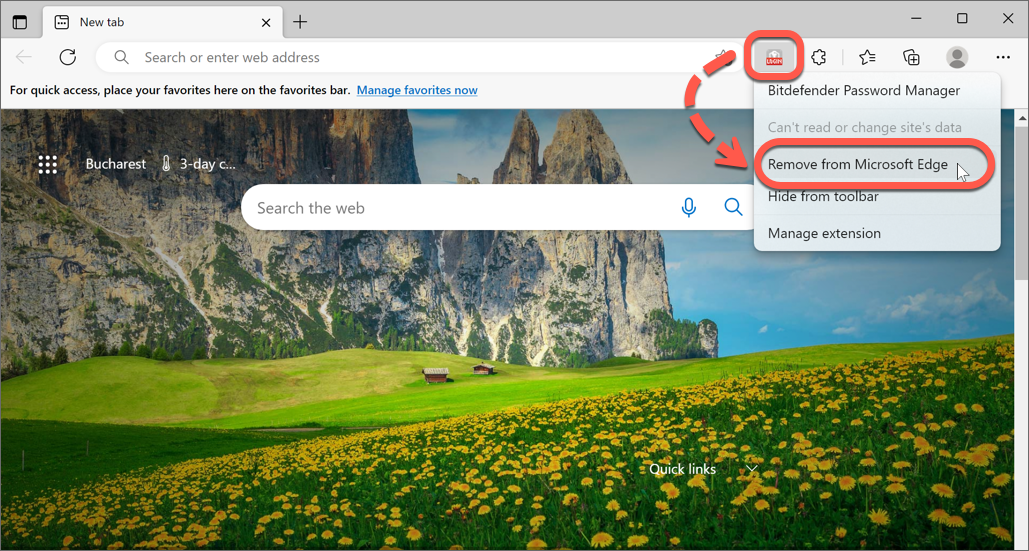
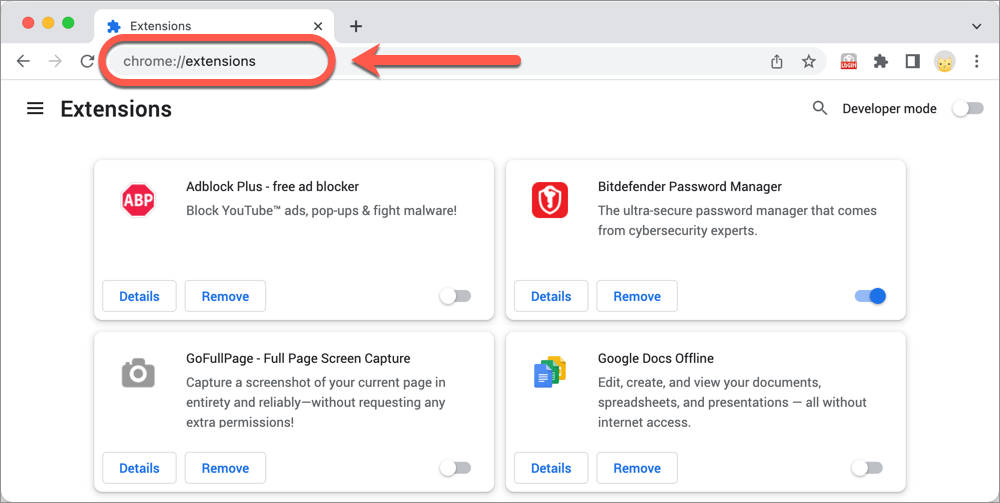
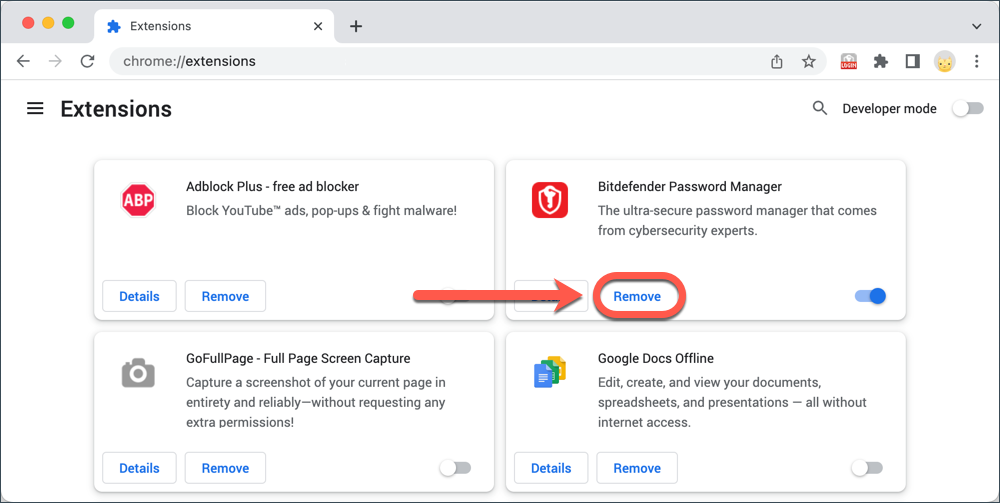
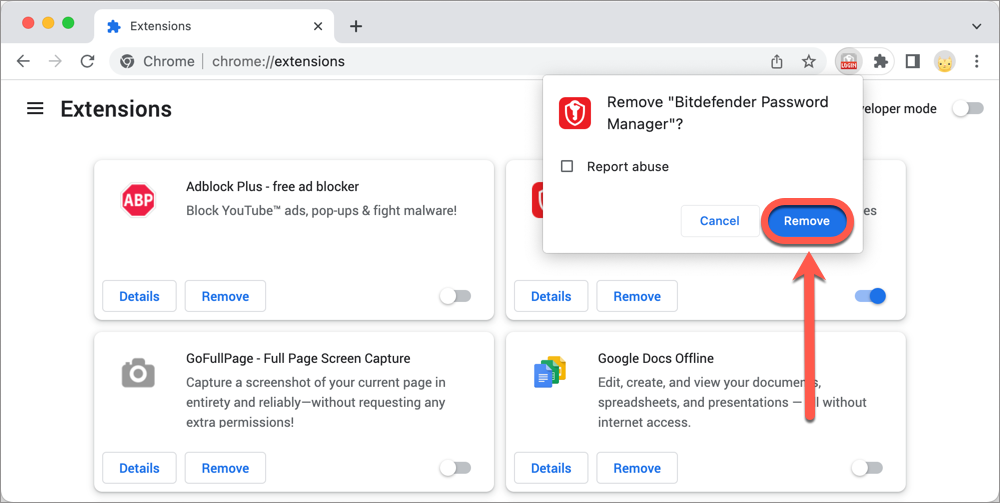
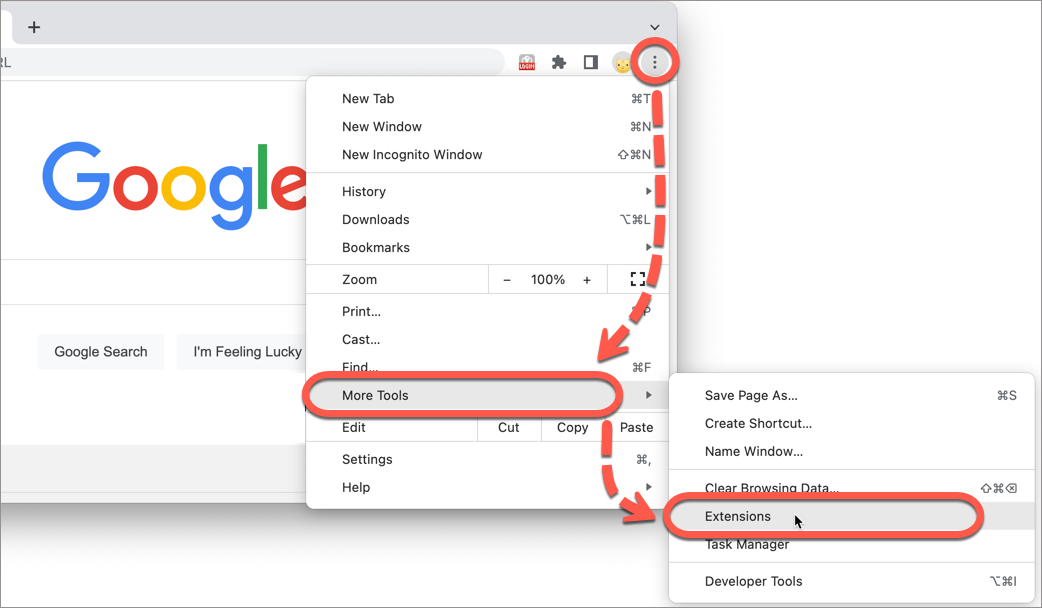
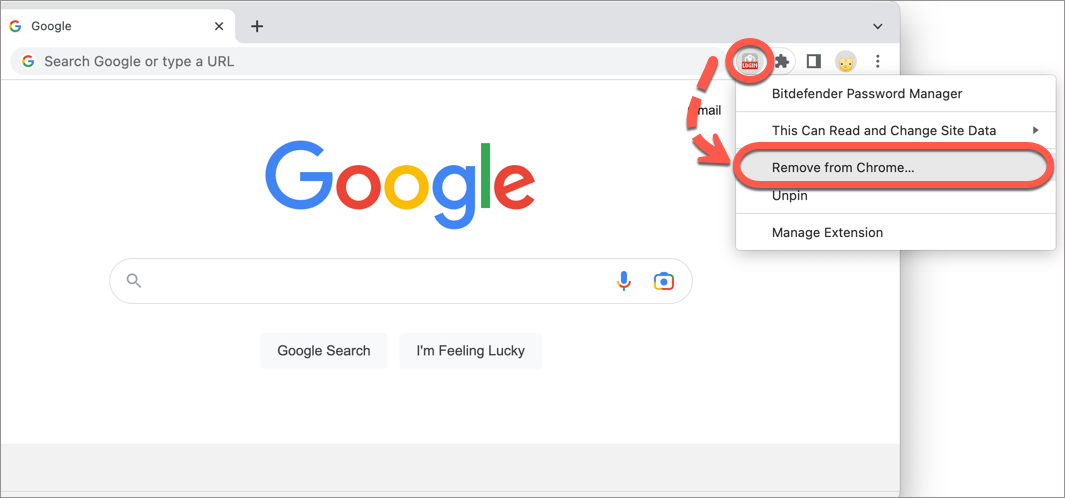
But things are a little different when dealing with a Windows computer or a Mac. You need to remove it from your browser extensions for each browser that you have Bitdefender Password Manager installed on: Microsoft Edge, Google Chrome, Mozilla Firefox, and Safari. You could also just disable the Bitdefender Password Manager extension without removing it entirely if you are planning on reusing it later.
Uninstall Bitdefender Password Manager in Edge
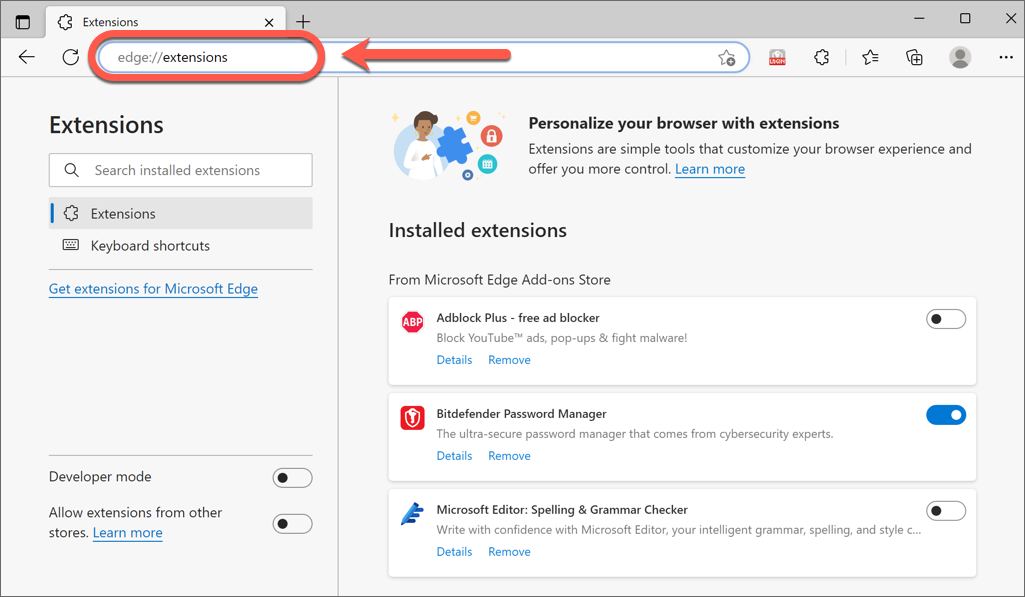
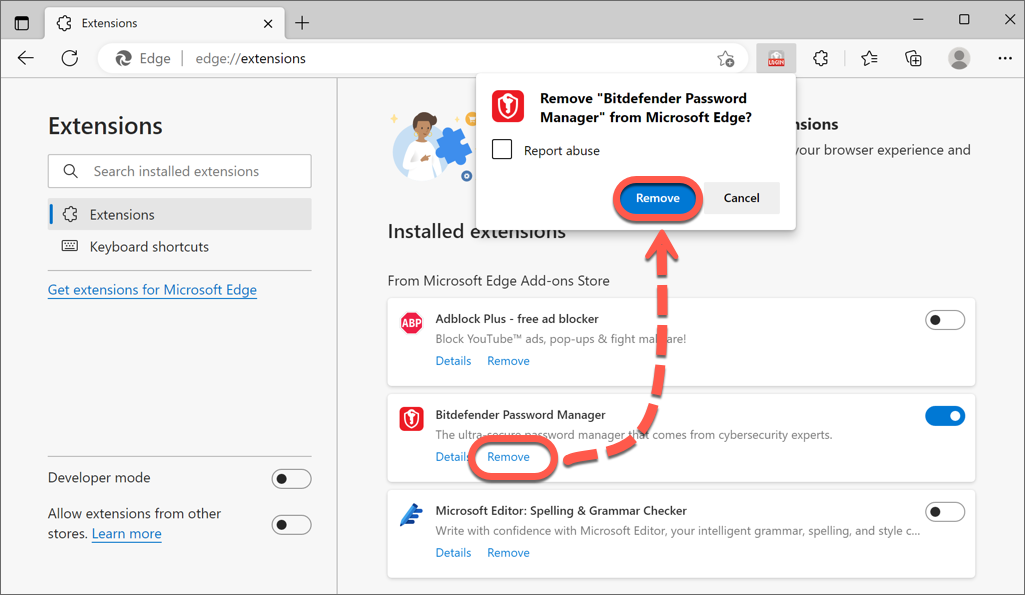
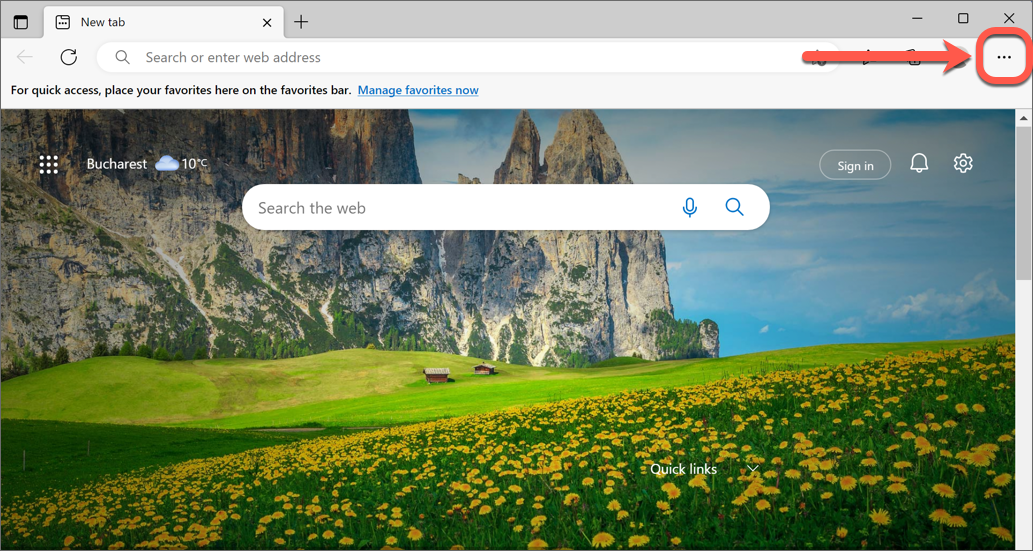
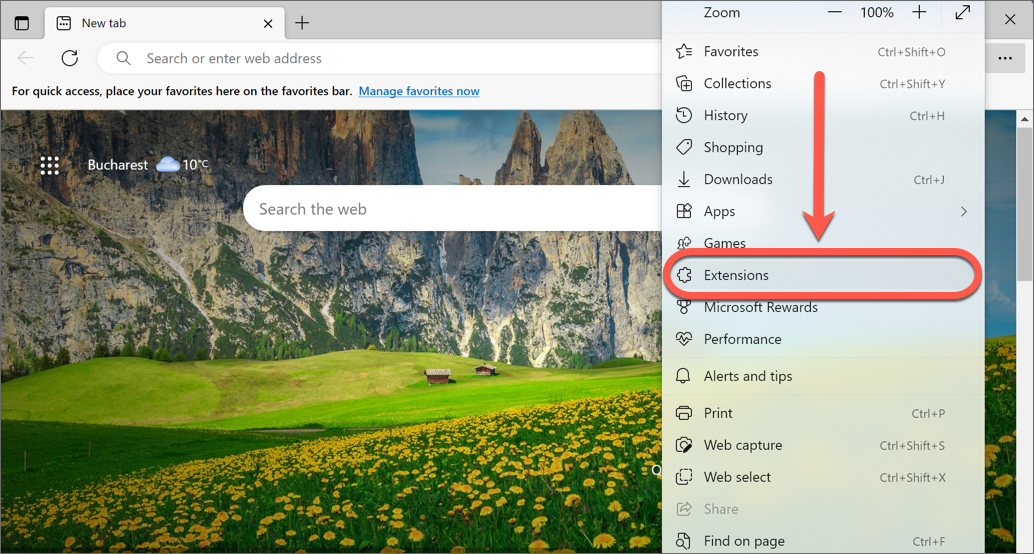
Uninstall Bitdefender Password Manager in Chrome
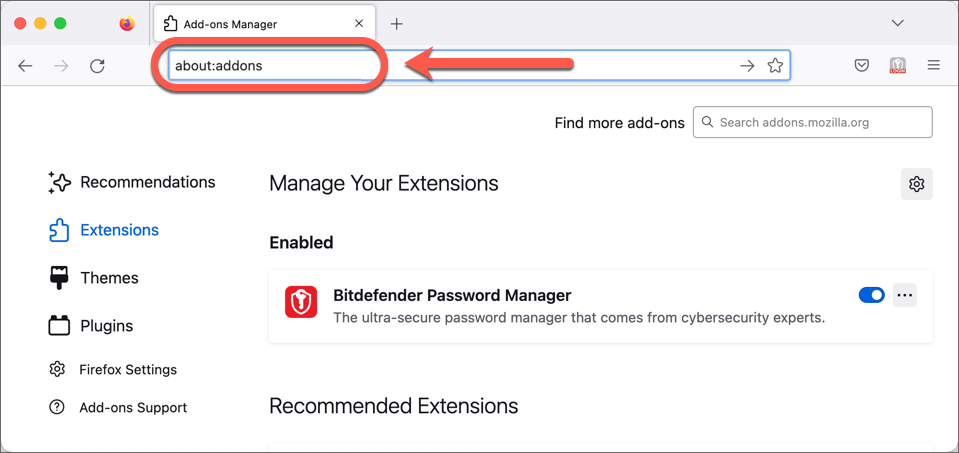
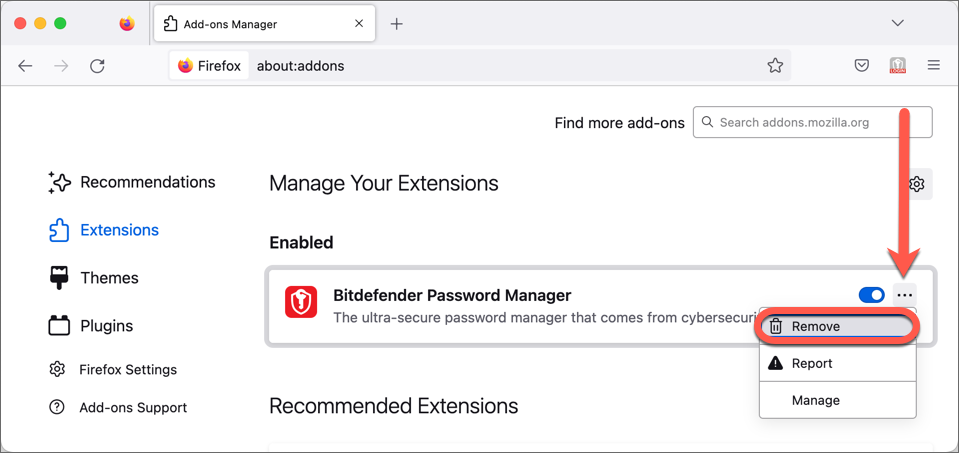
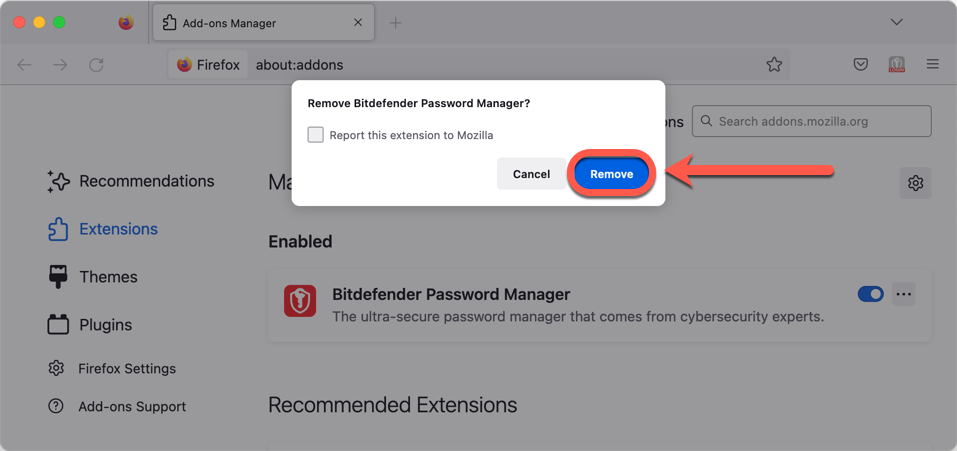
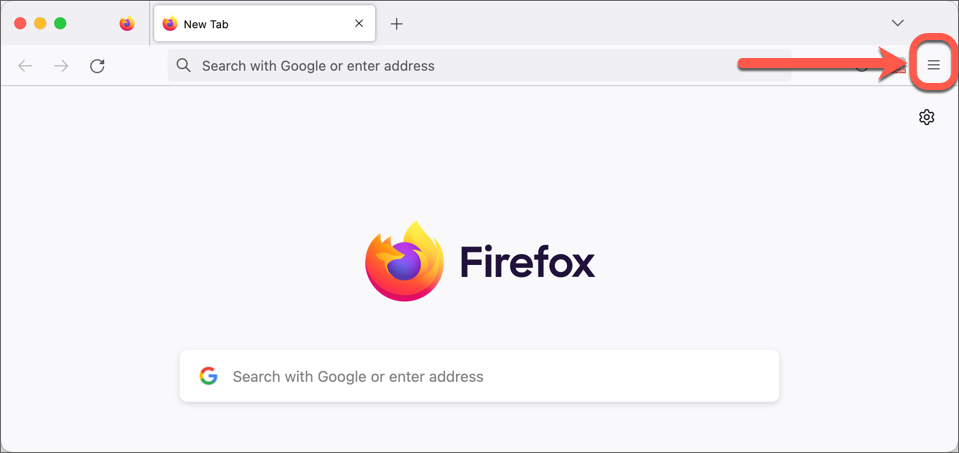
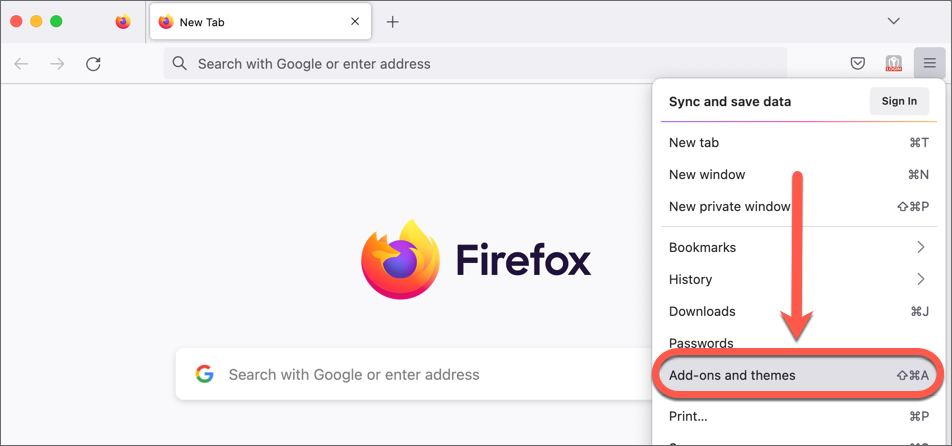
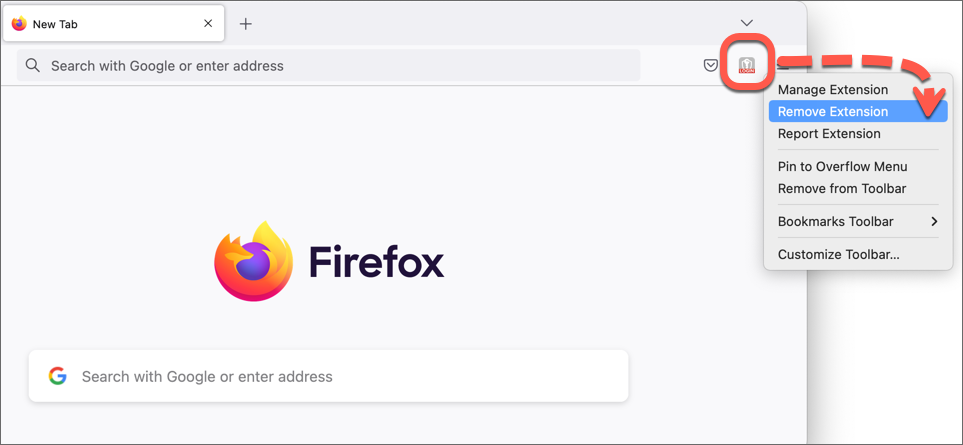
Uninstall Bitdefender Password Manager in Firefox
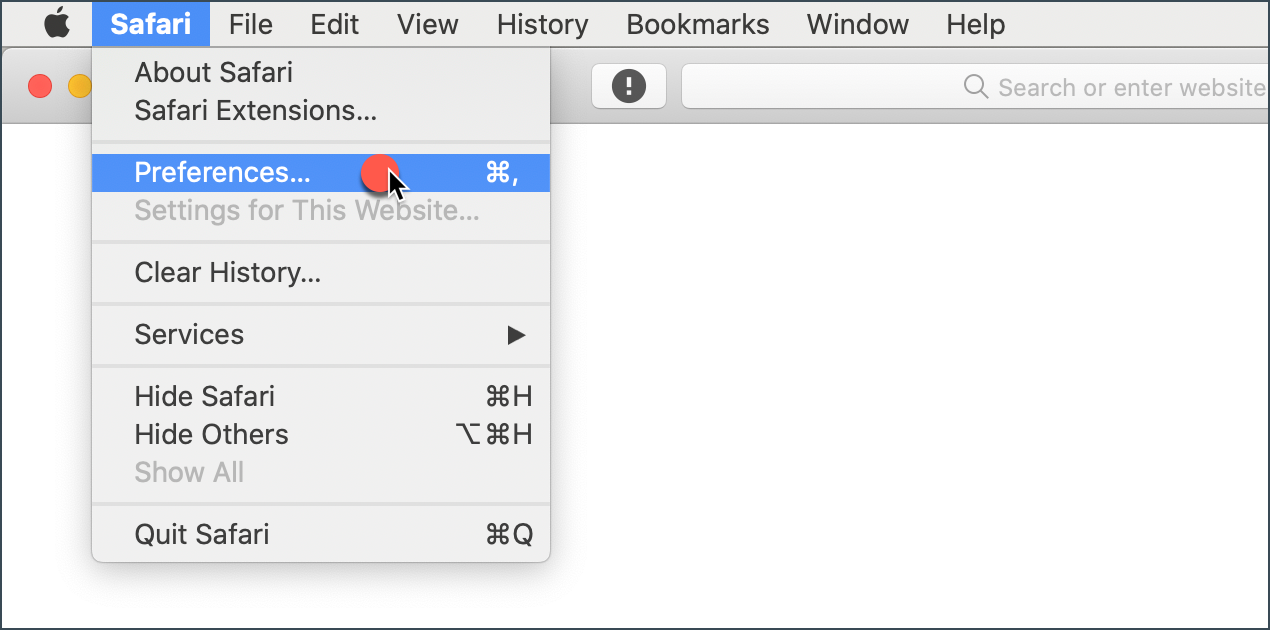
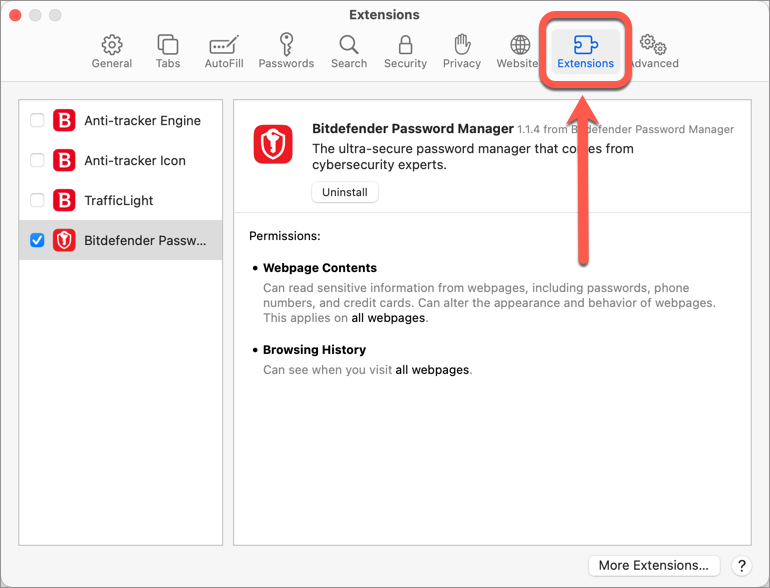
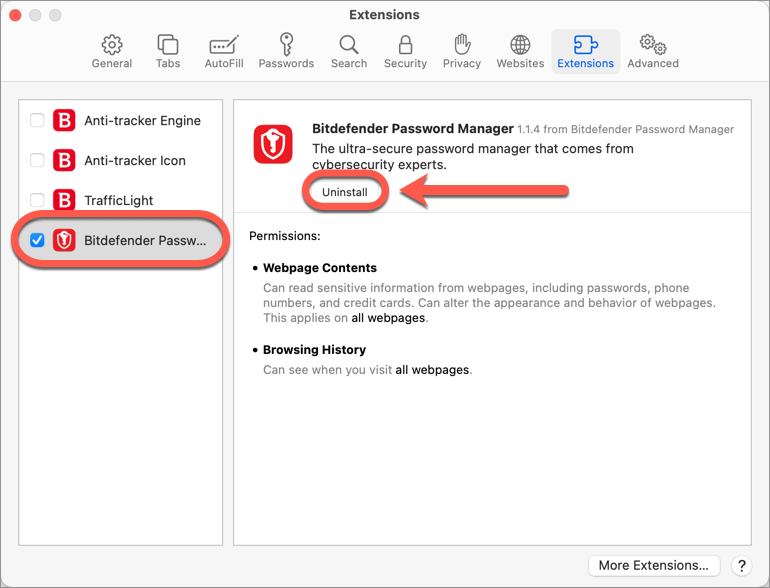
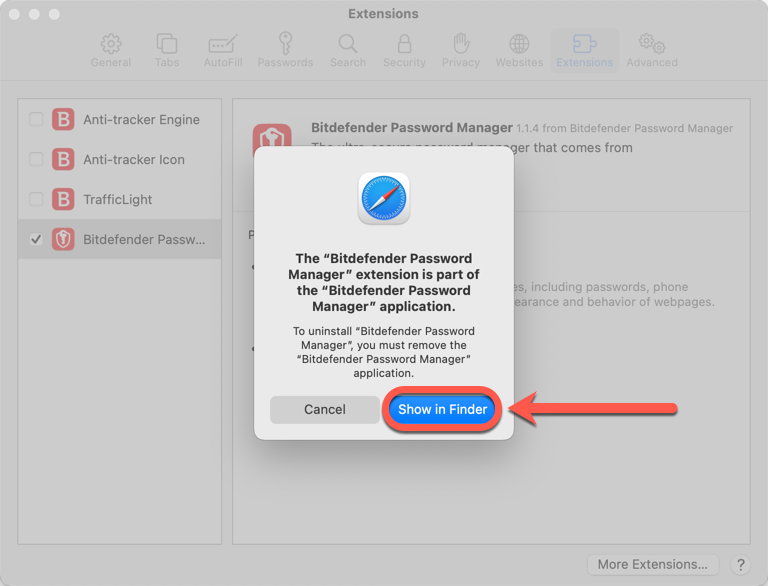
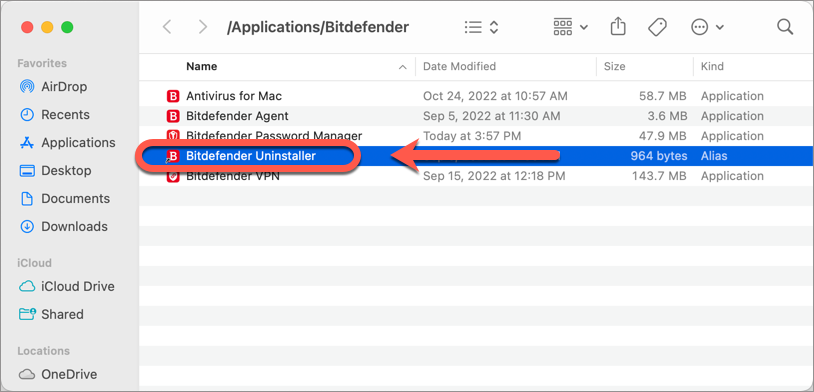
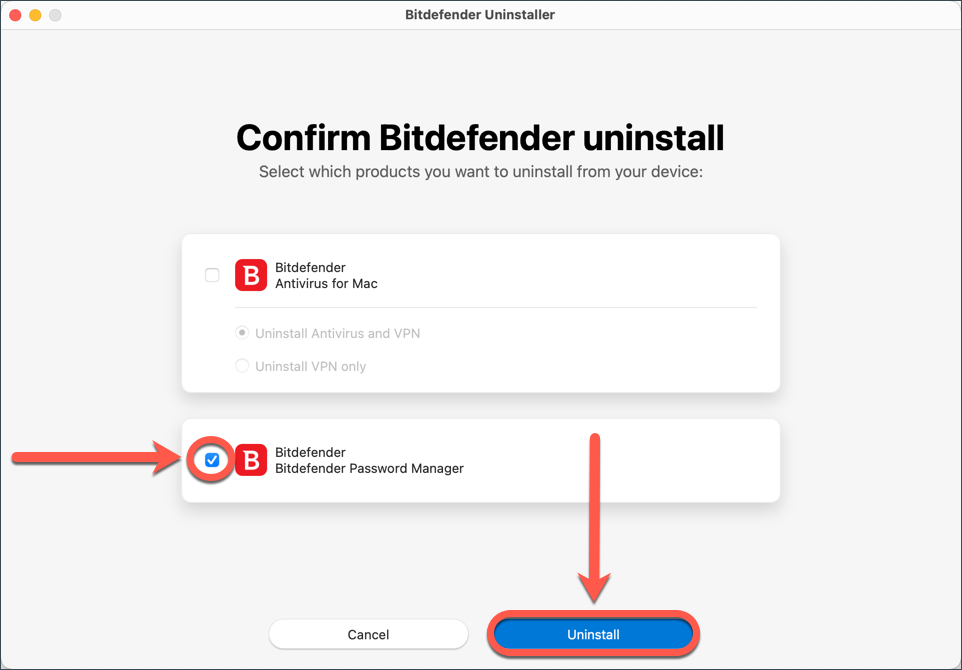
Uninstall Bitdefender Password Manager in Safari
To reinstall Bitdefender Password Manager, follow the steps in the related articles down below.