Managing MDR-generated policies
GravityZone automatically provisions MDR-recommended policies when companies are onboarded to the MDR service. This approach provides secure, production-ready security policies while eliminating the time-consuming manual policy creation.
Two policies are automatically created: one for workstations and one for servers. Both policies are created as copies of the default policy assigned to endpoints after security agent installation. They are then automatically configured according to the MDR recommendations described in the MDR recommended policy page.
Both policies include the settings required for the MDR Breach Warranty and MDR Breach Warranty Plus add-ons.
Warning
Both policies are editable and can be deleted. However, modifications should be made with caution, as some configurations are critical to maintaining MDR functionality and ensuring compliance with the Breach Warranty terms and conditions.
Newly created companies with an MDR license or subscription
For newly created Customer companies with an active MDR license or subscription, GravityZone automatically creates:
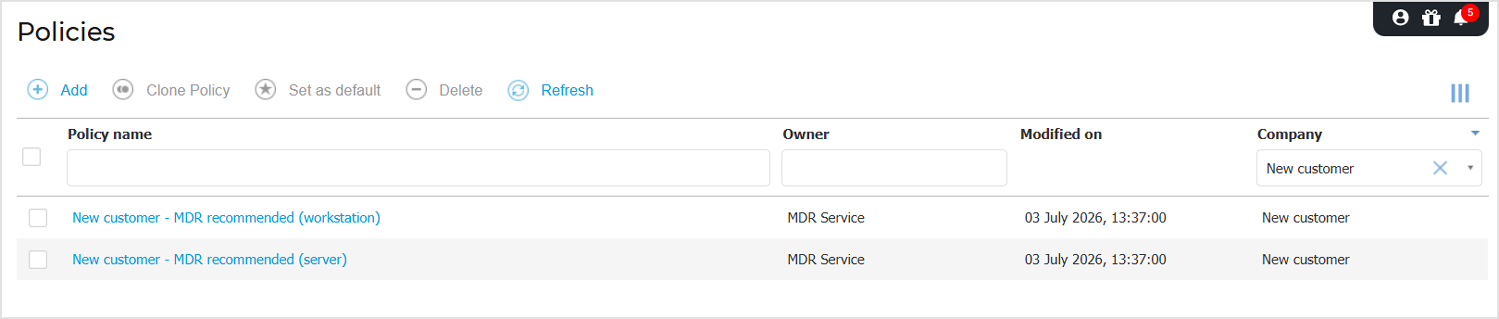
Two MDR-recommended policies, one for workstations and one for servers. You can view these policies on the Policies page in GravityZone Control Center.
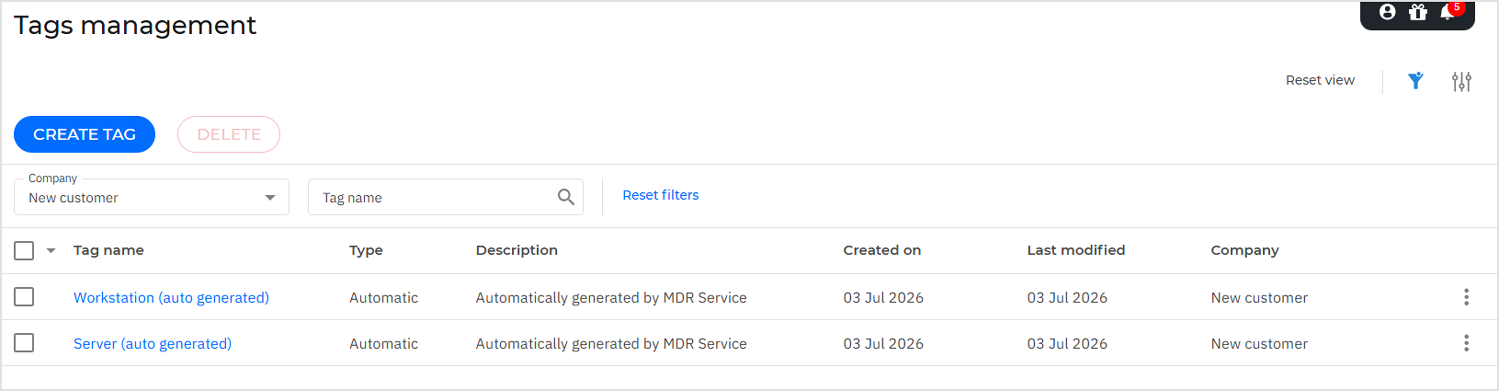
Two automatic endpoint tags used to identify workstation and server endpoints. These tags are available on the Tags management page in GravityZone Control Center.
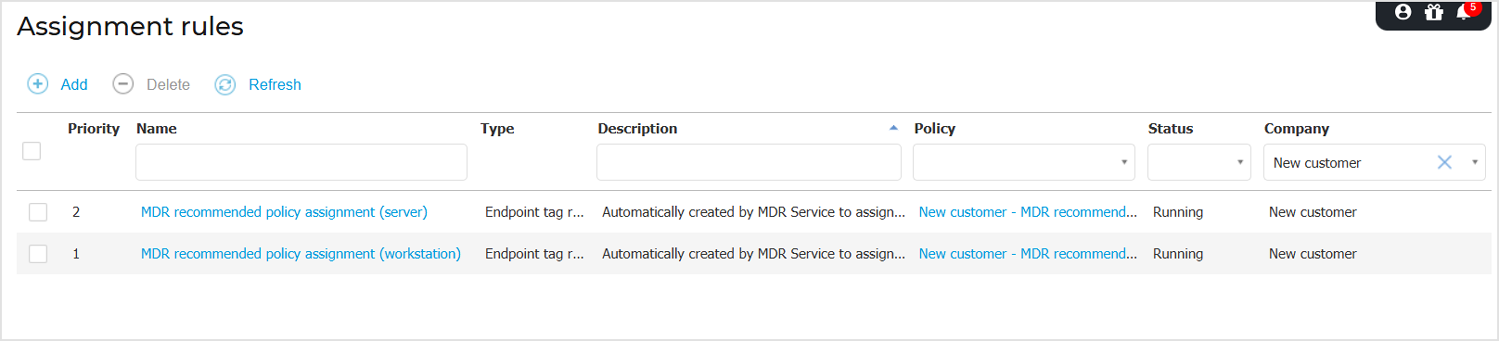
Two assignment rules with the highest priority that use the auto-generated endpoint tags to assign the appropriate policy based on endpoint type. This ensures that all workstations are assigned the workstation policy and all servers are assigned the server policy within the Customer company.
You can find these endpoint tag rules on the Assignment rules page from GravityZone Control Center:
If no primary account is added during company creation, all generated objects are owned by an MDR Service account.
All policy, endpoint tag, and assignment rule creation events are logged in the User activity section from GravityZone Control Center.
Existing companies transitioning to MDR
For the following types of companies, GravityZone automatically creates two MDR-recommended policies, one for workstations and one for servers:
Partners newly enrolled in MDR
Existing Customers transitioning to MDR
Customer companies onboarded to the MDR service before July 2026
Partners enrolled in MDR before July 2026
You can view these policies on the Policies page in GravityZone Control Center. The auto-generated policies use an existing company account as their owner whenever possible. Otherwise, ownership is assigned to an MDR Service account.
Policy assignment is not performed automatically. For information about assigning policies to endpoints in a managed company, refer to Assigning policies.
The policy creation events are logged in the User activity section from GravityZone Control Center.