Service
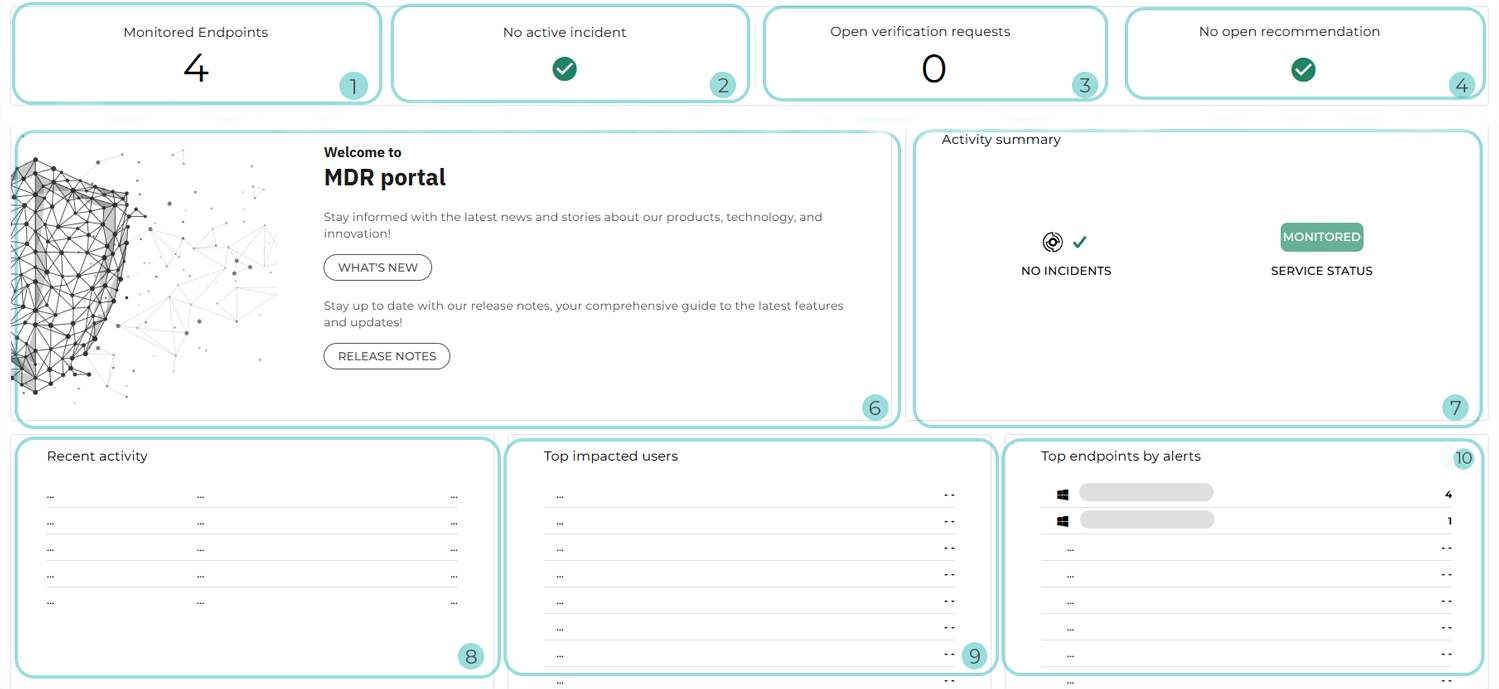
The following Service layout applies to:
Customers on an annual standard MDR plan, such as Bitdefender MDR or Bitdefender MXDR
Customers with a monthly subscription
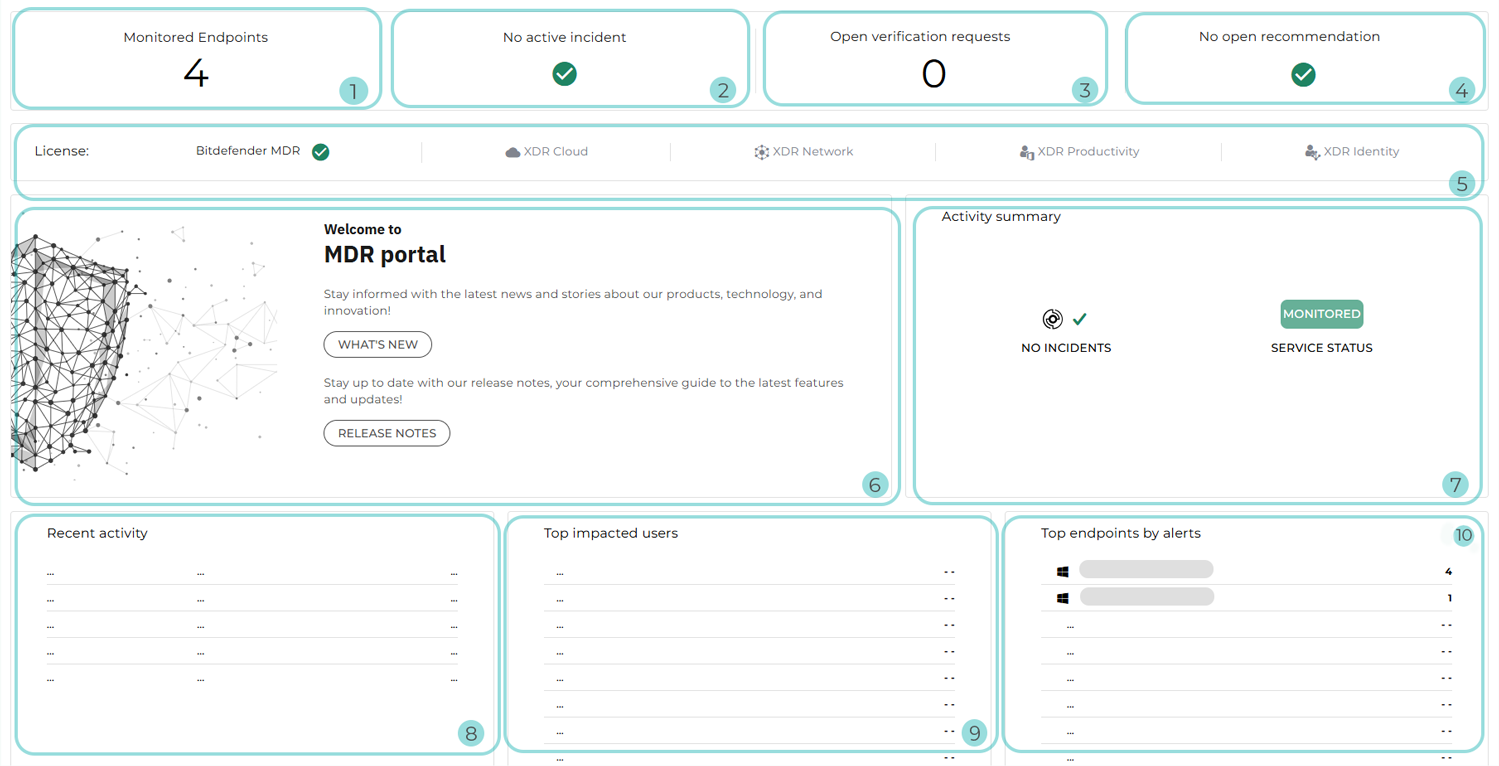
The following Service layout applies to:
MSP Partners
Non-MSP Partners without Customers with an advanced service model, such as: Bitdefender MDR Plus, Bitdefender MXDR Plus, MDR Premium, or MDR Enterprise
The following Service layout applies to hybrid Partners without Customers with an advanced service model, such as: Bitdefender MDR Plus, Bitdefender MXDR Plus, MDR Premium, or MDR Enterprise.
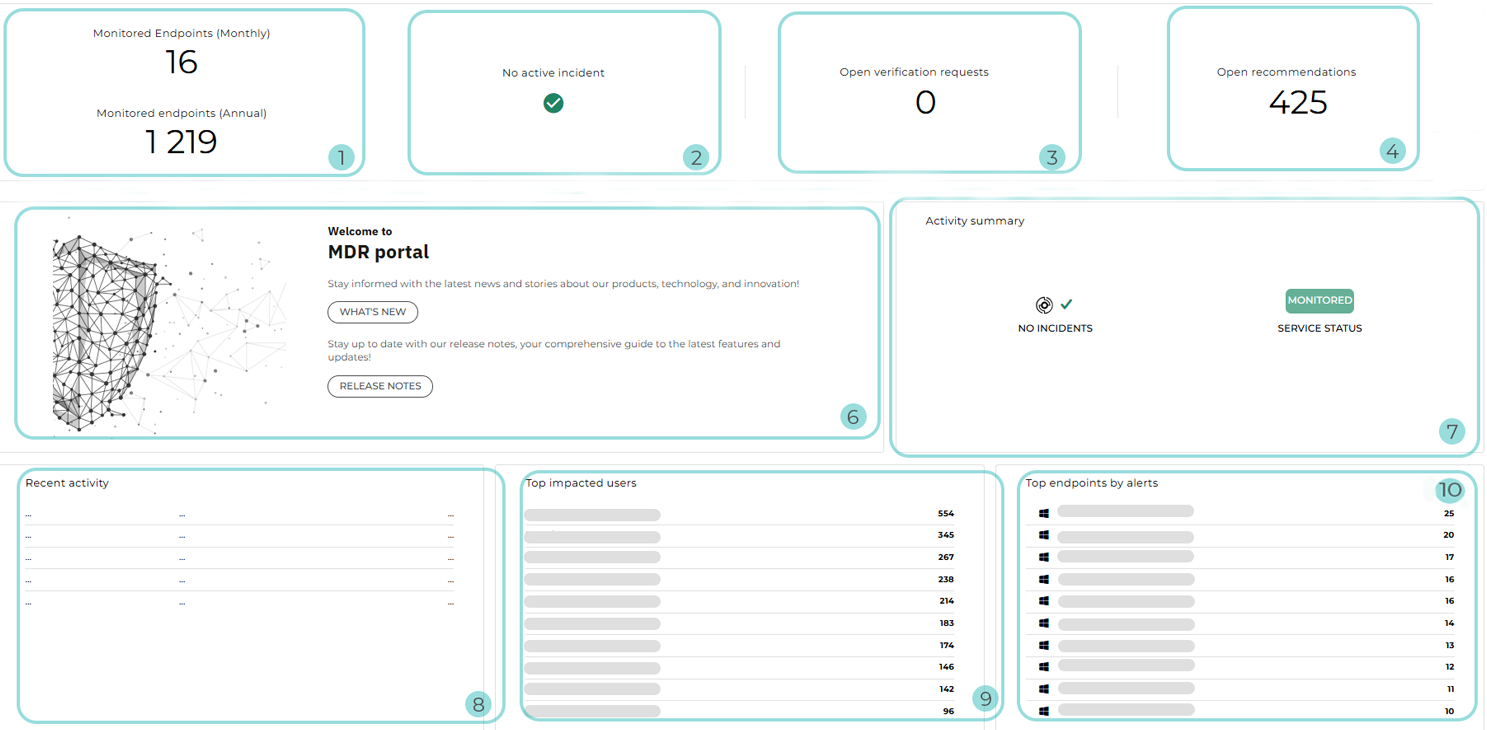
Monitored endpoints: The total number of endpoints actively monitored by MDR
Note
Endpoints are considered monitored if they have sent telemetry to the MDR service at least once during the current month.
For hybrid Partners, this information is displayed separately for Customers with a yearly license and Customers with a monthly subscription.
Active incidents: The number of ongoing investigations that have been escalated to high or critical severity and are currently being mitigated by the SOC team. An active incident indicates the presence of an active threat in the environment, such as an intruder or active malware.
Open verification requests: The number of verification requests that are currently open within all managed companies
Open recommendations: The number of recommendations that are currently open within all managed companies
License bar: The MDR service model and XDR add-ons of the Customer-type company selected via the company selector
Welcome to MDR portal: Welcoming section that lets you navigate to the MDR release notes and the What’s New page to review recent changes in the MDR and GravityZone consoles
Activity summary: Widget providing an overview of security activity and service status for the time interval selected in the dashboard
The following information may be displayed:
Service status: Indicates whether MDR is actively monitoring your environment or the onboarding process has not yet been completed.
Incidents number: The number of incidents declared during the selected time range
Alerts triaged: The number of detections that were received from GravityZone and, after being triaged by the SOC, were deemed not to need further investigation
Investigations: The number of investigations initiated by the MDR team
Threat hunts: The number of threat hunting activities performed
Recommendations: The number of recommendations issued by MDR
Response actions: The number of response actions taken by the SOC in the selected environment
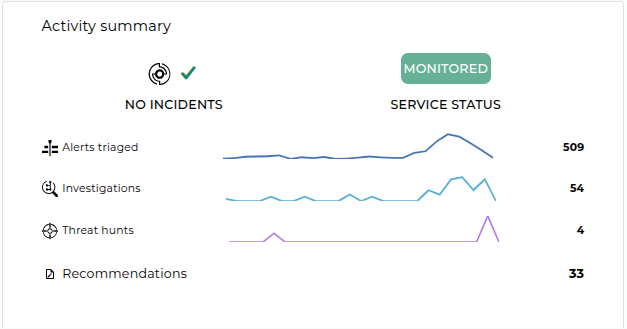
Trend indicators next to each activity illustrate how event volume has changed over the selected time frame.
Recent activity: The five most recent activities within all managed companies. The following information is included:
Activity type: It can be Investigation, Recommendation, or Threat hunt.
Date and time of detection
Activity description
Top impacted users: Users with the highest number of related alerts.
Top endpoints by alerts: Endpoints with the highest number of related alerts. The following information is included:
Operating system icon
Hostname
Number of alerts