Got a message on Google Business? It could be a scam

May 14, 2026
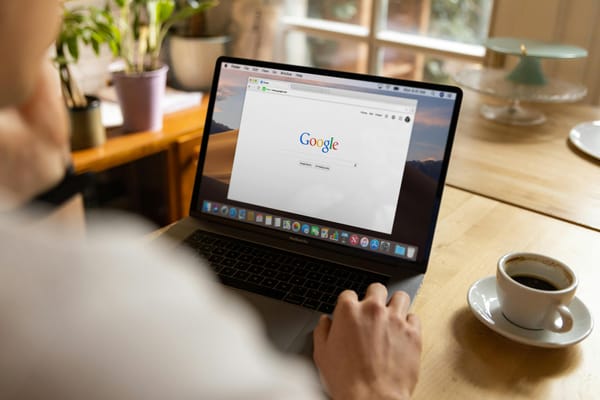
For many small business owners, a Google Business Profile is how customers find them, read reviews, get directions, book appointments, and decide whether they trust the business in the first place.
But if scammers gain access to it, they can damage your reputation, redirect customers, or even lock you out of your own business profile.
If you manage your own Google Business Profile, here’s what you should know before reacting to the next urgent-looking message.
Key takeaways:
- Scammers are impersonating Google Business Profile support, customers, and “Google partners”
- Fake verification messages and suspension threats are commonly used to steal login credentials
- A compromised Google Business Profile can damage your reputation, visibility, and customer trust
- Many scams rely on urgency, fear, and pressure to make business owners react quickly
- Small businesses can lose calls, bookings, and customers if their profile is compromised
Why your Google Business Profile is valuable to scammers
A Google Business Profile is more than just a business listing. If attackers gain control of it, they can change your phone number, replace your website link, redirect customers elsewhere, respond to reviews pretending to be you, or even lock you out of your own account and demand money to restore access. Some also use compromised profiles to scam customers directly through fake updates, fraudulent links, or fake contact information.
For businesses that depend on local visibility, the damage can happen fast. If your profile disappears from search results, shows incorrect information, or suddenly looks suspicious, you can quickly lose calls, bookings, customers, and trust.
And because many business owners use the same Google account for Gmail, Drive, YouTube, or Google Ads, one compromised account can sometimes lead to much bigger problems.
Common Google Business Profile scams and phishing tactics
Many Google Business Profile scams follow familiar patterns once you know what to look for. Most rely on urgency, fear, confusion, or the idea that something is wrong with your listing and needs immediate attention.
Attacks can happen through emails, messages, phone calls, fake reviews, or ownership requests sent directly inside Google Business Profile.
Here are some of the most common scams small business owners report.
Fake verification requests
One of the most common tactics involves fake warnings claiming your business needs to be verified again.
The message might say:
- “Your business profile will be suspended”
- “Suspicious activity detected”
- “Complete verification within 24 hours”
- “Your listing violates Google policies”
These messages usually lead to fake login pages designed to steal your Google credentials. Be especially careful when opening them on your phone, where URLs are harder to inspect properly.
Fake Google support calls and robocalls
Some scammers call businesses pretending to work for Google Business Profile support.
The caller may claim:
- your listing is suspended
- your business “won’t appear on Google”
- your verification expired
- your profile needs urgent updates to remain visible
They may ask for verification codes, request remote access to your computer, pressure you into immediate action, or demand payment related to visibility or verification.
Google will not unexpectedly call you asking for passwords, verification codes, or remote access to your devices.
Related: Small business owners lose $95,000 after a “QuickBooks support” callback scam
Fake ownership or manager requests
Some scammers try to gain access to your profile by sending ownership or manager requests directly through Google Business Profile.
If these requests are ignored, Google may eventually grant access after a waiting period in certain situations. Many business owners don’t notice the request until it’s too late.
Fake complaints and policy violations
Some attackers pretend to be customers, legal representatives, or Google policy teams.
You might receive messages claiming:
- someone reported your business
- your photos violate copyright
- negative reviews triggered an investigation
- your listing is at risk of removal
The goal is emotional pressure. Attackers want you distracted, worried, and reacting before thinking carefully.
Related: How Scammers Trick You into Compromising Your Own Security—and How to Stop Them
Fake SEO and marketing agencies
Some scammers present themselves as SEO experts, marketing consultants, or “official Google partners” offering help with rankings, reviews, or visibility.
They may ask for access to your account or send malicious links and fake login portals designed to steal credentials.
Negative reviews and review extortion
Some scammers post fake negative reviews and then contact the business offering to “fix” the problem for a fee.
Others threaten to continue damaging the business’s reputation unless payment is made.
Related: Review Bombing Attacks: Don’t Pay the Ransom
Fake suspension threats
Some messages claim your profile will be deleted, suspended, or hidden from search results unless you click a link, verify your account, pay a fee, or contact “support.”
These scams work because many small businesses depend heavily on Google visibility for calls, bookings, and customer trust.
What happens if your Google Business Profile gets hacked?
This kind of incident can be extremely disruptive for a small business, especially when your Google Business Profile is one of the main ways customers find and contact you. Attackers may change your contact information, website links, business description, or even respond to reviews pretending to be you. In some cases, customers end up calling scammers instead of the actual business. Even temporary confusion can damage trust and hurt your reputation.
If your profile gets suspended or flagged after suspicious activity, your business may temporarily disappear from Google Search or Maps, leading to lost calls, bookings, walk-in customers, and sales. Recovering a compromised account can also take time, especially when multiple services are connected to the same Google account. For very small businesses without IT support, the owner usually has to handle the recovery process personally while still trying to run the business.
Related: What to do if you clicked a phishing link in a business email
What to do if you receive a suspicious message related to your Google Business Profile
Don’t click immediately
Even if the message looks urgent, pause first. Many phishing attacks succeed simply because someone reacts too quickly during a busy workday.
Access your account directly
Instead of clicking links in emails or messages, open your browser and go directly to your Google Business Profile account yourself. If there’s a legitimate issue, you’ll usually see notifications there.
Verify who contacted you
Check the sender carefully and inspect links before clicking. Pay attention to domains, spelling mistakes, and inconsistencies.
Be careful with ownership or manager requests
Review carefully any requests asking for access to your Google Business Profile. Don’t approve unknown users without verifying who they are first.
If you clicked a phishing message, act quickly
Change your Google password immediately, review connected devices and active sessions, check your recovery settings, and report the phishing attempt to Google.
How to better protect all your business accounts, not just your Google Business Profile
Enable two-factor authentication
Two-factor authentication adds an extra layer of protection even if someone steals your password. It’s one of the simplest and most effective ways to secure business accounts.
Limit who has access
Review who has access to your Google Business Profile and other business accounts, especially if you previously worked with agencies, freelancers, or former employees. Too many admin accounts increase risk.
Be careful with urgent messages and login requests
Many phishing attacks rely on pressure and panic. If a message claims something is wrong with your account, avoid clicking links immediately and access the platform directly yourself.
Use tools that help detect phishing and malicious links
Bitdefender Ultimate Small Business Security helps protect business devices and accounts by blocking malicious websites, detecting phishing links, warning about suspicious activity, and helping prevent credential theft attempts. This can be especially useful when scammers try to trick business owners into clicking fake Google Business Profile messages, login pages, or verification links during a busy workday.
You can try Bitdefender Ultimate Small Business Security free for 30 days.
FAQs
Can Google Business Profile messages be fake?
Yes. Scammers increasingly send fake messages pretending to come from Google Business Profile support, verification teams, or even customers. These messages are often designed to steal login credentials, verification codes, or access to your account.
Does Google call businesses about Google Business Profile issues?
Google may contact businesses in some situations, but legitimate representatives will not ask for your password, two-factor authentication codes, or remote access to your computer. If a caller pressures you to act immediately or asks for sensitive information, treat it as suspicious.
How do I know if a Google Business Profile message is real?
One of the safest approaches is to avoid clicking links directly from messages. Instead, sign into your Google Business Profile account manually through Google and check for notifications there. Also pay attention to suspicious domains, spelling mistakes, urgent language, and requests for sensitive information.
What happens if my Google Business Profile gets hacked?
If attackers gain access to your profile, they may change your business information, redirect customers, respond to reviews pretending to be you, or temporarily lock you out of the account. In some cases, your business may disappear from Google Search or Maps until the issue is resolved.
tags
Author

Cristina Popov is a Denmark-based content creator and small business owner who has been writing for Bitdefender since 2017, making cybersecurity feel more human and less overwhelming.
View all postsYou might also like
Bookmarks
