Lessons from the OpenWrt build-poison scare and what it means for your smart home

January 20, 2026
The OpenWrt build-poison scare reveals why router firmware supply-chain security matters for smart home and IoT users.
What the OpenWrt build artifact poisoning means for you
Open-source router firmware has a loyal follower base, and for good reason: projects like OpenWrt give power users deep control, faster patching and long device lifespans. But an incident in late 2024 impacting OpenWrt’s “Attended SysUpgrade” (ASU) service showed how even trusted ecosystems can stumble, especially at automation, caching and build pipelines junction points.
This guide breaks down the events in plain terms. Learn why you should care as a consumer, and how can you reduce risk in an IoT household.
Here’s what actually happened
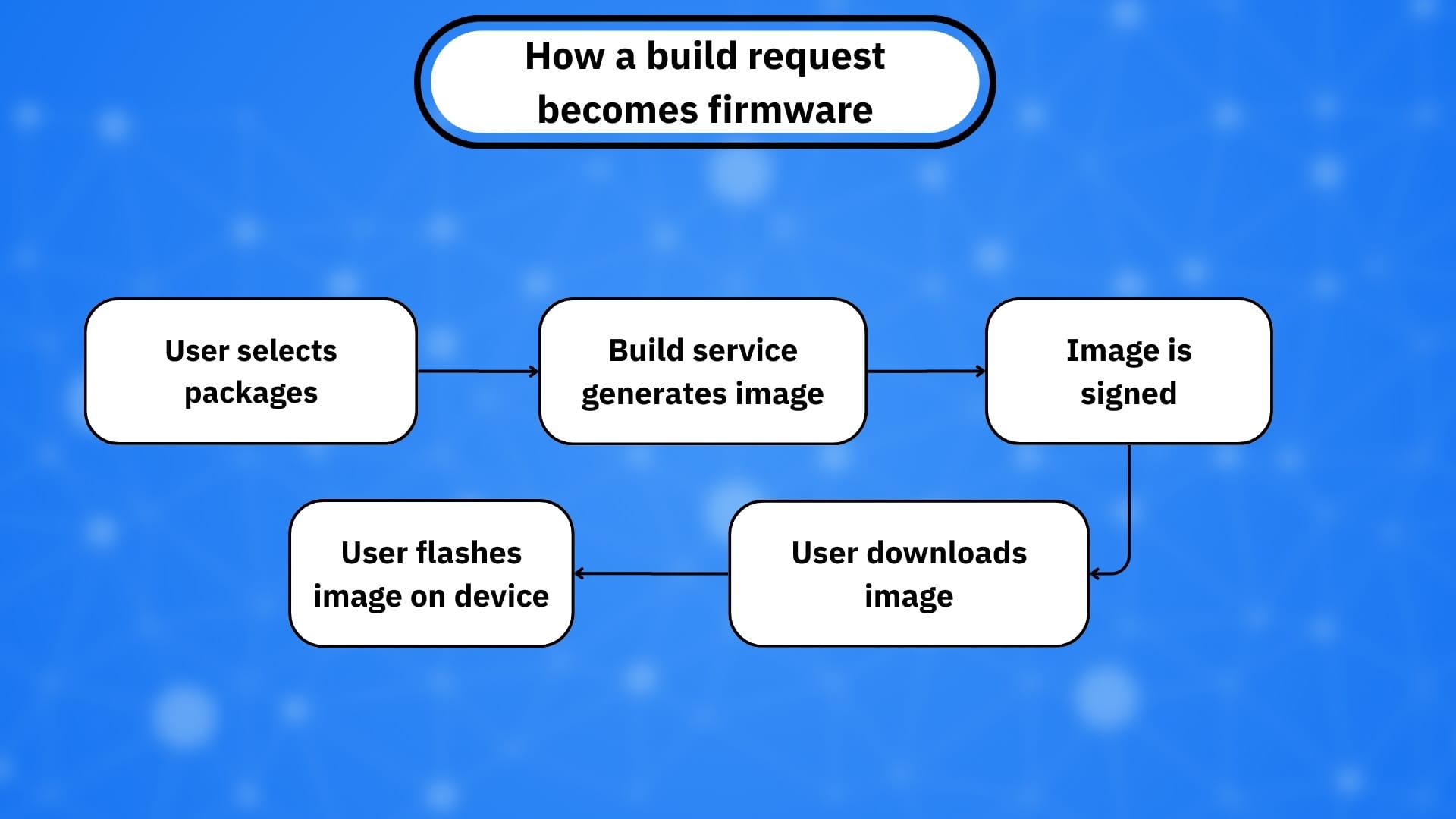
To start from the beginning, OpenWrt’s ASU feature helps users generate custom firmware images on demand (for example, including specific packages). Researchers disclosed that a combination of two issues could let an attacker “poison” the build output in a way that could result in the production and distribution of malicious firmware under legitimate signing, depending on conditions and how the service was used.
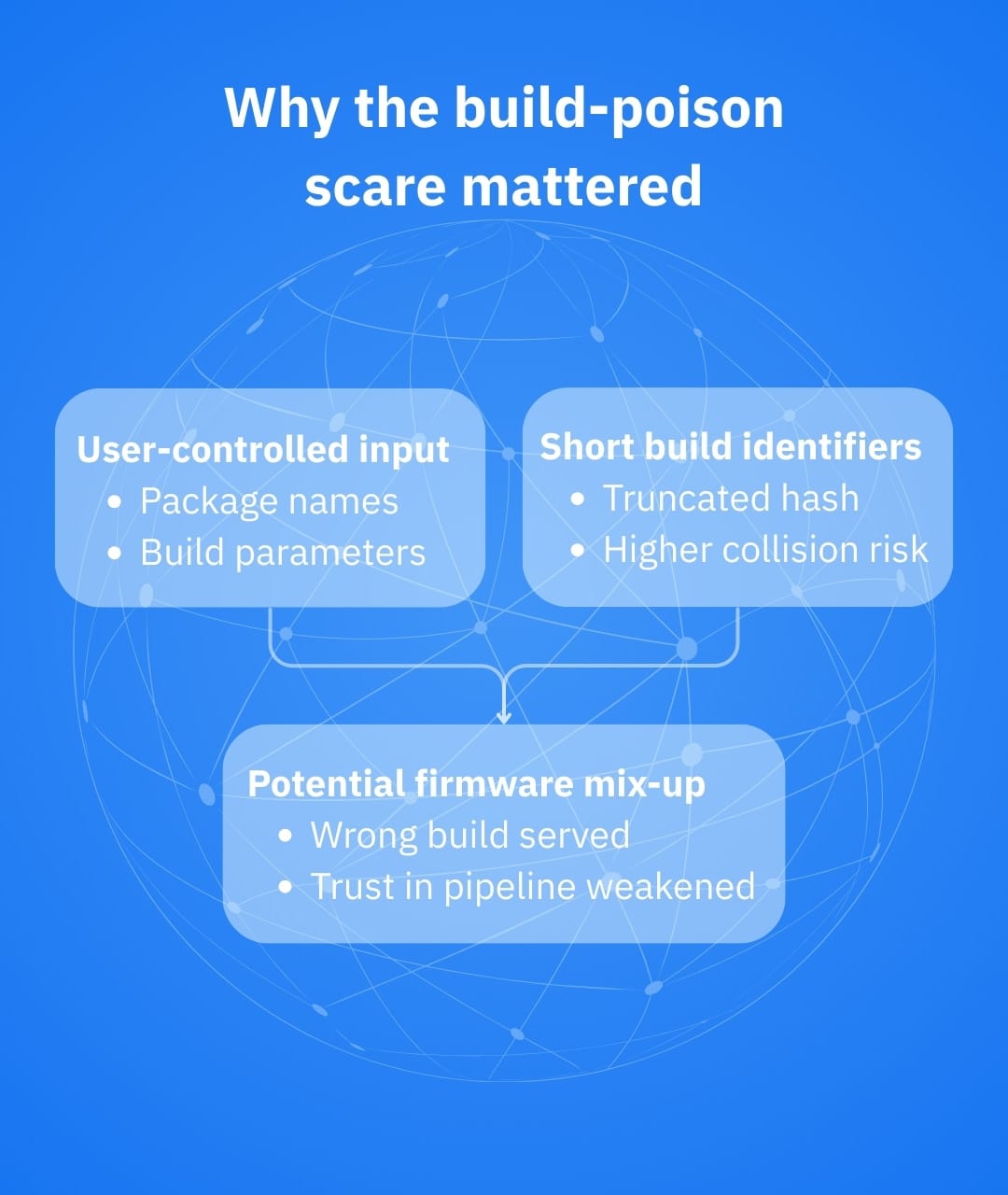
At a high level, the risk came from:
- Command injection: user-controlled input (package selections) could be incorporated into build commands without adequate sanitization
- A truncated request hash: the system used a shortened SHA-256 value (12 characters) for identifying build requests, increasing the practicality of collisions
Together, these weaknesses raised the possibility that an attacker could craft a request that collides with a legitimate request and influence what image gets served for that identifier (hence the “build artifact poisoning” label).
OpenWrt issued an advisory as well as patches. Coverage at the time stressed how not just the code, but also the build system and distribution pipeline, should be part of your trust boundary.
Why consumers and IoT households should care
If you run OpenWrt on a router that sits at the core of your smart home ecosystem, you shouldn’t treat it just like any other device. This router acts as a traffic cop for cameras, locks, smart TVs, speakers and sensors, so it makes sense when we say you should treat it like the one place you cannot afford ambiguity about integrity.
Even if you have never used ASU, the incident is still serves to raise various consumer-relevant issues, including that:
1. Supply chain is not abstract: automated build services, caching layers and download mirrors can quickly turn against you, despite the reputation of the underlying project
2. Signed doesn’t equal safe: while signing is critical, a signature can create a false sense of security (for instance, if a build pipeline is manipulated)
3. IoT impact is amplified: a compromised router can easily spell disaster for an entire IoT ecosystem, as it serves as the visibility and control plane for many connected devices

Practical steps to apply right now
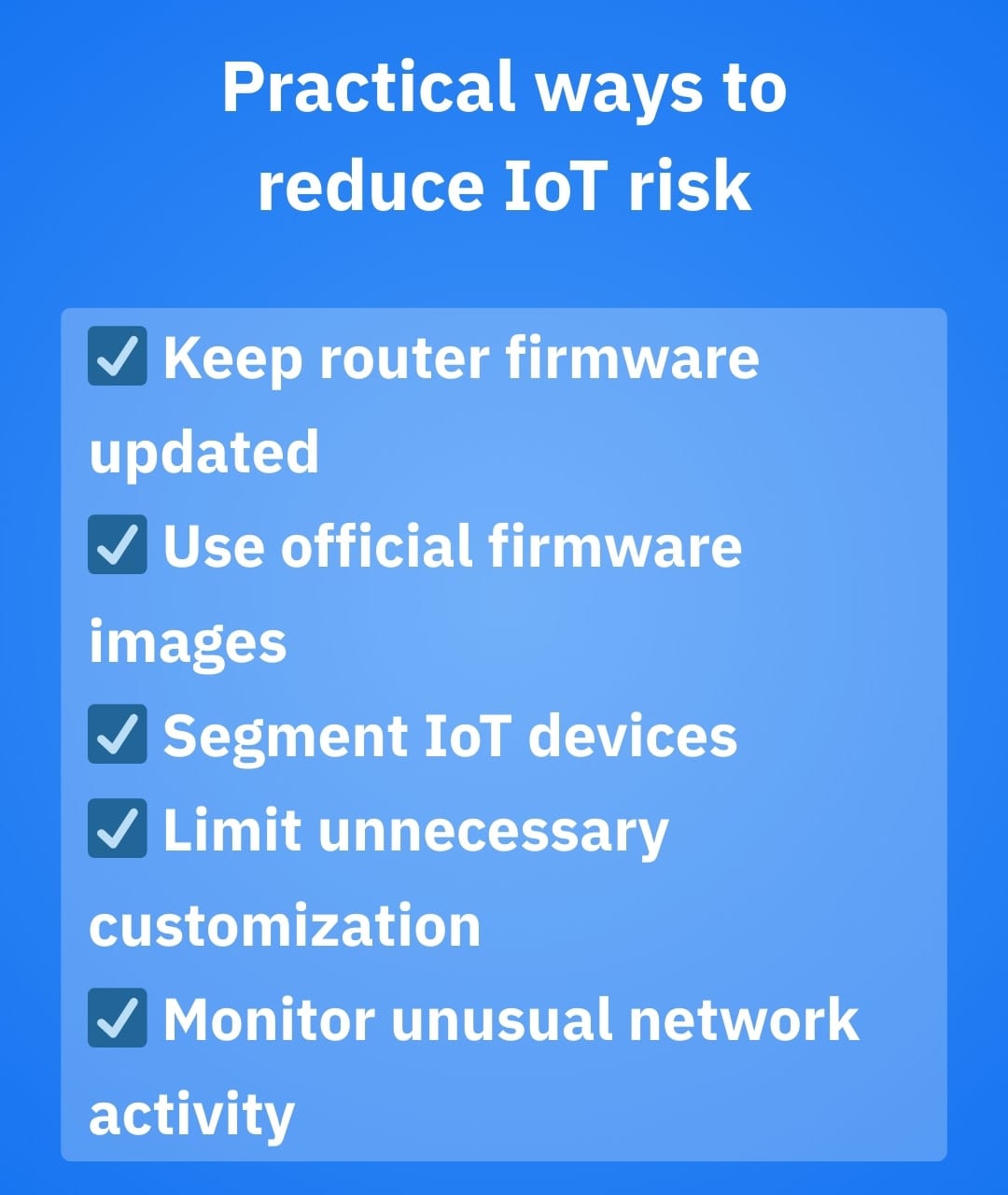
You don’t need to be a firmware engineer to improve your odds against poisoned builds and other lurking threats. Here are five practical steps to help you stay safe:
- Prioritize updates: when a router platform issues a security advisory, treat it with the utmost importance. After all, a proactive approach always beats dealing with the fallout of a security incident
- Prefer official images and paths: if you don’t truly need on-demand custom builds, it’s safer to stick to stable releases and documented upgrades. This doesn’t mean you can’t customize – just that you should be deliberate about where and how you do so
- Reduce unnecessary customization in critical infrastructure: the more bespoke your router image, the more you depend on the correctness of each step that introduced it
- Segment your smart home: put IoT devices on a guest or VLAN network when possible, so compromising a single weak device doesn’t ripple throughout your entire ecosystem
- Monitor for weird behavior: most households don’t need packet-level inspection, but they do benefit from alerts whenever devices start contacting suspicious domains or beaconing unexpectedly
Where specialized software comes in handy
OpenWrt remains one of the most respected router firmware projects in the consumer and enthusiast space, offering transparency, flexibility and rapid community-driven fixes. The build-poison scare, however, shows us an uncomfortable reality for everyday smart home users – even well-maintained open-source platforms have their drawbacks. For households filled with IoT devices that can’t be easily audited or patched, a network-level security layer can help compensate for those blind spots.
NETGEAR Armor is an added security layer aiming to help consumers by monitoring connected devices and helping them block known malicious destinations and threat activity at the network edge. That can be valuable in scenarios like:
- A smart camera suddenly contacting suspicious domains
- A new IoT gadget exhibiting malware-like traffic patterns
- Phishing and malicious links being clicked by members of the household across multiple devices
It’s worth noting that NETGEAR Armor is designed to run on supported NETGEAR routers and mesh systems, not on custom firmware like OpenWrt. This essentially means that users must choose between maximum firmware control and the convenience of an integrated, network-level security layer.
The bottom line
The OpenWrt build-poison scare should not be used as a platform for blaming a project. The more sensitive approach would be to learn the right lesson – that modern device security is closely tied to the integrity of build and delivery pipelines, not just to “good code.”
For everyday users, the real challenge is balancing control, visibility and ease of protection. Whether that means carefully maintaining a custom firmware setup or opting for hardware with built-in network-level security, reducing smart home risk ultimately comes down to choosing the model that best matches your ability and willingness to manage it over time.
Frequently asked questions
What are the disadvantages of OpenWrt?
OpenWrt offers powerful customization and transparency, but it comes with a steeper learning curve, limited official support and a greater reliance on user configuration for stability and security. For non-technical users, misconfigurations or delayed updates can introduce risks that are less common in tightly managed, vendor-controlled router ecosystems.
How to make OpenWrt more secure?
Keeping OpenWrt secure requires prioritizing updating, minimizing installed packages, using strong administrative credentials and disabling unnecessary services. Additional strengthening – such as adding firewall rules, segmenting the network for IoT devices and cautiously using third-party build services – further reduces the attack surface.
Can OpenWrt act as a firewall?
Yes, OpenWrt includes a fully-fledged firewall based on iptables or nftables, allowing it to filter traffic, enforce network segmentation and control inbound and outbound connections. While highly capable, its effectiveness depends heavily on users’ ability to configure and maintain it correctly.
tags
Author

Vlad's love for technology and writing created rich soil for his interest in cybersecurity to sprout into a full-on passion. Before becoming a Security Analyst, he covered tech and security topics.
View all postsYou might also like
Bookmarks
