How to keep kids safe in Minecraft: Parental controls and safety settings

June 17, 2026
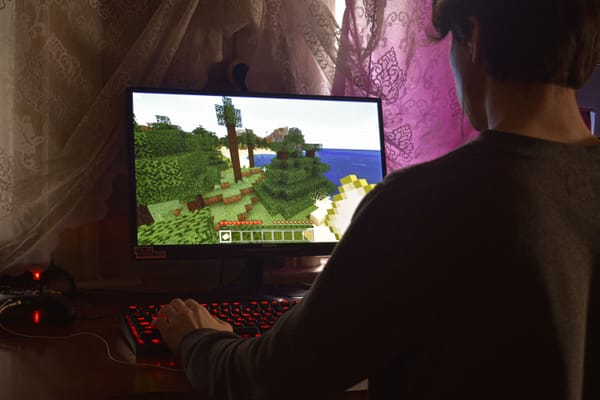
Minecraft has been one of the world's most popular games for more than a decade, attracting millions of children with its creativity, exploration, and multiplayer adventures. However, like many online games, Minecraft isn't only about building and playing. Depending on how children use it, they may interact with other players, join public servers, chat with strangers, make purchases, and spend significant amounts of time online.
Parents have several options to make Minecraft safer, from reviewing key safety settings to using parental controls that help reduce common online risks.
Key takeaways:
- Minecraft can expose children to strangers, scams, bullying, and inappropriate content.
- Review multiplayer, chat, privacy, and purchase settings before allowing children to play online. Teach children not to share personal information or click suspicious links.
- Parental controls can help manage internet time and online activity beyond Minecraft.
- Open conversations about online safety are just as important as technology.
What risks should parents know about in Minecraft?
Minecraft itself is not considered a dangerous game. However, some of the features that make it fun and social can also create opportunities for unwanted experiences.
Stranger contact and oversharing
When multiplayer features are enabled, children may encounter and talk to strangers, especially on large public servers. Children sometimes reveal more than they realize. A casual conversation about where they live, what school they attend, their sports team, or their daily routine can gradually reveal information that should remain private.
Inappropriate language and content
Depending on the server, children may encounter inappropriate language, offensive jokes, or discussions that are not suitable for younger players. Some servers are heavily moderated, while others have very few rules or active moderators.
Online bullying
Children may experience teasing, exclusion, griefing (when players intentionally destroy another player's creations), or repeated negative behavior from other players.
If a child suddenly stops wanting to play, becomes upset after gaming sessions, or seems reluctant to discuss what happens online, it may be worth starting a conversation about their experiences.
Scams and fake offers
Some players may promise free Minecoins, exclusive items, account upgrades, or special rewards in exchange for passwords, personal information, or clicks on external websites.
Excessive screen time
Minecraft is designed to be engaging. Building projects, exploring new worlds, and playing with friends can easily turn a planned 30-minute session into several hours.
For many families, managing screen time is one of the biggest challenges associated with Minecraft.
Related: Minecraft Made Simple for Parents Who'd Rather Not Play It Themselves
7 Minecraft safety settings every parent should review
Minecraft's safety settings may vary slightly depending on the device your child uses and the type of account they have. However, these are the most important areas to review before allowing children to play online.
1. Multiplayer access
Minecraft can be enjoyed entirely in single-player mode, with friends only, or with thousands of players on public servers. Younger children may be more comfortable starting with single-player worlds or playing only with people they know in real life.
As children grow and gain more experience online, parents can decide whether broader multiplayer access makes sense for them.
2. Friend requests
Many children are excited to make new friends through games. Encourage children to be cautious about accepting requests from people they don't know.
3. Chat and messaging permissions
Children should understand that they never need to share their real name, home address, school name, phone number, social media accounts, or photos of themselves.
It's also worth reminding children that if a conversation feels uncomfortable, confusing, or inappropriate, they can leave the chat and talk to a trusted adult.
Related: From kids to grandparents: How to talk about stranger danger today
4. Public server access
Some Minecraft servers are designed specifically for younger players and have active moderation teams. Others are large public communities where conversations and behavior may be less predictable.
Before allowing children to join a public server, take a few minutes to research it. Look for information about moderation, community guidelines, and age recommendations.
5. Purchase and spending controls
Minecraft offers optional purchases through its Marketplace, including skins, worlds, texture packs, and other content.
Without spending controls in place, children may accidentally make purchases or spend more than intended.
Many families find it helpful to:
- Require approval for purchases
- Set spending limits
- Use gift cards instead of linking payment cards
- Discuss responsible spending before allowing purchases
6. Privacy settings
Parents should take a few minutes to review what information is visible to other players and who can interact with their child. Make sure children have a level of privacy appropriate for their age and experience.
7. Screen time limits
Minecraft is one of those games where it's easy to lose track of time.
A child may start building a house, decide to improve it, explore a cave, gather resources, and suddenly discover that several hours have passed.
Setting reasonable limits helps children enjoy the game without letting it take over their day.
Every family is different. Some parents prefer daily time limits, while others focus on balancing gaming with homework, physical activity, family time, and sleep.
Related: 10 Screen Time Rules Every Parent Should Set for a Healthy Digital Balance
Is your child addicted to screens? What parents should watch for, according to a therapist
Minecraft Parental controls vs Parental control apps
Parents have two main tools to help keep children safe while gaming: Minecraft's built-in safety features and parental control apps. While both can help reduce risks, they serve different purposes.
Minecraft's safety features can help create a safer gaming experience by managing who children can play and communicate with, while parental control apps help parents manage a child's broader digital life. Many families choose to use both, combining game-specific protections with tools that support healthy online habits across devices and platforms.
|
Feature |
Minecraft Safety Features |
Parental Control Apps |
|
Multiplayer controls |
✓ |
— |
|
Friend request controls |
✓ |
— |
|
Chat permissions |
✓ |
— |
|
Purchase controls |
✓ |
— |
|
Privacy controls |
✓ |
— |
|
Device-wide screen time management |
Limited |
✓ |
|
Content filtering across apps and
websites |
Limited |
✓ |
|
Activity reports |
— |
✓ |
|
Location features |
— |
✓ |
|
Multiple apps and devices |
— |
✓ |
Neither approach replaces the other. Minecraft's safety features help manage what happens inside the game, while parental control apps help parents support safer and healthier online habits across games, apps, and devices.
Why Minecraft safety settings alone may not be enough
Even if you've reviewed every Minecraft safety feature available, your child's online experience doesn't stop when they close the game.
Many children move between Minecraft, YouTube, Discord, social media, messaging apps, and web browsers. They may watch Minecraft videos, join Discord servers recommended by other players, search for mods and building tips, or follow Minecraft creators online.
The risks can follow them across platforms. For example, a child might receive an invitation to a Discord server from someone they met while gaming or encounter websites offering free Minecoins, unofficial downloads, cheats, or special rewards. Some of these may expose children to scams, inappropriate content, or malware.
Because these activities happen outside Minecraft, they are not covered by the game's safety features.
This is one reason many parents choose to complement game-specific safety settings with parental controls that work across devices, apps, and websites.
Bitdefender Parental Control helps parents manage internet time, filter inappropriate content, monitor online activity, and support healthy digital habits across a child's digital life from a single dashboard.
It is included in Bitdefender Family Plans, which are designed to protect the entire household. Different family members face different online risks, and the protection reflects that. Children may need help managing internet time and online content, teenagers may be more exposed to scams, cyberbullying, or risky online interactions, while parents and grandparents are often targeted by phishing, investment scams, shopping fraud, identity theft, and other online threats.
By combining parental controls, privacy tools, scam protection, and device security, Bitdefender Family Plans help protect every generation according to their online habits and the risks they are most likely to encounter.
Take a look at one of our family plans.
FAQs
Does Minecraft have parental controls?
Minecraft includes several safety features that help parents manage multiplayer access, communication, privacy, and purchases. Parents can also use parental control apps to manage screen time and online activity across devices.
Is Minecraft safe for children?
Minecraft is generally considered safe for children, especially when played in single-player mode or with trusted friends. However, public servers, chat features, and online interactions can expose children to strangers, inappropriate content, scams, and bullying.
What age is Minecraft appropriate for?
Minecraft has a PEGI 7 rating in Europe and an ESRB Everyone 10+ rating in the United States. Whether a child is ready for online multiplayer features depends on their maturity and ability to follow online safety rules.
Can strangers talk to my child on Minecraft?
Yes. If multiplayer and chat features are enabled, children may communicate with players they don't know, especially on public servers. Parents should review communication settings and discuss online safety with their children.
How can I make Minecraft safer for my child?
Review multiplayer, chat, privacy, and purchase settings, choose age-appropriate servers, discuss online safety, and consider using parental controls to help manage screen time and online activity.
Should children play on public Minecraft servers?
Public servers can be enjoyable, but they also expose children to a wider range of players and content. Younger children may be safer playing in private worlds, family servers, Minecraft Realms, or with trusted friends.
Can I limit how long my child plays Minecraft?
Yes. Many parents use parental controls to set screen time limits, schedules, or device usage rules that help children balance gaming with school, sleep, family time, and physical activity.
How can I protect my child from Minecraft scams?
Teach children to avoid offers for free Minecoins, account upgrades, or special rewards. They should never share passwords, personal information, or click links sent by strangers.
Are Minecraft mods safe for children?
Many Minecraft mods are legitimate, but some downloads may contain malware, inappropriate content, or unwanted software. Children should only download mods from trusted sources with parental approval.
What is the best parental control app for Minecraft?
The best parental control app depends on your family's needs. Many parents look for features such as screen time management, content filtering, activity reports, and protection across multiple apps and devices, not just Minecraft.
tags
Author

Cristina Popov is a Denmark-based content creator and small business owner who has been writing for Bitdefender since 2017, making cybersecurity feel more human and less overwhelming.
View all postsYou might also like
Bookmarks
