Bitdefender Password Manager reached end of life on June 15, 2026
On June 15, 2026, Bitdefender Password Manager has been permanently discontinued and is no longer accessible.
Bitdefender Password Manager has been replaced by Bitdefender SecurePass – a multi-platform password manager designed to securely store, manage, and organize passwords across all devices. Customers with an existing Bitdefender subscription that included Bitdefender Password Manager are entitled to Bitdefender SecurePass at no additional cost.
Need help? For assistance with any questions regarding Bitdefender Password Manager or Bitdefender SecurePass, please contact our Support team anytime.
Bitdefender Password Manager has a feature that allows you to easily export your saved passwords (including account logins, secure notes, etc.) into a CSV or an encrypted file if you wish to switch to another password manager service.
Note: Keep in mind that a CSV (comma-separated values) file is not encrypted and contains your usernames and passwords in plain text format. Anyone with access to your PC can read them. It is therefore recommended that you follow the steps below on a trusted computer. If you choose to export your password list in CSV format, do not forget to delete the CSV file from the hard drive once you’re done. Otherwise, in the event of an identity theft attack all data could be recovered and exploited to your disadvantage.
Export Passwords from Bitdefender Password Manager
Here’s how to export your data from Bitdefender Password Manager:
1. Click the Password Manager icon  in your web browser toolbar, or launch the Password Manager app on your smartphone. Enter your master password if prompted.
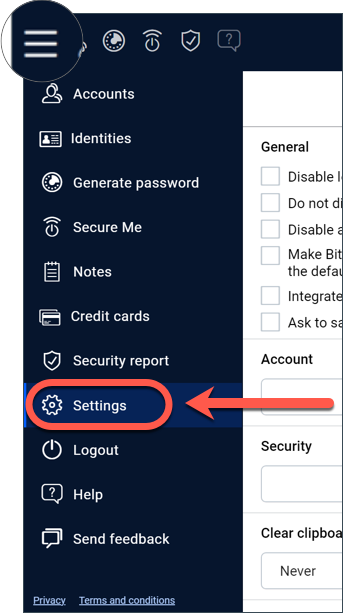
2. Open the Password Manager menu ≡ to expand the sidebar menu on the left and click the ⚙︎ Settings menu item.
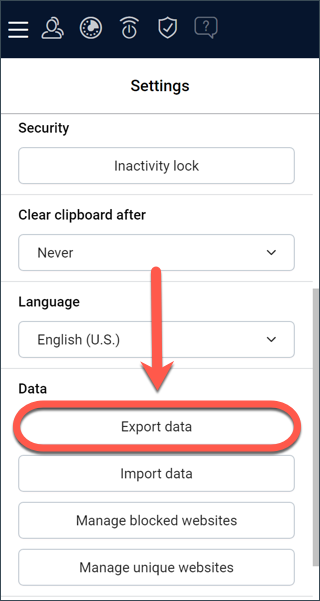
3. Scroll down to the Data section and click on the Export data option.
4. At this point, you should get two export options:
-
- CSV
- Password-protected file
Select your preferred option, then input your master password, and click the Export data button.
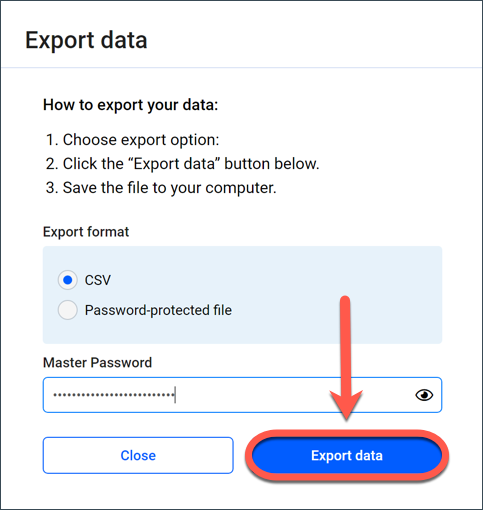
Note: If you pick the Password-protected option, you will be asked to encrypt the accounts list with a password so that only you are able to access it.
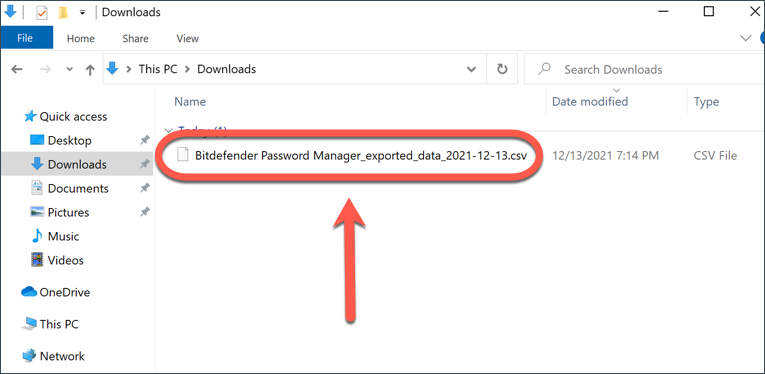
5. Your web browser will immediately save a file named Bitdefender Password Manager_exported_data_current-date to your hard drive in the default download folder. It contains all your data stored in Bitdefender Password Manager.
After exporting your data, you can upload it to the password manager of your choice.
That was it!