Steam gift scams: Why you should never accept one from an unknown user

August 11, 2026
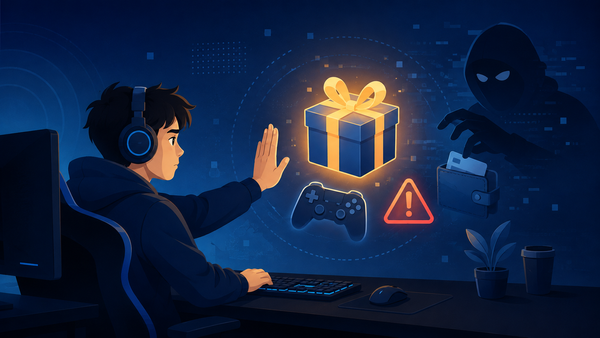
Valve warns Steam users not to accept gifts from people they don't know, but the practice remains common enough that the company specifically flags it as a potential source of fraud.
Unsolicited games can be linked to payment-card fraud, phishing, or item-trading scams. These problems don’t always involve an obvious fake. A stranger offers you a free game, then claim they sent a gift by mistake, or direct the recipient to a page that supposedly lets them accept it.
Each approach aims to turn this apparently benign interaction into something more valuable for the scammer: a Steam login, rare in-game items, a payment, or a way to convert a fraudulent purchase into legitimate value.
Key takeaways
- Decline Steam gifts from people you don't know, even when the offer appears genuine
- Never use a link in a chat, email, or Discord message to “accept” a gift or verify your account
- A gift may be bait for a trade, a fake refund request, or an attempt to launder money from payment-card fraud
Why would a scammer send a Steam gift?
Steam lets users send games as gifts—a handy feature when you want to send something to a friend or a family member. But scammers have weaponized the feature.
An unsolicited gift from someone you don’t know can open a conversation, create a sense of obligation or make an unfamiliar account seem credible before the sender asks for something of greater value.
The clearest financial motive involves payment fraud. A scamer can buy a game with a stolen card, send it to another account, then ask the recipient for cash, Steam items, skins, cryptocurrency, or another gift.
That exchange turns a fraudulent purchase into value the criminal can keep or resell. If the payment is reversed, the recipient may lose the game and face questions about a fraudulent gift.
Valve's own account-restriction guidance is very clear: “Never accept a gift from an unknown user.” It specifically lists redeeming fraudulent gifts among conduct that can lead to account restrictions.
How Steam gift scams work
1. The stolen-payment-card gift
The sender offers a game bought with a compromised card, then asks for something they can transfer or resell: an item trade, a wallet-code purchase or payment outside Steam.
The request may sound reasonable: “I bought the wrong game; send me the equivalent in skins,” or “Accept it and give me half the price.” It isn't a resale arrangement. The sender keeps the clean value while the recipient becomes connected to the disputed purchase.
2. The ‘I sent it by mistake’ trade scam
Other scammers use a small, real gift to establish credibility. Later, they claim they sent something expensive by mistake or need help reversing a transaction. They may demand rare CS2, Dota 2, or Team Fortress 2 items as “compensation.”
They rely on pressure: accusations of theft, threats to report the account or an invented deadline.
3. The fake Steam gift link
Sometimes there is no gift at all. A message may claim one is waiting, say Steam needs an age check, or require a login to view the sender's profile. The link can lead to a copy of Steam built to collect a username, password, Steam Guard code, or QR-code approval.
With access to an account, attackers can empty inventory, lock out the owner and message friends from a familiar profile.
4. The trust-building setup
A small gift can also make the sender appear friendly. After a few messages, they may pitch a “sponsor” offer, a tournament, a high-value trade or a supposed Steam Support investigation. They may also push the conversation to Discord or other platforms, away from the context in which the offer began.
Valve says its employees never discuss account issues through Steam Chat or Discord. Anyone who claims to be Valve or Steam Support and asks you to verify items should be reported for trade scams.
How to tell a real Steam gift from a scam
If you don't know the sender, decline the gift. This is the most effective way to ensure you stay safe and that your account won’t be affected by possible bans.
For gifts from actual friends or family, verify the situation independently. Ask the person via a separate method whether they sent it, especially if their account suddenly writes in an unusual tone or asks you to click a link.
Warning signs include:
- The sender is an unfamiliar account or recently added you as a friend
- The message creates urgency: “Accept in five minutes” or “your account will be banned”
- The sender wants payment, skins, Steam Wallet codes, crypto, or another gift in return
- The sender asks you to move to Discord, Telegram, or another platform
- A link asks for your Steam password, Steam Guard code, QR scan, or other login approval
- Someone claims to be a Valve employee and demands that you trade or “verify” your items
A real gift doesn't require payment to a stranger, login credentials or a detour outside Steam's ecosystem. Open Steam yourself to check account notifications and support information.
What to do if an unknown account sends you a gift
1. Don't accept or redeem it. Decline the offer.
2. Don't negotiate. Don't send money or items to “return” a mistaken gift.
3. Block and report the account. Preserve screenshots if the sender used threats, links, or impersonation.
4. Open Steam Support yourself. Type the address or use the support option within Steam; don't follow the sender's link.
5. Tell friends who may receive the same message. Compromised accounts often contact people from an existing friend list.
What to do if you clicked a link or accepted the gift
If you only received an unsolicited gift and took no action, decline it and cut contact. If you typed credentials into a suspicious page, approved a Steam Guard prompt, scanned a QR code, or traded items, act quickly.
- Change your Steam password from the official Steam website or client
- Review Steam Guard and remove any unfamiliar devices or authorizations
- Check recent trades, market listings, and account activity for anything you didn't approve
- Use the official Steam Support site to report account compromise or an item scam
- Change the password on the email account linked to Steam if you reused credentials or believe it may be exposed
Enable Steam Guard and use a unique password for Steam. Multi-factor authentication makes it harder for an attacker to enter an account even after obtaining a password, according to the FTC.
FAQ
Is it safe to accept a Steam gift from a stranger?
Answer: No. Valve specifically advises users never to accept gifts from unknown users.
Can someone steal my Steam account by sending a gift?
Answer: A gift notification alone doesn't give someone access to your account.
What happens if a Steam gift was bought with a stolen card?
Answer: The payment can be disputed and reversed. Valve says redeeming fraudulent gifts can lead to account restrictions, so don't accept gifts from unknown accounts.
Does Steam Support contact users on Discord?
Answer: No. Valve says Steam employees won't communicate about account issues through chat systems, including Steam Chat and Discord.
Should I repay someone who says they sent me a Steam gift by mistake?
Answer: Don't send money, items, gift cards, or cryptocurrency. Decline the gift, block the sender, and report suspicious conduct through Steam.
tags
Author

Silviu is a seasoned writer who followed the technology world for almost two decades, covering topics ranging from software to hardware and everything in between.
View all postsYou might also like
Bookmarks
