Passport Renewal Scams: Don’t Get Scammed Rushing to Renew Your Passport Online

August 12, 2025
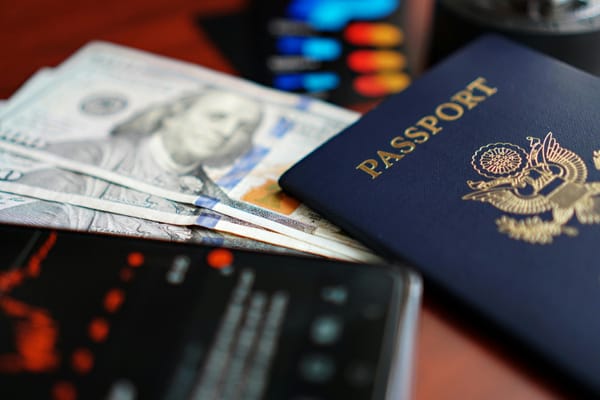
Passport renewal scams use fake government websites, sponsored search results, phishing emails, and misleading ads to trick travelers into paying unnecessary fees or handing over sensitive personal information. These sites often look official, using government-style logos, seals, and language to appear legitimate. In some cases, they simply overcharge for services you can do yourself; in others, they’re designed to steal your identity or payment details. To stay safe, always start your passport application or renewal through your government’s official website instead of clicking links in emails or search ads.
Key takeaways
- Passport scammers create convincing websites and ads that imitate official government passport services.
- Many fake sites charge extra fees for free forms or collect personal and financial information for identity theft.
- Always type your government’s official passport website directly into your browser instead of relying on search ads or links in unsolicited emails.
- If you receive a suspicious passport renewal email, text, or website, use Bitdefender Scamio to check whether it’s legitimate before sharing personal information.
Has your passport expired? With international travel in full swing, nothing can ruin your plans and vacation than falling for victim to scams while rushing to renew your passport.
The Better Business Bureau (BBB) is urging travelers to beware of fraudulent passport renewal websites that trick users into paying bogus fees and exposing their personally identifiable information and financial data.
How the Online Passport Renewal Scam Works
Here’s a scenario for you – a real one. You search online for “passport renewal,” and a professional-looking site appears at the top of your results (and yup, it can even be “sponsored”). It looks very official, and the URL can even resemble a government website. such as “passportrenewal-state.com” or “usgovpassport.com.”
Here’s what happens next:
- You’re guided through a form asking for sensitive personal information—name, date of birth, Social Security Number, home address, and more.
- You’re prompted to pay a fee, often called a “processing fee” or “application fee,” typically ranging from $60 to $120.
- After payment, you’re emailed a PDF of the completed form—but then told you still need to submit payment to renew your passport through the US government.
By this point, many victims realize they’ve paid simply to fill out a free form—and may have handed their data to scammers. Victims have reported their experiences to the BBB Scam Tracker, sharing how these fake sites mimicked the look and feel of state.gov pages.
“I assumed it was the official site because it resembled it completely, including the URL. I only realized later it was state.com, not state.gov.”
— Consumer report from BBB Scam Tracker
And here’s another consumer report:
“I went online to renew my father's passport. I inputted all his personal information and was charged 68.00--this company is posing as a government agency and scamming people."
How to Renew Your Passport Safely
Start with the official source: travel.state.gov
The government website is where you’ll find everything you need to know about passport renewals, including eligibility, forms, fees, processing times, and online renewal access.
Never pay to fill out a form
While passport renewals require a fee, filling out the form is always free. If a site charges you just to complete a form or download it, it’s likely a scam, or at best, a deceptive third-party service.
Watch for misleading URLs
Government websites always end in .gov. Scammers create lookalike domains that end in .com, .org, or other extensions. Always double-check the full URL and use tools like Bitdefender Link Checker to instantly verify if a site is safe before you click.
Ask Scamio if something looks suspicious
Not sure if the passport website you found is legitimate? Bitdefender Scamio is a free AI-powered scam detection assistant that can analyze suspicious messages, links, or emails. Just send it the website or email and ask, “Is this a scam?” Scamio will help you decide before you hand over any personal info.
Plan ahead
Passport processing times vary, and many travelers panic when deadlines loom. Scammers prey on this urgency. Avoid falling for "fast-track" promises by applying early and checking the latest timelines on travel.state.gov.
Be cautious with third-party sites
Some passport assistance companies are legitimate, but many are not. Always verify the company through BBB.org or the BBB Scam Tracker. Even legit companies cannot speed the government process up any faster than you can on your own.
Protect Your Personal Information
If you’ve already submitted your information to a suspicious site:
- Monitor your financial accounts for unauthorized charges.
- Freeze your credit or place a fraud alert if personal data like your SSN was submitted.
- Report the scam to the Federal Trade Commission and BBB Scam Tracker.
Frequently asked questions (FAQs)
Can someone do something with my passport details?
Yes. Passport details are valuable to criminals because they can be used to commit identity theft, open fraudulent accounts, bypass identity verification checks, or support other scams. While passport information alone isn’t always enough to impersonate you completely, it becomes much more dangerous when combined with other personal details such as your address, date of birth, or financial information.
Can someone steal my identity if they have a picture of my passport?
Yes, it’s possible. A photo of your passport can be used to impersonate you during online identity checks, apply for services fraudulently, or build a more convincing identity theft profile. The risk is higher if the scammer also has other personal information. If you believe your passport image has been compromised, monitor your financial accounts, watch for signs of identity theft, and report the incident to the appropriate authorities in your country.
What should you do if you’ve given your passport details to a scammer?
Act quickly. Contact your country’s passport authority to report the incident and ask whether your passport should be replaced. Monitor your bank accounts and credit reports for suspicious activity, change passwords on affected accounts, and enable two-factor authentication where possible. If you also shared payment information, contact your bank immediately. Keep an eye out for phishing emails or phone calls, as scammers may use your personal information to target you again.
tags
Author

Alina is a history buff passionate about cybersecurity and anything sci-fi, advocating Bitdefender technologies and solutions. She spends most of her time between her two feline friends and traveling.
View all postsYou might also like
Bookmarks
