What to do if you lose a business laptop or phone while traveling

June 12, 2026
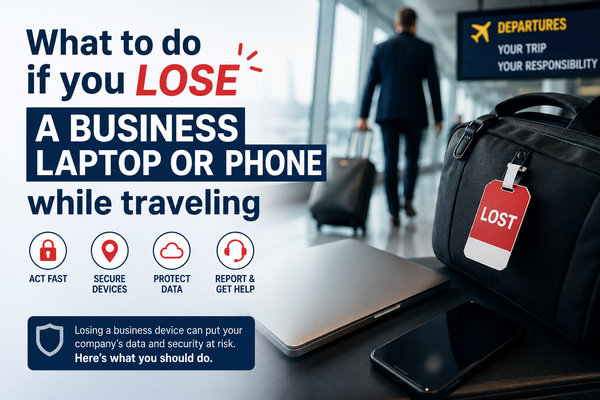
Losing a business laptop or phone while traveling isn't just an unexpected inconvenience or cost. That device may contain customer information, business emails, financial records, saved passwords, contracts, social media accounts, and access to the systems you rely on every day.
The steps you take during the first few hours can help protect your accounts, data, and business.
Key Takeaways:
- A lost business device can expose emails, passwords, customer data, and business accounts.
- Use another trusted device immediately to locate, lock, or secure the missing phone or laptop.
- Change important passwords and revoke active sessions as soon as possible.
- If the device cannot be recovered, remotely wipe it to protect sensitive business information.
- Preparing before you travel can significantly reduce the impact of a lost or stolen device.
Steps to take if you lose your business laptop or phone
A lost business device can expose far more than the files stored on it. Depending on how you work, it may provide access to customer information, business email, financial accounts, cloud storage, social media profiles, and other systems your business relies on every day.
That's why it's important to act quickly. Before you begin, use another trusted device. If you've lost your laptop, use your phone. If you've lost your phone, use your laptop. If both are missing, borrow a trusted device and start securing your most important business accounts immediately.
Step 1: Try to locate the device immediately
Contact the airline, hotel, taxi company, conference organizer, or venue where you last used the device. Many lost devices are simply misplaced rather than stolen.
If location services were enabled, use:
- Find My on Apple devices
- Find My Device on Android devices
- Device tracking features available through your business management platform
If the device appears nearby, avoid putting yourself at risk by confronting a suspected thief. Contact local authorities if necessary.
Step 2: Lock the device remotely
If you cannot recover the device quickly, lock it remotely. Most smartphones and laptops allow you to lock the device and display a message with your contact information. This prevents anyone who finds the device from accessing its contents while still giving honest people a way to return it.
The sooner you lock the device, the lower the risk of unauthorized access.
Step 3: Change your most important passwords
Even if the device was protected by a PIN, password, fingerprint, or facial recognition, it's safest to assume that sensitive accounts could be at risk.
Start by changing the passwords for your most important business accounts, including your primary email account, Microsoft 365 or Google Workspace, banking and payment platforms, accounting software, cloud storage services, social media accounts, e-commerce platforms, and password managers.
Your business email account should be the first priority. In many cases, it can be used to reset passwords for other services, making it one of the most valuable accounts for criminals to access.
Related: How to Prevent or Recover from A Business Email Compromise (BEC) Attack
Step 4: Revoke active sessions
Many online services allow you to view and remove devices that are currently signed in to your account. If possible, remotely sign out the lost device from your business accounts as soon as possible.
This step is easy to overlook, but it can prevent someone from accessing your accounts through existing login sessions, even if they don't know your password.
Pay particular attention to services such as Google, Dropbox, Slack, social media platforms, cloud storage services, CRM systems, and other business software that may have remained signed in on the missing device.
Related: What to do if your business social media account gets hacked
Step 5: Consider your authenticator apps
If your authenticator app was installed on the lost device, you may temporarily lose access to important business accounts.
Check whether you have:
- Backup authentication codes
- A secondary authentication device
- Alternative verification methods
If not, contact critical service providers as soon as possible to begin account recovery procedures. The sooner you regain control of your authentication methods, the easier it will be to secure the rest of your business accounts.
Step 6: Notify your team
If you work with employees, contractors, or business partners, let them know what happened.
They should be aware that:
- Emails appearing to come from you could be suspicious
- Criminals may attempt impersonation scams
- Unexpected payment requests should be verified
- Sensitive information should not be shared until your accounts are secured
Step 7: Assess whether business or customer data was exposed
Once you've secured your accounts, take a moment to consider what information may have been accessible on the missing device. Could someone view customer information, financial records, contracts, invoices, employee data, or other confidential business documents? Was sensitive information stored directly on the device, or could someone gain access through apps that were already signed in?
The answers will help you understand the potential impact of the incident and determine whether additional action is needed. Depending on the type of information involved, you may also have legal or regulatory responsibilities related to data protection and breach reporting.
Step 8: Report the loss or theft
If the device was stolen, report the incident to the local authorities as soon as possible. While this may not help recover the device, it creates an official record of what happened.
A police report can be useful if you need to file an insurance claim, replace company equipment, meet compliance requirements, or document the incident for your business records. Be sure to keep copies of any reports and reference numbers you receive.
Related: Should Small Business Owners Get Cyber Insurance?
Step 9: Remotely erase the device
If recovery appears unlikely and the device contains sensitive information, consider performing a remote wipe. This removes data from the device and significantly reduces the risk of information falling into the wrong hands.
Make sure important files have been backed up before taking this step.
Related: What happens if you can’t get into your business accounts? The risk of one-person access
If your phone is the device you lost
Many business owners focus on laptops, but a lost smartphone can be even more risky. Your phone may be connected to business email, banking apps, password managers, social media accounts, cloud storage, and authentication apps used to secure other accounts.
For a detailed recovery plan, read: Protect Your Business and Data if Your Phone Is Lost or Stolen.
How to prepare before you travel
The best time to prepare for a lost or stolen device is before you leave home. Many of the recovery steps described above are only possible if you enable the necessary security features in advance.
Before your next trip:
- Enable device encryption on laptops and smartphones.
- Turn on remote location tracking.
- Enable remote lock and remote wipe features.
- Back up important files regularly.
- Use strong passwords and multi-factor authentication.
- Store recovery codes in a secure location.
- Keep your operating system and apps up to date.
- Avoid storing unnecessary sensitive information locally on your devices.
- Use a VPN when connecting to public Wi-Fi networks.
- Make sure your security solution is installed, active, and properly configured before you travel.
Related: 10 ways to secure your small business before going on holiday
How Bitdefender Ultimate Small Business Security can help
Recovering from a lost or stolen business device is much easier when the right security measures are already in place.
If Bitdefender Ultimate Small Business Security is installed and linked to your Bitdefender account, you can sign in to Bitdefender Central from another trusted device and take action immediately. Bitdefender Anti-Theft allows you to remotely locate, lock, or wipe a missing device. For laptops, you can also view the last known IP address and, on supported devices, gather information that may help identify unauthorized access attempts.
If the incident leads to account security concerns, Email Protection helps detect phishing, scam, fraud, and malware threats targeting your business email accounts, while Account Privacy can alert you if your business email addresses appear in known data breaches.
The key is to have these protections enabled before something goes wrong.
You can try Bitdefender Ultimate Small Business Security free for 30 days.
FAQs
What should i do first if I lose my business laptop or phone?
Start by using another trusted device to locate, lock, or secure the missing device. Then change passwords for critical accounts, especially your business email account, and sign out the lost device from active sessions whenever possible.
Can someone access my business accounts if my phone is locked?
A screen lock adds an important layer of protection, but it should not be your only defense. If the device contains saved passwords, email accounts, or authentication apps, it's wise to assume some accounts could be at risk and secure them immediately.
Should I remotely wipe a lost business device?
If recovery appears unlikely and the device contains sensitive business information, a remote wipe can help protect customer data, financial records, and business accounts. Make sure important files have been backed up before taking this step.
What if I lose my business phone overseas?
The same security steps apply whether you're at home or abroad. Use another trusted device to secure your accounts, contact local authorities if theft is suspected, and notify your team if there is a risk of account compromise or impersonation attempts.
Can Bitdefender help me find a lost laptop or phone?
If Bitdefender Anti-Theft is enabled before the device goes missing, you can sign in to Bitdefender Central from another trusted device and remotely locate, lock, or wipe the missing device. Supported devices may also provide additional information that can help you respond to the incident more effectively.
tags
Author

Cristina Popov is a Denmark-based content creator and small business owner who has been writing for Bitdefender since 2017, making cybersecurity feel more human and less overwhelming.
View all postsYou might also like
Bookmarks
