How to tell if a QR code is a scam before scanning it

March 26, 2026
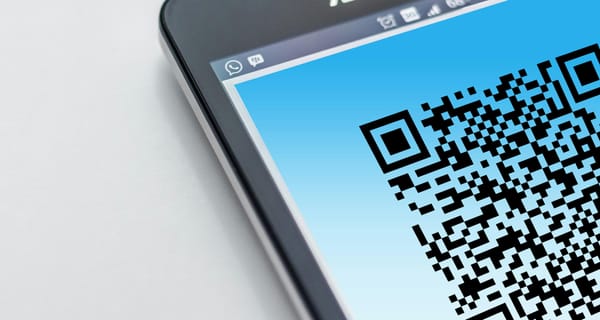
QR codes are everywhere—from menus to payments—but scammers are now weaponizing them in sophisticated ways. These “quishing” attacks hide malicious links behind harmless-looking codes. Knowing how to spot a fake QR code can protect you from phishing, malware, and financial fraud.
Key takeways
- According to Action Fraud, victims lost £3.5 million to QR code scams between April 2024 and April 2025, with reports rising sharply
- You can’t see where a QR code leads before scanning, which makes them easy to abuse
- Parking meters, restaurants, emails, and packages are common scam entry points
- Sticker tampering is a major issue in public spaces
- The real risk comes after scanning, when you’re asked to enter data or make payments
- You can use tools like Bitdefender Scamio to check suspicious QR-related content before interacting
How to Spot Fake QR Codes and Avoid QR Code Scams
You’re standing in a parking lot, in a hurry. You scan a QR code to pay, enter your card details, and move on. Later, you realize the payment never went through … but your bank account was charged.
That’s exactly how QR code scams, also known as “quishing,” work. They rely on speed, convenience, and the fact that most people don’t hesitate to scan.
So how can you tell if a QR code is safe before you scan it?
What is a QR code scam (quishing)?
A QR code scam, or “quishing,” is a type of phishing attack that uses QR codes to
redirect you to:
- Fake payment pages
- Login forms that steal credentials
- Malware downloads
- Subscription traps
Because QR codes hide the destination, they remove one of the biggest warning signs users rely on: checking the link before clicking.
The many faces of QR code scams
QR scams aren’t limited to one scenario. They show up wherever scanning feels normal and expected.
QR code parking scams
This is one of the most common and convincing QR scams.
Here’s how it works:
- Fraudsters place stickers over legitimate QR codes on parking meters
- You scan the code and land on a fake payment page
- You enter your card details, thinking you’ve paid for parking
In reality, your payment details go straight to scammers.
What to watch for:
- Stickers placed over existing QR codes
- Codes that look misaligned or recently added
- Payment pages with strange or unfamiliar URLs
QR code restaurant, Wi-Fi, and public space scams
QR codes became common in restaurants and public places, which makes them easy to exploit.
Scammers may:
- Replace menu QR codes on tables
- Create fake “free Wi-Fi” QR codes
- Redirect users to phishing pages asking for login details
Because scanning feels routine in these settings, people rarely question it.
QR codes in crypto scams and fake YouTube streams
QR codes are also increasingly used in crypto-related scams, especially on platforms like YouTube.
One common tactic involves hijacked or fake livestreams impersonating well-known figures, like Elon Musk or major crypto brands. These streams promote “limited-time” crypto giveaways and display QR codes for viewers to scan.
Here’s how the scam works:
- You’re told to scan a QR code to participate in a “crypto doubling” offer
- The code leads to a wallet address or a fake platform
- You’re instructed to send cryptocurrency with the promise of receiving double in return
Of course, nothing is sent back.
These scams often rely on a sense of urgency and social proof, with thousands of fake viewers and professional-looking streams to appear legitimate.
This tactic is closely tied to stream-jacking attacks, where attackers take over YouTube accounts to broadcast fraudulent crypto campaigns. We’ve covered how these attacks work in detail here.
QR code emails and online scams
QR codes are now showing up in emails, messages, and even ads.
Instead of a clickable link, you’re asked to scan a code to:
- Verify an account
- Reschedule a delivery
- Fix a “security issue”
This tactic works because QR codes can bypass traditional email security filters and feel less suspicious than links.
QR code brushing scams (unexpected packages)
A newer and more surprising variation involves unexpected deliveries.
You receive a package you didn’t order. Inside is a note asking you to scan a QR code to:
- Identify the sender
- Claim a reward
- Confirm delivery
This is often a twist on a brushing scam.
Instead of just sending items to inflate reviews, scammers now use QR codes to:
- Lead victims to phishing pages
- Collect personal or financial information
- Deliver malware
If you receive an unsolicited package with a QR code, treat it with caution.
How to tell if a QR code is suspicious
You won’t always spot a fake instantly, but there are warning signs.
Be cautious if:
- The QR code is placed as a sticker over another one
- You’re immediately asked for payment or sensitive information
- The website URL looks unusual, shortened, or unrelated
- The situation creates urgency (“Pay now,” “Act immediately”)
The safest mindset is simple:
Don’t trust the context blindly — verify the destination.
A smart way to check QR codes before you trust them
If you’re unsure, you don’t have to guess.
You can use Bitdefender Scamio to check suspicious situations before taking action.
For example:
- Take a screenshot of the QR code or the page it opens
- Send it to Scamio and ask if it looks safe
It’s a quick way to get a second opinion before sharing personal or financial information.
What to do if you've scanned a malicious QR code
If you think you’ve interacted with a fake QR code, quick action can make a big difference.
If you entered payment details
Contact your bank immediately. Ask them to monitor or block your card and watch for suspicious transactions.
If you entered login credentials
Change your password right away and enable two-factor authentication. Check your account for unusual activity.
If you downloaded something
Delete the file and run a full security scan on your device. Some QR scams are designed to install malware silently.
If nothing happened (yet)
Be careful. Clear your browser data and monitor your accounts. Some scams don’t act immediately.
Report the scam
Reporting helps prevent others from falling victim. You can contact your local fraud reporting authority or consumer protection agency.
FAQs
How to check if a QR code is legit?
Inspect the code before scanning. If it looks tampered with or out of place, avoid it. After scanning, always verify the website URL before entering any information. If in doubt, use tools like Bitdefender Scamio to double-check.
How can scanning a QR code be a scam?
Scanning a QR code can redirect you to malicious websites that steal your personal, financial, or login information. Some pages imitate real services, while others may attempt to install malware.
What does a fake QR code look like?
There’s no universal appearance. However, fake QR codes are often:
- Printed on stickers placed over legitimate ones
- Slightly misaligned or tampered with
Found in unexpected or unusual places
tags
Author

Alina is a history buff passionate about cybersecurity and anything sci-fi, advocating Bitdefender technologies and solutions. She spends most of her time between her two feline friends and traveling.
View all postsYou might also like
Bookmarks
