Bitdefender Labs warns hotels of phishing campaign impersonating guests and Booking.com

August 12, 2026
Cybercriminals are increasingly attacking both sides of the hospitality industry. In June, Bitdefender warned about WhatsApp hotel phishing scams targeting travelers, with criminals using stolen or compromised booking information to impersonate hotels and trick guests into making fake payments.
Now, Bitdefender Antispam Lab is seeing new waves of attacks aimed at accommodation providers themselves. Instead of targeting guests, these campaigns impersonate prospective customers and Booking.com notifications to trick hotel employees into opening malicious links or installing malware.
Key takeaways
- Bitdefender Antispam Lab researchers have identified two phishing campaigns targeting hotels and other accommodation providers during peak travel season.
- One campaign impersonates prospective guests requesting help with reservations and tries to lure hotel staff to malicious websites under the pretext of reviewing payment or identity documents.
- A second campaign impersonates Booking.com notifications, claiming guests have sent messages, canceled reservations, requested invoices, or need special assistance.
- Booking.com-themed emails ultimately lead to a ClickFix attack designed to trick employees into running malicious PowerShell commands that install malware on hotel computers.
Campaign 1: Fake hotel reservation requests
The first campaign impersonates prospective guests looking to book a room.
The email appears perfectly ordinary. A supposed traveler claims they are unable to complete a reservation on the hotel's website and politely asks staff to finalize the booking manually. According to Bitdefender Antispam researcher Viorel Zavoiu, the campaign primarily targets hotels and other accommodation providers in the UK, followed by Vietnam, Italy, Ireland, and the United States.
One example observed by Bitdefender reads:
“Hello Reservations Team,
My name is [redacted], and I'd like to book a standard double room for two adults for any two consecutive nights in August after the 10th, subject to your availability.
Unfortunately, I encounter an error each time I try to finalize the reservation on your website. Could you please assist me in securing the room manually?
I have already provided my credit-card details for the deposit and uploaded a scanned copy of my ID. You can view it here...”
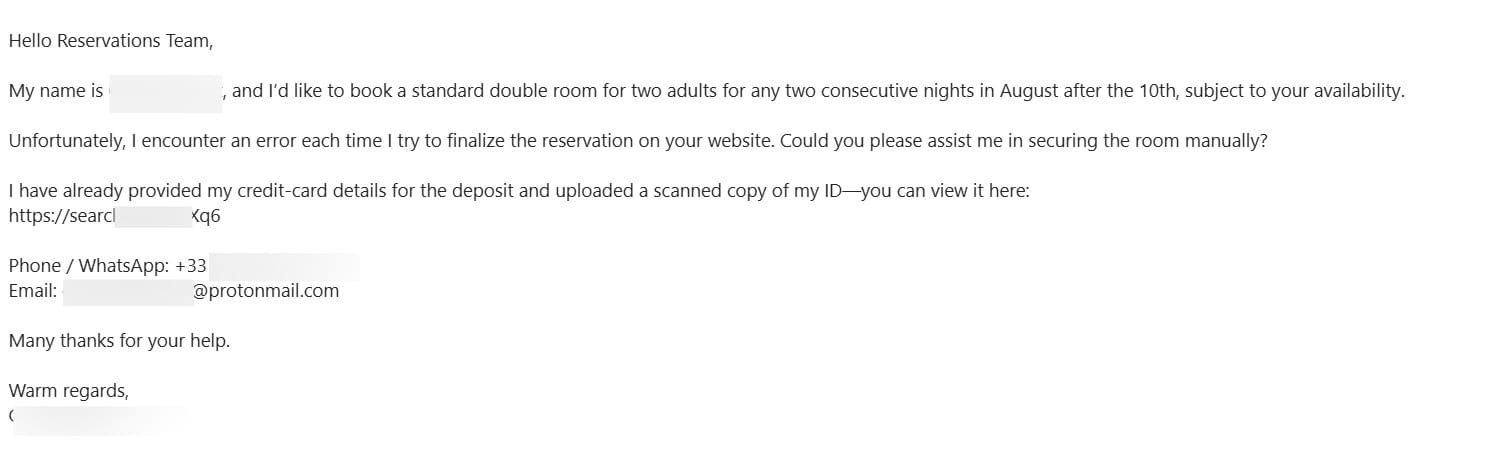
Instead of attaching documents, however, the sender includes a link to an external website that supposedly contains their identification and payment details.
The objective is to persuade hotel staff to leave their normal reservation workflow and open a malicious webpage. Depending on the attack, the website may try to steal login credentials, deliver malware, or both.
Although the email looks professional, there are several warning signs:
- Requests to open documents hosted on external websites
- Claims that the hotel's booking system isn't working
- Requests to complete reservations outside the hotel's normal booking platform
- Unexpected links instead of attached documents
Campaign 2: Fake Booking.com guest messages deliver malware
The second campaign is even more dangerous.
Instead of posing as a traveler, attackers impersonate Booking.com using emails that closely resemble legitimate guest notifications. Based on Bitdefender telemetry, the largest number of targeted businesses were located in Switzerland and the UK.
The messages claim that guests have contacted the property and encourage hotel employees to click a button to read or respond.
Common subject lines observed include:
- Guest inquiry received
- Guest canceled and is expecting a reply
- Guest awaiting your reply
- A guest canceled their reservation
- Multiple messages without reply
- Reservation update and new message
- Guest messages require your attention
- New conversation from a guest
- Guest message waiting for your reply
- Time-sensitive guest question
The emails themselves look entirely routine.
Canceled reservation
Good day, I canceled my reservation and would like to confirm that everything is processed correctly.
Invoice request
Hello, I would like to request an invoice for my stay. Could you please send it after checkout? Thank you.
Follow-up message
Hello, I sent a few messages earlier but didn't hear back. Please respond when possible.
Attackers also impersonate guests asking perfectly reasonable questions about special accommodations.
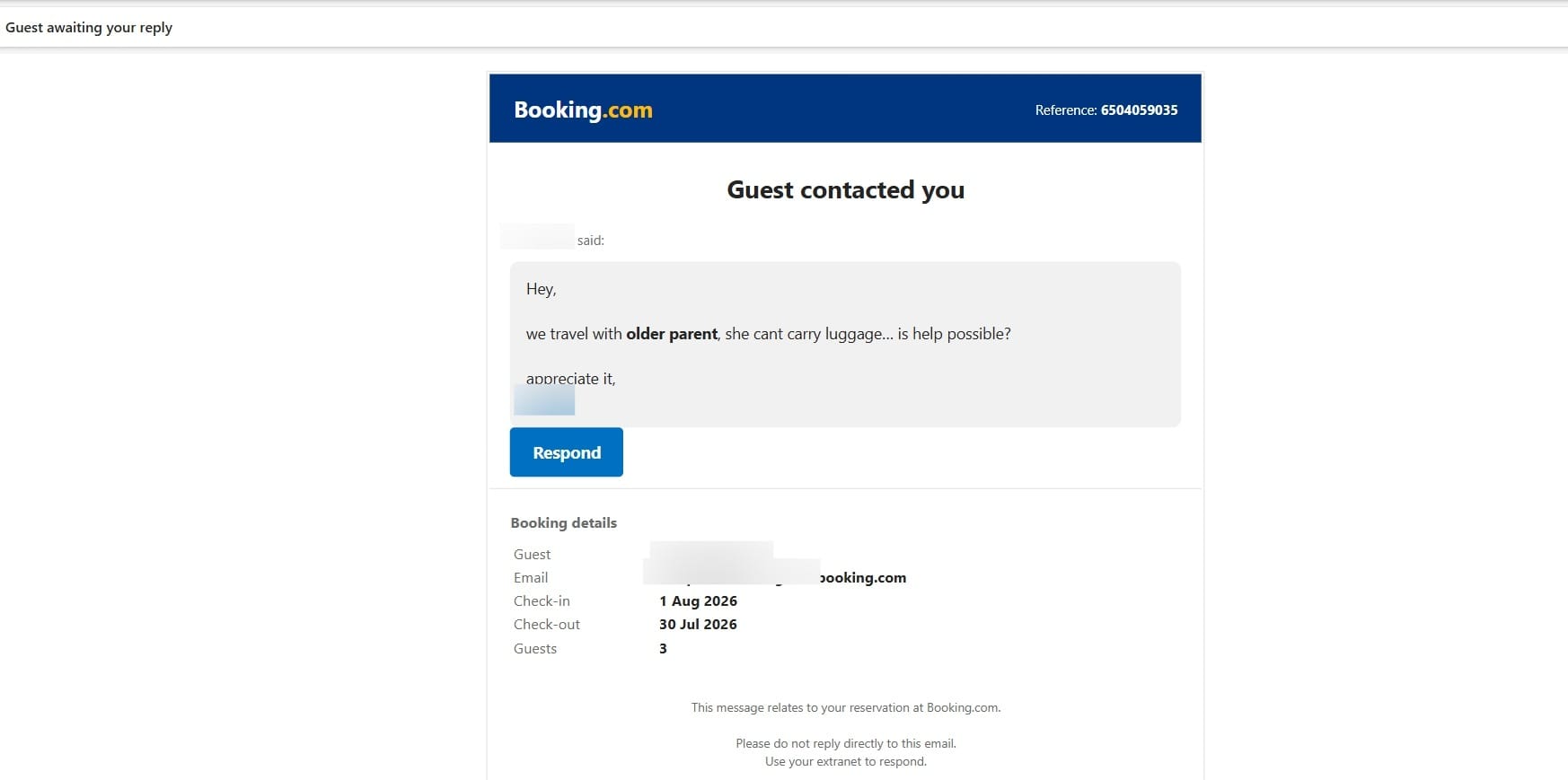
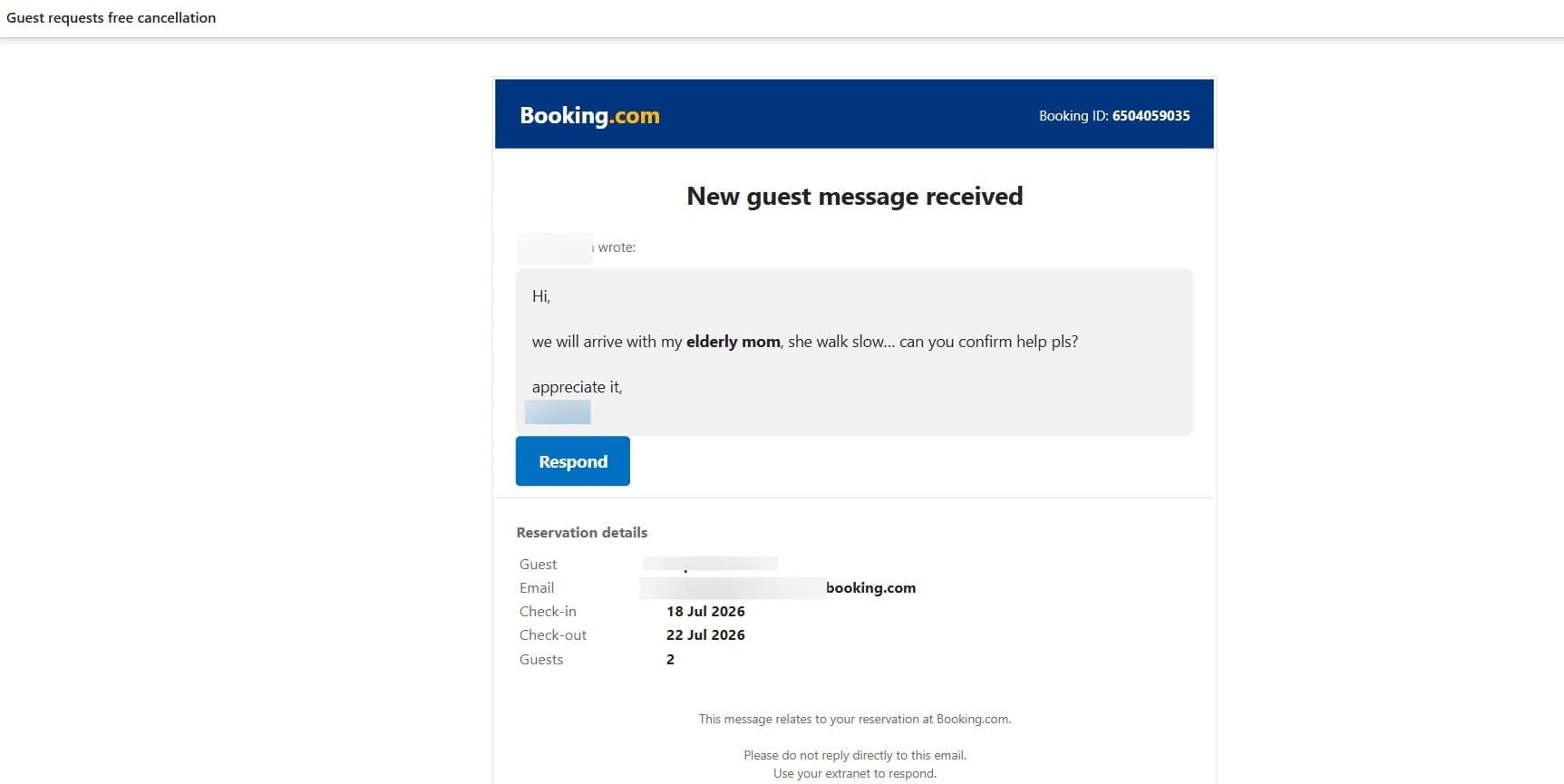
Traveling with an elderly parent
“We travel with older parent, she can't carry luggage... is help possible?”
or
We will arrive with my elderly mom, she walk slow... can you confirm help pls?
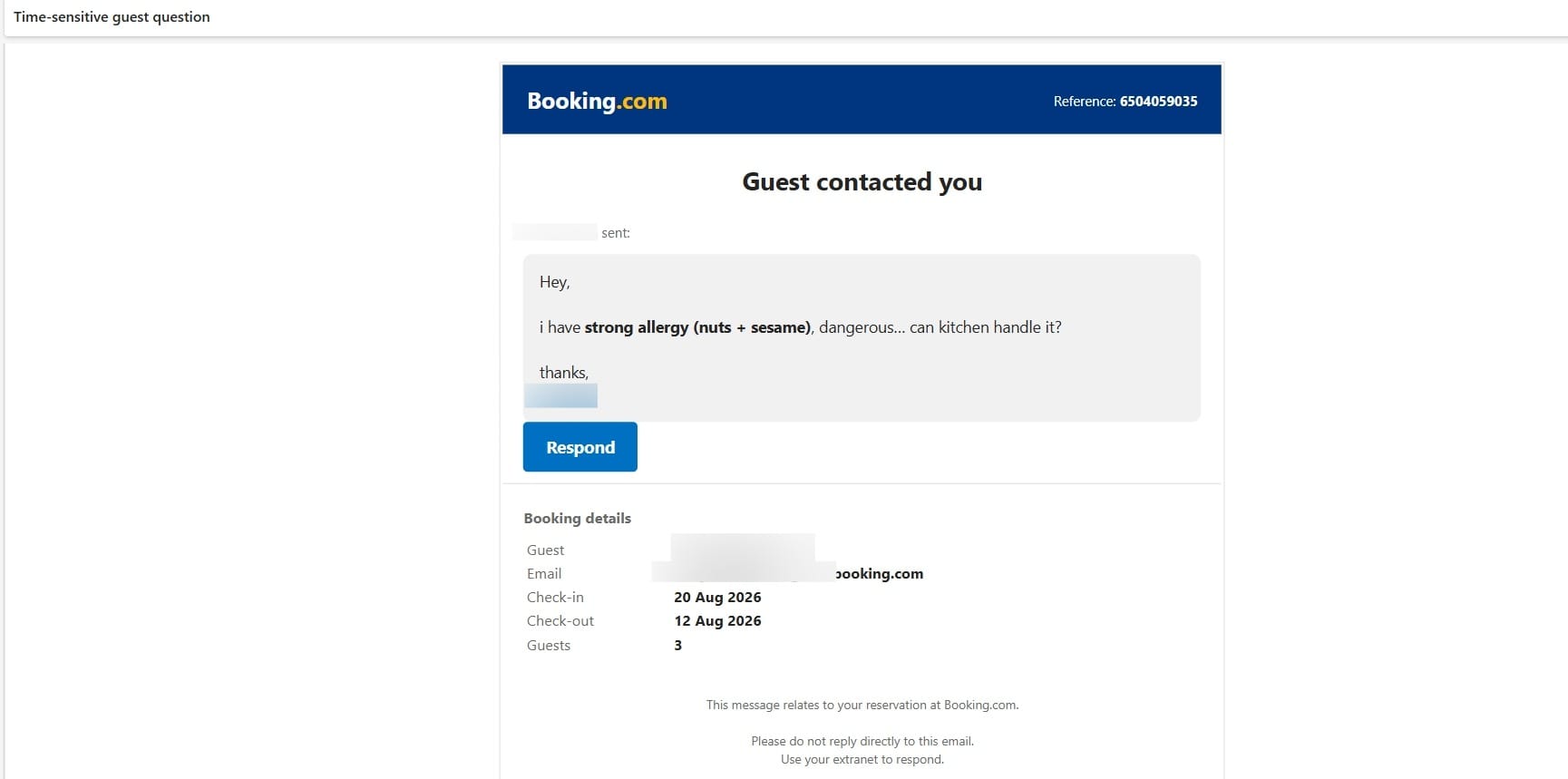
Severe food allergy
I have strong allergy (nuts + sesame), dangerous... can kitchen handle it?
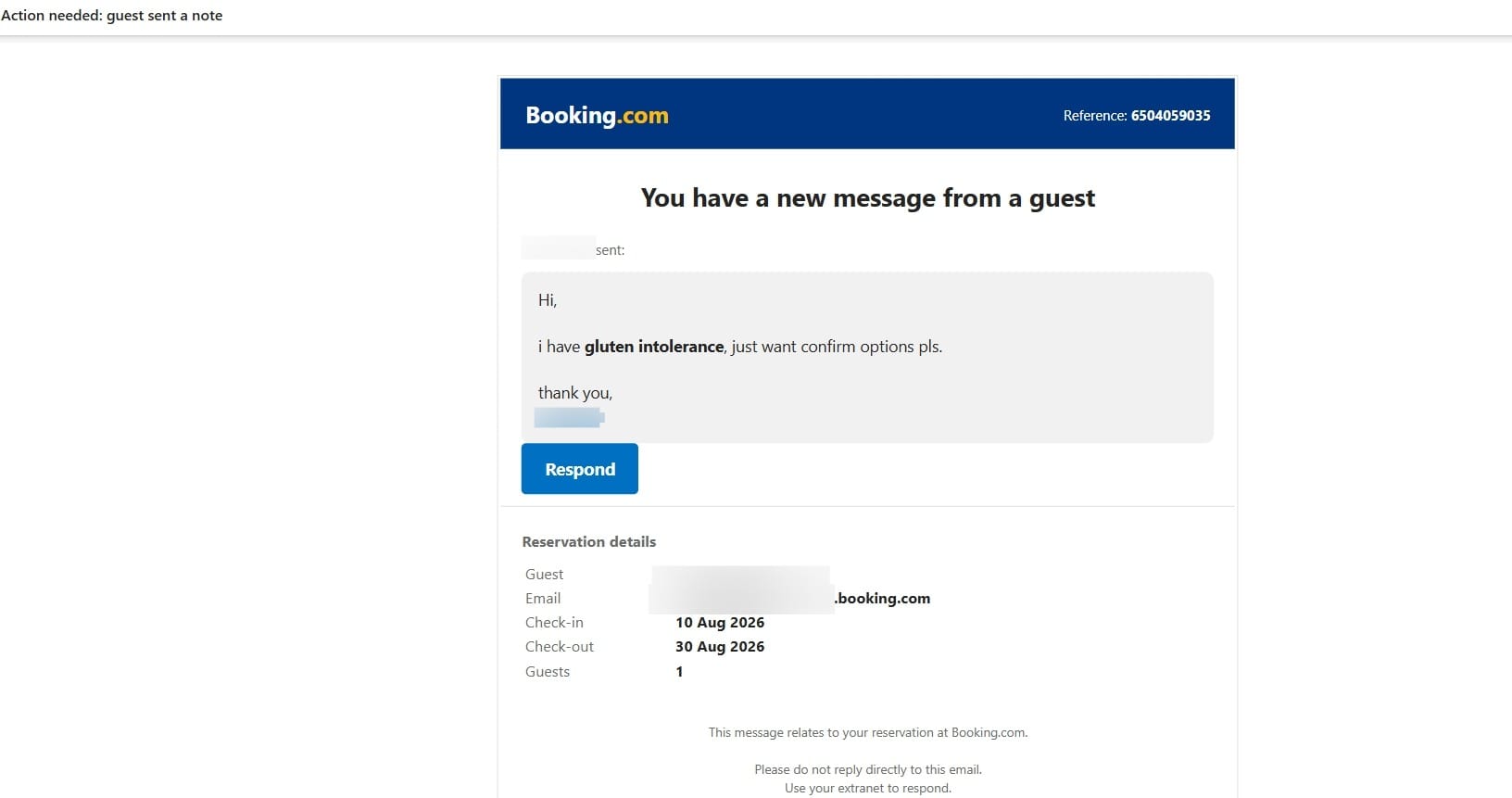
Gluten intolerance
I have gluten intolerance, just want confirm options pls.
Cleaning chemical allergy
One guest have allergy to cleaning chemicals, last time was problem... hope possible fix this?
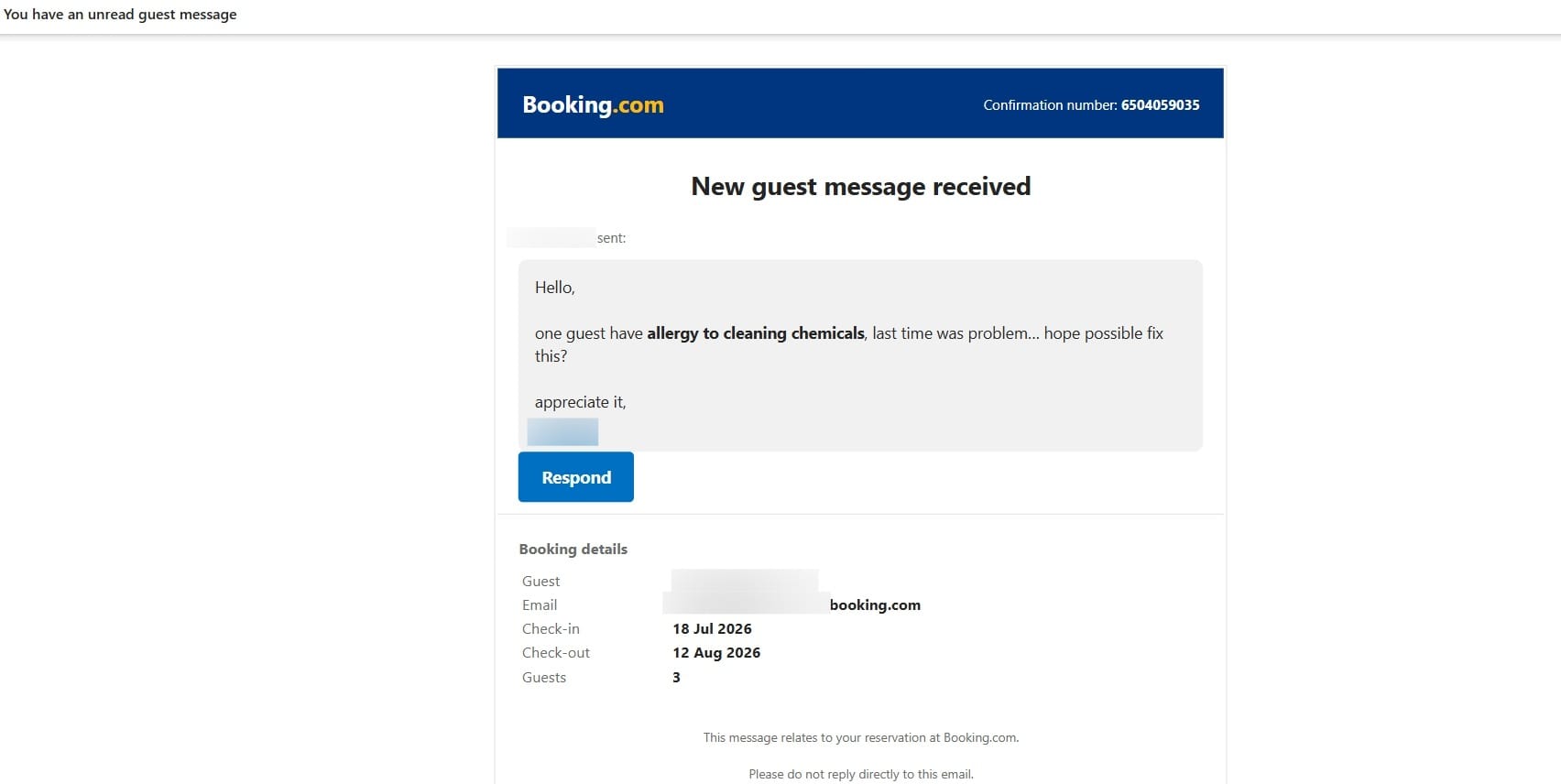
These requests are designed to lower suspicion because hotels regularly receive questions about accessibility, dietary requirements, allergies, invoices, and cancellations. Additionally, some fake notifications contain basic inconsistencies, including impossible reservation dates in which the listed checkout date comes before check-in. These mistakes may be easy to miss when staff are busy, but they can help expose a fraudulent message.
According to Bitdefender researchers, the attack chain works like this:
- The employee opens a fake Booking.com notification.
- Clicking the Reply or Respond button redirects through an intermediary page before loading a malicious website impersonating Booking.com.
- The victim is shown what appears to be a Booking.com verification page followed by a fake CAPTCHA.
- The fake verification instructs the user to press Windows + R, paste clipboard contents, and press Enter.
- The clipboard secretly contains a PowerShell command that downloads and runs malware.
This technique is known as ClickFix. Instead of exploiting software vulnerabilities, it tricks people into infecting their own computers by following fake verification instructions.
Why this is a serious risk for hotels
A malware infection can spread far beyond a single computer.
ClickFix attacks are commonly used to deliver information stealers, remote access trojans (RATs), and malware that downloads additional malicious software.
For hotels and other accommodation providers, that can lead to serious business disruption. Once attackers gain a foothold inside the network, they may be able to:
- Steal employee usernames and passwords
- Gain access to Booking.com or other reservation platform accounts
- Collect customer information stored on hotel computers
- Remotely access employee devices
- Spread malware to other computers on the network
- Install additional malware, including ransomware
A single employee clicking one malicious email can quickly become a business-wide security incident, potentially disrupting operations, exposing guest information, and leading to financial losses.
How hotels can stay protected
A combination of employee awareness and layered protection can significantly reduce the risk of phishing and malware attacks.
Reservation teams, front-desk employees, and managers should know that cybercriminals increasingly disguise malware as routine communications from guests. Encourage employees to slow down before clicking links, verify unusual requests through the official Booking.com Extranet or other reservation platforms, and remember that legitimate websites never ask them to press Windows + R, paste commands into the Run dialog, or execute PowerShell commands to verify their identity.
Additionally, staff handling guest correspondence or booking platforms should carefully review the mentioned booking dates for inconsistencies (such as a checkout date that comes before check-in), as this may indicate that your property is targeted by cybercriminals.
Regular cybersecurity awareness training is equally important. Employees should know how to recognize phishing emails, suspicious links, and social engineering tactics before they become security incidents. We recently explored this topic in How Employees Can Get Your Small Business Hacked, highlighting how a single mistake can put an entire business at risk.
Technology is the second layer of defense.
[Recommended Solution]
Bitdefender Ultimate Small Business Security is designed for small businesses, including hotels, guesthouses, vacation rentals, restaurants, and other hospitality businesses that may not have dedicated IT staff.
It helps businesses:
- Protect Windows PCs, Macs, Android phones, and iPhones against phishing, scams, ransomware, malicious websites, malware, and other online threats.
- Manage security from one easy-to-use dashboard, allowing you to quickly see which devices are protected and identify any issues that need attention.
- Deploy protection remotely, making it easy to secure devices used by employees working across multiple properties or from different locations.
- Stay protected automatically with real-time threat detection and automatic security updates, reducing the need for constant manual maintenance.
- Simplify security by combining endpoint protection with a password manager, VPN, digital identity monitoring, and scam protection in one solution instead of juggling multiple separate tools.
For very small hotels and accommodation providers, this means spending less time managing security and more time focusing on guests.
Note: This article is published for informational and educational purposes only. The section titled “[Recommended Solution]” contains promotional content about Bitdefender products. The information presented is based on technical research conducted by Bitdefender Labs and publicly available sources. Bitdefender does not make any legal determination regarding the activities described herein. The mention of any company, brand, domain, or individual does not constitute an accusation of illegal activity. Booking.com® is a registered trademark of Booking.com B.V. Readers should exercise their own judgment and consult appropriate authorities or legal counsel if they believe they have been affected by any of the activities described. Domain names and URLs listed in this article are provided solely to help consumers and security professionals identify potentially harmful infrastructure. Bitdefender disclaims any liability for actions taken based on the information in this article.
tags
Author

Alina is a history buff passionate about cybersecurity and anything sci-fi, advocating Bitdefender technologies and solutions. She spends most of her time between her two feline friends and traveling.
View all postsYou might also like
Bookmarks
