How Account Takeovers Hurt Small Hospitality Businesses, And How to Protect Your Bookings

February 27, 2026
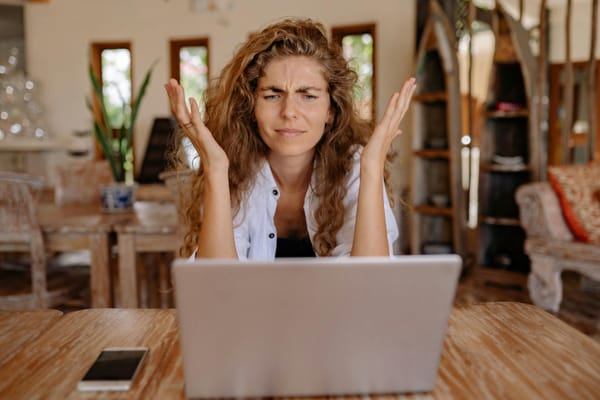
In hospitality, bookings are your cash flow, your payroll, your rent, your next supplier payment. Whether you run a small hotel, a guesthouse, a few Airbnb apartments, a restaurant, a tour company, or a beauty salon, your business lives inside digital platforms. Reservations arrive through Booking.com or Airbnb, guests message you on Instagram, and confirmations go out by email.
Your calendar, your inbox, and your booking accounts are your front desk.
And if someone takes control of one of those accounts, whether personal or business, they can effectively pause your business until you regain access.
How Account Takeovers Actually Happen in Hospitality
An account takeover means that someone gains access to your business account and locks you out. They change the password, sometimes replace the recovery email or phone number, and take control. From there, they can cancel bookings, send fake payment instructions to guests, redirect deposits, change prices, block your calendar, or simply hold the account hostage while you scramble to regain access.
In most cases, an account takeover starts with:
• A phishing email that looks legitimate
An email appears to come from Booking.com, Airbnb, or your payment provider. It mentions a payout issue, a pending guest message, or a verification request. It feels urgent. If you log in and enter your credentials, they are instantly captured.
• Reused passwords exposed in past data breaches
If the same password is used across multiple accounts, criminals can test it automatically on booking platforms and email accounts. This is called credential stuffing. You don’t even have to click anything for it to work.
• Shared access within small teams
Login details are sent over WhatsApp during a busy week. A seasonal employee needs quick access. A former collaborator is never removed from the system. One shared password becomes multiple uncontrolled entry points.
• Unprotected email accounts
Email is often the real target. Once someone controls your inbox, they can reset passwords for booking platforms, social media accounts, and payment systems. From there, changing recovery details and locking you out takes minutes.
• Access from multiple personal devices
Booking dashboards opened from personal phones, home laptops, and public Wi-Fi networks increase exposure. One infected or outdated device is enough.
Related: What Is Account Takeover (ATO) And How to Protect Against It
Small Hospitality Businesses Are Especially Vulnerable And They Pay a High Cost
The constant pressure small businesses operate under makes it easier to react before verifying. Small teams often share access, log in from multiple devices, and rarely review permissions once everything seems to be working. Public listings and ongoing guest communication give attackers enough detail to convincingly impersonate you or the platforms you use. And without a dedicated IT team to flag suspicious activity or train employees, it’s difficult to stay both responsive and vigilant.
The impact of an account takeover is immediate and practical. Reservations can be altered, guests lose confidence, and your reputation can suffer quickly — especially if customers believe the suspicious messages came from you. Platform visibility may drop during investigations, and even short disruptions can mean lost revenue, refund requests, and hours spent fixing damage instead of serving guests.
Related:
- 8 Off-Season Scams Targeting Tourism Businesses, Cafés, Restaurants, and Rentals
- Review Bombing Attacks: Don’t Pay the Ransom, Protect Your Business From What Might Come Next
How Small Hospitality Businesses Can Reduce the Risk of Account Takeover
Protection does not have to be complicated, but it does have to be consistent.
• Secure your email first
Your email is the key to almost every other account. Use a strong, unique password and enable multi-factor authentication. Avoid reusing the same password across booking platforms, social media, and email. If someone gains access to your inbox, they can reset everything else within minutes.
Related: How to Prevent or Recover from A Business Email Compromise (BEC) Attack
• Lock down your booking platforms
Turn on two-factor authentication everywhere it is available. Avoid sharing credentials between team members. If someone leaves your business, remove their access immediately. Even small teams need clear boundaries around who can log in, from which devices, and for what purpose.
Related: Fake Signups Are on the Rise — Here's What Small Business Owners Should Know
• Create simple security rules for your team
Even if you only have one or two collaborators, set clear habits. No logging in through links sent by email. If a message claims to be from a booking platform, type the official website directly into the browser. Encourage a short pause before reacting to urgent payment or verification requests.
• Protect the devices managing your bookings
Keep laptops and phones updated. Avoid accessing dashboards over public Wi-Fi. Use reliable security software that can detect phishing attempts, block malicious links, and alert you if your credentials appear in a data breach.
Related: Small Business Security Starter Kit: The Tools You Need and Why
Bitdefender Ultimate Small Business Security is built for small teams. It protects devices, filters suspicious emails, detects scam attempts, and monitors for exposed credentials.
That kind of layered protection reduces the chance that one mistaken click turns into a fully booked week suddenly wiped out.
Securing your business means protecting your bookings, your reputation, and the trust guests place in you every time they click “Reserve.”
Try Bitdefender Ultimate Small Business Security for free for 30 days.
tags
Author

Cristina Popov is a Denmark-based content creator and small business owner who has been writing for Bitdefender since 2017, making cybersecurity feel more human and less overwhelming.
View all postsYou might also like
Bookmarks
