What Is a Mobile Hotspot and Is It Safe from Hackers?

April 27, 2026
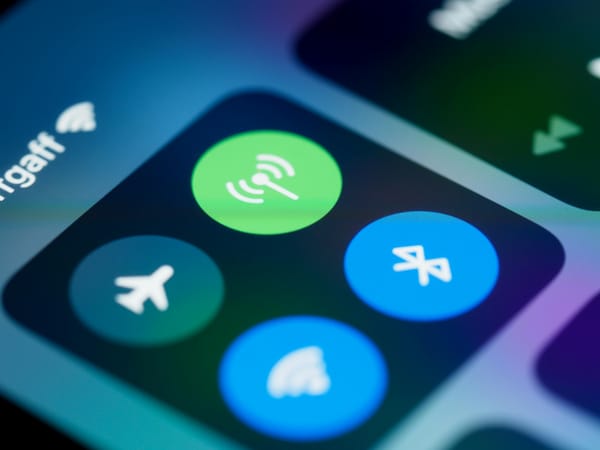
With just a few taps, you can turn your phone into a mobile hotspot and connect your laptop or tablet. It’s quick, convenient, and easy to rely on when Wi-Fi isn’t available.
But how safe is it, really?
Mobile hotspots are incredibly useful, especially when you’re working or traveling. Still, like anything connected to the internet, they come with a few risks worth understanding.
In this article, you’ll learn what a mobile hotspot is, how hotspots work, and what you can do to stay safe while using one.
Key takeaways:
- A mobile hotspot turns your phone into a portable Wi-Fi network
- It’s usually safer than public Wi-Fi, but not risk-free
- Strong passwords and basic security habits matter
- A VPN adds an extra layer of protection, especially for work or sensitive data
What is a mobile hotspot?
A mobile hotspot is a feature that lets your smartphone share its internet connection with other devices. Instead of connecting your laptop to a Wi-Fi network in a café or airport, you connect it to your phone. Your phone uses mobile data (4G or 5G) and turns it into a private Wi-Fi network.
In simple terms, your phone becomes a small, portable router.
You can use a mobile hotspot to work remotely when there’s no Wi-Fi available, avoid public networks in places where security might be a concern, or connect multiple devices like your laptop or tablet at the same time.
How do hotspots work?
When you turn on your hotspot, your phone connects to your mobile network through your carrier and, at the same time, creates a Wi-Fi network that other devices can join.
In practice, this means your phone becomes the link between the internet and your devices. It receives data through mobile networks like 4G or 5G and shares it as Wi-Fi with your laptop, tablet, or other devices.
That’s also why hotspots are often safer than public Wi-Fi. Unlike networks in cafés or airports, your hotspot isn’t open to everyone around you—you control who can connect.
Related: What can someone do with your IP address?
How to use a mobile hotspot
Setting up a mobile hotspot takes less than a minute.
On iPhone:
· Go to Settings
· Tap Personal Hotspot
· Turn on Allow Others to Join
· Set or check your Wi-Fi password
On Android:
· Go to Settings
· Tap Connections
· Tap Hotspot & tethering
· Turn on Wi-Fi hotspot
Once it’s on:
· Open Wi-Fi on your laptop or tablet
· Select your phone’s network name
· Enter the password
That’s it—you’re connected.
What are the risks of using a mobile hotspot?
Mobile hotspots are generally safer than public Wi-Fi, but they’re not completely risk-free. They give you a private connection, which already reduces many of the risks you’d face on public Wi-Fi. You control who connects, the network is password-protected, and most modern phones use encryption like WPA2 or WPA3.
Still, there are a few risks worth keeping in mind:
· Weak or shared passwords. If your hotspot password is easy to guess—or if you share it with others—someone nearby could connect without you realizing it.
· Unencrypted websites. If you visit websites that don’t use HTTPS, your data can still be exposed, even when you’re using a hotspot.
· Device vulnerabilities. If your phone or laptop isn’t updated, hackers may exploit known security gaps.
· Data tracking by your provider. Your mobile carrier can still see your activity, even if other people on the network can’t.
Related: Proxy vs VPN: What’s the real difference & which one is safer?
How to use a mobile hotspot safely
A few small steps can make a big difference when it comes to staying safe on a mobile hotspot.
- Use a strong password. Avoid simple passwords like “12345678” or your name. Go for a mix of letters, numbers, and symbols.
- Turn it off when not in use. Leaving your hotspot on all day increases your exposure. Switch it off once you’re done using it.
- Limit connected devices. Only allow devices you trust to connect to your hotspot.
- Keep your phone updated. Security updates fix vulnerabilities that hackers often rely on.
- Avoid sensitive actions on unknown devices. Even on a hotspot, logging into banking or business accounts on shared or unfamiliar devices can be risky.
- Use a VPN with your hotspot. A VPN adds an extra layer of protection by encrypting your internet traffic, hiding your IP address, and reducing tracking by your internet provider. It also helps secure your connection if something goes wrong.
Combining a mobile hotspot with a VPN gives you one of the safest ways to stay connected when you’re on the go. Get Bitdefender Premium VPN and add a simple layer of protection to everything you do online.
FAQs
What is a mobile hotspot used for?
A mobile hotspot lets you share your phone’s internet connection with other devices, like a laptop or tablet, when Wi-Fi isn’t available.
How do hotspots work?
They use your phone’s mobile data (4G or 5G) to create a Wi-Fi network that other devices can connect to.
Is a mobile hotspot safer than public Wi-Fi?
Yes, in most cases. It’s a private, controlled connection, which reduces many of the risks you get on shared public networks.
Can hackers access your hotspot?
It’s possible, but unlikely if you use a strong password, keep your device updated, and avoid sharing access with others.
Are mobile hotspots safe from hackers?
Mobile hotspots are generally safe, especially compared to public Wi-Fi. Still, they’re not completely risk-free. Weak passwords, outdated devices, or unsafe browsing habits can still expose you to threats.
Mobile hotspot vs public Wi-Fi: which is safer?
In most situations, a mobile hotspot is the safer choice. Public Wi-Fi networks, like those in cafés, airports, or hotels, are shared with many people, which increases the risk of attacks. With a hotspot, you control who can connect, reduce exposure to strangers, and lower the chances of common security issues.
Does using a hotspot use a lot of data?
Yes. A mobile hotspot uses your phone’s data plan, so activities like streaming, downloads, or video calls can quickly consume large amounts of data.
tags
Author

Cristina Popov is a Denmark-based content creator and small business owner who has been writing for Bitdefender since 2017, making cybersecurity feel more human and less overwhelming.
View all postsYou might also like
Bookmarks
