Inbox Security: How Not to Become That Business Whose Emails Go to Spam

February 25, 2026
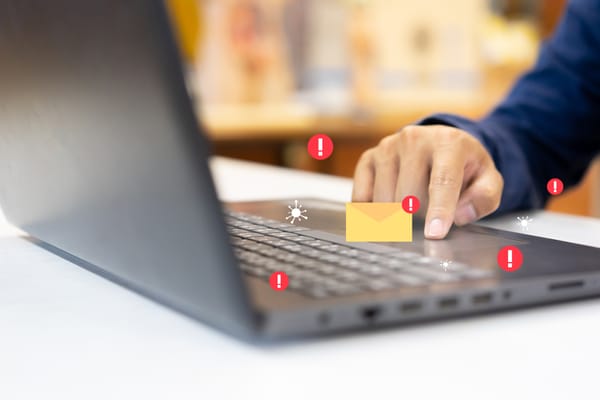
Your business email is like no other tool, it’s a business digital asset. You use it to confirm orders with suppliers, negotiate contracts with partners, send invoices to clients, answer support requests, and receive sensitive documents. At the same time, that same inbox is connected to your marketing platform: you send newsletters, offers, event invitations, product launches, reminders, and follow-ups.
It works like a two-lane highway. One direction brings information in: vendor updates, payment confirmations, client questions, unexpected attachments, and sometimes phishing emails or impersonation attempts. Most business owners have learned to be cautious on this side.
But the other direction matters just as much. Every email you send, whether it’s a campaign to 2,000 subscribers or a promotion to 200 clients, shapes how inbox providers see your domain and your sender reputation.
When something goes wrong, it can damage your domain reputation, push your emails into spam, trigger blacklisting, or even expose your clients to impersonation attempts sent in your name.
For very small businesses, especially those without IT support, email marketing becomes a security risk when the outgoing lane isn’t monitored as carefully as the incoming one.
What Is Sender Reputation?
Your sender reputation is how email providers see your domain. More precisely, it’s a trustworthiness score assigned to you by internet service providers (ISPs). You don’t see a public number, but inbox providers constantly evaluate your behavior in the background.
Your overall sender reputation has two layers:
- IP reputation – Every email is sent from an IP address. That IP is usually tied to your email platform or delivery service. IP reputation reflects how trustworthy that specific sending source appears.
- Domain reputation – This is tied to your business domain (for example, user@yourcompany.com). It reflects how trustworthy your brand’s domain is based on how emails from that domain behave over time.
Every time you send a campaign, email providers providers analyze signals such as:
- Your email bounce rate
- How many recipients mark your emails as spam
- Open and click-through rates
- Replies, forwards, time spent reading
- Unsubscribe rates
- Whether your sending pattern is consistent or shows sudden spikes
- The overall quality and accuracy of your email list
- Content signals such as excessive links, image-heavy layouts, or suspicious formatting
What does “Good” sender reputation actually mean?
In practical terms, it means:
- Your emails consistently land in inboxes
- Your bounce rate stays low (ideally under 2%)
- Spam complaints are extremely rare (well under 0.1% — roughly 1 spam report for every 1,000 emails you send)
- Your domain passes authentication checks
- You are not listed on major blacklists
- Your sending behavior is consistent and predictable
If your reputation is strong, your emails reach clients reliably. If it weakens, they begin drifting into spam. If it collapses, even direct client communication, such as confirmations, invoices, and contract updates, may fail to deliver.
Related: 8 Ways to Protect Your Very Small Business Reputation Online
5 steps to protect your sender reputation
You don’t need to become a technical expert to protect your sender reputation.
1. Keep Your Email List Clean. Remove inactive contacts regularly, avoid scraped or purchased lists, and use confirmed double opt-in whenever possible. Even a relatively small percentage of invalid or disengaged contacts can increase bounce rates and spam complaints, quietly damaging your reputation over time.
Related: Fake Signups Are on the Rise — Here's What Small Business Owners Should Know
2. Be careful with both sending volume and content. If you don’t normally run high-volume campaigns, don’t suddenly blast your entire list, as it can look like spam activity. At the same time, low engagement, frequent deletions, or spam complaints send negative signals, while consistent, meaningful engagement strengthens your sender reputation over time.
3. Verify email addresses before they enter your list. Double opt-in helps confirm that subscribers genuinely want your emails, and real-time verification tools can block fake or mistyped addresses. Preventing bad data is easier than repairing a damaged reputation.
Related: How to Check Who Owns an Email Address And Protect Your Business from Scams
4. Protect access to your email marketing platform. Use strong, unique passwords, enable multi-factor authentication, and remove access when collaborators stop working with you. If an account is compromised, attackers can send thousands of emails from your domain in minutes, and inbox providers won’t distinguish between you and the breach.
Related: How to Prevent or Recover from A Business Email Compromise (BEC) Attack
5. Secure the devices you use to manage email campaigns. Many small business owners work from personal laptops or phones, but if those devices are infected and credentials are stolen, your marketing platform can quickly become a distribution channel for spam or phishing.
Related: Your Face, Your Voice, Your Business—The Rise of AI-Driven Identity Fraud and How to Stop It
Bitdefender Ultimate Small Business Security helps protect your inbox on both sides: incoming and outgoing emails. It filters phishing attempts and scam emails before they reach you, protects the devices you use to manage campaigns, and monitors for suspicious activity. If your email address or business credentials appear in a data breach, you’re notified so you can act before the damage spreads.
If login details are stolen, attackers can access your inbox or marketing platform and send malicious emails from your domain, damaging both your sender reputation and your credibility.
Try Bitdefender Ultimate Small Business Security for free for 30 days.
FAQs
Why are my business emails going to spam?
Business emails usually go to spam because of a low sender reputation. This can happen due to high bounce rates, spam complaints, sudden spikes in sending volume, missing email authentication, or compromised accounts sending suspicious emails from your domain.
How can I check my sender reputation?
You can check your sender reputation using tools like Google Postmaster Tools, Microsoft SNDS, and blacklist checkers such as MXToolbox. Your email marketing platform’s bounce and spam complaint rates also provide early warning signs.
What is a good email bounce rate for small businesses?
A healthy bounce rate is typically under 2%. Consistently higher bounce rates may signal poor list hygiene or technical configuration issues and can damage your sender reputation.
Can a hacked email account damage my sender reputation?
Yes. If attackers gain access to your email or marketing platform, they can send phishing or spam emails from your domain. Inbox providers won’t distinguish between you and the attacker, which can severely damage your reputation.
Is sender reputation the same as IP reputation?
No. Sender reputation includes both IP reputation (linked to the sending server) and domain reputation (linked to your business domain). For most small businesses, domain reputation is the more critical factor.
tags
Author

Cristina Popov is a Denmark-based content creator and small business owner who has been writing for Bitdefender since 2017, making cybersecurity feel more human and less overwhelming.
View all postsYou might also like
Bookmarks
