Is gym Wi-Fi safe? What to know before connecting

October 26, 2026
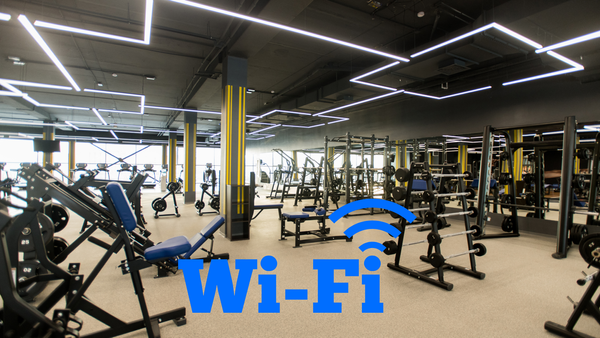
Free Wi-Fi is a convenient perk at the gym, especially for streaming music, following workout videos or checking messages between sets. But how safe is it to connect to a network shared by dozens, or even hundreds, of other members?
Gym Wi-Fi comes with some of the same privacy and security risks as other public networks. Here's what you should know before connecting and how a VPN can help protect your privacy.
Key takeaways:
- Gym Wi-Fi is often a shared network, and you may not know how well it's secured or who else is connected.
- Most modern websites and apps encrypt your data, but that doesn't eliminate every risk associated with public Wi-Fi.
- Fake Wi-Fi hotspots can imitate legitimate gym networks and trick people into connecting.
- A VPN adds another layer of privacy by encrypting traffic between your device and the VPN server.
- Turning off automatic Wi-Fi connections and keeping your devices updated can help you stay safer.
Is gym Wi-Fi safe to use?
Generally, yes, but it depends on how the network is set up and maintained.
Some gyms offer password-protected Wi-Fi for members, while others provide open networks that anyone nearby can join. Even when a password is required, that doesn't necessarily mean the network is private. If the password is displayed at reception or shared with hundreds of members, many people may be using the same connection.
Most popular apps and websites use HTTPS encryption, which helps protect the information you send and receive. Still, you don't control the gym's router, its security settings or who else is connected. That's why it's worth taking a few precautions.
5 things to know before connecting to gym Wi-Fi
You don't have to avoid the gym's free Wi-Fi. Just know what to watch out for and how to protect your connection.
1. Not every Wi-Fi network with your gym's name is legitimate
If you open your Wi-Fi settings and see two networks with similar names, such as FitnessClub_Guest and FitnessClub_FreeWiFi, how do you know which one belongs to your gym?
Scammers can create fake Wi-Fi hotspots with names that look legitimate, hoping people will connect without checking. These are sometimes called evil twin networks.
Once connected, you could be redirected to a fake login page asking for personal details or credentials.
What to do: Ask the gym staff for the correct network name before connecting. Don't assume that the strongest signal or the network with the most familiar name is the right one.
2. A shared network isn't the same as a private connection
When you connect to gym Wi-Fi, other members may be using the same network.
That doesn't mean they can automatically see your messages, passwords or browsing activity. Most modern apps encrypt sensitive information, and well-configured Wi-Fi networks can prevent connected devices from communicating directly with one another.
However, poorly secured networks can expose devices to unnecessary risks, especially if features such as file sharing are enabled.
What to do: Keep your device updated, disable unnecessary file sharing and use a VPN if you want an additional layer of protection for your internet traffic.
3. Your gym may be able to see some of your online activity
When you connect to a Wi-Fi network, the network operator may be able to collect certain information about your connection, depending on how the network is configured. This can include when your device connects, how long it stays connected and potentially which internet services or domains it contacts.
A VPN can reduce visibility into your online activity by encrypting your traffic and routing it through a VPN server. However, the gym can still see that your device is connected to its network and may recognize it across visits.
What to do: If online privacy matters to you, turn on your VPN before browsing on gym Wi-Fi.
4. Your phone might reconnect automatically next time
Once you've connected to the gym's Wi-Fi, your phone may remember the network and reconnect during future visits.
Convenient? Yes. But it also means your device could connect without you paying attention, including potentially to a malicious hotspot impersonating the same network.
What to do: Disable auto-join for the gym's Wi-Fi if you prefer to connect manually. You can also forget the network when you no longer need it.
5. You probably do more than work out while you're there
Gym Wi-Fi isn't just for streaming music or following workout videos. You might also check your email, pay a bill, shop online, open a banking app or respond to a work message.
Most legitimate banking and shopping apps use strong encryption, so using them on public Wi-Fi isn't automatically unsafe. But you should still pay attention to suspicious login pages, certificate warnings and unexpected requests for personal information.
What to do: For particularly sensitive activities, consider switching to mobile data. If you're using gym Wi-Fi, a VPN can add privacy to your connection, but it won't protect you from entering your password on a phishing website.
Should you use a VPN at the gym?
If you regularly connect to gym Wi-Fi, using a VPN is a sensible precaution.
A VPN encrypts your internet traffic between your device and the VPN server. This makes it harder for other people on the local network, or the network operator, to monitor your online activity.
It also masks your public IP address from the websites and services you visit, which normally see the VPN server's IP address instead.
If you use the gym's Wi-Fi to browse, stream, check messages or access online accounts, having a VPN running can give you additional privacy.
For more everyday situations where a VPN can help, read our guide on when you should use a VPN.
Protect your privacy on gym Wi-Fi with Bitdefender Premium VPN
Bitdefender Premium VPN encrypts your internet traffic and masks your IP address, helping keep your online activity more private when you're connected to shared networks.
You can also configure automatic VPN connections for certain situations, helping protect your privacy without having to remember to connect manually every time.
Get Bitdefender Premium VPN and enjoy safer, more private browsing at home and wherever you go.
You may also want to read:
- 5 moments when you’ll be glad you have a VPN this holiday season
- Using a VPN for the first time? Do these 5 things
- Moving into a new home? What to do before connecting to your new Wi-Fi
FAQs
Can someone hack my phone through gym Wi-Fi?
Connecting to gym Wi-Fi doesn't automatically make your phone vulnerable to hacking. However, poorly secured networks and outdated devices can increase certain risks. Keep your phone updated, avoid suspicious links and consider using a VPN.
Can the gym see what websites I visit?
Depending on its network configuration, the gym may be able to see some information about your internet connections, including certain domain names. HTTPS protects the contents of your communications, while a VPN can further limit what the network operator can observe.
Is password-protected gym Wi-Fi safer than open Wi-Fi?
A properly configured password-protected network can provide better protection than an open network. However, a password shared by all members doesn't make the network private or guarantee that it's secure.
Should I use mobile data instead of gym Wi-Fi?
Mobile data is a good alternative, particularly when you're accessing sensitive accounts or don't trust the available Wi-Fi network. If you prefer to use gym Wi-Fi, check that you're connecting to the legitimate network and consider enabling your VPN.
Does a VPN slow down Wi-Fi at the gym?
A VPN can slightly affect your internet speed because it encrypts and routes your traffic through a VPN server. The difference may be small, but your experience will also depend on the gym's Wi-Fi quality, network congestion and the VPN server you use.
tags
Author

Cristina Popov is a Denmark-based content creator and small business owner who has been writing for Bitdefender since 2017, making cybersecurity feel more human and less overwhelming.
View all postsYou might also like
Bookmarks
