What to do after receiving a ransomware note

August 14, 2026
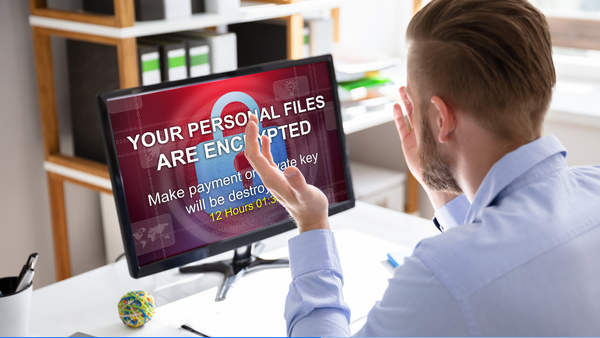
Most ransomware attacks begin with a single click on a phishing email, a stolen password, or an unpatched device. Within minutes, important files become encrypted, employees lose access to systems, and a ransom note appears demanding payment.
It's a situation no business owner wants to face. But if it happens, the decisions you make in the first few hours can make all the difference.
Here's what to do if your business receives a ransomware note.
Key takeaways:
- Disconnect infected devices immediately to help stop the ransomware from spreading.
- Don't pay the ransom before understanding your options.
- Preserve evidence, including the ransom note and any error messages.
- Contact a trusted IT professional or cybersecurity provider as soon as possible.
- Restore from clean backups only after the infection has been removed.
The first steps to take after a ransomware attack
The goal is to contain the attack, protect any remaining data, and avoid making decisions that could make recovery more difficult.
Follow these steps to respond safely and improve your chances of getting your business back up and running.
Step 1: Don't panic or pay the ransom right away
Seeing a countdown timer or a demand for thousands of dollars can be frightening. But don't let the attackers pressure you into making a quick decision.
Paying the ransom doesn't guarantee you'll get your files back. Some victims never receive a working decryption key, while others are asked to pay even more. Even if your files are restored, there's no guarantee the attackers haven't copied sensitive business data before encrypting it.
Step 2: Disconnect the infected device
If you suspect a computer has been infected, disconnect it from the internet and your local network as quickly as possible. This can help prevent the ransomware from spreading to other computers, servers, or shared folders.
If possible:
- Disconnect the device from the internet (unplug the Ethernet cable or turn off Wi-Fi).
- Disconnect external drives.
- Stop using shared network folders from the infected device.
Don't start deleting files or reinstalling Windows. Preserving the system can help experts determine what happened and improve your chances of recovery.
Step 3: Find out what's affected
Ransomware doesn't always stay on one computer. Before taking further action, try to understand the scope of the attack.
Ask yourself:
- Is only one computer affected?
- Can employees still access shared folders?
- Are your servers or NAS devices affected?
- Can you access your cloud storage?
- Are your backups still available?
- Are business email accounts working normally?
The answers will help you understand how serious the incident is and what recovery options may be available.
Step 4: Save the evidence
It might be tempting to delete everything and start over, but don't.
The ransom note, encrypted files, and any error messages can provide valuable clues about which ransomware family you're dealing with. This information can help security professionals determine whether a free decryptor exists or recommend the best recovery approach.
Take screenshots of the ransom note, record when you first noticed the attack, and keep any suspicious emails or messages you believe may have started the infection.
Step 5: Get professional help
A ransomware attack isn't the time to troubleshoot the problem on your own or download random "recovery tools" from the internet. An experienced professional can help identify how the attackers got in, check whether they're still active in your network, and guide you through the safest recovery process.
Depending on your business, you can contact:
- The IT company or technician who normally maintains your computers.
- Your cybersecurity provider, if your security solution includes incident support.
- A local managed IT service provider (MSP) that helps small businesses recover from cyberattacks.
- Your cyber insurance provider, if you have cyber insurance. Many policies include access to incident response specialists.
The sooner you get professional help, the better your chances of limiting the damage and getting your business back to normal.
Be cautious of "free ransomware recovery" tools. After an attack, it's common to search online for a quick fix. Unfortunately, scammers know this. Some fake decryptors and recovery services are designed to install more malware or trick victims into paying for tools that don't work. Download security tools only from trusted vendors or work with a reputable IT professional.
Step 6: Report the attack
Once the situation is under control, report the attack to the appropriate authorities in your country. If you have cyber insurance, notify your insurer as soon as possible, as your policy may require prompt reporting.
Reporting ransomware attacks also helps law enforcement track criminal groups and identify broader attack campaigns that may affect other businesses.
Step 7: Restore your business safely
If you have clean, unaffected backups, they may be the fastest way to recover.
Before restoring your files, make sure the ransomware has been completely removed from your systems. Restoring data while the malware is still active could result in your files being encrypted again.
Once your systems are clean, restore your data carefully and monitor your devices for any unusual activity.
What not to do after a ransomware attack
In the rush to get your business running again, it's easy to make mistakes that can make recovery more difficult.
Avoid:
- Paying the ransom immediately.
- Reconnecting infected devices to your network.
- Deleting encrypted files.
- Formatting computers before understanding what happened.
- Assuming only one device has been affected.
- Downloading unknown "recovery" or "decryptor" tools from the internet.
How to reduce the risk of future ransomware attacks
A few good security habits can make ransomware much less likely to succeed.
These include:
- Keeping software and operating systems up to date.
- Enabling multi-factor authentication (MFA).
- Training employees to recognize phishing emails.
- Backing up important data regularly and testing your backups.
- Limiting administrator privileges.
- Using business security software that helps detect ransomware, phishing attacks, and other threats before they spread.
Bitdefender Ultimate Small Business Security helps protect your business against many of the attacks that lead to ransomware, including phishing emails, malicious websites, and malware. It also helps secure multiple business devices from a single dashboard, making it easier to manage protection as your business grows.
Try Bitdefender Ultimate Small Business Security free for 30 days. No credit card required.
You may also want to read:
Small Business Ransomware: What You Need to Know and How to Stay Safe
Sent money to a scammer by bank transfer? What to do in the first 24 hours
Scam recovery timeline: what to do in the first 10 minutes, hour, day and week
FAQs
Should I pay the ransomware demand?
Paying doesn't guarantee you'll recover your files, and it may encourage attackers to target you again or demand additional money.
Can ransomware spread to other computers?
Yes. Many ransomware families are designed to spread through local networks, shared folders, and connected devices if they aren't isolated quickly.
Can I remove ransomware myself?
Removing the malware doesn't automatically restore encrypted files. If you're unsure what you're dealing with, it's safer to seek professional help before making changes to your system.
Can ransomware infect cloud storage?
Yes. If your cloud storage automatically syncs with an infected device, encrypted files may also be uploaded and replace the originals.
How long does it take to recover from a ransomware attack?
Recovery can take anywhere from a few hours to several weeks, depending on how many systems were affected, whether clean backups are available, and how quickly the attack is contained.
Can ransomware be removed without paying the ransom?
Security researchers have created free decryptors for certain ransomware families, and businesses with clean backups can often recover without paying. However, recovery depends on the type of ransomware and whether your backups were also affected.
tags
Author

Cristina Popov is a Denmark-based content creator and small business owner who has been writing for Bitdefender since 2017, making cybersecurity feel more human and less overwhelming.
View all postsYou might also like
Bookmarks
