Cheap iPhone 18 Pro? Watch out for fake shopping sites

October 06, 2026
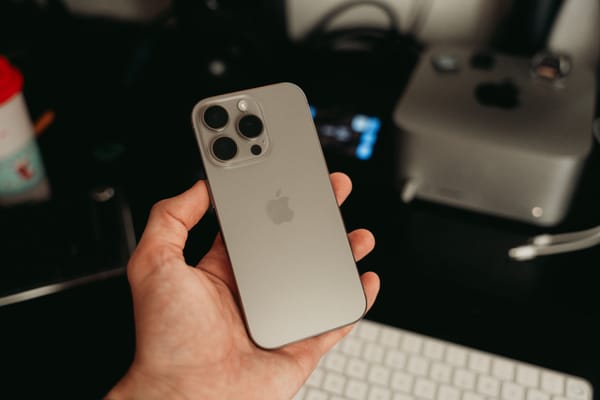
Following the launch of Apple's iPhone 18 Pro and iPhone 18 Pro Max, Which? has warned shoppers about fake websites claiming to sell the new phones at tempting prices. The warning follows reporting from The Guardian about scam websites appearing around the launch, including sites using words such as "Apple" and "iPhone 18" in their domain names to look convincing.
phones may be new, but the scam isn't.
Fake shopping websites have been around for years, and major product launches give scammers exactly what they need: lots of interest, shoppers hunting for deals, and enough excitement to make a surprisingly low price seem possible.
Key takeaways:
- Scammers are using fake shopping websites to target people looking for deals on the new iPhone 18 Pro.
- Very low prices, countdown timers, unfamiliar websites and unusual payment methods can all be warning signs.
- A domain containing "Apple" or "iPhone" doesn't mean the website is legitimate.
- Check unfamiliar links with Bitdefender Link Checker before visiting them.
- If you're unsure about an offer, send the link, message or screenshot to Bitdefender Scamio for a second opinion.
New product launches are perfect for fake shopping sites
When a highly anticipated product launches, buying it isn't always straightforward. It may be expensive or sell out quickly, so people start comparing prices and searching for discounts, availability or retailers that can deliver faster.
That's where a fake store can slip into the search. A website may look like a legitimate electronics retailer or even imitate a familiar brand. It may use official product photos, specifications and branding. The domain name might contain the manufacturer's name or the product itself.
Then comes the temptation: the price is noticeably lower than everywhere else.
The Guardian reported that some of the fake sites appearing around Apple's latest launch offered iPhones at prices hundreds of pounds below their normal retail price. Some also requested payment by bank transfer or cryptocurrency. You may end up paying for a phone that never arrives, while also handing scammers your payment information or other personal details.
Warning signs of fake iPhone 18 Pro websites
Among the warning signs were domains containing terms such as "Apple" or "iPhone 18," very low prices and countdown timers designed to make shoppers feel they need to act quickly.
Other signs worth checking include:
- A price that's much lower than you'll find at established retailers
- A website or retailer you've never heard of
- A web address that uses a familiar brand name but isn't the brand's official domain
- Pressure to buy quickly because a deal is supposedly about to expire
- Requests to pay by bank transfer, cryptocurrency or another payment method that offers little protection
- Missing or suspicious contact information, return policies or company details
Found a much cheaper iPhone? Check the website before you buy
A discount doesn't automatically mean a website is fraudulent. But the bigger the difference between its price and what established retailers are charging, the more reason you have to check.
Use Bitdefender Link Checker before opening a suspicious site. If you've found a deal through a search result, social media ad, message or email and aren't sure where the link leads, check it before you trust it. Bitdefender Link Checker lets you paste in a URL and check it for potential phishing, fraud and other threats.
This can be particularly useful when the web address looks almost right or when you've never heard of the retailer before.
Check a suspicious URL with Bitdefender Link Checker.
Not sure if the whole offer is a scam? Ask Scamio
Perhaps you saw the offer in an Instagram or Facebook ad. Maybe it arrived by email or message, or you found a website that looks convincing but the price seems too good to be true. You can send the suspicious link, message or a screenshot to Bitdefender Scamio, the free AI-powered scam detector, and ask whether you're looking at a potential scam.
That extra check takes considerably less time than trying to recover money sent to a fake store.
FAQs
How can I tell if an iPhone website is fake?
Check the full web address, price, payment methods, contact information and independent reviews. Be especially cautious if an unfamiliar website offers a brand-new iPhone significantly cheaper than established retailers or pressures you to buy quickly.
How can I check if an online store is legitimate?
Search for the retailer independently and look for reviews, contact details, return policies and information about the company behind the website. Check the URL carefully, especially if the site uses a familiar brand name. You can also use Bitdefender Link Checker to check a suspicious URL before visiting it.
Can scammers use Apple or iPhone in a website address?
Yes. Scammers can register domains containing familiar brand or product names to make a website look legitimate. Seeing "Apple" or "iPhone" in a URL doesn't mean the website belongs to or is authorized by Apple.
What should I do if I entered my card details on a fake website?
Contact your bank or card provider as soon as possible and explain what happened. Follow their advice about blocking or replacing the card, and monitor your account for transactions you don't recognize. If you also created an account using a password you use elsewhere, change that password too.
What should I do if I've already paid a fake online store?
Contact your bank or payment provider immediately and ask whether the payment can be stopped or disputed. Keep copies of the website, order confirmation, emails and other information related to the purchase. If you shared login details or reused a password, change it and enable two-factor authentication where available.
tags
Author

Cristina Popov is a Denmark-based content creator and small business owner who has been writing for Bitdefender since 2017, making cybersecurity feel more human and less overwhelming.
View all postsYou might also like
Bookmarks
