The easiest way to manage security across all your business devices

July 31, 2026
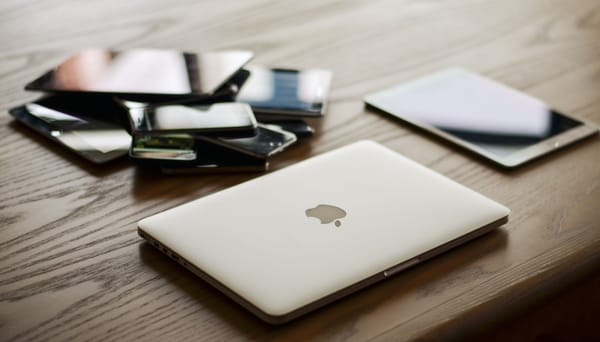
Every time you wonder, "Did I install protection on John's laptop?" or "Is my old office computer still protected?", you're already managing your business devices, just in the hardest possible way.
Every device you use for work—your laptop, phone, tablet, or the computers and mobile devices used by employees or collaborators—stores valuable business information. If even one of them is left unprotected, it can become an entry point for cybercriminals.
But with the right tools and habits, you can protect and manage all your business devices from one place, making cybersecurity simpler and giving you one less thing to worry about.
Key takeaways:
- Every device that accesses your business can become a security risk if left unprotected.
- Managing security from one dashboard makes it easier to keep every device protected and up to date.
- Centralized security saves time, reduces human error, and helps you spot problems quickly.
- Even businesses with just a few employees benefit from centralized device management.
- The right business security solution helps protect your devices without requiring an IT department.
Why managing business devices gets complicated
Most businesses don't wake up one day with ten devices to manage. It happens gradually: you start with your computer, later you buy a work phone or work remotely with someone who uses their own laptop. Before long, your business is running on several devices spread across different locations.
Keeping track of them becomes surprisingly difficult. Some devices may have dedicated security software, while others rely only on the protection built into their operating system. Licenses expire, new devices are added, employees change phones or computers, and it's easy to lose track of what's actually protected.
Unfortunately, they're also the kinds of gaps cybercriminals look for.
One unprotected device can put your business at risk
No matter how the attack starts, one unprotected device can be enough to put your business, your data, and your customers at risk.
Some of the most common threats for businesses include:
Phishing links and online scams. A convincing email, text message, QR code, or fake website can trick employees into revealing passwords, downloading malware, or sending money to criminals.
Weak passwords and data breaches. Many cyberattacks begin with stolen credentials. If an employee reuses a password that has been exposed in a previous data breach, cybercriminals may be able to access business accounts without needing to hack anything.
Business Email Compromise (BEC). Business Email Compromise scams involve criminals impersonating a colleague, supplier, or company executive to convince employees to transfer money, change payment details, or share sensitive information. These attacks often begin with phishing or compromised email accounts.
Malware and ransomware. Malicious software can infect a single device through an unsafe download, an infected attachment, or a compromised website. Ransomware can encrypt business files, disrupt operations, and, in some cases, spread to other connected devices.
Related: How small businesses get hacked through employees
The easiest solution: Manage all your business devices from one dashboard
Instead of checking every laptop, phone, and tablet individually, imagine opening a single dashboard that shows exactly what's happening across your business. Rather than wondering whether everyone's protected, you can see the status of every device at a glance. A centralized security dashboard helps you:
- Know that every work device is protected, no matter where it's being used.
- Spot security issues early, before they become costly problems.
- Protect new devices in minutes, without complicated setup.
- Onboard new employees more easily, with security included from day one.
- Save time and money managing subscriptions, licenses, and renewals.
- Fix problems before they interrupt your business.
For a small business owner, that means fewer things to remember and greater confidence that your business is protected.
Related: Small Business Security Starter Kit: The Tools You Need and Why
What to look for in a business security solution
Not every business security solution is built for very small businesses. Some are designed for large organizations with dedicated IT teams and can be unnecessarily complex.
If you're managing your own business, look for a solution that's easy to use, easy to manage, and provides comprehensive protection.
Here are a few features worth looking for:
Easy setup. Getting started shouldn't require technical expertise or hours of configuration.
Centralized management. A single dashboard makes it easy to see which devices are protected, monitor their security status, and take action if something needs attention.
Protection for all your devices. Choose a solution that protects all the devices your business relies on: Windows PCs, Macs, Android phones, and iPhones
Automatic protection. Look for features like automatic security updates and real-time threat detection, so your devices stay protected without constant manual intervention.
Remote deployment and management. If employees work remotely, travel frequently, or use devices outside the office, you should be able to deploy protection and manage their security from anywhere.
Protection against today's threats. Look for protection against phishing, scams, ransomware, malicious websites, and other common cyber threats.
Extra security tools. Features like a password manager, VPN, digital identity monitoring, and scam protection can strengthen your overall security while reducing the need to manage multiple separate products.
Related: The first 5 cybersecurity measures every small business should take
When should you upgrade to a business security solution?
Many business owners start with a consumer security product, and that's perfectly reasonable when you're working alone.
But once your business grows to three or more people, the way you manage security changes. You're also responsible for employee devices, shared business accounts, customer data, and making sure everyone follows good security practices.
At that point, a business security solution with centralized management can save you time, reduce mistakes, and give you better visibility over your business's security.
Whatever solution you choose, a few simple habits will help keep your devices protected:
- Turn on automatic updates so devices receive the latest security patches without relying on manual updates.
- Review your protected devices regularly and remove any computers or phones that are no longer used for work.
- Use strong, unique passwords for every business account and enable multi-factor authentication (MFA) whenever possible.
- Replace devices that no longer receive security updates, as unsupported hardware and software become easier targets for attackers.
- Review your security dashboard regularly to make sure every work device is protected and to address any alerts before they become problems.
Related: Going from “Just Me” to “We”: A Security Playbook for Your First Employee’s First Day
Manage and protect devices with Bitdefender Ultimate Small Business Security
Bitdefender Ultimate Small Business Security helps you protect and manage your business devices from a single dashboard, without needing a dedicated IT department. You can deploy protection to new devices remotely, monitor their security status, and quickly spot any issues that need your attention.
Instead of managing and paying for separate tools for malware protection, passwords, VPN, and scam protection, Bitdefender Ultimate Small Business Security brings everything together in a single solution.
Plans for teams of up to three members start at just $18.99 per month, making it an affordable option for freelancers and very small businesses looking for business-grade protection without enterprise-level complexity.
Try Bitdefender Ultimate Small Business Security free for 30 days, and see how it can help protect your accounts, devices, and business.
FAQs
How do I manage security on multiple business devices?
The easiest approach is to use a centralized business security solution that lets you install, monitor, and manage protection for all your devices from a single dashboard.
How many devices should a small business protect?
Every device used for work should be protected, including laptops, desktops, smartphones, tablets, and any employee-owned devices that access business accounts or data.
Can I manage employee devices remotely?
Yes. Many business security platforms allow you to deploy protection, monitor device status, and respond to security issues remotely.
Do small businesses need centralized device management?
Yes. Even businesses with only a few employees often have multiple work devices. Centralized management helps ensure every device stays protected without requiring an IT specialist.
What features should a small business security solution include?
Look for endpoint protection, centralized management, automatic updates, remote deployment, phishing protection, VPN, password management, and support for multiple operating systems.
tags
Author

Cristina Popov is a Denmark-based content creator and small business owner who has been writing for Bitdefender since 2017, making cybersecurity feel more human and less overwhelming.
View all postsYou might also like
Bookmarks
