Help your child, not a scammer. Everything you need to know about the “Hi mum, Hi dad” scam on WhatsApp

April 24, 2024

The WhatsApp “Hi Mom” or “Hi Dad” scam is a family impersonation scam where criminals pretend to be someone’s child using a new or temporary phone number. The message usually claims their phone was lost, broken, stolen, or out of battery, then quickly turns into an urgent request for money, bill payment, bank transfer, gift cards, or a verification code. The safest response is to stop, verify the story by calling your child or relative on a trusted number, and never send money or security codes through a new WhatsApp chat until you confirm who you are really speaking to.
Key takeaways
- The “Hi Mom / Hi Dad” scam starts with a message from an unknown number pretending to be your child or close family member.
- Scammers often claim their phone is broken, lost, stolen, or replaced, then create urgency around a bill, emergency, or locked account.
- Never send money, gift cards, banking details, or verification codes based only on a WhatsApp message from a new number.
- Call the person directly on their old number, ask a private verification question, report the chat, and use Bitdefender Scamio to check suspicious messages or screenshots before responding.
“Hi, Mom, this is my new number. Can you save it and send me a message on WhatsApp as soon as you see this?”
“Hey Dad, I’m in trouble. I lost my phone and need money – please text me at this number.”
“Hey Mom! So embarrassed – dropped my phone in water and it’s completely dead. I am borrowing a friend’s phone but need your help. Please send a WhatsApp when you get this.”
These are just a few examples of how scammers contact parents on WhatsApp, pretending they are their child who needs help immediately. If you are not a parent, you’ll know instantly it’s a scam. But if you are, the instinct to help your child may be stronger than the logic. The scam will not flash out as anything unusual when you are used to communicating on WhatsApp or sending them money when they need it.
Here’s everything you need to know about this type of scam to make sure you help your child, not a scammer.
How the scam works
The scam begins with a text message from an unknown number pretending to be from their child. The recipient is told that their family member has lost or broken their phone and is trying to contact them on a borrowed one. The scammer usually asks their victim to save the number and contact them back. Once you have replied to the text as requested, the scammer will:
- Ask for money or help making a payment - “I need to pay for a new phone – can you send money to me via this link? I promise I’ll pay you back next week.”
- Try to access your online accounts. “I have to make a payment, but I don’t have the banking app set up on this phone – can you text me the code that was sent to your phone?”
- Claim that they lost files and pictures - to extort money and personal information from the unsuspecting victim. I’ve lost all the documents and photos, can you send me pictures of our family?
Versions and variations: One of the latest versions of this scam is that instead of text messages, cybercriminals clone voices to extort money and either call victims or send them voice messages. The scams could be created with as little as three seconds of audio taken from a social media profile, voicemail, or video on a website.
Scammers may also try contacting grandparents, aunts, and uncles or impersonating other family members, such as cousins.
How to recognize a “Hi Mom” scam
Even though the exact wording will differ – and sometimes take the form of a “Hi Dad” text – these fake messages follow a pattern. The following clues can point to a scam text:
- the call is from an unknown cell phone number
- says it's an emergency and requests immediate help
- gives you a suspicious reason for using a strange cell phone number
- requests to transfer money
What to do if you receive a suspicious message on WhatsApp
If you receive a suspicious text or audio message from an unknown number, the most important thing is not to reply to or call back. Instead, check in with your child by calling their “old” phone number. Don’t panic if they don’t answer immediately; talk to other family members and wait to be called back.
Under no circumstances should you transfer money, send a gift card, share a security code, or allow yourself to be pressured into taking any other action.
Last, you should block the scammer so they cannot send you new messages. To do this, Open the WhatsApp chat with the unknown phone number and tap Block. You can also report the contact by tapping Report contact > Block.
How to protect yourself from imposter scams on WhatsApp
Scammers often get phone numbers and other personal details from social media platforms, websites, or data leaked in breaches. The more they learn about you, the better they can tailor the scam to trick you.
For this reason, you should:
- Limit the personal information you post on social media, and do not share your phone number.
- Change the privacy settings of your apps / social media so only family and friends can access your contact details.
- Activate two-factor authentication for online banking or any online accounts where you have saved payment information.
Check any message you receive from an unknown number with Bitdefender Scamio, our AI-powered chatbot created to detect scams. You can add Scamio as a contact in your WhatsApp list and it will work as your personal scam checker.
To do so, scan the QR code below:
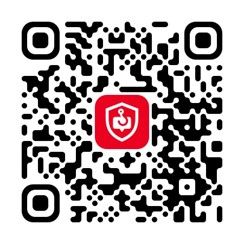
or click on Chat with Scamio.
Then, you can describe the scam details and copy and paste texts, links, or QR codes. Scamio will carefully analyze the material you provide and let you know if it looks safe or if there’s any potential security threat.
Scamio is free and also available on your web browser or Facebook Messenger, so share it with your loved ones and keep them safe, too.
Frequently asked questions (FAQs)
What to do if you think your parents are being scammed?
If you think your parents are being scammed, ask them to pause before sending money, gift cards, verification codes, or personal information. Stay calm, avoid blaming them, and help verify the story by calling the real family member on a trusted number, checking bank or payment activity, and reviewing the suspicious message together. If money was sent, contact the bank or payment provider immediately, report the scam to the platform, and file a report with the relevant consumer protection or police authority. The FTC recommends verifying family emergency claims before sending money because scammers often impersonate loved ones and create urgency.
How to spot a scam for kids?
Kids can spot a scam by looking for messages that feel urgent, secret, too good to be true, or scary. A scammer may pretend to be a friend, parent, game moderator, celebrity, or company and ask for money, gift cards, passwords, login codes, photos, or personal details. Teach children to stop, avoid clicking links, never share codes or passwords, and ask a trusted adult before responding. A simple rule works well: if a message asks for money, secrecy, or personal information, show it to a parent first.
How to identify a scammer?
You can identify a scammer by watching for pressure, secrecy, emotional manipulation, unusual payment requests, and refusal to verify their identity. In family impersonation scams, the scammer may say their phone is broken, they are using a new number, and they need money urgently for a bill, accident, travel, or emergency. Other red flags include requests for gift cards, cryptocurrency, bank transfers, one-time codes, or account details. Scammers may also use AI voice cloning, so verify through a trusted number or a family safe word before acting.
How to prevent parents from getting scammed?
To prevent parents from getting scammed, agree on a family verification plan before an emergency happens. Set a private family safe word, ask them to call known numbers before sending money, enable two-factor authentication on important accounts, review privacy settings, and encourage them to ignore urgent payment requests from unknown numbers. Help them enable WhatsApp privacy settings, block and report suspicious chats, and use Bitdefender Scamio to check suspicious messages, links, screenshots, or payment requests before responding.
tags
Author

Cristina Popov is a Denmark-based content creator and small business owner who has been writing for Bitdefender since 2017, making cybersecurity feel more human and less overwhelming.
View all postsYou might also like
Bookmarks
