Scam evidence checklist: What to save before it disappears

August 04, 2026
Scam messages, profiles and websites may vanish once criminals receive money or sense suspicion. This scam evidence checklist outlines what to capture immediately and how those records can help banks, platforms and investigators understand what happened.
Key takeaways
- Scam evidence includes communications, account identifiers, website details, payment records and a timeline.
- Scammers often delete chats, rename profiles or abandon websites after obtaining money, credentials or personal data.
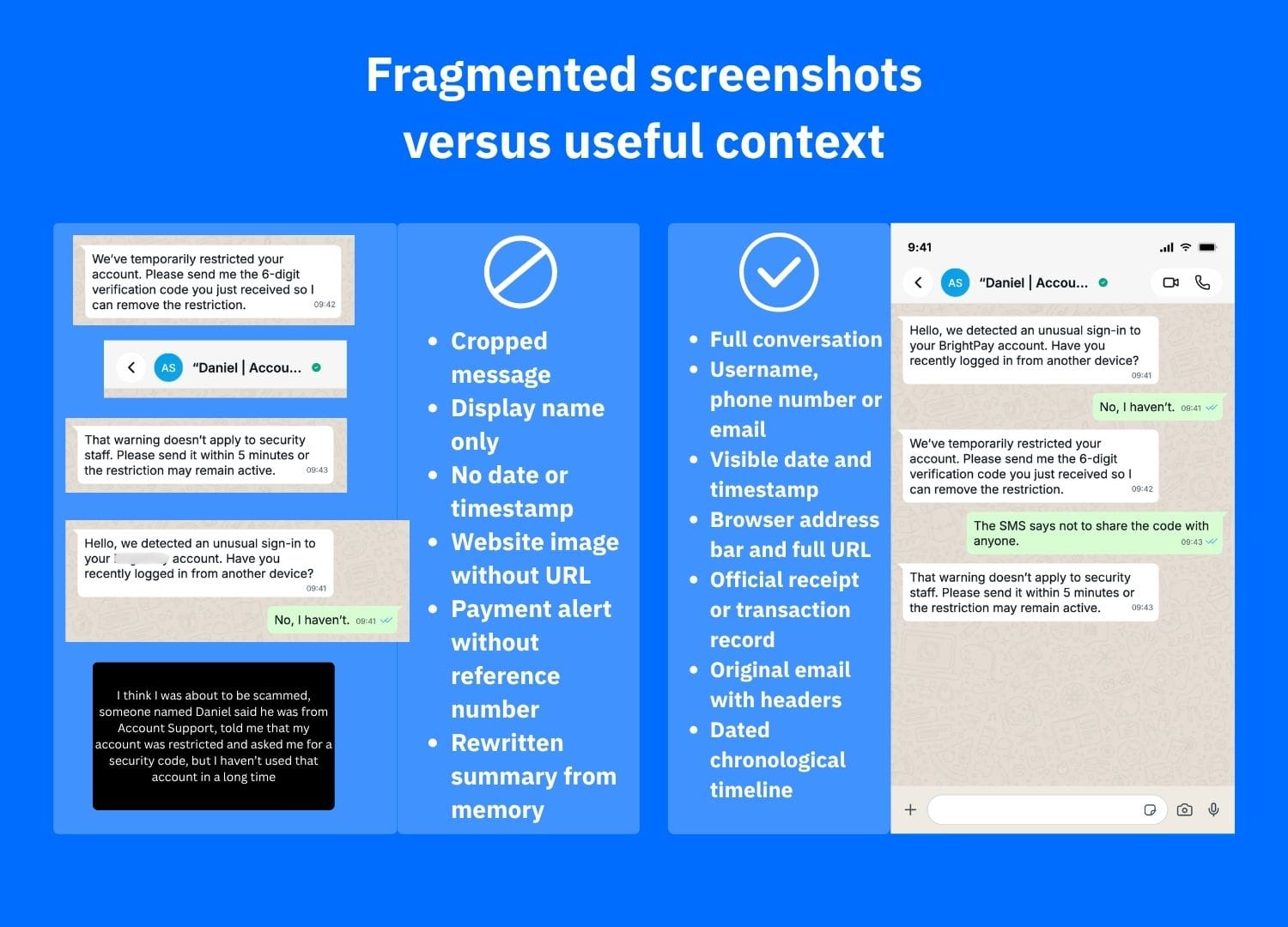
- Screenshots are most useful when they show the sender, username, date, URL and surrounding context.
- Save original material, contact the payment provider, secure exposed accounts and report the scam.
Why scam evidence can disappear quickly
Financial scams often start with an unexpected message or website. The criminal builds trust, adds a sense of urgency, then requests money, credentials or device access. They may then block the victim, delete messages or take a fake site offline.
Preserving the visible information creates a record for disputes, reports or an identity-theft response. The FBI’s Internet Crime Complaint Center advises keeping original documents securely and lists transaction receipts, electronic emails, web pages and chat or telephone logs as potentially relevant evidence.
This checklist complements our guide to financial scams, which outlines scam warning signs; the focus here is preserving proof.
Scam evidence checklist: What should you save?
Capture who contacted you, what was promised and where the money or data went.
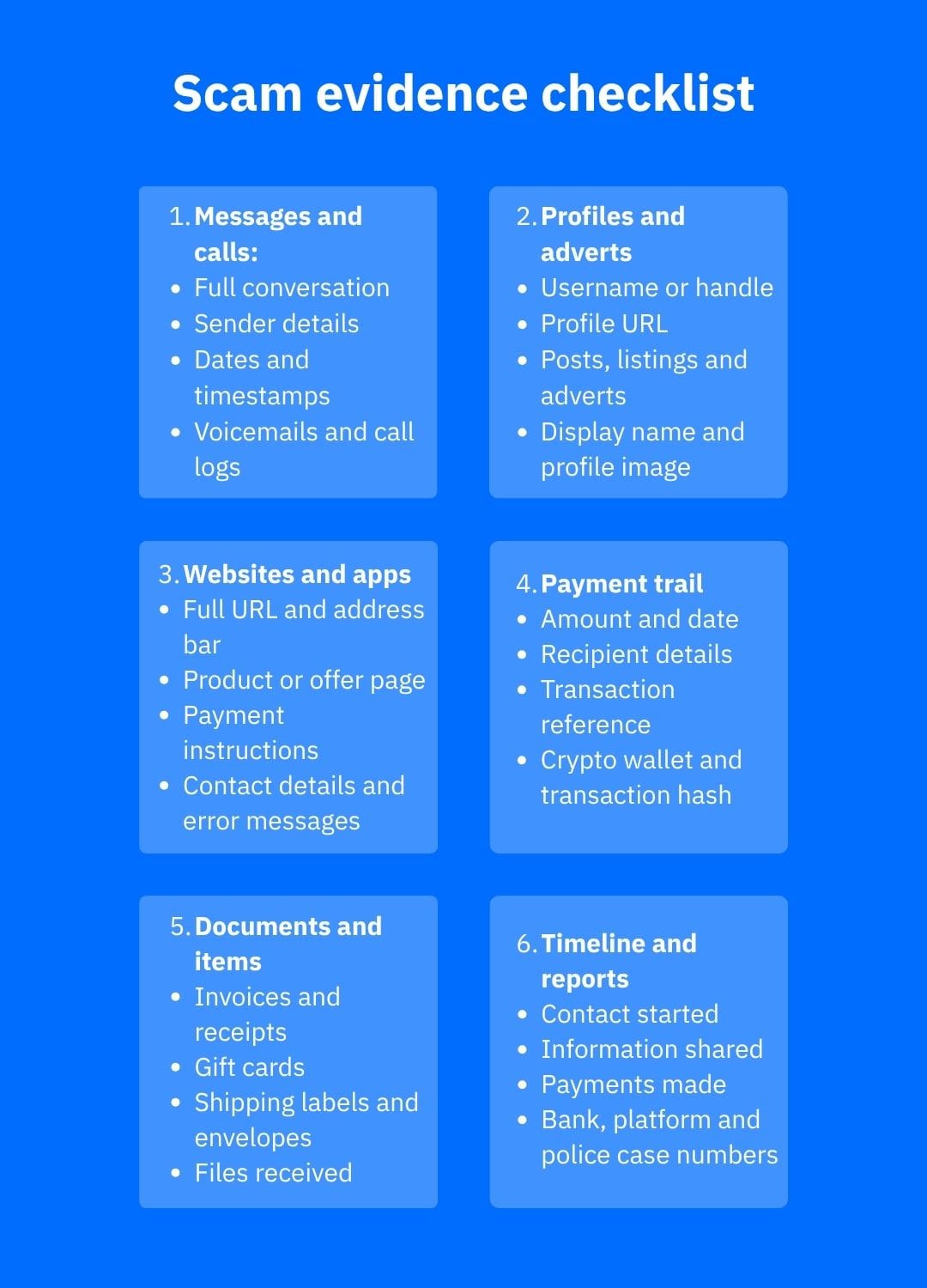
- Messages and calls: Save full conversations, dates, phone numbers, email addresses, usernames, voice notes, voicemails and call logs.
- Profiles and adverts: Capture the handle, profile URL, biography, posts, listings and adverts.
- Websites and apps: Copy the full URL and capture the address bar, page content, prices, payment instructions and contact details. Save relevant pages as PDFs where possible.
- Emails: Keep the original message and export it in its original format if available. Full email headers contain routing details that a screenshot may omit; IC3 asks complainants to include headers when available.
- Payments: Download records showing the amount, date, recipient, account details, payment reference and status. For cryptocurrency, retain the wallet address and transaction hash.
- Files and physical items: Keep invoices, gift cards and receipts, shipping labels, envelopes, products and files received. Do not reopen suspicious attachments.
- A timeline: Note when contact began, what the scammer claimed, what you shared, every payment and when you noticed the fraud. Add case numbers.
How to preserve evidence safely
Keep originals unchanged. Make copies and maintain a backup. Do not crop or annotate your only screenshot, and never publish unredacted identity documents, bank details, passwords or recovery codes.
Use the platform’s export function before deleting a conversation or account. Europol advises preserving communications, screenshots, platform names, user IDs, URLs and payment information before blocking an offender.
What to do after saving the evidence
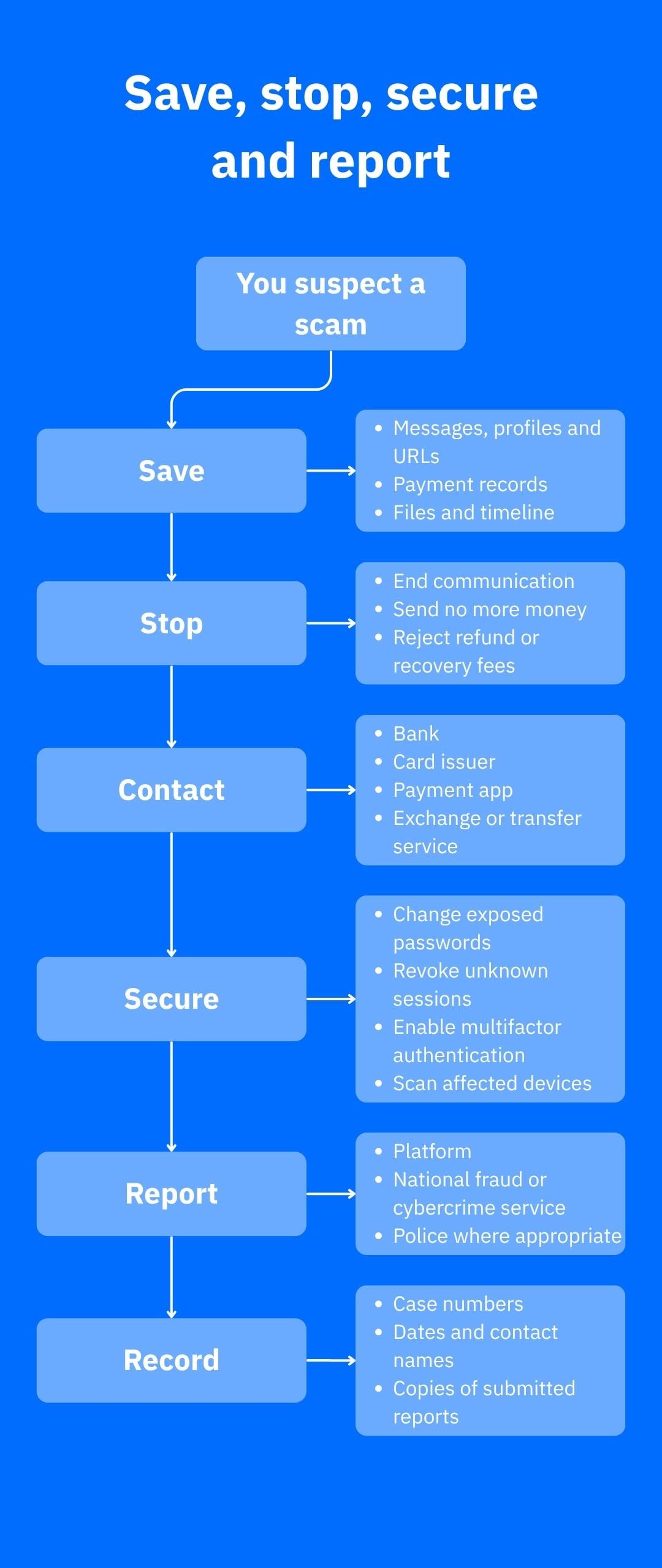
Evidence collection should not delay urgent action:
- Stop contact and payments. Ignore demands for “taxes,” verification charges or refund fees.
- Call the bank or payment provider. Report fraud and ask whether the transaction can be stopped, recalled, reversed or disputed. The FTC recommends asking the company used to send the money about available recovery options.
- Secure accounts and devices. Change exposed passwords, revoke unfamiliar sessions, enable multifactor authentication and scan devices if software was installed.
- Report the incident. Notify the platform and the relevant national fraud, cybercrime, consumer-protection or police service. Europol maintains links to national reporting channels across Europe.
In the case of a fraudulent transfer, follow our guide on what to do after sending money to a scammer by bank transfer.
How Bitdefender can help
Before engaging, Bitdefender Scamio can analyze copied text, links, screenshots, emails, social messages and QR codes. It offers a second opinion but does not preserve legal evidence or recover money.
For creators, Bitdefender Security for Creators provides account monitoring, anti-scam email protection, device security and recovery guidance for supported YouTube, Instagram and Facebook accounts. It is relevant to fake sponsorships, account takeover and impersonation.
If personal information was exposed, Bitdefender Digital Identity Protection monitors for compromised accounts, exposed passwords and data breaches, provides alerts and advice for reducing identity-fraud risks. It can’t guarantee prevention.
Conclusion
A useful scam evidence checklist captures the full story before it changes: who contacted you, what they claimed, what you shared and how money moved. Save originals first, then contact the payment provider, secure accounts and report the incident.
Frequently asked questions (FAQs)
How do I prove I’ve been scammed?
Create a chronological record linking the scammer’s claims to your loss or exposure. Keep original emails, full message threads, profile and website URLs, receipts, transaction references and screenshots showing dates and identifiers. Requirements vary between banks, platforms and authorities, so retain everything relevant for possible follow-up.
Can I get money back if I’ve been scammed?
Sometimes, but recovery is not guaranteed. Contact the bank, card issuer, payment app, exchange, gift-card company or transfer service immediately and ask about a stop, recall, reversal or dispute. The outcome depends on the payment method, timing, authorization status and consumer-protection rules in your jurisdiction.
How do I check if I’ve been scammed?
Stop communicating and verify the story through independently sourced contact details. Check bank and account activity, compare the request with the organization’s official policies, and examine the exact website or profile details. Preserve the suspicious material before reporting or blocking the account, even if no money has been lost.
tags
Author

Vlad's love for technology and writing created rich soil for his interest in cybersecurity to sprout into a full-on passion. Before becoming a Security Analyst, he covered tech and security topics.
View all postsYou might also like
Bookmarks
